For a rap beat you can shape around a verse, start with RapGen for beat-only rap styles, Rewind AI Beat Maker for prompt-based hip-hop instrumentals, or InsMelo AI Beat Maker when BPM and arrangement controls matter. Beatmaker Studio is the focused choice for editable drum patterns; InstaSong can generate production with its instrumental-only setting.
Ranked Free AI Rap Beat Generators
| Rank | Tool | Free access stated | Best fit |
|---|---|---|---|
| 1 | RapGen | 2 songs per day; free songs up to four minutes | Rap-only, beat-only generations |
| 2 | Rewind AI Beat Maker | 2,500 tokens daily anonymously or 5,000 daily with a free account | Prompt-led hip-hop and subgenre direction |
| 3 | InsMelo AI Beat Maker | Free plan with 3.9 credits | Beats with BPM, mood, and structure controls |
| 4 | Beatmaker Studio | Free plan | Editable, text-prompted drum patterns |
| 5 | InstaSong | 3 credits on signup | Instrumental production from a descriptive prompt |
1. RapGen
RapGen is the most directly targeted option here: it generates a beat without singing and offers styles including boom bap, trap, drill, UK drill, West Coast, old school, lo-fi, phonk, melodic, and Jersey club. Each request returns two versions to choose from, which is useful when comparing different rhythmic foundations for the same verse.

Try a prompt such as “90s boom bap, dusty drums, space for a dense verse” or “dark drill beat with sliding-bass feel and room for a hook.” Treat those as creative direction, not guaranteed controls. The site states free generations can run up to four minutes; it also mentions longer tracks on better models, but does not establish that those models are free.
2. Rewind AI Beat Maker
Rewind builds hip-hop beats and instrumentals from a short text prompt. Its stated style references map well to recognizable rap foundations: trap with 808s and hi-hats, boom bap with a 90s East Coast feel, drill with sliding bass, and smooth, melodic R&B. BPM controls help when you already have a cadence or tempo in mind.
What’s actually slowing this PC down?
Pick the symptom - the matching free tool is one click away.
Shopping ad

- Create Anywhere Without Cables - Built for Mobile Music Production: This mini version wireless MIDI controller supports Bluetooth MIDI and USB MIDI, allowing you to produce beats, trigger samples, and control DAWs without being tied to cables. Ideal for musicians, DJs, and creators working in studio setups, live performances, or on-the-go sessions.
- 15H Battery for Long Sessions - Reliable for Travel & Live Use: The built-in rechargeable battery provides up to 15 hours of continuous use, with ECO mode extending standby time for multi-day sessions. Designed for creators who need consistent performance during travel, outdoor sessions, or extended studio work.
- 16 Velocity Pads with Aftertouch - Expressive Control for Beat Making: Featuring 16 RGB velocity-sensitive pads with aftertouch, this controller allows dynamic control over notes, samples, and effects. Visual feedback and responsive touch make it suitable for finger drumming, live triggering, and expressive performance.
- App Customizable Workflow - Adapt to Your DAW & Setup: Use the PC software or mobile app to customize pad mapping, MIDI commands, velocity curves, and lighting. Compatible with DAWs, synths, and loop software, allowing you to tailor your workflow for production, performance, or practice. For iPhone, iPad, or macOS, download the “KuSuite” app directly from the App Store. For Android devices or Windows PCs, simply scan the QR code printed on the product or included in the user manual to download and install the software.
- Compact Design with Expandable Control - Ideal for DJs & Beginners: Compact and portable with 3 assignable buttons and 3 pad banks (up to 48 pads), offering flexible control without complex setup. Suitable for beginners learning beat making as well as DJs needing a lightweight controller for live remixing.
For a verse-first draft, try “boom bap instrumental, 92 BPM, sparse drums under the first verse, fuller hook.” The site also lists lyrics input and file uploads, but the supplied details do not explain how those inputs affect a beat-only result; check the vendor’s site before relying on a specific workflow. The site says generated content can be used for personal or commercial work; review its current terms for your intended use.
3. InsMelo AI Beat Maker
InsMelo supports rap, hip-hop, and trap, and lets you direct genre, BPM, mood, and structure. That combination suits a writer who wants to specify both pocket and song shape—for example, “hip-hop, 88 BPM, tense mood, restrained verse and a more energetic hook.” The prompt is an example of direction, not a promise about exact musical output.
Shopping ad

- Music Production and Beat Maker Essential -USB powered MIDI controller with 25 mini MIDI keyboard velocity-sensitive keys for studio production, virtual synthesizer control and beat production
- Total Control of your Production - Innovative 4-way thumbstick for dynamic pitch and modulation control, plus a built-in arpeggiator with adjustable resolution, range and modes
- Native Kontrol Standard (NKS) Integration - Akai Professional and Native Instruments have partnered to bring NKS support to the MPK Controller series, get ready to Kontrol straight from your MPK
- Choose Your Exclusive Complimentary NKS Bundle - Browse and control Native Instruments presets and sound libraries; select one of three curated Komplete 15 Select bundles: Beats, Band, or Electronic
- The MPC Experience - 8 backlit velocity-sensitive MPC-style MIDI beat pads with Note Repeat and Full Level for programming drums, triggering samples and controlling virtual synthesizer / DAW controls
It lists MP3, WAV, MIDI, and separate-stem downloads, which can support further editing in a DAW. The supplied details do not establish which export formats or editing features are available on the free plan, so check the plan details before building a workflow around them.
4. Beatmaker Studio
Beatmaker Studio is a drum-pattern sketchpad rather than a full-song generator. A text suggestion fills a 16-step pattern that you can fine-tune manually, making it useful for changing kick, snare, and hi-hat placement until a loop leaves the right space for a flow. Its templates include trap and drill, alongside other styles.
Do these 3 things before closing this tab:
1Clear out junk files and repair common Windows errors2Fix the driver behind crashes, sound loss and screen glitches3Repair Windows errors before they cause bigger problemsShopping ad

- Music Maker of 16 Pressure-Sensitive Beat Pads : You can map many MIDI signals to the 16 silicone beat pads (configurable into 2 banks), which detect changes in pressure and velocity when performance, composition, live streaming, DJing, adding personality to your music productions.
- Beat Machine of 8 Knobs : 8 360-degree rotary encoders (configurable into 2 sets) for precise adjustment of each sound, enriching your compositions with layers and subtleties.
- 10 Advanced Buttons : SMC-Pad drum machine has 10 buttons for advanced settings, helping you operate more efficiently during use with DAWs.
- Wireless And Wired Connectivity : Our beat maker machine features built-in Bluetooth, enabling easy wireless connection to your PC, Mac, smartphone, tablet, and more, in addition to wired connection (USB-A to Type-C cable is included), eliminating hassle. Also includes a 3.5mm MIDI output interface for connecting to various MIDI-compatible devices.
- 2000mAh Large Battery for Portability : With a 2000mAh battery, you can confidently take the drum pad on the go. The large battery supports several hours of use (automatically charges when wired), coupled with Bluetooth connectivity for true portability, modern and elegant.
It exports patterns as MIDI or WAV for DAWs including Ableton, FL Studio, and Logic Pro. Since it focuses on drum patterns, use it when you want a rhythmic starting point to arrange around, rather than expecting a complete rap instrumental with melodic parts.
5. InstaSong
InstaSong supports a beat-only workflow through its create form: turn on “Instrumental only” to request production without vocals. Its examples include a 1990s boom bap loop, a modern trap beat, and a slow lo-fi bed. Add concrete direction about the energy and space your verse needs, while treating the result as a generated production rather than a guaranteed loop or arrangement.
Shopping ad
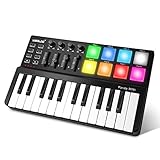
- [Portable Beat Maker Machine] Ultra-compact Worlde panda mini midi keyboard gives hands-on access to your music in no time when seized by sudden inspiration, ideal for get-go beginners, bedroom/home studio producers, YouTubers, vloggers, and DJs. Plug and play capability with USB powered release more time to create your next hit
- [Get Midi Easily Under Control] 4+4 knobs, sliders, 4 memory banks, program, mod, and octave buttons within reach for instant recall of personal control preferences. After mapping it to your software, no more frequently switch from pc to midi controller. Help you concentrate all your efforts on music composition
- [Visualize Your Talents] midi keyboard with drum pads has 7 RGB colors assignable via the editor, provides rich visual feedback, dazzling light shines when you tap on it, adding delight-to-ear rhythm and strong visual appeal to your music
- [Considerate Design for Users] Height difference in the control panel and keyboard section, add relative comfort for hands, sufficiently achieve flexible management of control-play interaction. 4 durable silicone pads underneath offer a stable performance on any surface, allowing you to dial up your music at will
- [Sincere Customer Service] We were keenly aware of what we should do to help beginners to start, so we prepared detailed user guides in word and video forms under the product page. You could rest assured that you will receive our best care
The supplied details establish MP3 output for free-plan songs. They do not establish tempo controls, stems, MIDI, or a dedicated rap genre selector, so check the site if any of those are required for your session.
Independent reader supportYour contribution helps us test, update, and keep practical guides available for everyone.Check Free Limits And Usage Rights
| Tool | Free limit or access | Rights stated in supplied details |
|---|---|---|
| RapGen | 2 free songs a day, refreshed each morning | Free songs are for personal use; commercial use is covered on paid credits |
| Rewind AI Beat Maker | 2,500 tokens/day anonymously; 5,000 tokens/day with a free account | Site says content is available for personal or commercial work; check current terms |
| InsMelo AI Beat Maker | Free plan limited to 3.9 credits | Royalty-free is stated, while commercial rights depend on subscription or license terms; check the terms for your plan |
| Beatmaker Studio | Free plan | Not stated; check the vendor’s terms |
| InstaSong | 3 credits on signup | Free-plan songs are for personal use |
For any generated beat that includes a recognizable voice, borrowed recording, or cover element, get the necessary consent and check the platform’s terms before release. The listed product details do not establish permissions for those specific elements.
Quick Recap
Shape A Beat Around The Verse
- Pick the pocket first. Name a supported direction such as boom bap, trap, or drill, then add a BPM target where the tool supports BPM input.
- Describe the rapper’s space. Ask for sparse verses, a stronger hook, or a restrained opening as prompt direction; generated results may not follow structural wording precisely.
- Compare alternatives before writing to one. Where a tool gives multiple versions, check which leaves clearer rhythmic space for the cadence and breath points you want.
- Move the useful part into your production workflow. Use documented MIDI, WAV, or stem exports only where available, and confirm which are included in your plan before choosing a tool for a DAW session.
Product prices and availability are accurate as of the date/time indicated and are subject to change. Any price and availability information displayed on Amazon at the time of purchase will apply.




