PC Slower Than It Used to Be?
A free scan shows the junk files, broken settings and background clutter dragging Windows down - then fixes them in one click.Free scan · Windows 10 & 11Outdated Drivers Are Slowing You Down
One free scan finds every outdated or missing driver and matches the right update for your exact hardware.Free scan · exact hardware matchFor a karaoke track from a song you already have, use an AI vocal remover or stem splitter to make an instrumental; for a sing-along video, choose a tool that also builds karaoke videos. These seven options cover quick browser conversions, mobile practice, detailed stems, and desktop video creation. They do not establish prompt-to-generate full karaoke songs, so check each vendor’s site for any capability beyond the workflows described here.
Which AI Karaoke Track Maker Fits Your Workflow?
| Tool | Best Fit | Price Listed |
|---|---|---|
| LALAL.AI | Large uploads and production workflows | Free plan; paid from $7.50/mo, billed annually |
| Music Separator | Mobile karaoke practice | Free tier; paid from $3.99/week |
| Vocal Remover AI | Quick browser conversion | Free; 120 minutes per day |
| PhonicMind | Detailed stems and in-browser practice tools | Paid; Sing is $9.99/month |
| Song Peel | Free karaoke conversion and pitch adjustment | Free karaoke maker; premium instrumental tool, price not stated |
| AI Karaoke Video Creator | Windows karaoke video production | $149 perpetual license or $29 for a 10-day license |
| StemRoller | Free desktop instrumental creation | Free and open-source |
Ranked AI Karaoke Track Makers
1. LALAL.AI — Best for Large Uploads and Production Workflows
LALAL.AI is a stem splitter suited to creators who want more than a one-click vocal reduction. It supports uploads up to 2 GB, previews, selectable neural networks, batch processing, and access through web, desktop, mobile, VST3 DAWs, and an API. Its free Starter plan allows 10 minutes in the Relaxed Queue and 200 MB per file, with previews but no full result downloads; batch processing is paid-plan only. Listed paid pricing starts at $7.50 per month on annual billing.
For a karaoke version, upload the song, preview the separation, and choose the instrumental result for download. If you need to edit the backing arrangement, separating instruments can help you inspect the stems before making a mix. [LALAL.AI](https://www.lalal.ai/)
2. Music Separator — Best for Mobile Karaoke Practice
Music Separator is a focused iOS and Android app for separating vocals and instrumentals. Its playback controls include independent stems plus speed and pitch adjustment, and it also supports exports, lyrics, job history, and sharing. The free tier includes one vocal separation per week; the listed weekly plan is $3.99 and includes unlimited separations, exports, and the playback controls.
Recommended Free Tools
Shopping ad
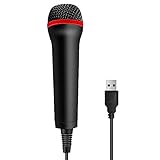
- 💙 Professional Customization: Professional Customization: 4M USB wired microphone for use with for PC/PS2/PS3/PS4/PS4 Pro/Wii/Wii U/SWITCH/XBOX360/XBOX ONE/XBOX ONE X/XBOX ONE S/XBOX Series S/X.
- 💙 Accurate Voice Reproduction: With upgraded frequency response accurately reproduces the sound of your voice. it is the perfect design for all music games, rock band, guitar hero and karaoke games.
- 💙User Friendly: Light enough to not be a burden; Easy to use, just plug and play, NO drivers is needed; With13ft lengthy cord gives you plenty of space to move around and interact with your family or friends enthusiastically.
- 💙 Detects Loud and Quiet Voice: From shouts to whispers, the mic's wide dynamic range ensure your voice is heard with utmost clarity while singing your music games. You will be lost yourself in the wonderful singing.
- 💙 Backed By Real Support: We offer 12-month warranty and 24-hours online service. Plus, any quality issues, please contact us fristly for free replacement or refund, no questions asked policy which makes this purchase a no-brainer. The friendly team at our TPFOON headquarters is here for whatever you need
A practical practice workflow is to separate a song, lower its playback speed while learning a difficult phrase, then adjust pitch to suit your range. The vendor describes the app for karaoke, practice, remixing, and music production. [Music Separator](https://www.musicseparator.app/)
3. Vocal Remover AI — Best for a Quick Browser Conversion
Vocal Remover AI is a free browser tool that accepts audio or video uploads up to 500 MB. It previews separated tracks without signup and downloads isolated vocals or instrumentals as WAV or MP3. The vendor states a free allowance of 120 minutes per day; the tool is web-only, works from uploaded files, and has no batch processing, API, or integrations listed.
Shopping ad
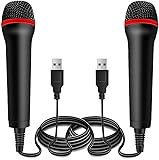
- ➤ Professional Customization:Professional Customization: Professional Customization: 4M USB wired microphone for use with for PC/PS2/PS3/PS4/PS4 Pro/Wii/Wii U/SWITCH/XBOX360/XBOX ONE/XBOX ONE X/XBOX ONE S/XBOX Series S/X.
- ➤ Accurate Voice Reproduction: With upgraded frequency response accurately reproduces the sound of your voice. it is the perfect design for all music games, rock band, guitar hero and karaoke games.
- ➤ User Friendly: Light enough to not be a burden; Easy to use, just plug and play, NO drivers is needed; With13ft lengthy cord gives you plenty of space to move around and interact with your family or friends enthusiastically.
- ➤ Detects Loud and Quiet Voice: From shouts to whispers, the mic's wide dynamic range ensure your voice is heard with utmost clarity while singing your music games. You will be lost yourself in the wonderful singing.
- ➤ Backed By Real Support: We offer 12-month warranty and 24-hours online service. Plus, any quality issues, please contact us fristly for free replacement or refund, no questions asked policy which makes this purchase a no-brainer. The friendly team at our Drimoor headquarters is here for whatever you need
For a quick karaoke draft, upload a song, preview the instrumental, and download it in the format your editor or playback setup accepts. The vendor also lists lossless WAV at 44.1 kHz, 16-bit and high-bitrate MP3 at 320 kbps. [Vocal Remover AI](https://vocal-remover.ai/)
4. PhonicMind — Best for Detailed Stems and In-Browser Practice
PhonicMind separates lead and backing vocals, drums, percussion, and instrument groups. Its browser player includes synchronized lyrics, chords, tempo detection, a metronome, stem muting, and a mixer, so you can practice against the result and inspect the arrangement. Studio supports FLAC mixes and lossless stem package downloads, while export depth varies by plan.
Shopping ad

- Say goodbye to shackles and enjoy wireless, professional-grade gaming microphones. Interact with the game, let you enjoy the joy of the game. High fidelity microphone with highly restored human voice and high-definition original sound.
- 25ms low latency provides undistorted sound quality. Adopt 2.4G connection provides stable signal. More stable to use. The transmission distance can reach up to 15m barrier free without wires.
- Mute function available: short press once to silence the Mic and short press again to unmute. LED indicator to show the status: flashing blue for connecting, steady blue for connected,unmute and red for mute. Easy to identify. LED off (no signal for 10 minutes)
- Ergonomic design and comfortable to hold. Hidden battery compartment in the handle. Powered by AA batteries *2 (excluded). Working time up to 20 hours.
- Come with wireless receiver. Plug and play. No drivers required. Compatible with PS5, PS4,Pro, PS3, PS2, Xbox Series X,S, Xbox One X,S, Xbox One, Xbox 360, Nintendo Switch/Switch2, Switch OLED, Wii, WiiU, PC. Note: Not compatible with the Guitar Hero (I, II, III) and Lips: I Love The 80s video games.
The Sing plan is $9.99 per month, billed monthly, and includes lead vocals, backing vocals when present, an instrumental stem, synchronized lyrics, and 192 kbps MP3 playback for songs up to five minutes; it does not include downloads. There is no free plan, desktop app, or API listed. [PhonicMind](https://phonicmind.com/)
5. Song Peel — Best for Free Karaoke Conversion and Pitch Adjustment
Song Peel offers a free karaoke maker that splits a song into an instrumental or karaoke track. Its premium AI instrumental tool is described as providing clearer instrumental isolation, but pricing is not stated. The site also describes pitch adjustment while keeping tempo, which can help when a song sits outside your comfortable singing range.
Shopping ad

- Plug and Play: Simply plug in the power cord, no need for tedious pairing, allowing you to easily connect to the power cord and instantly enjoy the freedom of singing, speaking and presenting. The signal is stable and compatible with a variety of devices, including karaoke machines, speakers, etc.
- Instant and stable wireless connection:We have integrated cutting-edge 2.4GHz transmission technology to ensure a strong and stable wireless connection at long distances. This innovative design is designed to bring users an unprecedented smooth experience, whether it is data transmission or interaction between devices, you can enjoy a seamless and enjoyable experience.
- Excellent sound quality:The wireless design not only gives you unprecedented flexibility and freedom, but also pursues excellence in sound quality. It is perfectly suitable for karaoke singing, brilliant stage performances, passionate speeches, business meetings and knowledge lectures, etc., making every sound clear and moving without restraint.
- Comfort Experience:In terms of material, we select metal paint with ABS plastic, which not only ensures the durability of the product, but also makes it lightweight and portable, which is very suitable for outdoor use or travel.
- "You will get: 1*wireless receiver, 2* handheld microphones, 1*adapter with 3.5mm, 2*anti-slip ring
Start with the free karaoke maker to create an instrumental. If you need pitch adjustment or the premium instrumental tool, check the vendor’s site for current availability and terms. [Song Peel](https://www.songpeel.com/)
6. AI Karaoke Video Creator — Best for Windows Karaoke Video Production
AI Karaoke Video Creator is a karaoke video maker for Windows 10 and Windows 11. Its AI Vocal Remover can reduce the lead voice while optionally keeping backing vocals, a useful distinction when the original backing singers are part of the arrangement you want to retain. A perpetual license is listed at $149 USD with one year of free updates; a 10-day license is $29 USD. Trial videos contain a watermark, and other evaluation limits are listed on the product page.
What’s actually slowing this PC down?
Pick the symptom - the matching free tool is one click away.
Shopping ad

- Studio-Quality Sound for Clear Podcast Recording – The K66 USB podcast microphone delivers studio-quality, broadcast-level audio using a high-performance condenser capsule and cardioid pickup pattern that focuses on your voice while reducing unwanted background noise. Designed as a reliable microphone for PC, it features a wide 40Hz–18kHz frequency response and a 46kHz sampling rate to reproduce rich lows, smooth mids, and clear highs for natural, detailed vocals. With –45dB ±3dB sensitivity, it captures balanced sound without distortion during expressive speaking. Ideal for podcasting, voice-over, online classes, meetings, and professional content creation.
- Intelligent Noise Reduction Mode for Cleaner Podcast Audio – This podcast microphone features an advanced Noise Reduction Mode designed for clearer, more focused voice recording in real-world environments. Press and hold the mute button to enable noise reduction (blue indicator). In this mode, the microphone helps reduce keyboard clicks, PC fan noise, air conditioner hum, and background chatter. Default Mode maintains a warm, natural vocal tone for quiet spaces. Designed as a reliable microphone for PC, it allows creators to identify the active mode instantly and adapt as needed, ensuring clear audio for podcasting, gaming, streaming, online classes, meetings, and recording.
- True Plug-and-Play USB Microphone with Wide Device Compatibility – Engineered for effortless plug-and-play use, the K66 USB microphone requires no drivers, apps, or software installation. Simply connect and start recording on Windows PC, Mac, laptops, PS4, PS5, and tablets. Included USB-C and Lightning adapters ensure seamless compatibility with iPhone, iPad, and modern USB-C phones and devices, making it easy to switch between desktop and mobile recording. Ideal for creators working across multiple platforms, this microphone delivers consistent, high-quality audio for YouTube, TikTok, Twitch, Zoom, Discord, OBS Studio, Streamlabs, podcasting, livestreaming, and professional voice recording.
- Real-Time Zero-Latency Monitoring with Adjustable Volume Control – This podcast microphone features real-time, zero-latency monitoring through a built-in 3.5mm headphone jack, allowing you to hear exactly what’s being recorded without delay. Designed as a reliable microphone for PC, it includes a dedicated monitoring volume control that lets you adjust headphone listening levels independently for accurate and comfortable audio monitoring. Real-time feedback helps identify distortion, background noise, or uneven volume before it affects your final recording, making this podcast microphone ideal for podcasting, streaming, online teaching, voice-over work, and professional content creation.
- Precision Audio Adjustment Knobs for Full Sound Control – This podcast microphone gives creators hands-on control with dedicated knobs for microphone volume, monitoring volume, and echo adjustment. Fine-tune mic gain to maintain clear, balanced vocal output, adjust headphone monitoring levels independently for comfortable listening, and add or reduce echo to enhance depth and presence. Designed as a reliable PC microphone, these intuitive physical controls allow fast, on-the-fly adjustments without software, helping identify distortion, background noise, or level inconsistencies instantly. Ideal for podcasting, streaming, ASMR, voice-overs, singing, and professional multi-platform recording.
Use it when your output needs to be a video as well as a vocal-reduced track. Check the vendor’s site for the full trial limits and the video workflow details. [AI Karaoke Video Creator](https://www.powerkaraoke.com/src/prod-ai-karaoke-video-creator.php)
7. StemRoller — Best Free Desktop Option
StemRoller is a free, open-source desktop splitter for Windows and macOS. It separates vocals, drums, bass, and other stems, and creates karaoke, acapella, and instrumental versions; the instrumental combines the non-vocal stems. It is limited to four stem outputs, has no batch processing, and Linux is not officially supported.
Choose it for a straightforward desktop workflow when you want an instrumental without a paid plan. [StemRoller](https://www.stemroller.com/)
Independent reader supportYour contribution helps us test, update, and keep practical guides available for everyone.What Makes a Karaoke Track Usable?
Vocal removal is only one part of a good sing-along file. Listen for vocal remnants, missing musical details, and artifacts around dense passages before using the instrumental. Backing vocals may be desirable for a performance track, while a rehearsal track may benefit from lyrics, adjustable pitch, or slower playback. The options above establish different parts of that workflow; specific output quality for a particular song is not established, so preview the result where the tool allows it.
Rights and Consent
Before uploading a song or sharing a karaoke track or video, make sure you have permission to use the recording and any vocals involved. Check each platform’s terms for how uploads, separated stems, downloads, and commercial use are handled; those terms are not established here.
Quick Recap
Product prices and availability are accurate as of the date/time indicated and are subject to change. Any price and availability information displayed on Amazon at the time of purchase will apply.




