For a Voicemod alternative focused on AI voice conversion, start with Altered Studio for real-time voice transformation, Applio for model training and developer workflows, or Voice Morph for short browser-based conversions and WAV exports. For quick effects, Voice Changer.io and Reverse Audio are simpler options; for desktop real-time effects, consider HitPaw VoicePea. LALAL.AI adds voice changing to a broader audio toolset. The right choice depends on whether you need a live mic, converted recorded vocals, custom models, or playful effects.
For creators, that distinction matters: a live voice for a call or stream has different needs from a vocal take being shaped for a song, a character voice being rendered for a video, or an effect used as a one-shot sound. Before committing, confirm the exact device, app integration, latency, export format, and commercial-use terms you need. The available product details do not establish every one of those specifics.
Voicemod Alternatives At A Glance
| Tool | Best-Fit Workflow | Price Information | Platforms Or Access Stated |
|---|---|---|---|
| Altered Studio | Real-time voice conversion and voice production | Free plan; paid from $30/mo with annual billing; 7-day trial | Web, Windows, macOS, major creator platforms |
| Applio | Free conversion, custom model training, and automation | Free | Windows, macOS, Linux; also Colab and Kaggle |
| Voice Morph | Short conversions with WAV output and API access | Free plan; paid from $3/mo | Web and API |
| HitPaw VoicePea | Real-time voice-changing effects on desktop | Check the vendor for current pricing | Windows 11/10/8/64-bit and macOS 10.15 or later |
| Reverse Audio | Quick mobile voice effects and sharing | Not stated | iOS and Android |
| Voice Changer.io | Simple online voice effects | Free | Online; other platform details not stated |
| LALAL.AI | Voice changes alongside audio processing | Free plan; paid from $7.50/mo with annual billing | Web, desktop, mobile, VST3 DAWs, API |
“Not stated” means the available information does not establish a comparable price or access detail. Check the vendor for your operating system, target app, export format, current plan terms, and whether the workflow runs locally or requires an account or connection. Listed monthly rates tied to annual billing should not be read as month-to-month prices.
Choose By What You Need To Make
Live Character Voice Or Mic Output
Altered Studio is the clearest fit when you need real-time transformation: its product information describes a virtual microphone output and use with major creator platforms. The company describes low-latency voice changing for voice and video calls, and says users can alter vocal identity, accent, age, and gender. Those descriptions do not establish how it behaves in every DAW, game, conferencing app, or streaming setup, so check compatibility before building a live chain around it. Its real-time features are documented in a related Real-Time interface, which is another detail to verify for your intended setup. Altered Studio’s site
Free tools Windows power users keep installed
One-click scans. No signup required.
Shopping ad

- REAL-TIME VOICE CHANGING: Transform your voice instantly with 6 voice-changing modes, 12 beautify modes, and 8 built-in sound effects. Perfect for gaming pranks, streaming, and live chats to keep your audience entertained.
- PLUG & PLAY UNIVERSAL COMPATIBILITY: Works right out of the box with PC, laptop, Mac, smartphone, and tablet via USB or mobile connection. No drivers, no app required—start chatting in seconds.
- NOISE REDUCTION CRYSTAL CLEAR AUDIO: Built-in omnidirectional digital pickup captures your voice clearly while reducing background noise. Ideal for podcasting, YouTube recording, and home studio use.
- NO BATTERY NEEDED: Powered directly by USB or your smartphone—no charging required. Compact desktop design fits neatly on any desk, making it great for online classes, remote work, and video calls.
- VERSATILE FOR EVERY SCENE: From gaming on Skype and Discord to podcast recording and YouTube streaming, this microphone adapts to your needs. A great gift for gamers, content creators, and streamers.
HitPaw VoicePea is another candidate if your priority is real-time effects on a supported desktop system. Its vendor describes real-time voice-changing effects and lists Windows 11/10/8/64-bit and macOS 10.15 and above. The supplied information does not establish particular DAW, game, or chat integrations, so check whether it can route into the exact application you use. The vendor page contains pricing information that may change; check it directly rather than relying on a remembered promotion. HitPaw VoicePea’s product page
Convert A Recorded Vocal Or Build A Custom Voice
Applio suits creators who want to work with voice models or automate conversion. It supports real-time and uploaded-audio conversion, custom model training and blending, batch inference, exports, TTS, and CLI automation. That combination can fit a technical workflow in which you prepare takes, run conversions, and manage model-based processing, but the specifics depend on the models and setup. The available details do not establish a particular model’s quality, voice, language, or suitability for singing; check the model and project requirements before using it for a musical part. Applio is described as open-source, and its site says users may use, modify, and redistribute it for personal projects, research, or commercial work. Applio
Shopping ad

- 【Clear Sound & Noise Reduction】This omnidirectional computer microphone has a built-in DSP smart chip, which can pick up your voice 360 degrees and automatically reduce noise, making your voice clearer and louder.
- 【5 Voice Change & 7 RGB Modes】There are 5 sound modes to choose from: Original Voice (N), Female Voice(F), Male Voice (M), Monster Voice (B), and KTV Voice (K). These modes make games and chats more interesting, and 7 RGB lighting changes can also add atmosphere as needed.
- 【One-Button Mute & Volume Control】The USB microphone has a blue indicator light when it is on, and a red indicator light when the one-button mute is on. The Mic's convenient volume control button allows you to increase or decrease the volume as needed.
- 【Plug and Play & Widely Compatible】No need to install drivers, just connect the microphone to your PC or laptop and it will work. This desk condenser microphone is compatible with Windows 7/8/10/11, Mac OS, and PS4/PS5.
- 【Easy to Carry & Creative Exterior Design】The HK1 microphone is only 4.33in diameter, 0.78in height, and weighs only 3.5 ounces, so you can carry it with you without taking up space. The excellent appearance design highlights your extraordinary self.
Altered Studio also supports speech-to-speech and performance-to-performance voice morphing. That distinction is relevant when a creator wants to change the character of a recorded performance rather than simply add a static effect. The source information does not promise a particular result for singing, harmonies, or a specific vocal style, so treat those as use cases to evaluate with your own source material. Altered Studio
Voice Morph is a more bounded option for browser-based conversion. Its free plan allows three conversions per day and clips up to 30 seconds; Pro allows clips up to five minutes. The tool supports browser recording, multiple upload formats, and API access, and converted audio is delivered as WAV. That output can be brought into a video editor, podcast workflow, streaming software, or another project, but no particular DAW integration is established. The vendor describes its output as high-quality WAV, which should not be taken as a guarantee about a given recording or mix. Voice Morph
Shopping ad

- 【AI Noise Reduction & Clear Sound】This omnidirectional computer microphone has a built-in New update AI chip, which can pick up your voice 360 degrees and automatically reduce noise, make your voice stays crisp, clear, and full of impact. Two-second press mute button enter AI noise reduction(5 Voice change indicator lights will all light up)
- 【5 Voice Change & 7 RGB Modes】There are 5 sound modes to choose from: Original Voice (N), Female Voice(F), Male Voice (M), Monster Voice (B) and KTV Voice (K). These modes make games and chats more interesting, and 7 RGB lighting changes can also add atmosphere as needed. The voice change and the light change give it personality, so it's a cool tech gift for men teen boys.
- 【One-Button Mute & Volume Control】One hand easy tap the button for one second to change mute or unmute mode. Blue indicator light means normal use, and the red indicator shows mute status at a glance. The Mic's convenient volume control button allows you to adjust the volume as needed.
- 【Plug and Play & Widely Compatible】No need to install drivers, just connect the microphone to your PC or laptop and it will work. Works seamlessly with Windows, macOS, and PS4/PS5.USB port with taype C adapter, compatible with devices with USB or type C. Ideal for in-game communication, HD streaming (Twitch/YouTube), podcasts, voiceovers, online meetings, and recording. Easy to use and widely compatible, it perfectly suits all family members and is a practical and perfect gift for family members.
- 【Ideal Gift for Gamers & Creative Exterior Design】The HK1-AI microphone is only 4.33in diameter, 0.78in height, and weighs only 3.5 ounces, so you can carry it with you without taking up space. The excellent appearance design highlights your extraordinary self, best gift for desk gamers.The gaming USB microphone set package include: AI Microphone *1, 59 inches (1.5m) Type-C to USB Cable with Type-C Adapter*1, User's Manual*1.
Quick Effects Or Mobile Sharing
Voice Changer.io is a straightforward online choice for changing or distorting a voice. Its listed effects include deeper, girl/guy, anonymous, robot, Darth Vader, and monster-style voices. The product description is broad and does not establish real-time microphone routing, downloadable formats, or a particular mobile app, so it fits best when an online effect is enough and those other requirements are not assumed. Voice Changer.io
Reverse Audio is aimed at short, playful recordings on phones. The app offers seven effects, including demon, chipmunk, helium, giant, robot, echo, and underwater voices, and can reverse a recording entirely. Its vendor says it works on iOS and Android, needs no account, and processes audio on the device. That makes it a different kind of choice from a desktop live mic or a model-training suite: the documented flow is record, choose an effect, and share. Reverse Audio
Shopping ad
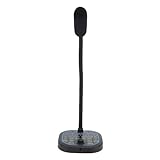
- 16 VOICE MODIFICATIONS: Featuring 16 different voice changes, including male to female, female to male, , baby sounds, and more. You can also fine tune each voice with the adjustment key for even more variations, suitable for chatting with friends, entertainment, or voice modulation in online games.
- CHANGE YOUR VOICE: Connect this device to your phone or gaming console and change your voice during conversations. This feature is ideal for online gaming, allowing you to take on different roles and surprise your friends with unexpected voices.
- PORTABILITY: The voice changer boasts a compact and portable design, making it easy to use right out of the box without any driver installation. Simply connect the sound line to your device, plug in your headphones, and you're ready to enjoy various voice effects with a built in microphone.
- HIGH DEVICE COMPATIBILITY: Whether for Android phone, for iOS device, computer, or gaming console, the voice changer easily connects to all. It supports Type C, USB, and 3.5mm sound interfaces, eliminating compatibility concerns and ensuring you can connect to various devices anytime, anywhere!
- CONNECTIVITY REQUIREMENT: For iOS users, please note that an interface converter cable is needed to use the voice changer. This ensures you still have access to all the fun voice modulation features available on your devices.
Voice Changes Alongside Audio Processing
LALAL.AI is worth considering when voice transformation is one part of a wider audio workflow. It describes changing voice in music, recordings, and video, including adjustments to accent and tonality. Its broader toolset separates vocals, instruments, drums, bass, guitars, piano, and other stems; it also lists batch processing, previews, selectable neural networks, and API access. The free Starter plan offers 10 minutes in the Relaxed Queue, a 200 MB per-file upload limit, and previews, but not full result downloads. Batch processing is available only on paid plans. Listed paid monthly rates use annual billing. The available details do not establish how its voice-changing function compares with a live virtual microphone, so do not assume it replaces a live-call tool. LALAL.AI
Independent reader supportYour contribution helps us test, update, and keep practical guides available for everyone.A Practical Workflow For Music And Creator Audio
Voice effects serve different roles in a mix. A transformed lead vocal needs to remain understandable and sit with the track; a background character or spoken tag can be more exaggerated; a live stream voice needs to work through the active mic path. These are production goals, not promised product outcomes. Use the following workflow to select and evaluate a tool without assuming an undocumented feature:
What’s actually slowing this PC down?
Pick the symptom - the matching free tool is one click away.
Shopping ad

- Studio-Quality Sound for Clear Podcast Recording – The K66 USB podcast microphone delivers studio-quality, broadcast-level audio using a high-performance condenser capsule and cardioid pickup pattern that focuses on your voice while reducing unwanted background noise. Designed as a reliable microphone for PC, it features a wide 40Hz–18kHz frequency response and a 46kHz sampling rate to reproduce rich lows, smooth mids, and clear highs for natural, detailed vocals. With –45dB ±3dB sensitivity, it captures balanced sound without distortion during expressive speaking. Ideal for podcasting, voice-over, online classes, meetings, and professional content creation.
- Intelligent Noise Reduction Mode for Cleaner Podcast Audio – This podcast microphone features an advanced Noise Reduction Mode designed for clearer, more focused voice recording in real-world environments. Press and hold the mute button to enable noise reduction (blue indicator). In this mode, the microphone helps reduce keyboard clicks, PC fan noise, air conditioner hum, and background chatter. Default Mode maintains a warm, natural vocal tone for quiet spaces. Designed as a reliable microphone for PC, it allows creators to identify the active mode instantly and adapt as needed, ensuring clear audio for podcasting, gaming, streaming, online classes, meetings, and recording.
- True Plug-and-Play USB Microphone with Wide Device Compatibility – Engineered for effortless plug-and-play use, the K66 USB microphone requires no drivers, apps, or software installation. Simply connect and start recording on Windows PC, Mac, laptops, PS4, PS5, and tablets. Included USB-C and Lightning adapters ensure seamless compatibility with iPhone, iPad, and modern USB-C phones and devices, making it easy to switch between desktop and mobile recording. Ideal for creators working across multiple platforms, this microphone delivers consistent, high-quality audio for YouTube, TikTok, Twitch, Zoom, Discord, OBS Studio, Streamlabs, podcasting, livestreaming, and professional voice recording.
- Real-Time Zero-Latency Monitoring with Adjustable Volume Control – This podcast microphone features real-time, zero-latency monitoring through a built-in 3.5mm headphone jack, allowing you to hear exactly what’s being recorded without delay. Designed as a reliable microphone for PC, it includes a dedicated monitoring volume control that lets you adjust headphone listening levels independently for accurate and comfortable audio monitoring. Real-time feedback helps identify distortion, background noise, or uneven volume before it affects your final recording, making this podcast microphone ideal for podcasting, streaming, online teaching, voice-over work, and professional content creation.
- Precision Audio Adjustment Knobs for Full Sound Control – This podcast microphone gives creators hands-on control with dedicated knobs for microphone volume, monitoring volume, and echo adjustment. Fine-tune mic gain to maintain clear, balanced vocal output, adjust headphone monitoring levels independently for comfortable listening, and add or reduce echo to enhance depth and presence. Designed as a reliable PC microphone, these intuitive physical controls allow fast, on-the-fly adjustments without software, helping identify distortion, background noise, or level inconsistencies instantly. Ideal for podcasting, streaming, ASMR, voice-overs, singing, and professional multi-platform recording.
- Define the source. Decide whether you are processing a live microphone, a recorded spoken part, a sung take, or a short effect. Start with one representative clip rather than a full session.
- Choose the processing path. For a live mic, shortlist tools whose details state real-time transformation or real-time effects. For uploaded audio, look for an explicitly stated upload or recorded-audio workflow. For custom model work or automation, Applio lists model training and CLI capabilities.
- Set a musical target. Write down the role and intended character before changing anything: for example, “a clear spoken intro with a lower, more anonymous-sounding character,” or “a short robotic ad-lib between vocal lines.” These are creative targets, not guarantees that a tool offers a named preset.
- Check practical limits. Confirm clip length, monthly conversion allowance, download availability, supported system, routing, and export format on the vendor’s current information. A free preview or short conversion may not be enough to deliver a finished track.
- Compare in context. Place the processed voice beside the unprocessed take in the project or playback setup you actually use. Listen for intelligibility and how the effect fits the intended role; do not infer a product’s performance from feature descriptions alone.
- Keep a clean source. Preserve the original take separately so you can revise the effect or return to the untreated recording if the processed version does not fit the arrangement.
Consent, Rights, And Product Terms
Voice cloning and model-based conversion raise permission questions when the recording or voice belongs to someone else. Get the speaker’s consent before cloning or transforming an identifiable voice, and review each platform’s terms for voice models, uploads, output use, attribution, and commercial projects. The available product information does not establish a universal rule across these services. Altered Studio’s free plan specifies an attribution license, while Applio’s site says it may be used for commercial work; those statements do not settle rights for a source voice, a trained model, or other material you supply. Check the terms that apply to your specific project.
Which Alternative Fits Your Setup?
Choose Altered Studio when the central need is documented real-time transformation and virtual-mic output. Choose Applio when you want an open-source conversion suite with custom model training and CLI automation. Voice Morph is a practical fit for short web conversions and WAV delivery; HitPaw VoicePea is a desktop option for real-time effects on its listed systems. Voice Changer.io and Reverse Audio cover simpler effect-focused use, with Reverse Audio specifically positioned for mobile recording and sharing. LALAL.AI fits a workflow that also needs stem separation and audio processing. Before choosing any of them for a specific DAW, live app, singing technique, language, or commercial release, verify that exact requirement with the vendor.
Quick Recap
Product prices and availability are accurate as of the date/time indicated and are subject to change. Any price and availability information displayed on Amazon at the time of purchase will apply.