For royalty-free AI-generated music tracks, Loudly and Suno are strong starting points for general creator work: their supplied product information explicitly describes royalty-free music, and Loudly also states that it includes a commercial license. Tunee, Musicful, Songin.ai, Mureka, and OpenMusic AI offer other licensing paths, while Verbatik and ACE-Step focus on Latin and jazz. The right fit depends on the track you need and the exact plan terms attached to its download.
Compare Royalty-Free AI Music Options
| Tool | Best Fit | What The Supplied Licensing Information Establishes |
|---|---|---|
| Loudly | General creator tracks | Calls its music royalty-free and says a commercial license is included; plan terms affect rights. |
| Suno | Tracks made in a complete song workspace | Paid subscribers receive commercial-use rights; the Free Plan does not include commercial rights. |
| Mureka | Tracks for editing in a music workflow | Describes downloaded tracks as royalty-free and says they carry commercial rights; check the applicable plan. |
| Musicful | Mobile-friendly track creation | Downloads come with a non-exclusive perpetual license; commercial use is limited to Standard and Pro plans. |
| OpenMusic AI | Tracks with commercial-use claims | Describes generated tracks as royalty-free and cleared for commercial use; plan terms govern downloads and licensing. |
| Songin.ai | Tracks for production and social publishing | Paid-plan music has full commercial rights; Free-plan downloads are for personal use and have no commercial rights. |
| Tunee | Conversational music creation | Paid subscribers get commercial rights; free use is for personal projects with attribution. |
| Verbatik AI Latin Music Generator | Latin-style tracks | States that tracks are royalty-free and include a commercial license. |
| ACE-Step Jazz Music Generator | Jazz tracks | Describes its output as royalty-free and usable in creator and commercial projects. |
Ranked Picks For Royalty-Free Tracks
1. Loudly — Best Starting Point For General Creator Tracks
Loudly is the clearest all-purpose pick when the deliverable is a usable track for a video, game, podcast, advertisement, or client project. Its generator makes original music across styles including ambient, lo-fi, electronic, hip hop, rock, and cinematic score. The toolkit also includes remixing, mastering, effects, and distribution features, with WAV, MP3, stems, and samples listed as download formats.
Its free generated tracks are limited to 30 seconds, and paid licensing depends on plan terms. For a longer deliverable, confirm that the chosen plan and download cover your intended use before publishing.
2. Suno — Best For Shaping A Track Inside A Full Song Workspace
Suno can generate complete songs with vocals, lyrics, instrumentation, and production, then lets creators edit, remix, extend, replace sections, and export stems. That range is useful when an initial music bed needs structural changes or when a creator wants to derive a shorter passage from a larger composition. Suno is available on web, iOS, and Android.
Shopping ad

- Smart piano with open sound choices: PartyKeys works as an open MIDI instrument instead of limiting you to a fixed set of onboard tones. Choose compatible MIDI software, a DAW, or PartyStudio as your sound and creative environment.
- RGB-guided play and music games: Each of the 36 keys has individually addressable RGB lighting. Explore PartyKeys games in a compatible browser, or use chord, scale, and custom-color tools. No install or login is required for the Game Center.
- Official Anything Piano integration: Use PartyKeys with Anything Piano for interactive piano-roll practice and synchronized RGB key lighting. Anything Piano is optional and available separately.
- Modular design that grows with your setup: Start with 36 keys, then align additional PartyKeys units through PartyStudio. The system supports up to three units as a 108-key layout; additional keyboards and PartyStudio are sold separately
- Open protocol, more ways to play: Published MIDI and SysEx documentation supports custom per-key lighting, visualizers, chord and scale tools, browser games, and developer-built experiences, with examples for JavaScript, Python, Node.js, and Swift.
The Free Plan has no commercial rights or stem separation; commercial rights are stated for paid subscribers. Pro downloads are limited to 20 songs per month, and Suno Studio is limited to Premier. If the deliverable must be instrumental, check the available generation controls and plan terms rather than assuming a prompt alone will reliably exclude vocals.
3. Mureka — Best For A Track That Needs Further Music Editing
Mureka supports track generation from text, lyrics, styles, or reference audio, followed by remixing, extensions, vocal generation, multitrack editing, and stem separation. It also supports audio and MIDI export, so it suits creators who want to continue arranging a generated idea in a music production workflow. Its conversational DAW control centers on Ableton Live and Reaper.
Mureka describes its downloads as royalty-free and commercially usable. Studio access and splitting into as many as 12 stems are reserved for Premier, so check plan availability for the editing workflow you need.
4. Musicful — Best For Mobile-Friendly Track Revisions
Musicful is a practical option for creators who want to make and revise songs from text, lyrics, ideas, or uploaded audio on web or mobile. It supports lyric edits, song extensions, vocal or instrumental stem separation, and MP3 or WAV downloads. Its listed styles include pop, rap, metal, K-pop, R&B, electronic, and lo-fi.
Do these 3 things before closing this tab:
1Fix the driver behind crashes, sound loss and screen glitches2Repair Windows errors before they cause bigger problems3Scan for outdated or missing drivers - takes under a minuteShopping ad

- Music Creation Made Easy: GO:KEYS 3 makes it easy to go from being a fan to an active music creator
- Touch-Sensitive 61-Note Keyboard: This fun modern 61-note keyboard with expressive touch sensitivity unlocks a simple new approach to making music, encouraging you to explore sounds and ideas in the moment-no previous experience required
- ZEN-Core Sound Engine: Features over 1000 Roland sounds that have influenced modern music for five decades
- Auto-Accompaniment Styles: Includes over 200 onboard music styles to enhance your performances
- Chord Sequencer Features: Chord sequencer with user editing features and over 300 ready-to-play presets
Musicful says downloads come with a non-exclusive perpetual license, and its text-to-music tracks can be shared on streaming platforms such as Spotify and Apple Music. The plan boundary matters: commercial use is limited to Standard and Pro, while Free and Basic are non-commercial.
5. OpenMusic AI — Best For Tracks With A Commercial-Clearance Claim
OpenMusic AI describes generated songs as royalty-free and commercially cleared, with a license accompanying each song. Its browser-based studio combines song generation from prompts or lyrics with covers, stems, mastering, MIDI, and video tools; finished work can be exported as MP3 or WAV. The supplied style examples include lo-fi and cinematic scores.
Access is web-only, paid access starts at $10.49 per month, and plan terms govern downloads and commercial licensing. Check the license for the specific generated file and plan before using it in a release or client deliverable.
6. Songin.ai — Best For Production-Friendly Exports
Songin.ai creates complete songs or background music from text, with options to provide lyrics or have AI write them. It lists MP3, WAV, and MIDI downloads, and Premium adds multitrack stem exports. The tool also supports remixes and social publishing, with connections to Logic, Ableton, and FL Studio listed in its product information.
The Tool Desk
Outbyte Driver Updater FREEScan for outdated or missing drivers - takes under a minuteDriver Scan →Outbyte PC Repair FREEClear out junk files and repair common Windows errorsFree Scan →Shopping ad
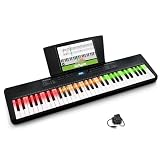
- Interactive Learning System - Electric keyboard piano featuring 61 keys with smart LED technology that light up in red, green and amber to guide you to the correct notes in real time when using the Skoove app; intuitive and fun for beginners
- Stay Inspired - Features 300 built-in sounds including pianos, strings, brass, guitars, and synths, plus 300 accompaniment rhythms and 30 demo songs with Layer and Split Modes for creative playing
- Everything You Need to Get Started - Includes 3-month Skoove Premium subscription, sheet music/tablet rest, USB-C cable, and power adapter for immediate setup and practice
- Feature Packed - Including a built-in metronome adjustable from 40-280 BPM, easy transpose feature, and a simple recorder feature for recording your own songs to listen back during practice sessions
- Versatile Connectivity - Equipped with 1/8-inch headphone output for silent practice, 1/8-inch aux input for playing along with external devices, USB-MIDI output for computer connection, and 1/4-inch sustain pedal input
Its Free plan provides watermarked MP3 downloads for personal use and no commercial rights. Paid-plan music has full commercial rights; Pro is listed at $12.99 per month with annual billing. Pro includes MP3, WAV, and MIDI downloads, while stem exports require Premium.
7. Tunee — Best For Prompt-Led Iteration And Model Choice
Tunee creates vocal or instrumental music from conversational prompts and supports reference uploads, stem separation, and mastering. Model switching is available across web, iOS, and macOS. That can suit creators iterating on the character of a track before taking it into a project, though the supplied facts do not establish a particular genre catalog or export format.
Tunee says paid subscribers get commercial rights, while free creations are for personal projects with attribution. Confirm the terms for the plan and the particular generated track you intend to publish.
8. Verbatik AI Latin Music Generator — Best For Latin-Style Tracks
Verbatik is the focused pick when the desired track draws on Latin music. Its listed styles include salsa, reggaeton, cumbia, bachata, and bossa nova, and it offers WAV or MP3 downloads. The product describes its generation as unlimited and lists three sample tracks.
Shopping ad

- 61 Full-sized Keys - Just the right size for beginners developing their playing technique.
- Quiz Mode - Enhances your musical development with two ear-training games; connect sounds with keys and strengthen your melodic memory.
- Portable Grand Piano Button - Instantly bring up the stunningly rich, expressive Yamaha piano sound.
- Built-in songs – hundreds of popular hits, children's songs, classics, and more. Perfect for all ages and levels to play along with - and eventually learn by heart
- Smart Chord - Easily play great-sounding chords - from simple pop triads to complex jazz chords - with just one finger.
Verbatik states that a commercial license is included. The supplied product details do not establish editing controls, duration choices, or whether particular instruments can be isolated, so check its site for those needs.
9. ACE-Step Jazz Music Generator — Best For Jazz Tracks
ACE-Step focuses on jazz, from smooth swing and bebop to Latin jazz, modal, and fusion. It describes full instrumental or vocal arrangements with saxophone, trumpet, piano, upright bass, and drums, making it the most specific option here for a jazz cue or music bed.
It is free to start with up to two songs per day, and the site says outputs can be used in creator and commercial projects. The supplied facts do not establish export formats or editing features; check the product page if you need a particular file type or arrangement control.
Independent reader supportYour contribution helps us test, update, and keep practical guides available for everyone.Build A Track Prompt Around Its Job
For a short technical tutorial, interface demo, or product walkthrough, specify the role and energy of the track before adding genre details. A useful starting prompt is: “Instrumental background music for a software tutorial; restrained electronic pulse, warm low end, light percussion, steady energy, no vocals; leave space for spoken instructions.” This is a prompt example, not a claim that every generator supports reliable vocal exclusion or exact arrangement control.
Shopping ad

- Plug and play desktop microphone: 2 in 1 USB C and A cable, no driver needed; compatible with Mac Windows computer PC laptop PS4 PS5 Android; set UM01 external desk mic as the default input on PC; some phones need OTG enabled; not for Xbox
- Clean voice with AI noise reduction: AI chip filters keyboard, fan, AC, talk noise; hold 3 s to enable mic noise reduction with green light for clearer studio level voices; metal body microphone for content creators adds durability and a pro desktop look
- Focused cardioid pro sound: Cardioid pickup records voice in front and reduces side and rear noise; 48 kHz / 24 bit, 20 Hz to 20 kHz, -36 dB sensitivity, 84 dB SNR, and 120 dB max SPL, keep sound natural, detailed, and low distortion for loud speaking
- RGB effects & mute: microphone with RGB light switches among solid, gradient, and rhythm modes; desktop software customizes color, brightness, rhythm; tap the top button to mute mic with red light; for video calls, streaming, gaming, podcast recording
- Real time monitoring & PC control: 3.5 mm TRS jack enables monitoring; knobs adjust mic gain and headphone volume; NEEWER Mic PC software tunes gain, EQ, AI noise reduction, and RGB effects; disable auto volume in Zoom or others if levels fluctuate
For a more distinctive identity cue, describe the reference style and intended transition: “Short, bright intro cue with a clean build and a clear ending; upbeat synth-led electronic feel; suitable beneath a developer tool launch.” For a Latin or jazz cue, name a style supported by the relevant generator, such as reggaeton for Verbatik or modal jazz for ACE-Step. Check whether the product offers controls for cue length, tempo, or a clean ending before relying on those details in a timed edit.
- Write down the track’s placement, length, energy, whether it needs vocals, and the ending required by the edit.
- Generate a candidate using those needs as prompt guidance, then listen for lyrics, abrupt transitions, or competing melodies that could distract from speech.
- Revise the prompt or use editing and stem tools only where the selected product and plan establish those controls.
- Before publishing, confirm that the exact plan and download permit the intended commercial use, distribution, and platforms; save the applicable license or terms with the project record.
Check Rights Before Publishing
“Royalty-free” is not a universal promise that every plan, download, or use has identical terms. The product information above shows different boundaries: some tools reserve commercial use for paid plans, while others make plan terms relevant to licensing or downloads. Confirm the current terms for the specific track and keep a record of the license details you relied on.
If a workflow involves cloned voices, covers, or uploaded reference audio, obtain any needed consent and check the platform’s terms for those inputs and outputs. The supplied product information does not establish the detailed consent rules for each service, so do not assume a general commercial-use statement settles them.
Commercial permission and copyright protection are separate questions. The U.S. Copyright Office says material generated entirely by AI is not copyrightable, prompts alone do not make a person its author, and only human-authored parts of a mixed work may be protected. Applicants registering work containing more than a minimal amount of AI-generated material must disclose it and describe the human contribution. See the U.S. Copyright Office’s AI report information for the stated U.S. position.
What’s actually slowing this PC down?
Pick the symptom - the matching free tool is one click away.
Quick Recap
Product prices and availability are accurate as of the date/time indicated and are subject to change. Any price and availability information displayed on Amazon at the time of purchase will apply.




