Crashes, No Sound, or Screen Glitches?
Random freezes, missing sound and display glitches usually trace back to one bad driver. Find and replace yours safely.Free scan · under a minuteWindows Errors? Fix Them Before They Spread
Repair common Windows errors and clear accumulated junk for a smoother, more stable PC - no reinstall needed.Free scan · no reinstallFor cinematic hip-hop, the strongest fits in this lineup are tools that can generate a complete instrumental or song and give you material to shape in a production workflow. Soundverse AI Beat Maker is the clearest instrumental-first option; Beat Shaper is suited to editable beat building and DAW export; Suno and Eleven Music are options when the brief calls for vocals or a complete song. The supplied product details do not confirm that any tool has a dedicated cinematic hip-hop genre preset, so treat the sound as a prompt-and-editing target, then check each vendor’s current controls and terms.
What Cinematic Hip-Hop Needs From A Generator
This sound pairs a hip-hop rhythmic foundation with film-score scale and tension: a deliberate kick-and-snare or half-time groove, deep bass, dramatic orchestral or synthetic layers, and clear rises, drops, and transitions. For a trailer cue, scene underscore, or intro, the arrangement needs to leave space for dialogue and build toward a defined payoff. Those are production goals, not confirmed presets or genre-specific features of the products below.
![Cinematic Vinyl [Explicit]](https://m.media-amazon.com/images/I/51S2a41Zi2L._SL160_.jpg)

Use a prompt that specifies the scene, energy curve, groove, instrumentation, and whether vocals are wanted. For example: “Instrumental cinematic hip-hop cue for a nighttime city pursuit; slow half-time drums, heavy sub bass, low strings, distant brass swells, tense opening, rising percussion, then a hard final impact; no vocals.” If you want a rap performance, describe its role and delivery, but use only lyrics and voice references you have permission to use. Check the vendor’s terms for consent, generated voices, samples, and commercial use before releasing or monetizing output.
Best AI Cinematic Hip-Hop Generators
1. Soundverse AI Beat Maker — Best For Instrumental Cues And Stems
Soundverse AI Beat Maker is the most direct fit when the deliverable is a complete instrumental rather than a short loop. Its listed capabilities include generating instrumentals with drums, basslines, melodies, and arrangements, plus WAV mixes, separated stems, and MIDI export. That gives a creator material to refine in a browser-based multitrack studio or another editing workflow. The listing does not establish orchestral controls, cinematic presets, or a particular hip-hop subgenre; specify those elements in the prompt and verify what the current interface supports.
What’s actually slowing this PC down?
Pick the symptom - the matching free tool is one click away.
Shopping ad

- 🎤HIGH QUALITY – You can be sure that only high-quality vinyl is used for rapper sticker pack. Stickers are durable and scratch proof. Stickers don’t fade so you can enjoy bright colors for a long time.
- 🧢USABLE STICKER SHEETS - Our sticker pack contains several sheets with colorful stickers. This arrangement is very convenient for use and storage. Stickers can be reused several times by sticking it back on the sheet.
- 🎤WATERPROOF – Rap stickers are perfectly suitable for your water bottles or lunch boxes as they 100% waterproof. Don’t care about damage from spills. Now your water battle combines with a rap sweatshirt or other items of clothing.
- 👟UNIVERSAL –People of all ages can use rapper stickers for their items to be colorful and modern. Their strong material allows you to decorate almost anything: phone, skateboard, book, mirror, fridge, laptop, luggage. You can find your favorite rapper’s images and their logos in our sticker pack.
- 🎤ENTERTAINING – Use our stickers for decoration of your planner, notebook, diary, greeting cards, photo albums. Decorate your rap party supplies with these tops stickers. Hand out them to your guests as a party favor. These stickers will become a great gift for rap fans.
It is listed for web, iOS, and Android. The Free Tier starts with 1,000 tokens upon signup; Creator & Pro lists unlimited generations, studio multitrack access, stem export, and commercial licenses. Confirm current plan terms and the exact rights attached to a track before publishing.
2. Beat Shaper — Best For Editable Beat Construction And DAW Export
Beat Shaper’s strength is the production workspace: it generates editable drums, basslines, synths, loops, and arrangements, with piano-roll editing for genre, mood, energy, and syncopation. Those controls map well to constructing a hip-hop groove and adjusting its tension, while its MIDI, WAV, MP3, stem, and DAW project export options support further production. The supplied details do not confirm cinematic orchestration or a dedicated cinematic hip-hop setting, so plan to add or shape score-like layers in your production workflow.
Shopping ad

- High Quality – You can be sure that only high-quality vinyl is used for hip hop sticker pack. Stickers are durable and scratch proof. Stickers don’t fade so you can enjoy bright colors for a long time.
- High Quality – You can be sure that only high-quality vinyl is used for hip hop sticker pack. Stickers are durable and scratch proof. Stickers don’t fade so you can enjoy bright colors for a long time.
- Sticker Sheets - Our sticker pack contains several sheets with colorful stickers. This arrangement is very convenient for use and storage. Stickers can be reused several times by sticking it back on the sheet.
- Waterproof – Hiphop stickers are perfectly suitable for your water bottles or lunch boxes as they 100% waterproof. Don’t care about damage from spills. Now your water battle combines with a rap sweatshirt or other items of clothing.
- Universal –People of all ages can use rapper stickers for their items to be colorful and modern. Their strong material allows you to decorate almost anything: phone, skateboard, book, mirror, fridge, laptop, luggage. You can find your favorite rapper’s images and their logos in our sticker pack.
It runs in a web browser. Starter includes 32 MIDI clips, but Starter downloads are limited to MP3 and non-commercial use. Creator is listed at €9 per month and includes unlimited generations, MIDI, MP3, and WAV downloads, unlimited song lengths, and commercial usage rights. Ableton Live project export and real-time MIDI require Producer; check the vendor’s pricing page for current plan details.
3. Suno — Best For A Complete Vocal Or Instrumental Concept
Suno generates songs with vocals, lyrics, instrumentation, and production, and its listed editing options include remixing, extensions, section replacement, and stem export. Use it to sketch a cinematic rap concept or an instrumental cue, then revise the sections to make the build and payoff fit the scene. The available product details do not confirm specific orchestral instruments, cinematic hip-hop presets, or predictable control over arrangement, so treat prompt wording as a direction to test rather than a guaranteed result.
Shopping ad
Suno is available on web, iOS, and Android. Its Free Plan lists 50 credits per day and an 8-minute audio upload limit; the Free Plan does not include commercial rights or stem separation. Paid plans start at $8 per month, and Pro limits downloads to 20 songs per month. Suno Studio is limited to Premier. Check the current plan terms and obtain consent for any lyrics or voice material you provide.
4. Eleven Music — Best For Detailed Song Editing
Eleven Music generates full songs with AI vocals, lyrics, or instrumental tracks and supports section editing, inpainting, genre transitions, and audio references. Those editing tools can help refine a cue’s sections or move between moods as a track builds. Its listing does not establish cinematic hip-hop presets, orchestral instrument controls, or specific export compatibility with a given DAW, so confirm those requirements with the vendor before building a pipeline around it.
Shopping ad
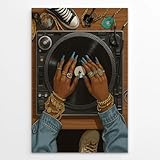
- Music Meets Fashion Statement: This street style music decor showcases a bold female DJ hand styling a vinyl turntable, adorned with eye-catching gold jewelry and long blue nails—capturing the essence of hip hop glam and street power
- Urban-Inspired Visuals: Designed for lovers of old-school vinyl, rap beats, and street fashion, this artwork combines retro elements with modern boldness in a visually striking composition
- Perfect for Music & Art Lovers: This black girl magic poster is great fit for DJ rooms, recording studios, home theaters, or any space where rhythm, art, and attitude collide into a powerful visual presence
- Premium Canvas Quality: This female empowerment art print is professionally printed on durable, fade-resistant canvas using rich color inks for long-lasting vibrancy and gallery-worthy visual depth on any wall
- Gift for Creative Souls: This cool poster is an empowering gift for DJs, hip-hop heads, musicians, and trendsetters—ideal for birthdays, holidays, or anyone who lives life loud and proud
Access is listed through web and API. The Free plan lists 10,000 credits per month and is limited to personal use and browse-only Marketplace access. Paid access starts at $6 per month, but commercial rights vary by plan and exclude film, TV, and studio games. Because cinematic cues are often intended for picture, check the applicable plan terms before using output in a film or game, and use voice references only with consent.
Quick Recap
Shopping ad
How To Choose And Shape A Cue
- Define the picture and duration. Describe the scene, intended energy, and where the cue should build, pause, or hit its ending. Confirm that the tool can produce the length and structure you need.
- Choose instrumental or vocal. For underscore, ask for no vocals and focus the prompt on groove, bass, score-like layers, and transitions. For a rap-led track, specify the vocal role and provide only lyrics or voice references you are authorized to use.
- Generate a draft, then revise sections. Use the available editing controls to improve the opening, build, or payoff. Do not assume the tool exposes a specific cinematic instrument or guarantees a particular genre result; check the interface and revise the prompt if needed.
- Move stems or MIDI into the next stage only when available. Compare the listed exports against your actual editing needs before choosing a plan. A general export claim does not establish compatibility with every DAW or project format.
- Verify release rights for the actual output. Check the vendor’s current terms for commercial use, generated voices, samples, and any uploaded references. A tool’s general commercial-use label does not settle every rights question for a particular release.
Product prices and availability are accurate as of the date/time indicated and are subject to change. Any price and availability information displayed on Amazon at the time of purchase will apply.
Recommended Free Tools




