The Geeks Club is reader-supported. When you buy through links on our site, we may earn an affiliate commission. As an Amazon Associate I earn from qualifying purchases. Learn more
For a 30-minute melodic techno mix, use Beat Shaper when you want editable electronic parts to arrange in a DAW, or Loudly when you need to specify a track’s BPM, key, structure, and duration. Eleven Music is a third option for building and revising long-form music with genre and section controls; its listing specifically mentions subterranean techno, but does not establish melodic techno as a named genre. None of the available evidence confirms that any of these products can generate a coherent, mix-ready 30-minute melodic techno set in one pass. Plan to generate, select, and arrange multiple sections or tracks, and verify the duration and export details in the product before committing to a workflow.
What A 30-Minute Melodic Techno Mix Needs
A melodic techno mix depends on development over time. A useful sequence needs a stable low end, a pulse that can support transitions, and evolving melodic material—such as arpeggiated synths, pads, or a recurring motif—that creates momentum without making every section feel like a climax. A 30-minute running time also raises a practical distinction: generating one long piece is different from assembling several shorter pieces that share a compatible groove and tonal direction.
For production, decide early whether the AI output is a finished audio bed or raw material for a DAW. Finished audio can be quicker to audition, while editable MIDI, separated stems, or project exports can give a producer more control over arrangement and transitions. The product information below establishes some of these capabilities, but does not confirm melodic-techno-specific controls such as a dedicated arpeggiator, sidechain, phrase-matching, or DJ beat-grid export. Check the vendor’s current product details for any such requirement.
Crashes, No Sound, or Screen Glitches?
Random freezes, missing sound and display glitches usually trace back to one bad driver. Find and replace yours safely.Free scan · under a minutePC Slower Than It Used to Be?
A free scan shows the junk files, broken settings and background clutter dragging Windows down - then fixes them in one click.Free scan · Windows 10 & 11Best AI Tools For Melodic Techno 30-Minute Mixes
| Rank | Tool | Best Fit | Melodic Techno Evidence | 30-Minute Workflow Evidence |
|---|---|---|---|---|
| 1 | Beat Shaper | Editable electronic production in a DAW | Techno is an expressly supported style; generates editable drums, basslines, synth parts, loops, and arrangements. | Unlimited song lengths are listed for Creator; full-set coherence and a 30-minute export are not established. |
| 2 | Loudly | Duration-led track generation and DAW handoff | Techno is listed; controls include BPM, key, structure, energy, instruments, and duration. | Exact video lengths and duration control are described, but a 30-minute mix limit or continuous-set feature is not stated. |
| 3 | Eleven Music | Long-form composition and section revision | “Subterranean techno” appears in its examples; melodic techno is not specifically confirmed. | Long-form composition and section editing are described; a 30-minute generation limit or DJ-mix workflow is not stated. |
1. Beat Shaper: Best For Building The Arrangement In A DAW
Beat Shaper is the strongest fit when the 30-minute goal means producing a structured set from material you can edit. Its focus is electronic music, including Techno, and it generates editable drums, basslines, synths, loops, and arrangements in a browser workspace. Genre, mood, and energy controls give you a way to steer a section’s character; piano-roll editing helps shape parts after generation. The product describes MIDI, audio, and Ableton Live project exports, while its listing also specifies MIDI, WAV, MP3, stems, and DAW project export options.
Shopping ad
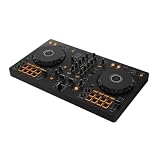
- The All-Rounder to Learn On: A simple, user-friendly layout inherited from pro Pioneer DJ gear makes it easy to start and grow
- No Beatmatching Skills Needed: Smart Fader auto-adjusts volume, bass, and BPM so you can blend genres by moving one fader
- Room to Grow: 2-channel, 2-deck control with 16 Performance Pads for Hot Cues, Pad FX, Beat Jump, and Sampler
- Built for Streaming and Streaming Out: Mix from Apple Music, Tidal, and Beatport, and live-stream or MC from a single device
- Plug In Anywhere: Connects to PC, Mac, iPhone, iPad, or Android by USB or Bluetooth with a built-in sound card for speakers
Try a prompt or setup brief that defines the job of one section rather than asking for an entire set: “melodic techno, restrained opening, deep steady kick, warm bass, evolving minor-key synth motif, low energy, gradual build, no vocals.” This is a creative brief, not a claim that Beat Shaper understands every phrase or has a dedicated minor-key or vocal-exclusion switch. Its documented controls cover genre, mood, energy, and syncopation; specify anything more precise only if the current interface supports it.
Build an arc by making separate briefs for an opening, groove establishment, first lift, breakdown, return, and closing passage. Export editable parts and arrange their entrances, exits, and transitions in your DAW. The product says its loops work with popular DAWs including Ableton Live, Logic Pro, Cubase, and FL Studio. Do not assume generated sections will already match tempo, key, loudness, or phrasing; audition and adjust them in the production environment you use.
Shopping ad

- Made for Your First Mix: Designed for anyone thinking of starting to DJ, so you can learn quickly and have fun from day one
- Smart Fader Does the Beatmatching: Automatically matches volume, BPM, and bass as you move the crossfader, even across genres
- Start With the Music You Have: Mix from Apple Music, Spotify, Tidal, and more through compatible apps like rekordbox and djay
- Grab It and Go: AlphaTheta's lightest, most compact controller runs on USB-C bus power from a phone, tablet, or PC/Mac
- Play Your Way: Play through your phone or laptop's own speaker, connect external speakers via the 3.5 mm output, or cue on headphones
Creator is listed at €9 per month and includes unlimited generations, MIDI, MP3, and WAV downloads, unlimited song lengths, and commercial usage rights. Starter includes 32 MIDI clips according to the plan details, while the general listing says Starter downloads are limited to MP3 and non-commercial use. Ableton Live project export and real-time MIDI require Producer. Check the vendor’s pricing and terms for current plan details and the precise rights attached to your intended release.
What’s actually slowing this PC down?
Pick the symptom - the matching free tool is one click away.
2. Loudly: Best For Specifying Track Duration And Mix Parameters
Loudly is a fit when you want to define concrete track parameters before generation. Its product information lists techno and says creators can set or refine BPM, key, structure, energy, instruments, and duration. It also describes generating music for exact video lengths, ad slots, and social formats, then exporting separated musical parts for arrangement and rebuilding in a DAW. That makes it useful for creating candidate sections with a defined role or target length; it does not establish that the service can generate a 30-minute DJ mix as a single continuous, beat-matched file.
Shopping ad

- Beginner-Friendly DJ Controller - Visual Beat Align and Smart Faders ensure smooth, easy mixing for first-time DJs
- Free Video DJ Lessons - Includes exclusive access to step-by-step Crossfader video training for beginners
- Pro DJ Software Included- Start mixing instantly with Serato DJ Lite and Algoriddim djay integration
- Bluetooth and USB-C - DJ entirely wirelessly or connect flawlessly to phones and laptops
- Pro Mixer & Stems Control - 16 pads, 3-band EQ, and real-time Stems control for live mashups
A practical brief might read: “Techno, 124 BPM, minor-key atmosphere, instrumental, driving four-on-the-floor drums, evolving arpeggiated synth lead, long breakdown, gradual return, 4-minute duration.” Treat the numbers and musical wording as your requested creative direction, not confirmed Loudly presets or guaranteed output. BPM, key, structure, and duration are documented controls, but the available details do not establish dedicated melodic-techno templates, arpeggiator controls, or a no-vocals toggle. Check the interface for each exact control before relying on it.
For a half-hour target, think in sections with intentionally varied energy and transition space. Generate possible opening, build, peak, and cooldown material, then inspect duration and export stems if the account’s plan offers the needed downloads. Arrange and mix the selected material in a DAW, checking transitions and tonal continuity by ear. Loudly’s free generated tracks are limited to 30 seconds, so that free output length is a poor basis for assuming a long-form workflow; paid licensing depends on plan terms. Confirm both before using generated material commercially.
Shopping ad

- Beginner-Friendly - Expanded DJ Mixer and Smart Faders ensure smooth, easy mixing for first-time DJs
- Free DJ Lessons - Includes exclusive access to step-by-step Crossfader video training for beginners
- Software Included - Start mixing instantly with Serato DJ Lite and Algoriddim djay integration
- Bluetooth and USB-C - DJ entirely wirelessly or connect flawlessly to phones and laptops
- Pro Mixer Controls - Shape sound with channel filters, gain, master volume, and a smooth crossfader
3. Eleven Music: Best For Revising A Long-Form Composition
Eleven Music suits a creator who wants to steer a song’s genre, mood, instruments, and structure, then revise elements without restarting. Its information describes long-form composition, section editing, inpainting, genre transitions, audio references, stems, and MP3/WAV exports. Its site includes the phrase “subterranean techno,” which is relevant to a darker techno direction, but does not prove a dedicated melodic techno mode or any particular melodic-techno instrument controls.
Recommended Free Tools
Use a section-based brief such as: “Instrumental subterranean techno with an evolving melodic synth line, spacious opening, steady central groove, gradual tension build, and a resolved closing section.” Then define the sections and instruments using only controls available in the current interface. The language is intentionally descriptive: the listing confirms genre, mood, instruments, structure, and section editing, but does not confirm that a prompt phrase will map to an exact arrangement, BPM, key, or 30-minute duration.
Its long-form and editing capabilities may support drafting a continuous composition, but a 30-minute maximum, a guaranteed thirty-minute output, and compatibility with DJ mixing are not stated. Generate or edit a manageable passage, review how transitions behave, and verify export length and file options before planning the whole mix around it. The Free plan is listed with 10,000 credits per month and personal-use limitations; Starter is listed at $6 per month with 30,000 credits, 33 minutes of Music per month, and two concurrent generations. Commercial rights vary by subscription tier, and the listing says some uses are excluded. Check the vendor’s current terms for your project.
Independent reader supportYour contribution helps us test, update, and keep practical guides available for everyone.A Practical Workflow For A Half-Hour Set
- Map the arc. Sketch the opening, groove development, first lift, breakdown, return, and ending. Assign each passage a musical purpose and approximate length so the total target adds up to about 30 minutes.
- Choose the generation approach. Use editable electronic parts if you want to compose and transition sections in a DAW; use duration and track-parameter controls to generate candidate tracks; or use section editing to revise a longer composition. The listed products do not establish automatic DJ sequencing.
- Write section-specific briefs. Name the role, energy, rhythmic character, synth focus, and desired transition behavior. For example: “opening, restrained kick and pad, introduce a two-note synth motif gradually” or “breakdown, reduce drums, leave space before the groove returns.” Do not assume unsupported controls such as exact key, tempo, swing, or instrument exclusion unless the product exposes them.
- Generate alternatives and audition them. Select passages that can plausibly belong to the same set. Check the pulse, bass weight, melodic density, and ending or transition points. Product descriptions do not guarantee that separate generations will share a sound or align on a beat grid.
- Arrange and verify in your DAW. Assemble the chosen audio, MIDI, or stems where available. Check the complete running time, transitions, levels, and whether the final file suits the intended listening or playback context. Confirm the specific export format and plan requirement with the vendor.
- Check permissions before release. Review the relevant plan terms for commercial use, samples, and any voice or reference audio you supply. Use only voices, recordings, and other source material you have permission to use, and follow each platform’s terms.
Which Option Should You Choose?
Choose Beat Shaper for the clearest documented route to editable techno parts and DAW arrangement. Choose Loudly when track-level BPM, key, structure, and duration controls are central to your drafting workflow. Choose Eleven Music when long-form composition and section revision matter, while treating its techno example as evidence for techno generally rather than a specific melodic-techno preset. For any of them, validate the actual output length and compatibility with your mix workflow before you commit to producing all 30 minutes.
Quick Recap
Product prices and availability are accurate as of the date/time indicated and are subject to change. Any price and availability information displayed on Amazon at the time of purchase will apply.
Quick wins for a faster PC:
Repair Windows errors before they cause bigger problemsFix Now →Scan for outdated or missing drivers - takes under a minuteDriver Scan →
