What’s actually slowing this PC down?
Pick the symptom - the matching free tool is one click away.
The Geeks Club is reader-supported. When you buy through links on our site, we may earn an affiliate commission. As an Amazon Associate I earn from qualifying purchases. Learn more
Loudly is the strongest fit for an 88 BPM reggaeton track because it explicitly supports both reggaeton and BPM selection. Verbatik AI Latin Music Generator and SunoPrompt Reggaeton Generator are relevant alternatives, but the supplied product details do not establish that either can reliably generate at exactly 88 BPM. Treat exact tempo as something to verify in the result.
What An 88 BPM Reggaeton Prompt Needs
At 88 BPM, the tempo request is only one part of the brief. The generator also needs a clear reggaeton identity: a prominent dembow groove, bass weight, and a defined mood. For a restrained, late-night track, try: “Reggaeton at exactly 88 BPM, steady dembow beat, deep 808 bass, sparse percussion, warm minor-key synth pad, intimate mood, instrumental, clear verse and chorus sections.”
For a brighter direction, change the mood and instrumentation while keeping the tempo and groove explicit: “88 BPM reggaeton, crisp dembow, rounded bass, clean electric guitar accents, tropical atmosphere, melodic hook, instrumental.” These are prompt examples, not guarantees that a generator will honor an exact tempo. Check the resulting audio in your DAW and confirm its tempo before building a session around it.
Do these 3 things before closing this tab:
1Scan for outdated or missing drivers - takes under a minute2Clear out junk files and repair common Windows errors3Fix the driver behind crashes, sound loss and screen glitchesBest AI Music Generators For 88 BPM Reggaeton
1. Loudly — Best For Setting BPM And Genre Together
Loudly is the clearest first choice for this specific brief: its generator lists reggaeton among its genres and lets you create with a specified BPM, key, duration, and structure. Set the tempo to 88 BPM and choose reggaeton, then use the prompt to describe the dembow prominence, bass character, and mood you want.
Shopping ad
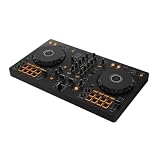
- The All-Rounder to Learn On: A simple, user-friendly layout inherited from pro Pioneer DJ gear makes it easy to start and grow
- No Beatmatching Skills Needed: Smart Fader auto-adjusts volume, bass, and BPM so you can blend genres by moving one fader
- Room to Grow: 2-channel, 2-deck control with 16 Performance Pads for Hot Cues, Pad FX, Beat Jump, and Sampler
- Built for Streaming and Streaming Out: Mix from Apple Music, Tidal, and Beatport, and live-stream or MC from a single device
- Plug In Anywhere: Connects to PC, Mac, iPhone, iPad, or Android by USB or Bluetooth with a built-in sound card for speakers
Its site describes moving generated tracks into a DAW for arrangement, vocals, mixing, or release preparation. That makes the workflow relevant to creators who plan to reshape the result. The free generated tracks are limited to 30 seconds; licensing rights depend on plan terms, so check those terms for your intended use.
2. Verbatik AI Latin Music Generator — Best For Describing The Arrangement
Verbatik AI Latin Music Generator is a good fit when the prompt needs to spell out the musical texture. Its Latin generator invites descriptions of mood, tempo, instruments, and other characteristics, and gives “modern reggaeton with heavy dembow beat, deep 808 bass, and catchy melodic hook” as an example direction.
Try adding “88 BPM” to a prompt that also names the groove and arrangement. The available details do not establish a dedicated BPM control or confirm exact-tempo output, so verify the rendered tempo before using it as a fixed project reference. Verbatik states that commercial licensing is included; check its terms for the track and use you have in mind.
Shopping ad

- Made for Your First Mix: Designed for anyone thinking of starting to DJ, so you can learn quickly and have fun from day one
- Smart Fader Does the Beatmatching: Automatically matches volume, BPM, and bass as you move the crossfader, even across genres
- Start With the Music You Have: Mix from Apple Music, Spotify, Tidal, and more through compatible apps like rekordbox and djay
- Grab It and Go: AlphaTheta's lightest, most compact controller runs on USB-C bus power from a phone, tablet, or PC/Mac
- Play Your Way: Play through your phone or laptop's own speaker, connect external speakers via the 3.5 mm output, or cue on headphones
3. SunoPrompt Reggaeton Generator — Best For Choosing A Reggaeton Mood
SunoPrompt Reggaeton Generator is specifically focused on reggaeton and describes styles including classic, romantico, Latin trap, and pop crossover. Its page says the AI reads the scene and adjusts tempo, bass weight, dembow prominence, and vocal attitude, which gives you relevant musical dimensions to describe.
For this target, name the style and mood, then request “88 BPM” and specify whether dembow should sit forward or stay restrained. The stated behavior does not confirm exact BPM locking, so treat the number as a prompt instruction and check the audio. The page lists a cost of 40 credits; check the vendor site for the applicable terms and any rights information.
4. TopMediai Reggaeton Generator — Best For A Tropical Starting Point
TopMediai Reggaeton Generator has an example prompt for Latin reggaeton with a mid-tempo feel, tropical atmosphere, clean electric-guitar riffs, an emotional synth pad, and a smooth dembow beat. Those elements make it a useful reference for a warm, melodic direction.
Shopping ad

- The All-Rounder to Learn On: A simple, user-friendly layout inherited from pro Pioneer DJ gear makes it easy to start and grow
- No Beatmatching Skills Needed: Smart Fader auto-adjusts volume, bass, and BPM so you can blend genres by moving one fader
- Room to Grow: 2-channel, 2-deck control with 16 Performance Pads for Hot Cues, Pad FX, Beat Jump, and Sampler
- Built for Streaming and Streaming Out: Mix from Apple Music, Tidal, and Beatport, and live-stream or MC from a single device
- Plug In Anywhere: Connects to PC, Mac, iPhone, iPad, or Android by USB or Bluetooth with a built-in sound card for speakers
The example specifies 95 BPM, not 88 BPM, and the available details do not establish a way to set or lock the tempo. You can try replacing that example tempo with 88 BPM, but confirm the output before relying on it. TopMediai says its commercial plan grants rights and permits uploads to Spotify, Apple Music, or YouTube; check the plan terms for your intended release.
Quick wins for a faster PC:
Scan for outdated or missing drivers - takes under a minuteDriver Scan →Clear out junk files and repair common Windows errorsFree Scan →5. Eleven Music — Best For A Track That Changes Style
Eleven Music supports setting genre, mood, instruments, and structure. Its example describes a 160 BPM R&B track that transitions into Latin reggaeton in the second verse. That supports a hybrid arrangement idea, but does not establish an 88 BPM reggaeton preset or exact-tempo control.
For an 88 BPM brief, specify the tempo along with the reggaeton sections, dembow feel, and instruments, then check the output’s tempo. The listed free plan is limited to personal use and browse-only Marketplace access. Commercial rights vary by subscription tier and exclude film, TV, and studio games; check the terms for your project.
Shopping ad

- Beginner-Friendly DJ Controller - Visual Beat Align and Smart Faders ensure smooth, easy mixing for first-time DJs
- Free Video DJ Lessons - Includes exclusive access to step-by-step Crossfader video training for beginners
- Pro DJ Software Included- Start mixing instantly with Serato DJ Lite and Algoriddim djay integration
- Bluetooth and USB-C - DJ entirely wirelessly or connect flawlessly to phones and laptops
- Pro Mixer & Stems Control - 16 pads, 3-band EQ, and real-time Stems control for live mashups
Check Tempo And Rights Before Release
When a track must fit an 88 BPM session, confirm the actual tempo in your DAW before arranging to it. A prompt that names a BPM does not by itself establish that the generator will return audio at that exact tempo. If the result misses the target, adjust the audio in your workflow and listen for changes to the groove.
For any generated or supplied voice, cover, or sample, get the necessary consent and check the platform’s terms for the material and planned use. Commercial-use statements differ by product and plan, so confirm the applicable terms before release.
Quick Recap
Product prices and availability are accurate as of the date/time indicated and are subject to change. Any price and availability information displayed on Amazon at the time of purchase will apply.

