Outdated Drivers Are Slowing You Down
One free scan finds every outdated or missing driver and matches the right update for your exact hardware.Free scan · exact hardware matchPC Slower Than It Used to Be?
A free scan shows the junk files, broken settings and background clutter dragging Windows down - then fixes them in one click.Free scan · Windows 10 & 11For an AI pop track targeted at 100 BPM, start with Mureka if you need a complete song and explicit tempo control. InsMelo AI Beat Maker is the clearest fit for building a pop beat with BPM controls and downloadable stems or MIDI. Audjust AI Music Remixer fits a different job: transforming a song you own toward pop at a requested tempo, with results that may land near rather than exactly on 100 BPM. None of the available product details establishes that a generated track will lock to precisely 100 BPM, so plan to measure and adjust the result in your audio software.
What A 100 BPM Pop Track Needs
At 100 beats per minute, a track has a moderate pulse that can support a relaxed pop groove, a steady vocal phrase, or a more driving arrangement depending on subdivision and accents. The number alone does not define the feel. A straight kick and snare pattern, a swung rhythm, and a half-time snare placement can all make the same tempo feel different. For a generator prompt, describe the rhythmic feel and arrangement as well as the number.
Pop production also depends on decisions that BPM cannot make for you: whether the result is vocal or instrumental, where the chorus opens up, how dense the verses feel, and which instruments carry the hook. Specify these choices in ordinary language. For example: “Modern pop, 100 BPM, straight four-on-the-floor kick, crisp snare on beats two and four, warm bass, bright plucked synth hook, sparse verse, wider chorus, instrumental.” This is a prompt example, not a claim that every product exposes controls for each element. Check the vendor’s current interface for unsupported specifics such as meter, exact bar count, key, or arrangement editing.
Compare The Best Fits
| Tool | Pop And Tempo Evidence | Best Starting Point | Price Information |
|---|---|---|---|
| Mureka | Pop is listed as a genre; tempo control is stated | Complete song generation with a 100 BPM prompt and tempo setting | Free plan; paid from $8/month billed annually |
| InsMelo AI Beat Maker | Pop beats and BPM customization are stated | Beat-first production with export options for later arrangement | Free plan; limited to 3.9 credits |
| Audjust AI Music Remixer | Pop direction and a 60–200 BPM target range are stated | Reworking a song you own toward 100 BPM | Not stated |
Ranked Picks For 100 BPM Pop
1. Mureka: Best For A Complete Pop Song
Mureka is the strongest all-round starting point here when the goal is a whole pop track rather than only a beat. Its stated capabilities include generating full songs from text, lyrics, styles, or reference audio, and its product information specifically identifies pop as an available genre and tempo control as a feature. Set the tempo target to 100 BPM where the interface allows it, then prompt for the arrangement and energy you want. A useful starting prompt is: “100 BPM pop song, intimate verse with muted guitar and soft bass, lift into a bright singable chorus with drums and layered synths; clear lead vocal; concise intro.” Treat those arrangement words as creative direction, not guaranteed controls.
The Tool Desk
Outbyte Driver Updater FREEFix the driver behind crashes, sound loss and screen glitchesFind Drivers →Outbyte PC Repair FREEClear out junk files and repair common Windows errorsFree Scan →Shopping ad

- SUPERIOR COMFORT — Unlike traditional circular ear buds, the design of EarPods is defined by the geometry of the ear. Which makes them more comfortable for more people than any other ear bud–style headphones.
- HIGH-QUALITY AUDIO — The speakers inside EarPods have been engineered to maximize sound output and minimize sound loss, which means you get high-quality audio.
- BUILT-IN REMOTE — EarPods with USB-C plug also include a built-in remote that lets you adjust the volume, control the playback of music and video, and answer or end calls with a pinch of the cord.
- COMPATIBILITY — Works with all devices that have a USB-C port.
- INTEGRATED MICROPHONE — A built-in microphone precisely captures your voice while you’re on the phone, taking a FaceTime call, or summoning Siri — so you’re always heard loud and clear.
If the first version has the right vocal and hook but needs a different section or texture, Mureka lists remixing, extensions, vocal generation, and voice cloning. It also lists multitrack editing, stem separation, and audio/MIDI export, which can help carry a generated idea into a DAW. Mureka Studio access and up to 12-stem splitting are reserved for Premier; the available information does not establish which plan includes every other listed feature, so check the vendor’s plan details before choosing a workflow. The directory lists a free plan and paid access from $8 per month billed annually.
Mureka states that tracks can be downloaded with full commercial rights. If your prompt or workflow uses a reference recording, lyrics, or a voice you did not create, use only material and voices you have permission to use, and check Mureka’s terms for the specific use.
Shopping ad

- Custom acoustic architecture and updated drivers for powerful Beats sound.
- Personalized Spatial Audio with dynamic head tracking.
- Ultralight ergonomic design for all-day comfort. Flex-grip headband and ergonomically angled, adjustable ear cups for a stable fit.
- UltraPlush ear cushions are designed for comfort and durability.
- Up to 50 hours of battery life.
2. InsMelo AI Beat Maker: Best For A Pop Beat You Can Arrange
InsMelo AI Beat Maker is a good match when the central task is building a rhythm bed at 100 BPM and finishing the song yourself. Its stated controls cover genre, BPM, mood, and structure; pop is among its listed styles. Try a prompt such as: “100 BPM pop beat, punchy kick, dry snare on two and four, syncopated bass, bright piano accents, leave space for a lead vocal.” You can then use the generated beat as a sketch for a topline, or export it into a DAW and write the remaining parts there.
The product lists MP3, WAV, MIDI, and separate-stem exports, plus beat extension, track separation, and instrumental mode. These make it a practical choice for creators who want material to edit after generation. The free plan is limited to 3.9 credits, according to the listing; the amount needed for a particular project is not established here. Pricing for paid plans and the details of their export entitlements are not specified in the available product information, so check InsMelo’s site before planning around them.
Do these 3 things before closing this tab:
1Scan for outdated or missing drivers - takes under a minute2Repair Windows errors before they cause bigger problems3Fix the driver behind crashes, sound loss and screen glitchesShopping ad

- Foldable design for easy, compact transport
- Tightly-stitched, padded headband and ear pads for stylish comfort
- Closed-back dynamic design with clean sound, rich bass response and crisp highs
- Snap-on 1/8” (3.5 millimeter) to 1/4” (6.3 millimeter) adapter
InsMelo describes its beats as royalty-free and suitable for commercial projects, while the listing also says commercial rights depend on subscription or license terms. Read the terms for your account and intended release before using a beat commercially. Use only vocal recordings or other source material you own or have permission to use.
3. Audjust AI Music Remixer: Best For Reworking An Existing Song
Audjust belongs on this list for a narrower use: making a new arrangement from a song you already own or have permission to transform. Upload that song, choose pop as the direction, and set a tempo goal of 100 BPM. Its stated target range is 60–200 BPM, but the measured output may be near the target rather than exactly on it, and tempo and arrangement can vary between runs. This is a remix workflow, not evidence that Audjust generates an original pop song from a blank prompt.
Shopping ad
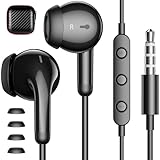
- APETOO wired earbuds with premium TRRS 3.5mm plug compatible with iPhone, for Samsung, for Macbook Air, for Macbook Pro, Cellphones, Tablets, Laptops, Desktops, Gaming Consoles, for iPod, MP3/MP4, for Android, for IOS devices with 3.5mm stereo jack port
- HiFi Stereo Sound: The wired headphones with premium 3.5mm plug which is made of anti-oxidant metal material, provides better contact than general plug, transfer superior lossless high fidelity audio and crisp-clear sound, this advanced wired earphones makes the music perfectly wrapped in your ear to let you easily enjoy overall listening experience
- Wired Earbuds with Microphone: The plug-in earbuds in-line remote control buttons built-in HD microphone for a clear phone call and better gaming experience, response calls and control your playlist or video without picking up your phone, easy for on-the-go use (Note: The Microphone is on the right side)
- Update Comfort and Durability: Upgrade as half-in-ear ergonomic shape and lightweight body with silicone ear tips, don't block all outside noise, you can be aware of your surroundings, meantime these APETOO wired ear buds provide you securer comfortable wearing experience; Anti-wrap oxygen-free copper wire inside provides the whole earphones flexibility to get through backpack/clothes while moving outside activity; Come with Storage Case, keep the usb c earphones safe and extremely portable
- What You Get: 1x Wired Earbuds with Microphone, 1x Mini Earphones Storage Case; APETOO bring your experience to our priority, any question, please be free to let us know anytime, we'll response you within 24hrs on weekdays
Audjust says each generation uses 30 credits. Before spending credits, prepare a source with a clear sense of the section or musical idea you want to preserve, and describe the desired vocal and melody direction. For example: “Move this owned demo toward a polished pop arrangement at 100 BPM; keep the lead melody recognizable, use a firm kick and crisp backbeat, and create a larger final chorus.” The site supports guidance on vocal and melody direction, but that does not establish a particular control over individual stems or instruments.
Upload only music you own or have permission to transform. Check Audjust’s terms for the rights and permitted uses of the generated arrangement; the available product facts do not establish its commercial-use licensing.
Quick wins for a faster PC:
Fix the driver behind crashes, sound loss and screen glitchesFind Drivers →Repair Windows errors before they cause bigger problemsFix Now →Scan for outdated or missing drivers - takes under a minuteDriver Scan →Shopping ad

- 🎵 Hi‑Fi Sound & Lossless Formats – Driven by a 4‑core 2.0GHz processor and advanced circuit, this Android 14 MP3 player delivers near‑Hi‑Fi audio with rich detail. Supports MP3, FLAC, APE, WAV, AAC, and OGG for full library compatibility. High‑resolution decoding restores every nuance. Stream via WiFi or play offline – enjoy immersive, distortion‑free sound, perfect for audiophiles.
- 🔋 Long Battery Life – This lightweight MP3 player is built with a 2000mAh high-capacity battery that delivers hours of continuous playback for commutes, workouts, and travel. The Android 14 system optimizes power use, giving you up to 50 hours of music or 8 hours of video per charge. Forget about frequent recharging – this durable player keeps going all day. Whether you're on a long flight or at home, enjoy nonstop audio entertainment anywhere.
- 💾 Ample Storage & Preloaded Apps – With 2GB RAM and 16GB built‑in storage (expandable up to 512GB via microSD), this portable player holds thousands of songs. Preloaded with Spotify, Amazon Music, and other streaming apps – start listening right after unboxing. Expandable memory lets you carry your offline library, while Android 14 gives access to Google Play. Ideal for both streaming and offline needs.
- 📱 Smooth Android 14 & Crisp Touch Display – This smart MP3 player runs Android 14 for a smooth interface. The 4‑inch INTELL screen (480×800) offers sharp visuals for browsing playlists and watching videos. With powerful processing and GPU, multitask between music, podcasts, and streaming without lag. Manage your library and adjust audio settings quickly and easily.
- 🌐 Versatile Connectivity & Smart Features – Equipped with dual‑band 2.4G/5G WiFi and Bluetooth 5.0 for fast pairing with wireless earphones and speakers. USB‑C supports charging and data transfer, and the 3.5mm jack gives a reliable wired option. Also includes FM radio, G‑sensor auto‑rotation, and OTG. Stream, share files, and connect accessories with ease.
A Practical Workflow For Hitting The Tempo
- Choose the source workflow. Use Mureka for a full-song idea, InsMelo for a beat to arrange around, or Audjust when reshaping an authorized existing recording.
- Put 100 BPM in both prompt and control when available. Mureka lists tempo control; InsMelo lists BPM customization; Audjust accepts a target tempo in its stated range. Repeating the number in text can make the brief clear, but it does not guarantee exact output.
- Describe the groove in plain terms. Name the kick and snare feel, subdivision, energy, and space for vocals. “Straight backbeat with a restrained verse and stronger chorus” communicates more than “upbeat pop.”
- Generate a short musical brief first. Decide whether the essential result is a vocal, hook, chord bed, or drum groove. Avoid piling incompatible directions into one prompt; add detail after the core version is useful.
- Measure the generated audio. Use a DAW or audio tool you already work with to check the actual tempo. The listed products do not promise a precise 100 BPM lock.
- Correct timing in your session. If the take is close, use your DAW’s tempo matching or time-stretch tools as appropriate, then listen for artifacts and check that transitions still feel natural. These are general production steps, not stated product features.
- Export for the next stage. InsMelo lists audio, MIDI, and stem exports; Mureka lists audio/MIDI export and stem separation. Check each product’s plan and current export options before building a session around a particular format.
How To Choose
Pick Mureka when you want the generator to supply a complete song concept and you want stated tempo control. Pick InsMelo when you want to start with a 100 BPM pop beat and take more of the arrangement into your own production workflow. Pick Audjust only when the input is a song you have rights to transform and the aim is a pop-leaning rearrangement. The available evidence supports these distinct uses; it does not establish exact tempo locking, a specific pop subgenre for every output, or platform availability beyond the product information above. Check the vendor’s current site for those details before committing a project.
Quick Recap
Product prices and availability are accurate as of the date/time indicated and are subject to change. Any price and availability information displayed on Amazon at the time of purchase will apply.




