The Tool Desk
Outbyte PC Repair FREERepair Windows errors before they cause bigger problemsFix Now →Outbyte Driver Updater FREEFix the driver behind crashes, sound loss and screen glitchesFind Drivers →Murmur is the strongest fit here for relaxing jazz beds: it supports jazz, background loops, and prompts for sleepy, restrained sound. For more developed jazz arrangements, try ACE-Step Jazz Music Generator or TwoShot AI Jazz Generator. Boppy is the free, no-signup option, though its specific support for relaxing jazz is not established.
Best AI Relaxing Jazz Music Options At A Glance
| Rank | Tool | Best Fit For Relaxing Jazz |
|---|---|---|
| 1 | Murmur | Instrumental background loops with a sleepy prompt |
| 2 | ACE-Step Jazz Music Generator | Smooth jazz beds for creator videos |
| 3 | TwoShot AI Jazz Generator | Spacious, meditative jazz arrangements |
| 4 | Boppy | Free jazz prompts and quick drafts |
What Relaxing Jazz Needs From An AI Generator
For a calm video bed or a low-key listening track, the prompt should prioritize a restrained arrangement: gentle dynamics, a slow or unhurried feel, sparse changes, and enough space around the melody. Name the instruments and the job the music must do, such as staying behind narration. Those are prompt-writing suggestions, not guaranteed controls; only use controls a tool actually offers.


Jazz support alone does not establish that a generator can reliably produce relaxing jazz. The options below have evidence for jazz and at least one relevant quality, such as smooth, meditative, sleepy, or background-oriented music. If a specific instrument, duration, tempo control, export format, or platform is not stated, check the vendor’s site before choosing.
Best AI Relaxing Jazz Music Generators
1. Murmur — Best For Sleepy Instrumental Loops
Murmur is an iPhone music generator for instrumental tracks and editing. Its site lists jazz among its styles, describes background loops and edits, and shows a sleepy prompt with soft drones, distant chimes, and almost no movement. That prompt is not specifically a jazz preset, so combine the mood with jazz in your own description and check the result for the sound you need.
Outdated Drivers Are Slowing You Down
One free scan finds every outdated or missing driver and matches the right update for your exact hardware.Free scan · exact hardware matchPC Slower Than It Used to Be?
A free scan shows the junk files, broken settings and background clutter dragging Windows down - then fixes them in one click.Free scan · Windows 10 & 11Shopping ad
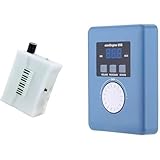
- Converts measurable surface potential into musical sound generation, enabling organic waveform expression for ambient composition, sound experiments and unique performance environments.
- Supports MIDI output to connect with synthesizers or digital workstations, expanding control over tone shaping, modulation structures and experimental sound layering.
- Responds to contact input and plant conductivity interaction, allowing dynamic trigger changes and evolving tone behavior suitable for generative audio setups and experimental music sessions.
- Supports installation work, performance atmospheres, digital audio production, looping landscapes and meditative soundscapes using plant-responsive source material.
- Portable configuration suits live rigs, production desks, sound art exhibitions, improvisational recording and signal-based sonic research.
Prompt to try: “Relaxing instrumental jazz background loop, soft piano and brushed-sounding drums, warm upright bass, slow and sparse, gentle dynamics, no dramatic changes, leave room for spoken narration.” The instrument and arrangement details here are creative prompt suggestions, not confirmed Murmur controls or output guarantees.
Murmur is free to start, with core presets and unlimited generations at a fixed track length. Its site lists Murmur Pro as a one-time €14.99 purchase for unlimited length, all 170+ presets, and custom scene prompts. It describes generated instrumental loops as royalty-free for commercial edits. Review its current terms for your use, and use only voice or sample material you have permission to include.
2. ACE-Step Jazz Music Generator — Best For Smooth Jazz Video Beds
ACE-Step explicitly supports smooth jazz and describes smooth jazz beds for vlogs, explainers, and tutorials, making it a direct match for creator background music. It also supports other named jazz styles, including Cool Jazz, Bebop, Modal, Fusion, and Latin Jazz. Those broader styles do not all imply a relaxing result; specify the mood and restrained energy in the prompt.
Prompt to try: “Smooth jazz bed for a coding tutorial, mellow and unobtrusive, relaxed pace, light melodic phrases, steady background energy, no vocals, leave the center clear for speech.” Vocals and arrangements are described as supported, but the prompt’s particular instruments and behavior are not guaranteed.
The tool is free to start with up to 2 songs per day and no credit card required. Its page says outputs are original and can be used in creator and commercial projects, while also advising users to check plan rights before commercial use; sample tracks are for preview inspiration only. Check the applicable plan terms, and get consent for any voice or sample you supply.
3. TwoShot AI Jazz Generator — Best For Spacious, Meditative Jazz
TwoShot specifically describes a spacious, restrained, meditative jazz direction with fewer chord changes and more room to breathe. It also describes polished, laid-back smooth jazz and prompts for sessions such as a late-night piano trio or a smooth sax ballad. The site says finished tracks can be downloaded in high-quality audio and are royalty-free.
Prompt to try: “A spacious, meditative late-night jazz trio for quiet reading, restrained dynamics, few chord changes, slow unhurried feel, long pauses between melodic phrases.” This combines the site’s stated mood and session examples; it does not establish controls for exact tempo, instruments, or track duration.
Pricing, platform availability, and specific export formats are not stated in the supplied product information; check TwoShot’s site for those details and its current terms. For any added voice or sample, use material you have permission to include.
What’s actually slowing this PC down?
Pick the symptom - the matching free tool is one click away.
4. Boppy — Best Free Starting Point For Jazz Prompts
Boppy is a free, no-signup text-to-song tool that supports jazz prompts and can generate vocal or instrumental songs. Its site says tracks can run up to 3 minutes, with a chosen duration from 30-second drafts to full-length songs. It does not specifically establish a relaxing-jazz mode, so treat the result as a prompt-led option rather than a dedicated calm-jazz generator.
Shopping ad

- AI song generator: turn a short text idea into a complete song
- Lyrics to song: paste your own words and hear them sung
- Vocals or instrumental – your choice for every track
- 14 genres: Pop, Hip-Hop, Lo-Fi, Rock, R&B, Jazz, EDM, Country & more
- 12 moods from happy and romantic to epic and mysterious
Prompt to try: “Instrumental relaxing jazz for a quiet workspace, soft and steady, sparse melody, gentle dynamics, no vocals, suitable behind a screen recording.” Boppy lists duration, BPM, key, and time-signature controls, so you can adjust those when available to shape a draft; no particular relaxed tempo or arrangement is guaranteed.
Boppy provides MP3 downloads and says creators do not have to pay or sign up to generate songs. It says it does not claim ownership of generated output. Check its terms for your intended use, and get consent for any voice or sample you provide.
Quick Recap
How To Prompt A Relaxing Jazz Bed
- State the use first, such as “background for a tutorial” or “quiet reading music,” so the prompt describes the track’s role.
- Set the mood with concrete terms such as “spacious,” “soft,” “restrained,” or “unhurried.” Avoid asking for a busy solo or dramatic build if the track needs to stay in the background.
- Name an instrumentation idea only if it suits your project, then ask for sparse melodic phrases and room for speech. Treat instrument requests as guidance unless the tool documents a specific control.
- Generate a short draft where duration controls are available, listen for distracting fills or abrupt changes, and refine the prompt. Check the vendor’s site for any unsupported format or platform requirement before building it into a workflow.
- Before publishing, review the platform’s terms for the generated track and any voice or sample used in it; get consent for supplied voice or sample material.
Product prices and availability are accurate as of the date/time indicated and are subject to change. Any price and availability information displayed on Amazon at the time of purchase will apply.