Free tools Windows power users keep installed
One-click scans. No signup required.
The Geeks Club is reader-supported. When you buy through links on our site, we may earn an affiliate commission. As an Amazon Associate I earn from qualifying purchases. Learn more
Blender is the best free animation software overall in 2026 if you need 3D, rigging, rendering, visual effects, motion graphics, or a mixed 2D/3D scene. For a hand-drawn raster workflow, Krita is easier to start; Pencil2D is the lightest beginner option; OpenToonz fits a traditional studio pipeline; and Synfig is strongest for vector and cut-out animation. The right choice depends on how you draw, animate, render, and deliver your work.
At a glance
| Name | Best for | Key spec | Free plan / price | Platforms | Checked |
|---|---|---|---|---|---|
| Blender | 3D, VFX and hybrid 2D/3D | Modeling, rigging, Grease Pencil, rendering, compositing and editing | Free and open source | Windows, macOS, Linux | November 2026 |
| Krita | Frame-by-frame raster 2D | Painting-first interface with animation timeline | Free and open source | Windows, macOS, Linux | November 2026 |
| OpenToonz | Traditional 2D production | Scanning, cleanup, coloring, compositing and production management | Free for commercial and non-commercial work | Windows, macOS, Linux | November 2026 |
| Pencil2D | Simple hand-drawn animation | Lightweight raster and vector timeline | Free and open source; commercial use allowed | Windows, macOS, Linux, FreeBSD | November 2026 |
| Synfig Studio | Vector and cut-out animation | Tweening, interpolation and reusable assets | Free and open source | Windows, macOS, Linux | November 2026 |
| DaVinci Resolve Free | Editing and Fusion finishing | Timeline editing, compositing, color and audio after animation | Free edition | Windows, macOS, Linux | November 2026 |
| Natron | Node-based compositing | Layering, keying and effects in a node graph | Free and open source | Windows, macOS, Linux | November 2026 |
| Glaxnimate | Vector, SVG and Lottie motion | Shape animation and reusable vector assets | Free and open source | Windows, macOS, Linux | November 2026 |
“Free” covers different models here: permanent open-source applications, a free proprietary edition, and browser or mobile freemium services with restrictions. Export codecs, operating-system builds and plan limits can change, so check the current installer or export dialog before a deadline.
1. Blender: who it is for
Blender is the strongest all-round choice for creators who may move between 3D scenes, character rigs, simulations, visual effects, motion graphics and final rendering. Its Grease Pencil tools also let you draw 2D elements into the same scene as 3D cameras, lights, models and effects.
Do these 3 things before closing this tab:
1Clear out junk files and repair common Windows errors2Scan for outdated or missing drivers - takes under a minute3Repair Windows errors before they cause bigger problemsStandout features include polygon and sculpt modeling, armature rigging, keyframe and nonlinear animation, physics and particle simulation, Cycles and Eevee rendering, compositing, motion tracking, video editing and Grease Pencil 2D. That breadth means one project can contain a drawn character, a 3D environment and tracked effects without round-tripping through several applications.
Shopping ad
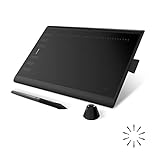
- Working Area Configuration - HUION art tablet equips with a 10 x 6.25 inches working area, providing the user with the most comfortable size to work; the 10mm slim structure and minimalist design of appearance make the drawing tablet more attractive.
- Tilt Function Battery-free Stylus: This computer graphics tablet come with a battery-free stylus PW100, no need to charge, allowing for constant uninterrupted drawing. ±60° tilt support enables imitation of lines input with diverse drawing gestures, with accuracy ensured.
- Press Keys:12 programmable press keys plus 16 programmable soft keys, you can set shortcut keys on drawing tablet's driver based on your preferences, such as erase, zoom in/out, scroll up and down, and so on.
- Compatibility: HUION graphics tablet supports Windows 7 or later/ macOS 10.12 or later/ Android 6.0 or later/ Linux (Ubuntu). A USB adapter is required to connect to a Mac computer. H1060P supports various mainstream design and drawing software, including PS, SAI, AI, CDR, etc. (Please note: The H1060P is compatible with Ubuntu, but it requires the use of the Xorg display server. Wayland is not supported.)
- NOTE: You can easily connect your phone to the art tablet via the OTG connector; while iPhone and iPad are NOT at the moment. The cursor will not show up in the SAMSUNG Galaxy S series at present. If you are not sure whether the product is compatible with your Phone or any help, please contact us.
Blender is free and open source, with no subscription or export watermark. Desktop builds are available for Windows, macOS and Linux. A Windows minimum configuration reported by iTechGuides lists 8 GB of RAM and 2 GB of VRAM; its recommended configuration lists 32 GB of RAM and 8 GB of VRAM. Those figures describe Blender, not every animation program.
The trade-off is learning curve. Blender is 3D-first, so someone making a short, hand-drawn cartoon may reach a finished scene faster in Krita or Pencil2D. Complex scenes can also demand substantial GPU memory, storage and render time.
2. Krita: who it is for
Krita is the best fit for illustrators, storyboard artists, animatic makers and YouTube creators who want frame-by-frame raster animation inside a drawing application. You work with familiar brushes, layers and painting tools, then use the animation workspace and timeline to create a sequence of drawings.
The Tool Desk
Outbyte Driver Updater FREEFix the driver behind crashes, sound loss and screen glitchesFind Drivers →Outbyte PC Repair FREERepair Windows errors before they cause bigger problemsFix Now →Its strengths are brush customization, stabilizers, onion-skin controls, layer organization, canvas rotation and a painting-first workflow. It is well suited to illustrated shorts, rough animation, storyboards and textured 2D styles rather than character rigs or physically simulated 3D scenes.
Krita is free and open source for desktop use on Windows, macOS and Linux. Its license permits commercial work, but that permission applies to the application itself. Models, fonts, textures, plug-ins, sound effects, music, templates and stock footage retain their own licenses.
Krita’s limits are mostly pipeline-related: it is not a complete 3D package, and long productions require careful file organization and a separate editor or compositor for finishing. Export options can vary by build, so render a short sample before committing to a delivery format.
3. OpenToonz: who it is for
OpenToonz is the most appropriate pick for a traditional 2D pipeline that includes scanning drawings, cleanup, coloring, compositing and production management. Its project is explicitly described as software for 2D animation, and the application was customized by Studio Ghibli.
The workflow is closer to a small animation department than a sketchbook: organize scenes, import or scan artwork, clean lines, apply colors, composite elements and manage shots. That structure is useful for teams or longer productions in which consistency matters more than a minimal interface.
The official OpenToonz project page says it can be used free of charge for both commercial and non-commercial projects. Desktop builds target Windows, macOS and Linux. There is no paid plan or export watermark in the open-source application.
OpenToonz has more terminology and setup overhead than Pencil2D. It is less convenient for a one-minute sketch if you do not need scanning, exposure-sheet style timing or production organization. Plan time for learning the scene and level system before a client deadline.
Shopping ad
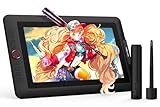
- PLEASE NOTE:XPPen Artist13.3 Pro drawing tablet Need to connect with computer,you need to use it with your computer or laptop, the 3 in 1 cable is included
- Drawing Tablet with Screen: Tilt Function- XPPen Artist 13.3 Pro supports up to 60 degrees of tilt function, so now you don't need to adjust the brush direction in the software again and again. Simply tilt to add shading to your creation and enjoy smoother and more natural transitions between lines and strokes
- Graphics Tablets: High Color Gamut- The 13.3 inch fully-laminated FHD Display pairs a superb color accuracy of 88% NTSC (Adobe RGB≧91%,sRGB≧123%) with a 178-degree viewing angle and delivers rich colors, vivid images, and dazzling details in a wider view. Your creative world is now as powerful as it is colorful
- Drawing Pad: One is enough- The sleek Red Dial on the display is expertly designed with creators in mind, its strategic placement allows for natural drawing postures. With just one wheel, you can effortlessly zoom in and out, adjust brush sizes, and flip the canvas—all tailored to suit the habits of everyday artists. The 8 customizable shortcut keys allow you to personalize your setup, streamlining your workflow and enhancing creative efficiency
- Universal Compatibility & Software Support:supports Windows 7 (or later), Mac OS X 10.10 (or later), Chrome OS 88 (or later), and Linux systems. Fully compatible with major creative software including Photoshop, Illustrator, SAI, and Blender 3D. Register your device to access additional programs like ArtRage 5 and openCanvas for expanded creative possibilities.
4. Pencil2D: who it is for
Pencil2D is the easiest first step for straightforward hand-drawn animation. The project’s own description calls it “an easy, intuitive tool to make 2D hand-drawn animations.” It supports raster and vector workflows while staying lightweight.
Windows Errors? Fix Them Before They Spread
Repair common Windows errors and clear accumulated junk for a smoother, more stable PC - no reinstall needed.Free scan · no reinstallOutdated Drivers Are Slowing You Down
One free scan finds every outdated or missing driver and matches the right update for your exact hardware.Free scan · exact hardware matchUse it for pencil tests, looping GIFs, simple explainer drawings, classroom projects and rough animation. The small interface keeps attention on the canvas and timeline instead of a large effects or 3D toolset.
Pencil2D runs on Windows, macOS, Linux and FreeBSD. The project states that it is completely open source and free to use, including commercially. There is no subscription, watermark or paid export tier.
Its simplicity is also its boundary: it does not provide Blender’s 3D scene system, OpenToonz’s production pipeline or Synfig’s sophisticated vector rigging. The default build without FFmpeg has limited codec support, so export a short test movie first. MP4 availability depends on the build, operating system and installed codec support.
For pressure-sensitive drawing, a basic pen tablet is optional but helpful. A small pen display such as the XPPen Artist 13.3 Pro V2 or HUION Kamvas 13 (Gen 3), or a screenless tablet such as the HUION Inspiroy H1060P, can make repeated drawing more comfortable.
5. Synfig Studio: who it is for
Synfig Studio is a specialist for vector and cut-out animation. Instead of redrawing every frame, you build characters and props from reusable shapes, set key poses and let interpolation generate in-between movement.
Tweening, reusable assets, scalable artwork and recolorable vector elements are valuable for puppet-like characters, infographic explainers and repeated motion. A single arm, mouth or logo can be changed once and reused across many shots.
Synfig is free and open source for Windows, macOS and Linux. It has no subscription or watermark. Its vector approach is less suitable when the goal is an intentionally rough, hand-drawn frame-by-frame look; newcomers may need patience to understand canvases, layers, parameters and interpolation modes.
Use Synfig when consistency and asset reuse matter more than brush texture. If every frame is a unique painting, Krita or Pencil2D will usually feel more direct.
What’s actually slowing this PC down?
Pick the symptom - the matching free tool is one click away.
6. DaVinci Resolve Free: who it is for
DaVinci Resolve Free is best treated as a finishing companion rather than a primary drawing application. Create animation in Blender, Krita, OpenToonz or another tool, then use Resolve’s Edit, Fusion, Color and Fairlight pages to assemble, composite, grade and deliver the final video.
Shopping ad

- ➡️ COMPACT STANDALONE DRAWING TABLET: Draw, design, animate, and learn on the larger, immersive PicassoTab X11 — a fully standalone tablet that needs no computer. Preloaded with 5 creative apps for sketching, painting, animation, tutorials, and guided lessons.
- ➡️ 6 BONUS ITEMS ($100 value): Comes with 2 app upgrades (lifetime Pro upgrade for Concepts drawing app, lifetime VIP upgrade for Artixo tutorials app) and 4 bonus accessories (premium tablet case, drawing glove, universal power adapter, and pre‑installed screen protector)
- ➡️ LIFETIME VIP TUTORIALS - DESIGNED FOR BEGINNERS: Artixo Lifetime VIP upgrade gives you step‑by‑step lessons, guided practice, and beginner‑friendly exercises. Plus, the Xplore app provides drawing guides and instant help whenever you need it.
- ➡️LAMINATED PAPER‑LIKE DISPLAY FOR NATURAL DRAWING: The fully laminated 11" 2K screen reduces parallax and glare, delivering a smooth, realistic, paper‑like drawing feel and the upgraded 4096‑level pressure‑sensitive stylus delivers precise strokes for sketching, shading, and illustration.
- ➡️ FAST OCTA‑CORE PERFORMANCE + EXPANDABLE STORAGE: Powered by an octa‑core processor with 6GB RAM and 128GB storage (expandable up to 1TB), the X11 handles drawing apps, schoolwork, streaming, and multitasking effortlessly.
Its timeline supports multi-track editing, transitions, titles and audio. Fusion provides node-based compositing for screen replacements, glows, keying and motion graphics; the color page handles grading; Fairlight handles dialogue, music and sound effects.
The free edition runs on Windows, macOS and Linux and is suitable for finishing without a subscription or export watermark. The available data does not establish paid-tier pricing, so treat the free edition as the supported price point here.
Resolve is not a replacement for a drawing timeline or character-rig system. It can animate transforms, masks and titles, but hand-drawn production belongs in a dedicated animation application. High-resolution timelines and Fusion compositions also increase memory and GPU demands.
Quick wins for a faster PC:
Scan for outdated or missing drivers - takes under a minuteDriver Scan →Clear out junk files and repair common Windows errorsFree Scan →Fix the driver behind crashes, sound loss and screen glitchesFind Drivers →7. Natron: who it is for
Natron is a free, open-source node-based compositor for combining rendered animation layers and visual effects. It is useful when your animation is already rendered and you need keying, masks, color operations, tracking or layered effects without adopting a full editing suite.
A node graph makes relationships explicit: footage enters a keyer or color node, branches into effects, then merges into a final output. That structure scales better than a long stack of opaque layer settings for complex composites.
Natron provides desktop builds for Windows, macOS and Linux and has no subscription or watermark. It is not a drawing or modeling package, so you still need another application for frame creation, rigging or 3D rendering.
Plan your image-sequence and codec workflow carefully. Render intermediate files in a format your compositor and final editor both read, then create a short proof export before processing an entire episode.
8. Glaxnimate: who it is for
Glaxnimate is aimed at vector animation, SVG artwork and Lottie-style motion graphics. It is a practical choice for animated icons, interface illustrations, logos, diagrams and shape-based social clips that must remain crisp at different sizes.
Reusable vector paths, shape transformations and timeline animation let you produce compact motion assets rather than painted frame sequences. SVG and Lottie-oriented workflows are particularly useful when the destination is a website, app or design system.
Glaxnimate is free and open source for Windows, macOS and Linux. There is no paid plan or watermark. It is narrower than Blender or Resolve: it does not provide a full 3D renderer, traditional scanning pipeline or complete video-editing timeline.
Shopping ad

- Word-first 16K Pressure Levels: The upgraded stylus features 16,384 levels of pressure sensitivity and supports up to 60 degrees of tilt, delivering smoother lines and shading for a natural drawing experience. With no battery or charging needed, it operates like a real pen, making it easy for beginners to create effortlessly. This functionality helps novice artists develop their skills and explore their creativity without the intimidation of complex tools
- Designed for Beginners: This drawing pad desinged with 8 customizable shortcuts for both right and left-hand users, express keys create a highly ergonomic and convenient work platform
- Perfectly Adapted for Android: The XPPen Deco 01 V3 art tablet supports connections with Android devices running version 10.0 and above. It is recommended to download the XPPen Tools Android application, which adapts to your smartphone's screen aspect ratio, ensuring accurate mapping. It also supports mapping on Android screens with different aspect ratios in portrait mode
- Large Drawing Space, Bigger Bold Inspiration: This expansive drawing pad has10 x 6.25-inch helps you break through the limit between shortcut keys and drawing area
- Easy Connectivity for Beginners: The Deco 01 V3 offers USB-C to USB-C connectivity, plus adapters for USB C. This ensures easy connection to various devices, allowing beginner artists to set up quickly and focus on their creativity without compatibility concerns. Whether using a laptop, tablet, or desktop, the Deco 01 V3 provides a seamless experience, making it an ideal choice for those just starting their digital art journey
Choose it when the delivery specification calls for vector or Lottie output. Choose Synfig when you need a broader cut-out rig, or Krita when the artwork depends on textured raster brushes.
How do I choose the right free animation software?
Start with the animation type and delivery format, not the word “free.” A short decision path prevents you from learning a tool whose timeline or export model does not match the project.
- Choose the drawing method. Pick Krita or Pencil2D for frame-by-frame raster drawing, OpenToonz for a traditional production pipeline, Synfig for vector or cut-out motion, and Blender for 3D or hybrid scenes.
- Decide whether you need finishing. If you already have rendered shots, DaVinci Resolve Free can edit, grade, mix and composite them. Natron is the more focused option for node-based compositing.
- Match the output. Use Glaxnimate for SVG or Lottie-style assets. For video, confirm the application can write the required container and codec on your operating system.
- Check hardware before committing. Blender benefits most from extra RAM, GPU memory and fast storage. Lightweight 2D tools can run on modest computers, although large canvases and many layers still consume memory.
- Confirm licensing. OpenToonz and Pencil2D explicitly allow commercial and non-commercial use, and Krita permits commercial work. Keep separate license records for every model, font, plug-in, texture, music track and stock asset.
- Plan the pipeline. Decide where you will draw, composite, edit sound and create the final master. A “companion” application may be the right answer when no single free tool does every job well.
Can free animation software export MP4?
Sometimes, but MP4 is not guaranteed by the word “free.” Support depends on the application build, operating system, codec availability, resolution and any restrictions in a freemium plan.
Pencil2D’s default FFmpeg-free build has limited codec support. Render a five- to ten-second sample with your intended resolution, frame rate and audio before producing a long sequence. If direct MP4 export is unavailable, render an image sequence or an intermediate movie and encode it in a finishing tool such as DaVinci Resolve Free.
Independent reader supportYour contribution helps us test, update, and keep practical guides available for everyone.What hardware and accessories do animators need?
A modern computer with adequate RAM, storage and a supported graphics processor is more important for complex 3D scenes than for simple 2D sketches. Blender’s cited Windows figures range from 8 GB of RAM and 2 GB of VRAM minimum to 32 GB of RAM and 8 GB of VRAM recommended; treat those as Blender guidance only.
Recommended Free Tools
A drawing tablet is optional. It becomes valuable when pressure, tilt and hand control affect line quality in Krita or Pencil2D, and it can also improve Grease Pencil work in Blender. Pen displays put the cursor under the stylus; screenless tablets cost less and leave the monitor unobstructed. Whichever you choose, install the current tablet driver and calibrate the active area before drawing a long scene.
How should I protect a commercial project?
Separate the software license from the project assets. Save invoices or license pages for fonts, music, sound effects, stock footage, downloaded models, textures, templates and plug-ins. A program that permits commercial use does not grant rights to material imported into it.
Keep editable project files, source artwork and rendered masters in separate folders, and back up the project before changing applications or codecs. For client work, deliver a clearly labeled master plus the agreed web or social encodes, rather than relying on a single compressed MP4.
How we picked
The ranking weighs workflow fit rather than an invented speed or popularity score: animation type, learning curve, hardware demand, export and codec needs, commercial-use terms, asset licensing and whether each application is a complete production tool or a pipeline companion. No independent benchmark or controlled usability test is used to claim that one program is objectively fastest.
Frequently Asked Questions
Can I make a complete animated short with only free software?
Yes. A practical combination is Pencil2D, Krita, OpenToonz or Blender for animation, followed by Natron or DaVinci Resolve Free for compositing and editing. Keep the frame rate, resolution, color management and audio sample rate consistent across applications.
Shopping ad

- Customize Your Workflow: The 6 customizable press keys on Huion H640P drawing tablet for pc let you assign your most-used commands—like undo, zoom, brush switch, or save—so you can keep your hands on the tablet and your mind on the art. Whether you're a digital painter switching brushes, or a comic artist zooming in and out, these keys keep your workflow smooth and uninterrupted. Plus, the Huion driver lets you save different shortcut profiles for different apps, so you never have to reconfigure when switching software.
- Professional Pen Performance: Huion H640P drawing pad for computer comes with the battery-free PW100 stylus that's always ready when inspiration strikes. With 8192 levels of pressure sensitivity, every light sketch, or bold stroke responds naturally to your hand—just like a real pen. The 5080 LPI resolution and 233 PPS report rate deliver lag-free, precise strokes, so you can draw confidently without second-guessing your cursor. The pen side buttons help you switch between pen and eraser instantly.
- Compact and Portable: Huion H640P computer graphics tablet features a compact, ultra-portable design at just 0.3 inches thin and 0.61 lbs light, so it slides easily into your backpack—perfect for sketching in coffee shops, taking notes in class, or editing on the go between home and studio. The 6x4 inch active area offers enough room for natural pen movements while fitting comfortably on crowded desks, or lecture hall seats.
- Stable Compatibility: Huion H640P graphic drawing tablet works seamlessly with Mac, Windows, Linux PCs, and Android smartphones/tablets (OS version 6.0 or later). Left-handed friendly, and you just need to flip the tablet and adjust the settings in the driver. Please note: H640P does NOT support iPhone/iPad.
- Move Beyond the Mouse: Huion Inspiroy H640P is a pen tablet that replaces your mouse for more natural, precise control. Freehand draw, take notes, or even play OSU—everything you do with a mouse, you can do better with a pen. The precise tip makes it ideal for detailed photo editing, graphic design, or signing PDF. Meanwhile, the ergonomic pen grip helps you avoid the strain that comes from hours of using a mouse.
Is Blender suitable for a 2D-only cartoon?
It can be, especially when drawings need 3D cameras, lights, models or effects through Grease Pencil. If the project is purely hand-drawn and has no 3D integration, Krita or Pencil2D usually presents fewer controls to learn.
Do I need a drawing tablet to animate?
No. A mouse and keyboard are enough for vector, cut-out, 3D and editing workflows. A pressure-sensitive tablet mainly improves line control and speed for hand-drawn raster work.
Why does my animation export without sound?
Many animation applications focus on images and timing rather than final audio mixing. Export the animation or image sequence, then add dialogue, music and effects in an editor such as DaVinci Resolve Free; verify that the chosen container supports the audio codec.
Do these 3 things before closing this tab:
1Scan for outdated or missing drivers - takes under a minute2Clear out junk files and repair common Windows errors3Fix the driver behind crashes, sound loss and screen glitchesCan I sell work made in these programs?
OpenToonz and Pencil2D explicitly state free commercial use, and Krita’s license permits commercial work. For every application, read the current license and separately clear all third-party assets before selling or distributing the finished animation.
Frequently Asked Questions
Can I make a complete animated short with only free software?
Yes. Combine a drawing or 3D application with a compositor or editor, and keep frame rate, resolution and audio settings consistent between them.
Is Blender suitable for a 2D-only cartoon?
Yes when 2D drawings must interact with 3D cameras, lights or models. For purely hand-drawn work, a painting-focused application is usually simpler.
Do I need a drawing tablet to animate?
No. Tablets mainly improve pressure-sensitive line control; vector, cut-out, 3D and editing workflows work with a mouse and keyboard.
Windows Errors? Fix Them Before They Spread
Repair common Windows errors and clear accumulated junk for a smoother, more stable PC - no reinstall needed.Free scan · no reinstallOutdated Drivers Are Slowing You Down
One free scan finds every outdated or missing driver and matches the right update for your exact hardware.Free scan · exact hardware matchWhy does my animation export without sound?
Many animation tools create images and timing but leave audio mixing to an editor. Export a sequence or movie and add audio in a finishing application.
Can I sell work made in these programs?
Several listed applications permit commercial use, but imported fonts, music, models, textures and stock assets require their own licenses.
Quick Recap
Product prices and availability are accurate as of the date/time indicated and are subject to change. Any price and availability information displayed on Amazon at the time of purchase will apply.

