The Tool Desk
Outbyte Driver Updater FREEFix the driver behind crashes, sound loss and screen glitchesFind Drivers →Outbyte PC Repair FREERepair Windows errors before they cause bigger problemsFix Now →The Geeks Club is reader-supported. When you buy through links on our site, we may earn an affiliate commission. As an Amazon Associate I earn from qualifying purchases. Learn more
HandBrake is the best free video converter for most people in 2026. It is free, open source, works on Windows, macOS and Linux, and combines presets with quality controls, preview and a conversion queue. Choose Shutter Encoder when you want a deeper graphical interface, FFmpeg when you need scripts or precise stream control, and VLC for an occasional local conversion. CloudConvert and FreeConvert are convenient browser options when installing software is not practical, while Any Video Converter Free offers a traditional desktop workflow with a paid Ultimate upgrade path.
The right choice depends less on the filename extension than on the codecs inside the file, whether you can upload the footage, and how much control you need. The guide below ranks the options, explains remuxing versus re-encoding, and gives practical MOV-to-MP4 workflows.
General shopping ads
At a glance
| Name | Best for | Key spec | Free plan / price | Platforms | Checked |
|---|---|---|---|---|---|
| HandBrake | Most desktop conversions | Presets, quality controls, preview and queue | Free and open source | Windows, macOS, Linux | Nov 2026 |
| Shutter Encoder | Advanced GUI workflows | FFmpeg-based tools, interpolation, analysis and deinterlacing | Free | Desktop app | Nov 2026 |
| FFmpeg | Automation and exact stream control | Decode, encode, transcode, mux, demux, filter and stream from the command line | Free | Windows, macOS, Linux and other supported systems | Nov 2026 |
| VLC | One-off conversion when already installed | Convert-and-save profiles | Free | Desktop app | Nov 2026 |
| CloudConvert | Browser conversion | Online format conversion with a free tier | Free tier; current limits apply | Web browser | Nov 2026 |
| FreeConvert | Occasional browser jobs | Online conversion with a free tier | Free tier; current limits apply | Web browser | Nov 2026 |
| Any Video Converter Free | Traditional desktop conversion with an upgrade path | Free edition alongside paid Ultimate edition | Free edition; Ultimate is paid | Windows desktop | Nov 2026 |
What is the difference between a video container and a codec?
A container is the file wrapper—such as MP4, MOV, MKV or WebM. Inside it are video and audio streams encoded with codecs such as H.264, H.265/HEVC, VP9 or AV1. Renaming .mov to .mp4 changes nothing, and changing only the container will not help if the destination device rejects the codecs inside.
A remux copies compatible streams into a different container without re-encoding. It is fast and preserves the original quality. A re-encode decodes and compresses the streams again, which is slower and can reduce quality, but is necessary when the target requires a different codec, resolution, frame rate or bitrate. Use remuxing whenever the destination accepts the existing streams; re-encode only when compatibility or size requires it.
Shopping ad
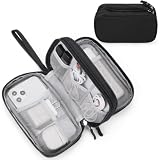
- Dimensions: 7.5" x 4.3" x 2.2". Compact size and lightweight make it easy to carry and put into your backpack, handbags or laptop bag without taking much space. Suitable for family use and daily organization. Note: Small mesh pockets are ideal for charging cords no longer than 3ft; longer cables (over 3ft) fit better in the larger compartments
- Quality Material: This electronic organizer travel case made of high quality durable waterproof oxford and soft sponge inside to secure your gadgets in place and deliver a quick access whenever you want. Water-resistant fabric protects your gear from unexpected splashes, keeping all your electronic essentials safe and secure
- Double Layers Design: This tech pouch features a double-layer interior design with 8 compartments, including multiple see-through mesh pockets and ample space to store your cords, cables, USB drives, cellphone, charger, mouse, flash drive and more, keeping all accessories neatly organized and tangle-free
- Practical and Convenient: Comes with a comfortable hand strap for easy carrying; You may carry it in your hand when heading out. Durable and smooth zipper closure keeps your favorite device securely, convenient for you to have quick access to the items inside the case
- Portable and Lightweight: The small size and lightweight design durable cable organizer pouch is a perfect choice when going on holiday, business trip, travel, office. Enjoy hassle-free travel without wasting time on tangled accessories. Great gift for yourself also a nice share with families and friends. (No include cords, electronic accessories)
1. HandBrake: the best free converter for most desktop users
HandBrake is the safest starting point for routine conversions. The project describes it as an open-source tool for converting video from nearly any format to a selection of modern, widely supported codecs. It runs on Windows, macOS and Linux. The official homepage links to version 1.11.2 at the time of this guide.
Its presets reduce the number of decisions you must make, while the quality controls let you trade file size against detail. Preview lets you inspect a short section before committing to a long encode, and the queue handles multiple files in sequence. Those features make it practical for phone footage, camera clips, downloads and files that need a broadly compatible MP4 output.
- Standout features: device-oriented presets, quality adjustment, preview, one-click encoding and a job queue.
- Free plan: free and open source; there is no subscription.
- Limits: it concentrates on a selection of modern codecs rather than every legacy format, and the interface can feel technical until you understand presets and quality settings.
Choose HandBrake when you want local processing, repeatable settings and a graphical interface without paying. For unusual stream operations or automated batches, FFmpeg or Shutter Encoder provide more control.
2. Shutter Encoder: the advanced graphical alternative
Shutter Encoder is a conversion and media utility designed by video editors and built around FFmpeg. It exposes a broad set of operations through a graphical interface, including encoding plus interpolation, analysis and deinterlacing functions.
This breadth is useful when a simple preset is not enough. You can keep a visual workflow while reaching operations that normally require command-line knowledge. The trade-off is a denser control surface: for a single “make this play on my phone” job, it can present more choices than necessary.
- Standout features: FFmpeg-based processing, interpolation, analysis and deinterlacing in a GUI.
- Free plan: available free of charge.
- Limits: the large feature set takes longer to learn than a focused converter, and the best settings depend on the source and destination requirements.
Pick Shutter Encoder if you want to stay out of a terminal but still need editor-oriented tools and detailed media operations.
Shopping ad

- 【UPGRADED LAPTOP CLEANING KIT 】 The macbook cleaning kit computer screen cleaner comes with a number of accessories including a retractable large brush, polishing cleaning cloth X 2, keycap puller, metal pen tip, flocking sponge, thin soft brush, soft plastic lens cleaning pen, 5 replacing cloth, large cleaning microfiber cloth. You deserve the comprehensive computer cleaning kit keyboard vacuum at a low cost
- 【PROFESSIONAL KEYBOARD CLEANING KIT】 The laptop screen cleaner keyboard cleaner can pull out the keycaps of gaming keyboards and mechanical keyboards. A retractable keyboard brush works on laptops and keyboards, while the mini high-density brush is great for deep cleaning between keys for cleaning between flatter keys on a laptop, the metal pin tip gently removes any stains. This electronic cleaning kit macbook cleaner totally meets professional cleaning needs
- 【OFFICE DESK ACCESSORIES】This keyboard cleaner kit is easy to use and can clean your keyboard and electronic screen with just one swipe. Wiping with the 2mm thicken widen polishing cleaning cloth designed at a right angle for better fitting screen corners of computers with our recyclable cleaning spray, The laptop cleaner kit for macbook effectively absorbs stubborn stains, leaves no discoloration, no streaks, and no fiber shedding on the screens
- 【MULTIFUNCTIONAL TOOLS 】Mini soft brush and soft plastic lens cleaning pen are specially designed for DSLR camera screen, lens, and other delicate surfaces. 5 more cleaning cloths of it supplied for replacement. The flocking sponge is an excellent tool for cleaning earbuds charging cases, And the earbud cleaning kit is ideal. This electronics for college students is equivalent to 10 other electronic cleaning kit
- 【PORTABLE DESIGN & CLEANER TOOL】 The office supplies is compact in design, easy to carry, and you can easily take it anywhere. It's convenient to keep one in a drawer, one in your car, or in your bag and dorm. It is easy to use and can clean your keyboard and electronic screen with just one swipe. Is the college essentials cleaning tool for your friends, family, colleagues and students
3. FFmpeg: the most flexible choice for scripts and exact control
FFmpeg is a portable framework for decoding, encoding, transcoding, muxing, demuxing, streaming, filtering and playback. It is the option for users who need repeatable commands, unusual formats, remuxing or explicit control over every stream.
Do these 3 things before closing this tab:
1Fix the driver behind crashes, sound loss and screen glitches2Repair Windows errors before they cause bigger problems3Scan for outdated or missing drivers - takes under a minuteA simple remux from MOV to MP4, when the streams are already compatible, is:
ffmpeg -i input.mov -c copy output.mp4The -c copy option copies the audio and video instead of re-encoding. If the target needs H.264 video and AAC audio, a re-encode can be requested explicitly:
ffmpeg -i input.mov -c:v libx264 -c:a aac -movflags +faststart output.mp4Command-line use is FFmpeg’s main usability trade-off. You must know the source streams, choose compatible codecs and understand options such as frame rate, bitrate and audio layout. Once a command is correct, however, it can be reused in scripts and batch jobs without opening a GUI.
- Standout features: precise stream selection, remuxing, filtering, scripting and support for a very broad range of media operations.
- Free plan: free software distributed by the FFmpeg project.
- Limits: no guided, beginner-first interface; an incorrect command can produce an incompatible file or overwrite output if you do not choose names carefully.
4. VLC: a useful fallback for an occasional conversion
VLC is primarily a media player, but its Convert/Save workflow can handle an occasional local conversion when it is already installed. You add the source, choose a destination and select a conversion profile.
Free tools Windows power users keep installed
One-click scans. No signup required.
VLC is convenient for a one-off task because there is no separate converter to install. It is less attractive for a repeatable delivery pipeline: profiles can be mis-set, and the workflow offers less specialized guidance than HandBrake or Shutter Encoder.
Shopping ad

- Compatible Space: This electronics organizer bag features 2 zippered mesh pockets fits phones, standard power banks, 4 elastic loop pouches for small items, 2 elastic loop pouches for wireless headphones and small chargers. Elastic loops for phone charging cable. And specific slots for SD cards. Please check the size to ensure it meets your needs
- Lightweight Travel Accessories: The size of the electronic organizer travel case is 10.6" L x 7.5" W x 1.2" H, Compact but substantial size fits your intended bag or space. Suitable for traveling use and daily organization
- Keep Everything Organized: This compact travel organizer features dedicated compartments for your phone charger, cables, and tech accessories, keeping them tangle-free and ready to go. You can find travel accessories quickly, no chasing cords in your pack anymore
- Durable Travel Essentials: Features double zippers for easy access, elastic loops with non-slip grips for daily protection. Organizer for office use and traveling, (Not including cords, electronic accessories). It can serve as a travel checklist. Before you leave a place, just open the case and check if everything is there, preventing you from leaving things behind
- Versatile Use: Its practicality and convenience make it a travel essential bag. It is suitable for a weekend trip, business trip, and travel. This organizer pouch is suitable for office, business, daily use and can be given as a gift for friends, family, or men, for birthdays, Valentine's Day, Christmas Day, Father's Day
- Standout feature: local Convert/Save processing inside a familiar player.
- Free plan: free software.
- Limits: profile settings require care, and it is not the strongest choice for recurring team delivery or detailed encode management.
Use VLC when convenience matters more than a carefully tuned preset. If a file must play reliably on several devices, confirm the resulting container and codecs rather than assuming the extension alone guarantees compatibility.
5. CloudConvert: browser conversion for files you can upload
CloudConvert performs conversion in a web browser, so you do not need to install a desktop application. It is a practical choice for a quick job on a borrowed computer or a machine where software installation is restricted.
The important trade-off is that the source file leaves your computer and is processed online. Do not upload confidential client footage, unreleased material or personal recordings unless the service’s current privacy and retention terms fit your needs. The free tier also has current usage limits and may involve account or file-size rules, so check those limits before starting a large batch.
- Standout feature: browser-based conversion with broad format coverage.
- Free plan: limited free tier; current quotas and account requirements apply.
- Limits: upload time, internet dependence, privacy considerations and free-tier restrictions.
CloudConvert is best for occasional, non-sensitive files when avoiding installation is worth the upload step.
6. FreeConvert: another no-install option for occasional jobs
FreeConvert is a browser-based converter with a free tier. Its appeal is the same as other online tools: select a file, choose an output format and download the result without setting up a desktop encoder.
Online convenience should not be confused with unlimited use. Free tiers can impose file-size, queue, rate or account limits, and those rules can change. Uploading also makes the service a poor fit for sensitive footage or locations with slow connections.
Shopping ad
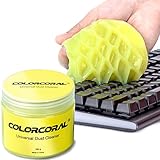
- Universal fit: ColorCoral cleaning gel, simple and convenient cleaning kits for PC/laptop keyboard and other rugged surface, such as the car vent, camera, printer, telephone, calculator, Instrument, speaker, air conditioner, TV and other appliances
- Safe cleaning gel: The keyboard cleaner gel is made from natural gel, no sticky to hands, smells sweet with lemon fragrance, no stimulation to skin
- Easy dust cleaning: Make sure your hands are dry and clean, knead the cleaning gel into a ball, press the cleaning gel slowly into the keyboard, car vent and rugged surface till the cleaning gel could touch the bottom and then pull out, the dust would be carried away with the cleaning gel
- Reusable: The keyboard cleaning gel could be used repeatedly till the color turn to dark or it become sticky, then you have to replace the cleaning gel with a new one. After cleaning, please stock the cleaning gel in cool place. (Note: Don’t wash the gel in water.)
- In the package: 1 can of universal cleaning gel, we provide the cleaning gel with brand new, if you find the package broken, the cleaning gel dirty, or any other quality issues, please email us through message, we provide you new one soon
- Standout feature: straightforward web conversion for occasional format changes.
- Free plan: free tier; verify current limits before a large or repeated job.
- Limits: requires uploading and downloading, depends on the browser and connection, and may restrict free usage.
Choose FreeConvert when the file is suitable for online processing and you value speed of setup over local privacy and batch control.
7. Any Video Converter Free: a desktop app with a paid upgrade path
Any Video Converter is offered in a free edition alongside a paid Ultimate edition. The free edition is aimed at users who want a conventional desktop video-conversion workflow rather than a command line or browser upload.
The edition split matters: features, output options and restrictions can differ between the free and Ultimate products. The free version is therefore most appropriate for occasional conversions when you want to start without a subscription and retain the option of upgrading later.
- Standout feature: a free desktop edition with a clearly defined paid Ultimate upgrade path.
- Free plan: free edition available; Ultimate is paid.
- Platforms: Windows desktop edition.
- Limits: edition-specific restrictions apply, and current pricing and feature differences should be checked on the vendor’s download and product pages.
Pick this option when a traditional desktop converter and future upgrade path matter more than open-source licensing or command-line automation.
How do I choose the right free video converter?
Start with the destination, then decide where processing should happen. The following checks prevent most failed conversions.
What’s actually slowing this PC down?
Pick the symptom - the matching free tool is one click away.
- Identify the destination requirements. Find out which container and codecs the phone, editor, TV, browser or social platform accepts. “MP4” is not a complete specification; H.264/AAC in MP4 is a different target from HEVC/AAC in MP4.
- Decide whether you need a remux or a re-encode. If the streams are already compatible, use a remux to avoid quality loss and save time. Re-encode when the codec, resolution, frame rate, audio format or file size must change.
- Choose local or browser processing. HandBrake, Shutter Encoder, FFmpeg, VLC and desktop editions keep the source on your computer. CloudConvert and FreeConvert require an upload, which adds privacy and connection considerations.
- Match control to experience. HandBrake’s presets suit routine jobs. Shutter Encoder adds editor-oriented controls. FFmpeg is best when commands, scripts and exact stream mapping are priorities.
- Plan for batches. HandBrake’s queue and FFmpeg scripts are better for repeated conversions than a browser page or a manually configured VLC profile.
- Check free-tier boundaries. Online services may limit file size, conversions, speed or accounts. Confirm the current allowance before uploading a long 4K recording.
How do I convert MOV to MP4 without losing quality?
First determine whether the MOV already contains codecs accepted by your destination. If it does, remuxing is the fastest path and does not introduce another generation of compression. If it does not, re-encode to the required codecs and accept that quality, speed and file size become trade-offs.
Shopping ad

- Award-Winning Compact Design & EDC-Ready Gift Choice: Weighing only 0.09 lb and sized like a credit card, this compact laser measure is designed for everyday carry. It slips easily into a pocket, tool pouch, or bag, and can attach to a keychain for quick access wherever you go. Its minimalist design, premium tactile finish, and practical one-button measuring make it a useful EDC gadget for DIYers, real estate agents, homeowners, and tech enthusiasts. A thoughtful gift for men on any occasion
- One-Button Easy Measuring, Simple to Use: Designed with simple one-button operation, this compact laser tape measure makes quick measuring easy without complicated controls. Just press to measure room dimensions, furniture spacing, window height, wall décor placement, and everyday distances around the home. Ideal for users who want a smart, pocket-size measuring tool that fits naturally into an everyday carry (EDC) setup and feels intuitive, modern, and easy to use
- Fast & Accurate Indoor Measurements with Class 2 Laser: Measure distances from 0.16 ft to 98 ft with up to ±1/16 in / ±2 mm accuracy. With quick measurement response in about 0.2 seconds, HOTO helps you check spaces efficiently for home renovation, furniture layout, moving, decorating, craft projects, and DIY planning. Built with a Class 2 laser for everyday indoor measuring; use as directed and avoid direct eye exposure
- Low-Power OLED Display & USB-C Rechargeable Convenience: The low-power OLED display provides clear indoor readings while helping reduce battery drain. With USB-C rechargeable design, auto shut-off, and up to 1000 measurements per charge, this digital laser measure is built for repeated daily use without frequent battery replacement. Compact enough to keep in a drawer, toolbox, bag, or pocket
- Useful for Home, Work & Everyday Projects: From home renovation and furniture measuring to room planning, real estate checks, interior design, and light construction projects, this pocket-size laser distance measure is made for practical everyday use. Compact enough to keep in a drawer, toolbox, bag, or pocket, it is a stylish measuring tool that feels just as giftable as it is useful
HandBrake method
- Open HandBrake and drag the MOV file into the Source area.
- Choose a preset that matches the destination, such as a broadly compatible device or web-oriented preset.
- Set the output container to MP4 and review the video and audio codec choices.
- Use the Preview function to inspect a short section, then set the destination filename.
- Select Add to Queue for multiple files or Start Encode for one file.
HandBrake generally re-encodes rather than performing a stream-copy remux. That is useful when you need a known codec combination, but it can take longer and may reduce quality if the quality setting is too aggressive.
FFmpeg remux method
ffmpeg -i input.mov -c copy output.mp4Use this only when the existing streams are valid for MP4 and the destination. If playback fails, inspect the streams and re-encode instead of repeatedly changing the filename extension.
What can go wrong, and how do I fix it?
- The output plays on one device but not another: check both container and codecs. Re-encode to a broadly supported combination rather than changing only the extension.
- The file is much larger: lower the quality target or bitrate, reduce resolution, or choose a more efficient codec if the destination supports it. A smaller file generally requires more compression or a smaller frame size.
- The audio is missing: verify that an audio stream was selected and that its codec is accepted by the target. In FFmpeg, inspect stream mapping and avoid copying an incompatible audio track.
- The encode takes too long: use a remux when possible, reduce resolution, or choose a faster encoder preset. Browser tools may also spend time uploading and downloading rather than encoding.
- The video is interlaced or motion looks uneven: use deinterlacing or interpolation tools in Shutter Encoder when appropriate, or configure the equivalent filter in FFmpeg. These operations change the image and should be used for sources that need them.
- An online converter rejects the file: check its current free-tier size, format and account rules. For private or oversized footage, switch to a local tool.
How we picked these converters
The ranking prioritizes free availability, clearly described conversion capabilities, platform reach, control over codecs and containers, and practical differences between local, graphical, command-line and browser workflows. Product capabilities and plan descriptions come from the vendors’ published pages; online limits and version details can change, so confirm them before a large job.
Which free video converter should you use?
Use HandBrake for the best balance of ease, repeatability and modern-format compatibility on a desktop. Move to Shutter Encoder when you need advanced editor-oriented operations, or to FFmpeg when automation and exact stream control matter. VLC is a convenient fallback, while CloudConvert and FreeConvert make sense for non-sensitive one-off files that you can upload. Any Video Converter Free is an alternative desktop starting point if its edition-specific limits suit your workflow.
Frequently Asked Questions
Can I convert a video without uploading it anywhere?
Yes. HandBrake, Shutter Encoder, FFmpeg, VLC and desktop conversion apps process files locally. Local processing is preferable for confidential footage and avoids upload and download time.
Does converting MOV to MP4 always reduce quality?
No. A compatible stream-copy remux can place the existing streams in an MP4 container without re-encoding. Quality changes occur when you re-encode the video or audio, so use remuxing when the destination supports the original codecs.
Why does my MP4 still fail to play after conversion?
MP4 describes the container, not a single codec combination. Check whether the file uses codecs, audio layout, resolution or frame rate accepted by the target, then re-encode to that target specification.
Windows Errors? Fix Them Before They Spread
Repair common Windows errors and clear accumulated junk for a smoother, more stable PC - no reinstall needed.Free scan · no reinstallOutdated Drivers Are Slowing You Down
One free scan finds every outdated or missing driver and matches the right update for your exact hardware.Free scan · exact hardware matchAre online video converters safe for private recordings?
Uploading sends the source to a third-party service and may expose it to retention, account and transfer risks. Use a local converter for client, work, unreleased or personal footage unless the service’s current privacy terms meet your requirements.
Which converter is best for converting many files repeatedly?
HandBrake’s queue is convenient for repeatable GUI jobs, while FFmpeg commands can be scripted for unattended batches. Browser converters and manually configured VLC profiles are less suitable when the same operation must run reliably over many files.
More shopping ads
Product prices and availability are accurate as of the date/time indicated and are subject to change. Any price and availability information displayed on Amazon at the time of purchase will apply.

