Outdated Drivers Are Slowing You Down
One free scan finds every outdated or missing driver and matches the right update for your exact hardware.Free scan · exact hardware matchPC Slower Than It Used to Be?
A free scan shows the junk files, broken settings and background clutter dragging Windows down - then fixes them in one click.Free scan · Windows 10 & 11The Geeks Club is reader-supported. When you buy through links on our site, we may earn an affiliate commission. As an Amazon Associate I earn from qualifying purchases. Learn more
Adobe Express and Canva are the two strongest documented options for making a free wedding invitation video in 2026. Adobe Express has a dedicated invitation video maker and a wedding-template collection with free and premium choices. Canva offers wedding invitation video templates and a workflow for adding your own photos or clips, music, animation, and downloading an MP4. Neither option makes every template, soundtrack, or media asset free by default, so check the item and export terms in the editor before you build the finished invitation.
This comparison focuses on what each company documents: wedding-specific templates, ways to personalize a design, audio, and downloading or sharing the finished video. It does not treat either editor as a tested winner.
General shopping ads
At a glance
| Name | Best for | Key spec | Free plan / price | Platforms | Checked |
|---|---|---|---|---|---|
| Adobe Express | Starting from a dedicated invitation maker or browsing wedding templates | 741 wedding invitation video templates displayed at research time; free and premium filters | Invitation video maker is free to use; no credit card required | Online | Nov 2026 |
| Canva | Combining personal photos or clips, music, and animation in a wedding template | Downloads finished invitation videos as MP4 | Check the selected template and media in the editor; a price for a paid plan is not included here | Browser or app | Nov 2026 |
Adobe’s displayed template count can change as its catalog changes. The “free” label for a maker or template collection does not guarantee that every item inside it is free to use or export.
1. Adobe Express: Best for a dedicated invitation video maker
Adobe Express is a good place to start if you want an invitation-focused tool rather than a general video project. Adobe describes a free online invitation video maker that lets you customize event details, add graphics, and include voiceovers or sound effects. It also points to royalty-free Adobe Stock soundtrack options.
Shopping ad
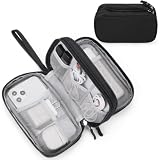
- Dimensions: 7.5" x 4.3" x 2.2". Compact size and lightweight make it easy to carry and put into your backpack, handbags or laptop bag without taking much space. Suitable for family use and daily organization. Note: Small mesh pockets are ideal for charging cords no longer than 3ft; longer cables (over 3ft) fit better in the larger compartments
- Quality Material: This electronic organizer travel case made of high quality durable waterproof oxford and soft sponge inside to secure your gadgets in place and deliver a quick access whenever you want. Water-resistant fabric protects your gear from unexpected splashes, keeping all your electronic essentials safe and secure
- Double Layers Design: This tech pouch features a double-layer interior design with 8 compartments, including multiple see-through mesh pockets and ample space to store your cords, cables, USB drives, cellphone, charger, mouse, flash drive and more, keeping all accessories neatly organized and tangle-free
- Practical and Convenient: Comes with a comfortable hand strap for easy carrying; You may carry it in your hand when heading out. Durable and smooth zipper closure keeps your favorite device securely, convenient for you to have quick access to the items inside the case
- Portable and Lightweight: The small size and lightweight design durable cable organizer pouch is a perfect choice when going on holiday, business trip, travel, office. Enjoy hassle-free travel without wasting time on tangled accessories. Great gift for yourself also a nice share with families and friends. (No include cords, electronic accessories)
What you can make
The tool is designed around event invitations, and Adobe also maintains a wedding invitation video template collection. The collection displayed 741 templates at research time and offers filters for free, premium, and animated designs. That number is a snapshot, not a permanent catalog size; the live collection may show a different total.
These two entry points serve different needs. The dedicated maker gives you an invitation-oriented starting point, while the template collection lets you browse designs and narrow the results by availability or animation. If you have a particular visual style in mind, check the template itself before committing: the collection includes both free and premium options.
Personalization, sound, and export
Adobe says users can customize event details and add graphics, voiceovers, or sound effects. It also describes audio options that include royalty-free Adobe Stock soundtracks. These are useful choices for a short invitation: event information can be paired with visual elements, spoken details, or music rather than relying on a static card.
Shopping ad

- 【UPGRADED LAPTOP CLEANING KIT 】 The macbook cleaning kit computer screen cleaner comes with a number of accessories including a retractable large brush, polishing cleaning cloth X 2, keycap puller, metal pen tip, flocking sponge, thin soft brush, soft plastic lens cleaning pen, 5 replacing cloth, large cleaning microfiber cloth. You deserve the comprehensive computer cleaning kit keyboard vacuum at a low cost
- 【PROFESSIONAL KEYBOARD CLEANING KIT】 The laptop screen cleaner keyboard cleaner can pull out the keycaps of gaming keyboards and mechanical keyboards. A retractable keyboard brush works on laptops and keyboards, while the mini high-density brush is great for deep cleaning between keys for cleaning between flatter keys on a laptop, the metal pin tip gently removes any stains. This electronic cleaning kit macbook cleaner totally meets professional cleaning needs
- 【OFFICE DESK ACCESSORIES】This keyboard cleaner kit is easy to use and can clean your keyboard and electronic screen with just one swipe. Wiping with the 2mm thicken widen polishing cleaning cloth designed at a right angle for better fitting screen corners of computers with our recyclable cleaning spray, The laptop cleaner kit for macbook effectively absorbs stubborn stains, leaves no discoloration, no streaks, and no fiber shedding on the screens
- 【MULTIFUNCTIONAL TOOLS 】Mini soft brush and soft plastic lens cleaning pen are specially designed for DSLR camera screen, lens, and other delicate surfaces. 5 more cleaning cloths of it supplied for replacement. The flocking sponge is an excellent tool for cleaning earbuds charging cases, And the earbud cleaning kit is ideal. This electronics for college students is equivalent to 10 other electronic cleaning kit
- 【PORTABLE DESIGN & CLEANER TOOL】 The office supplies is compact in design, easy to carry, and you can easily take it anywhere. It's convenient to keep one in a drawer, one in your car, or in your bag and dorm. It is easy to use and can clean your keyboard and electronic screen with just one swipe. Is the college essentials cleaning tool for your friends, family, colleagues and students
Adobe’s invitation-maker page describes downloading the finished video, but does not specify the file format on that page. If a particular format or a specific way of sharing the file matters to you, confirm the export options in the current editor before finishing the design.
Free access and limits
Adobe describes the invitation video maker as free to use, with no credit card required. That does not mean every template, soundtrack, or other asset in the wider collection is free. Adobe explicitly distinguishes free from premium templates, so use the relevant filter and check the selected design and any included assets in the editor.
Choose Adobe Express if you want an invitation-specific starting point, a large wedding-template catalog to browse, or sound options that include Adobe Stock tracks. Look elsewhere or check carefully if you need a confirmed export format before starting, or if a particular premium template or media item would push the project beyond a no-cost workflow.
Shopping ad

- Compatible Space: This electronics organizer bag features 2 zippered mesh pockets fits phones, standard power banks, 4 elastic loop pouches for small items, 2 elastic loop pouches for wireless headphones and small chargers. Elastic loops for phone charging cable. And specific slots for SD cards. Please check the size to ensure it meets your needs
- Lightweight Travel Accessories: The size of the electronic organizer travel case is 10.6" L x 7.5" W x 1.2" H, Compact but substantial size fits your intended bag or space. Suitable for traveling use and daily organization
- Keep Everything Organized: This compact travel organizer features dedicated compartments for your phone charger, cables, and tech accessories, keeping them tangle-free and ready to go. You can find travel accessories quickly, no chasing cords in your pack anymore
- Durable Travel Essentials: Features double zippers for easy access, elastic loops with non-slip grips for daily protection. Organizer for office use and traveling, (Not including cords, electronic accessories). It can serve as a travel checklist. Before you leave a place, just open the case and check if everything is there, preventing you from leaving things behind
- Versatile Use: Its practicality and convenience make it a travel essential bag. It is suitable for a weekend trip, business trip, and travel. This organizer pouch is suitable for office, business, daily use and can be given as a gift for friends, family, or men, for birthdays, Valentine's Day, Christmas Day, Father's Day
2. Canva: Best for mixing your own wedding photos and video clips
Canva’s wedding invitation video templates are a strong fit if you want to build the invitation around personal photos or video clips. Canva documents a workflow for uploading those materials, editing the design, adding music, and downloading the finished video as an MP4.
Quick wins for a faster PC:
Scan for outdated or missing drivers - takes under a minuteDriver Scan →Repair Windows errors before they cause bigger problemsFix Now →What you can make
Canva offers wedding invitation video templates that can be customized in its editor. You can start with a template and make it your own, or bring in personal visuals: Canva’s guidance describes uploading photos and video clips as part of the creation process. This makes it a practical option for couples who want to include engagement pictures, venue footage, or other clips they already have.
Personalization, sound, and export
The documented editing options include animation and music. You can choose music from Canva’s stock audio library or upload your own audio. When the invitation is ready, Canva documents downloading it as an MP4—a defined file format that is useful when you want to send or post a video file.
Shopping ad
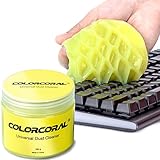
- Universal fit: ColorCoral cleaning gel, simple and convenient cleaning kits for PC/laptop keyboard and other rugged surface, such as the car vent, camera, printer, telephone, calculator, Instrument, speaker, air conditioner, TV and other appliances
- Safe cleaning gel: The keyboard cleaner gel is made from natural gel, no sticky to hands, smells sweet with lemon fragrance, no stimulation to skin
- Easy dust cleaning: Make sure your hands are dry and clean, knead the cleaning gel into a ball, press the cleaning gel slowly into the keyboard, car vent and rugged surface till the cleaning gel could touch the bottom and then pull out, the dust would be carried away with the cleaning gel
- Reusable: The keyboard cleaning gel could be used repeatedly till the color turn to dark or it become sticky, then you have to replace the cleaning gel with a new one. After cleaning, please stock the cleaning gel in cool place. (Note: Don’t wash the gel in water.)
- In the package: 1 can of universal cleaning gel, we provide the cleaning gel with brand new, if you find the package broken, the cleaning gel dirty, or any other quality issues, please email us through message, we provide you new one soon
Canva describes a drag-and-drop editor and access through a browser or app. That gives you a choice of working in a web browser or using the app, though the exact available features and export choices should be checked in the version you use.
Free access and limits
Canva’s wedding-template and editor guidance describes the creation workflow, but a template or media item’s availability can depend on the item. Check each chosen template, stock-audio track, and other media asset in the editor before you build around it. The availability of a specific item should not be inferred from the fact that Canva has wedding templates or audio in its library.
The Tool Desk
Outbyte PC Repair FREERepair Windows errors before they cause bigger problemsFix Now →Outbyte Driver Updater FREEScan for outdated or missing drivers - takes under a minuteDriver Scan →Choose Canva if adding your own photos or clips, combining them with music or animation, and getting an MP4 are central to your plan. Check before you commit if you are aiming for a completely free project: confirm the template and every stock asset you select, and make sure your chosen export path is available to you.
Shopping ad

- Award-Winning Compact Design & EDC-Ready Gift Choice: Weighing only 0.09 lb and sized like a credit card, this compact laser measure is designed for everyday carry. It slips easily into a pocket, tool pouch, or bag, and can attach to a keychain for quick access wherever you go. Its minimalist design, premium tactile finish, and practical one-button measuring make it a useful EDC gadget for DIYers, real estate agents, homeowners, and tech enthusiasts. A thoughtful gift for men on any occasion
- One-Button Easy Measuring, Simple to Use: Designed with simple one-button operation, this compact laser tape measure makes quick measuring easy without complicated controls. Just press to measure room dimensions, furniture spacing, window height, wall décor placement, and everyday distances around the home. Ideal for users who want a smart, pocket-size measuring tool that fits naturally into an everyday carry (EDC) setup and feels intuitive, modern, and easy to use
- Fast & Accurate Indoor Measurements with Class 2 Laser: Measure distances from 0.16 ft to 98 ft with up to ±1/16 in / ±2 mm accuracy. With quick measurement response in about 0.2 seconds, HOTO helps you check spaces efficiently for home renovation, furniture layout, moving, decorating, craft projects, and DIY planning. Built with a Class 2 laser for everyday indoor measuring; use as directed and avoid direct eye exposure
- Low-Power OLED Display & USB-C Rechargeable Convenience: The low-power OLED display provides clear indoor readings while helping reduce battery drain. With USB-C rechargeable design, auto shut-off, and up to 1000 measurements per charge, this digital laser measure is built for repeated daily use without frequent battery replacement. Compact enough to keep in a drawer, toolbox, bag, or pocket
- Useful for Home, Work & Everyday Projects: From home renovation and furniture measuring to room planning, real estate checks, interior design, and light construction projects, this pocket-size laser distance measure is made for practical everyday use. Compact enough to keep in a drawer, toolbox, bag, or pocket, it is a stylish measuring tool that feels just as giftable as it is useful
How do I choose a free wedding invitation video maker?
Choose according to the part of the invitation you most need the editor to solve: finding a wedding-specific starting design, incorporating your own media, selecting audio, or getting a particular file format.
- Start with the template. If you want a purpose-built invitation workflow and a broad catalog to browse, look at Adobe Express’s invitation maker and wedding template collection. If you want to start with your own photos or clips, Canva documents uploading them into a wedding invitation template.
- Check the cost of the exact design and assets. A free tool or free template collection can still contain premium templates or media. Check the labels on the template, audio, graphics, and any other stock assets in the live editor, not just the collection landing page.
- Decide how sound should work. Adobe describes voiceovers, sound effects, and royalty-free Adobe Stock soundtrack options. Canva describes stock-library music and the option to upload audio. If you plan to upload a track, ensure you have the rights to use it for the way you intend to distribute the invitation; the ability to upload audio alone does not establish permission to use a particular song.
- Confirm the output before editing at length. Canva documents MP4 download. Adobe describes downloading the completed invitation but does not state the format on its invitation-maker page. If your invitation needs to meet a platform’s file requirements, confirm the current export settings first.
- Think about how guests will receive it. A downloadable video can be sent or posted using a channel you already use, but the editor’s download option is separate from any invitation delivery, guest list, or RSVP system. Plan those parts independently.
What should you check before sharing the video?
A short review before sending can prevent the most common invitation-video problems: an unexpected paid asset, unclear audio rights, missing event details, or a file that does not work as expected.
- Review all event details: names, date, start time, venue, address, and any details guests need to act on. Read the text at the size and pace at which it appears in the video.
- Check every paid/free label: inspect the template and each stock image, graphic, or audio track you used. Both services describe collections or libraries, but that does not make every individual item free.
- Confirm audio permissions: a track appearing in an editor’s library or an upload control does not automatically grant every right for every use. Check the terms that apply to the selected asset and your intended sharing.
- Preview the complete video: make sure the invitation starts and ends cleanly, important text remains visible long enough to read, and the sound is appropriate. These are practical checks, not claims about a particular editor’s performance.
- Verify the downloaded file: open the export and check that it plays and contains the version you intended to share. Canva documents MP4 download; for Adobe Express, confirm the current format in the editor.
How we picked
The comparison is limited to products whose official pages document wedding invitation video templates or an invitation video maker, along with relevant creation or export features. The criteria are template relevance, personal-photo and video support, audio options, availability signals, and the documented download workflow. These features support a practical comparison, not a claim that one product is objectively easier or better: there is no independent quality test behind this ranking.
Free tools Windows power users keep installed
One-click scans. No signup required.
Frequently Asked Questions
Frequently Asked Questions
Can I put an RSVP link in a wedding invitation video?
A video editor’s invitation template does not by itself provide an RSVP service. If you want guests to respond online, include the address of an RSVP page in the invitation text or send the video alongside a separate response link.
Can I use a popular song in my wedding invitation video?
Uploading a song or finding audio in an editor does not establish that you have permission to use it in a video you share. Check the track’s license for your intended distribution, or choose audio whose terms explicitly cover that use.
Should I send the video file or share a link?
That depends on how you plan to reach guests and the size and format accepted by the service you use. Canva documents MP4 download; if you prefer a link, use a separate hosting or invitation service and check its access settings.
More shopping ads
Product prices and availability are accurate as of the date/time indicated and are subject to change. Any price and availability information displayed on Amazon at the time of purchase will apply.
Recommended Free Tools

