The Geeks Club is reader-supported. When you buy through links on our site, we may earn an affiliate commission. As an Amazon Associate I earn from qualifying purchases. Learn more
Start with your phone’s built-in Screen record tile. It avoids another installation and usually lets you choose audio and whether touch indicators appear. If your phone lacks that control or you need facecam, annotations, editing, or livestreaming, AZ Screen Recorder is the broadest all-round option in this guide; XRecorder is aimed at creators who want editing and streaming controls; and Mobizen combines recording with creation and automation tools. Audio capture depends on Android version, the recorder’s permissions, your phone, and whether the source app allows playback capture.
The rankings below are feature-based recommendations from current Android and Google Play listings, not independent performance tests. Marketplace ratings and download totals change, so use them only as popularity snapshots. The right choice depends on the phone, Android build, audio you need, and what you plan to do with the clip.
At a glance
| Name | Best for | Key spec | Free plan / price | Platforms | Checked |
|---|---|---|---|---|---|
| Android built-in Screen record | Fast captures without installing an app | Quick Settings control; audio and touch-display choices | Included with supported Android builds | Android phones with the control | Nov 2026 |
| AZ Screen Recorder | Broad feature coverage | Pause/resume, microphone and internal audio, facecam, drawing, editing, screenshots, livestreaming | Free listing; ads/in-app purchases may apply | Android | Nov 2026 |
| XRecorder | Creator workflows and livestreaming | Internal audio claim for Android 10+, facecam, brush, editing, YouTube and RTMP streaming | Free listing; ads/in-app purchases may apply | Android | Nov 2026 |
| Mobizen | Recording plus editing and automation | Facecam, voice/game audio, drawing, GIF creation, Auto Tap and Auto Swiping | Free listing; ads/in-app purchases may apply | Android | Nov 2026 |
| ADV Screen Recorder | Simple app-based recording | Third-party recorder with on-screen controls | Free listing | Android | Nov 2026 |
| Screen Recorder – Vidma | Casual clips and tutorials | Third-party recorder with editing-oriented workflow | Free listing | Android | Nov 2026 |
| Loom | Shareable narrated explanations | Android screen-and-camera recording workflow | Free tier available; plan limits vary | Android and web | Nov 2026 |
Availability, permissions, prices, and data-safety disclosures can change. Check the live Play listing and your phone’s Android version before installing. A listed capability is not a promise that every feature works on every phone or inside every app.
1. Android built-in Screen record: who it is for
Use the built-in recorder when you want the quickest capture with no extra app. Google’s Android Help flow is to open Quick Settings, find or add Screen record, choose audio and whether touches appear, then start recording. The finished video is saved in Google Photos, although menu names, available audio choices, and save locations vary by phone.
Shopping ad

- USB-C & USB-A COMPATIBILITY - This lavalier microphone for type c devices is compatible with iPhone 15/16/17 Series, MacBook Pro, Mac mini, Samsung Galaxy S24/23, and other smartphones or tablets with a USB C jack. Comes with a USB-C to USB-A adapter, it also works well with most laptop and desktop PCs, Mac, and other computers.
- CLEAR SOUND QUALITY - Built with a premium sound card (24-bit / 96kHz), this omnidirectional condenser microphone captures your voice with clarity and accuracy, while reducing unwanted background noise — ideal for interviewing, online conferencing, podcasting, vlogging, live streaming.
- PLUG & PLAY LAPEL MIC - This USB C lavalier microphone with USB-A connection is play-and-play, no extra cables or set-up. Just plug it into your device with USB-C or USB-A, it'll start working instantly. Without drivers and battery needed, it is friendly-design and easy to use.
- FLEXIBLE CLIP & 6.6FT CABLE - Featuring a sturdy metal clip, this USB-C lapel microphone can be securely attached to your clothing for optimal placement or discreet use. The 6.6FT / 2M soft silicone cable provides ample length and flexibility for comfortable movement during recording.
- ALL-IN-ONE PACKAGE & SUPPORT- Includes a USB-C microphone with clip and windscreen, cable tie, USB-C to USB-A adapter, and a premium storage pouch. Comes with 1-year protection and 24-hour customer support.
What it does
- Starts from Quick Settings after the tile is visible.
- Offers an audio choice on supported devices.
- Can show touch indicators for tutorials and troubleshooting.
- Places the recording in Photos on the documented Google flow.
This is the best first choice for a one-off app demonstration, bug report, or game clip. It may not include facecam, drawing, trimming, GIF export, or livestream controls. Some manufacturers add their own recorder interface, so two Android phones can expose different controls.
If the tile is not on the first Quick Settings page, swipe down again to open the full panel and look for its edit control. Some phones let you add a missing tile; others may use different labels or a manufacturer’s own capture menu. The exact steps and available controls are not identical across Android devices, so use the instructions on your screen rather than assuming a control will appear in the same place as it does on another phone.
Before a longer recording, confirm what audio choices your device offers and where it saves the file. If you are making a tutorial, touch indicators can help viewers follow taps; for a clean demonstration, you may prefer to turn them off. The built-in route is intentionally the first recommendation because it can meet basic capture needs without installing a separate recorder or granting that app additional permissions.
Do these 3 things before closing this tab:
1Clear out junk files and repair common Windows errors2Fix the driver behind crashes, sound loss and screen glitches3Repair Windows errors before they cause bigger problems2. AZ Screen Recorder: who it is for
AZ Screen Recorder is the broadest all-round candidate for users who want recording, annotation, editing, screenshots, facecam, and livestreaming in one Android app.
Standout features
- Pause and resume during a recording.
- Microphone and internal-audio options listed by the developer.
- Facecam overlay, drawing tools, screenshots, and post-recording editing.
- YouTube and Facebook livestreaming in the Play listing.
- The listing claims no watermark and no time limit.
Those are developer listing claims, not independent measurements. Internal audio still depends on Android’s playback-capture rules and the source app’s policy. Review the current permissions, advertising, in-app-purchase, and Data safety sections before installation.
Limits to check
Audio may fail in an app that blocks playback capture. Camera, microphone, storage, or draw-over-other-apps permissions can affect which features work. High-resolution recording also creates large files, so confirm available storage before a long session.
AZ is a sensible starting point when one app needs to cover several jobs: capture a screen, add a facecam or drawing, make a screenshot, edit the result, or stream to YouTube or Facebook. That breadth is the reason it is the all-round feature pick here—not evidence that it produces better video, uses less battery, or is more stable than competitors. If you only need a basic local clip, the built-in tool may be simpler.
The Google Play listing showed an update date of November 6, 2026. That date is a listing detail, not a guarantee about compatibility with a particular device. Check the current listing for its available version, requested permissions, ads or purchases, and Data safety disclosures before deciding which features to enable.
3. XRecorder: who it is for
XRecorder suits creators who want recording controls alongside facecam, annotation, editing, and livestream output.
Standout features
- Internal-audio recording is listed for Android 10 and above.
- YouTube and RTMP livestreaming support is listed.
- Facecam and brush tools for demonstrations and reactions.
- Editing tools and adjustable output settings.
The Android 10 requirement refers to the app’s internal-audio claim; it does not guarantee that every source app will provide sound. Android’s AudioPlaybackCapture API requires user approval, the recorder’s audio permission, and cooperation from the source app.
Limits to check
Confirm the output resolution, frame-rate choices, storage destination, and current listing disclosures on your phone. Streaming also adds network and account requirements that do not apply to a local recording.
PC Slower Than It Used to Be?
A free scan shows the junk files, broken settings and background clutter dragging Windows down - then fixes them in one click.Free scan · Windows 10 & 11Crashes, No Sound, or Screen Glitches?
Random freezes, missing sound and display glitches usually trace back to one bad driver. Find and replace yours safely.Free scan · under a minuteShopping ad

- Clear Natural Sound: Equipped with high-density spray-proof sponge and high-sensitivity omnidirectional pickup microphone, our lavalier microphone records every detail of the sound regardless of surrounding environment
- High-fidelity Recording: A higher sampling rate (192kHz) and bit depth (24bit) can capture more audio details, making the recording clearer and more lifelike. The lavalier mic is suitable for interviewing, online conferencing, podcasting, vlogging, live streaming
- Stable and Fast Connection: USB C Lapel microphone can provide a better user experience, improve work efficiency, and help ensure higher quality audio output. Is the perfect external microphone for Interviews and for making
- Wide Compatibility: Plug and play, no adapter. the USB C lapel microphone is compatible with IOS, Android smartphones, iPads, Computer, PCs, Laptops, Desktop, Macs, Notebooks, etc Note: The microphone is not compatible with Android phones with a Micro USB port, laptops with only a USB-A port, iPhone models without a USB-C port, including iPhone 14, iPhone 13, etc
- What You Will Get: 1 x 78in USB Type C mic, 1 x Aluminum lapel clip, 1 x Foam windscreen, 1 x User manual
Choose XRecorder when its listed creator workflow matches what you actually need. Facecam and brush tools can be relevant to a reaction or tutorial; adjustable output settings matter when you want to select among the options the app provides; and YouTube or RTMP support points toward live output rather than just saving a clip. These are feature-fit considerations, not proof of output quality or comparative streaming performance.
The listing showed an update date of November 5, 2026. Before recording, inspect the settings on your own device: available output choices, the file destination, and the audio mode are more useful to your workflow than assuming a listed maximum or feature will behave identically on all phones. If internal sound matters, test it in the precise source app you intend to capture.
4. Mobizen: who it is for
Mobizen combines screen recording with creation tools and automation features. It is a practical fit when you want to record a game or tutorial, add a facecam or voice, and make quick edits without moving immediately to a desktop editor.
Standout features
- Facecam plus voice and game-audio options in the listing.
- Drawing tools, editing, and GIF creation.
- Auto Tap and Auto Swiping features for demonstrations or repetitive on-screen actions.
Some functions request storage, camera, microphone, or draw-over-app permissions. The Play listing’s Data safety section reports possible collection and sharing categories; read the live disclosure and permission prompts rather than treating any recorder as categorically private or unsafe.
The Tool Desk
Outbyte Driver Updater FREEFix the driver behind crashes, sound loss and screen glitchesFind Drivers →Outbyte PC Repair FREEClear out junk files and repair common Windows errorsFree Scan →Limits to check
Verify the desired audio mode on the target phone, especially for games and streaming apps. Automation tools are optional; they do not improve the recorder’s basic capture compatibility.
Mobizen’s combination of GIF creation, editing, drawing, and automation may suit demonstrations where the recording is only one part of the final asset. Auto Tap and Auto Swiping are separate workflow features, not reasons to expect better capture quality. If you do not need them, consider whether the extra controls and permissions are worthwhile for your use.
The listing showed an update date of July 1, 2026. Its Data safety panel is a developer-provided disclosure, not an independent privacy audit, and it can change. Read that panel alongside the permissions Android asks you to grant. Grant access for the feature you intend to use, and reconsider if a requested permission does not fit your intended workflow.
5. ADV Screen Recorder: who it is for
ADV Screen Recorder is a straightforward third-party option for users who want an app-based recorder instead of relying on a manufacturer’s Quick Settings implementation.
Its appeal is simplicity: launch the recorder, grant the requested capture permissions, and use its on-screen controls. Before choosing it for a long tutorial or game session, confirm the current Play listing for audio modes, output controls, watermark behavior, storage permissions, and any ads or purchases. Those details can differ by release and phone.
The evidence available for this comparison does not establish ADV as a better option for internal audio, editing, streaming, or stability than the built-in recorder or the three feature-rich apps above. Treat it as an alternative to compare if you prefer a separate app interface, then decide from its live listing and a short test on your device. Do not assume a free listing means every feature is included without ads or purchases.
6. Screen Recorder – Vidma: who it is for
Screen Recorder – Vidma is aimed at casual clips and short tutorials where a recorder with editing-oriented controls is more convenient than the system tool.
Shopping ad
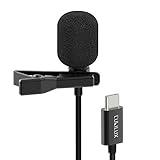
- [Driverless Plug & Play USB C Microphone] – No need for an extra power supply or driver, just snap the microphone and you can effortlessly record on the go and capture crystal sound with USB C smartphones, tablets or laptops.
- [Built-In ADC] – The built-in 48KHz/24-bit ADC ensures high-fidelity recording, resulting in a professional-grade sound with accurate detail and dynamic range.
- [Clear & Natural Sound] – Made with a high-sensitivity condenser, the Type C Microphone delivers a crystal-clean natural sound with ultra-low noise.
- [Multipurpose MIC] - Ideal for recording YouTube, TikTok, or Instagram videos, vlogging, livestreaming, singing, dictation etc.
- [Wide Compatibility] – Compatible with USB C and Thunderbolt 4/3 computers, and a wide range of USB C mobile devices, such as iPhone 17/16/15 series, iPad Pro 13/12.9/11, iPad Air 13/11, Galaxy S25/S24/S23 and Z Fold/Flip series, Galaxy Tab S11/S10/S9/S8, Pixel 10/9/8/7, and more.
Check the current listing for supported Android versions, export settings, microphone behavior, and privacy disclosures. As with every third-party recorder, a source app can block internal playback capture even when the recorder advertises audio support.
For a short clip, the practical comparison is whether Vidma’s current controls help you finish and export the video more conveniently than the built-in recorder. For a long session, check the relevant settings first and leave enough free storage. This guide does not establish a device-by-device performance advantage for Vidma.
7. Loom: who it is for
Loom is a useful fit for narrated explanations that need to be shared rather than kept as local files. Its Android workflow combines screen and camera recording with sharing through the Loom service.
The free tier and account requirements can change, and online sharing introduces different storage and privacy considerations from a local recorder. Confirm current plan limits, export options, and whether your organization permits cloud-hosted recordings before using it for confidential material.
That makes Loom a different kind of choice from a local-first recorder: consider not only how you capture the screen but also where the resulting recording goes and who can access it. For confidential work, follow your organization’s rules rather than assuming a shareable workflow is suitable. Check the current plan and account terms before relying on a particular free-tier limit.
Free tools Windows power users keep installed
One-click scans. No signup required.
How do I record my Android screen?
Use the built-in control first; it is the shortest path and avoids third-party permissions.
- Swipe down twice to open the full Quick Settings panel.
- Find Screen record. If it is missing, tap the edit control and add the tile when your phone offers it.
- Tap the tile and choose the available audio source, such as device audio, microphone, or neither. Turn touch indicators on if the viewer needs to see taps.
- Approve the Android capture prompt. Android uses a user-approved MediaProjection token before an app can capture the display.
- Start the capture, perform the steps you want to show, then use the notification or on-screen stop control.
- Open Google Photos or your phone’s gallery and look for the new recording. Manufacturer interfaces may save it elsewhere.
For AZ Screen Recorder, XRecorder, or Mobizen, install from Google Play, grant only the permissions required for the features you intend to use, configure audio and facecam, and make a short clip before recording a long session.
A short trial is useful for more than checking whether the recording starts. Confirm that the screen is visible, the intended audio is present, touch indicators look right, facecam or annotations appear if you enabled them, and the file is saved somewhere you can find. This is especially important before a presentation, tutorial, or livestream, because the available settings and capture behavior can vary by phone and app.
Can I record internal audio on Android?
Sometimes, but never universally. Android’s AudioPlaybackCapture API arrived in Android 10. Capture requires user approval and the recorder’s audio permission, while the source app must allow its playback to be captured. An app listing that says “internal audio” therefore describes a capability, not a guarantee for every game, streaming service, call, or media app.
Recommended Free Tools
Android Developers’ platform documentation explains that “The Android OS asks the user for their permission before granting the token to your app.” The capture token and user approval are part of the screen and audio capture flow; they do not override the source app’s rules. Some apps can prevent other apps from capturing their audio, so the same recorder can behave differently between apps.
Make a short recording in the exact app and on the exact phone you plan to use. If the video has no sound, check the selected audio source, Android’s permission prompt, the source app’s capture policy, Bluetooth routing, and whether another app is occupying the microphone.
Shopping ad

- The Original Mini Microphone: Mini Mic Pro is the wireless microphone for iPhone & Android used by creators. Trusted by thousands, it delivers studio-quality sound in a design small enough to clip onto your shirt or slip into your pocket.
- Seamless Connection: Designed to work right out of the box with your iPhone, Android, tablet, or laptop. With both USB-C and Lightning adapters included, Mini Mic Pro connects instantly—no apps, no bluetooth, no friction. Just pure, plug-and-play performance.
- Pro sound, anywhere: From voiceovers to viral interviews, Mini Mic Pro captures crystal-clear audio and cuts through background noise and even outdoors, thanks to included wind protection like high-density foam and a dead cat cover.
- Lightweight & Durable: Crafted from premium materials and weighing under an ounce, it’s ultra-portable, rugged enough for daily use, and always ready to record—no matter where the day takes you.
- Rechargeable Battery: A wireless lavalier microphone designed for real creators. Record for up to 6 hours per charge. While using the lav mic, you can charge your device simultaneously!
If you need narration rather than the app’s sound, select microphone audio where available and make a test with the same microphone setup you will use for the final clip. The built-in flow and some app listings include microphone choices, but the existence of a microphone option does not guarantee that a particular external mic or adapter will work with every phone.
How should I choose a screen recorder?
Match the recorder to the workflow rather than choosing by download count.
What’s actually slowing this PC down?
Pick the symptom - the matching free tool is one click away.
- Need one quick clip? Use the built-in Screen record tile.
- Need facecam, annotations, screenshots, editing, and livestreaming? Start with AZ Screen Recorder.
- Need creator-focused streaming and Android 10+ internal-audio controls? Compare XRecorder’s current settings with your phone.
- Need GIFs or automation alongside recording? Consider Mobizen and review its permissions.
- Need narrated sharing to a service? Loom may fit better than a local-only recorder.
- Need a simple third-party interface? Compare ADV Screen Recorder and Screen Recorder – Vidma, then check their current listings for audio, watermark, and export details.
Check these before a long recording
- Android version: Internal-audio features commonly depend on Android 10 or later.
- Source-app policy: Some apps deliberately prevent playback capture.
- Permissions: Review microphone, camera, storage, and draw-over-app requests.
- Storage: High-resolution video consumes space quickly; leave room before starting.
- Heat and battery: A long capture can be demanding. Keep the phone charged and avoid blocking ventilation.
- Privacy: Do not expose notifications, passwords, private chats, or account tokens in the frame.
- Sharing: Cloud workflows have different retention and access implications from local files.
Also decide whether your goal is a local video, a live stream, or a shareable explanation. Those are different workflows. A local capture primarily needs the right audio and display settings plus somewhere to save the file. A stream adds network and account considerations. A shareable service adds questions about cloud access, plan limits, and organizational rules. Choose the simplest workflow that meets the need instead of installing a feature-heavy app by default.
For an external microphone, a compatible USB-C lavalier is an optional search, not a requirement. Check the phone connector and microphone compatibility before buying; none of the listings establishes universal external-mic support. Record a short sample with the exact phone, adapter, microphone, and app combination before relying on it.
What do download counts and review totals tell you?
They show marketplace reach, not recording quality. On the US English Google Play editorial page accessed in 2026, AZ Screen Recorder and Mobizen each showed 100M+ downloads; XRecorder also showed 100M+ downloads. The visible review totals were approximately 1.99 million for AZ Screen Recorder, 3.34 million for Mobizen, and 7.62 million for XRecorder. These figures change and do not establish privacy, stability, battery use, frame-rate retention, or audio success.
Those numbers are a snapshot of what the marketplace page displayed, not a test score. A large install or review count cannot tell you whether the app works with your Android build, whether a particular source app permits audio capture, how much battery a session will use, or whether the developer’s current data disclosures meet your needs. Use the numbers as context for visibility only, then check the current listing and try a short recording.
Quick wins for a faster PC:
Clear out junk files and repair common Windows errorsFree Scan →Fix the driver behind crashes, sound loss and screen glitchesFind Drivers →How we picked
The order prioritizes the documented Android workflow first, then the breadth of recording and creation features, audio and streaming controls, and practical fit for common creator tasks. The recommendations for AZ Screen Recorder, XRecorder, and Mobizen reflect features described in their current Google Play listings, alongside Google’s built-in recorder instructions. They are feature-based picks rather than independently tested rankings.
No independent cross-device measurements were available for frame drops, battery drain, recording stability, or universal audio compatibility, so this is not a performance leaderboard. The reviewed sources do not support declaring an overall speed, quality, or reliability winner. A fair performance comparison would require repeatable tests on named phones and Android versions; without those measurements, the useful advice is to test the exact workflow on your device.
The app listing update dates visible at the time of review were November 6, 2026 for AZ Screen Recorder, November 5, 2026 for XRecorder, and July 1, 2026 for Mobizen. Android Developers’ capture documentation was last updated October 28, 2026. Listing details, app permissions, ratings, and Data safety declarations can change after those dates, so use the live pages for current installation decisions.
Optional microphone for narrated tutorials
A compatible USB-C lavalier microphone can improve spoken narration, but it is not required. Android’s built-in flow offers an audio choice, and AZ Screen Recorder and Mobizen list microphone functions. Compatibility depends on the phone’s connector, USB audio support, adapters, and the recorder’s routing behavior. Make a short test clip before recording a full lesson.
Before buying an accessory, check whether your phone has the connector you expect and whether it supports the microphone or adapter you plan to use. The recorder listings do not test external microphones or guarantee compatibility across Android phones. If the built-in microphone already gives you the narration quality you need, you can record without an extra purchase.
Shopping ad

- Superior Sound with Active Denoise: Experience exceptional sound clarity with the GoorDik USB C wireless lavalier mic featuring advanced active denoise technology. With dual noise reduction modes – noise reduction mode and original sound mode. The wireless clip-on C port mic is equipped with 2 furry outdoor microphone windscreen muffs and 4 extra foam mic covers, ensuring crystal-clear audio even in noisy and windy environments
- Plug & Play with Intuitive Interface: GoorDik wireless mini mic is an effortless operation. Each function is accompanied by corresponding indicator lights. You can set the different functions of noise reduction, original sound, and mute function easily with the intuitive user interface. Plus, it is equipped with 1 magnetic microphone clip on each mic transmitter, allowing you to adjust the direction for optimal omni-pickup, enhancing your recording audio
- Long Battery Life Keep Recording: Enjoy extended recording sessions with the GoorDik microphone's long-lasting battery. Each transmitter has 1 60mAh battery and offers 6-12 hours of usage on a single charge. The included one-to-two charging cable enables simultaneous charging of two transmitters. There is a USB-C charging port on the receiver for charging your phone and ensuring uninterrupted recording. Worryfree during your content creation
- Wide Compatibility on USB-C&USB Devices: Connect effortlessly to most devices with the USB C plug, compatible with iPhone 15 USB C, Android phones like Samsung, tablets, pocket 3, and more. The included USB C to USB adapter allows seamless connectivity to computers for recording. Note: Some Android phones may require OTG activation, and computer devices need to set the default input device in the sound settings interface
- Your Go-To Mic For Content Creation: Perfect for podcasts, vlogs, YouTube, and live streams, this microphone is designed to work flawlessly with your favorite device. It offers true universal compatibility: connect directly to USB-C phones (iPhone 15, Android) or use the included Lightning adapter for any other iPhone. (Note: some Android phones require OTG activation). Enjoy the freedom of a 30-meter wireless range and capture crystal-clear audio anywhere
Frequently Asked Questions
Why is my Android screen recording silent?
Confirm that you selected device audio or microphone before starting and accepted the capture prompt. The source app may block playback capture, or Bluetooth and microphone routing may send sound elsewhere; test the same app again with a short clip.
Where are Android screen recordings saved?
Google’s documented built-in flow places recordings in Google Photos. Manufacturer interfaces and third-party apps may use a different gallery folder, so check the recorder’s settings and your phone’s Files app if the clip is not visible.
Does screen recording notify the other person on a call?
Notification behavior depends on the calling app and its privacy rules; a recorder cannot override those rules. Avoid recording calls or private conversations without the required consent and check the app’s terms.
Can screen recorders capture protected streaming video?
Many protected or policy-restricted apps block screenshots, video capture, or playback capture. A black frame or missing audio is usually an intentional restriction rather than a recorder failure.
Do I need Android 10 to record internal audio?
Android’s AudioPlaybackCapture API dates to Android 10, and XRecorder lists internal audio for Android 10 and above. The source app still has to allow capture, and the recorder needs the required permission and user approval; Android 10 alone does not guarantee sound.
Is the built-in Android recorder better than a third-party app?
For a quick basic capture, the built-in tool is a good first choice because it avoids another installation and its extra permissions. Consider AZ Screen Recorder, XRecorder, or Mobizen when you need features such as facecam, annotation, editing, or livestreaming; check which features are available on your phone.
Are these Android screen recorders free?
The listed third-party apps have free Play listings, but ads or in-app purchases may apply, and Loom’s free-tier limits can change. Check the current listing or plan details for the price and limits that apply to you.
The Tool Desk
Outbyte Driver Updater FREEScan for outdated or missing drivers - takes under a minuteDriver Scan →Outbyte PC Repair FREERepair Windows errors before they cause bigger problemsFix Now →Should I grant every permission a recorder asks for?
No. Review the permission prompt and grant access for features you intend to use, such as microphone or camera recording. Permissions and Data safety disclosures can change; inspect the live listing and avoid enabling features you do not need.
Can I use an external microphone with an Android screen recorder?
Possibly, but compatibility depends on the phone’s connector, USB audio support, adapters, and the app’s audio routing. The listed features do not guarantee that every external microphone works. Test the exact setup before recording a full tutorial.
The Bottom Line
For most people, begin with the built-in Screen record control. If you need bundled creator features, compare AZ Screen Recorder, XRecorder, and Mobizen against the workflow you actually use, then test the exact audio and source app on your phone. No option is a proven performance winner across Android devices, and internal audio is never guaranteed by a feature listing alone.
Quick Recap
Product prices and availability are accurate as of the date/time indicated and are subject to change. Any price and availability information displayed on Amazon at the time of purchase will apply.
Recommended Free Tools

