The Geeks Club is reader-supported. When you buy through links on our site, we may earn an affiliate commission. As an Amazon Associate I earn from qualifying purchases. Learn more
OBS Studio is the best starting point for most people who need a watermark-free recording they can save locally. It is free, open source, and runs on Windows, macOS, and Linux, although its multi-source setup takes longer than a built-in recorder. Mac users can begin with Screenshot or QuickTime Player, while Windows users can use Snipping Tool for a quick capture. If you need a shareable link instead of a video file, Loom is convenient, but its free Starter plan allows 25 videos, limits screen recordings to five minutes, and caps output at 720p.
The important choice is not only whether a recorder adds a watermark. Decide first whether you need a local file or a hosted link, then compare operating-system support, recording length, resolution, audio and webcam capture, editing, storage, and setup time.
At a glance
| Name | Best for | Key spec | Free plan / price | Platforms | Checked |
|---|---|---|---|---|---|
| OBS Studio | Configurable recording and streaming | Version 33.0.1; multi-source scenes | Free and open source | Windows 10/11, macOS 13+, Linux | Nov 2026 |
| Apple Screenshot | Fast Mac screen clips | Entire screen or selected portion | Included with macOS | macOS | Nov 2026 |
| QuickTime Player | Simple Mac recording | Entire screen or selected portion | Included with macOS | macOS | Nov 2026 |
| Snipping Tool | Quick Windows capture | Win+Shift+R recording shortcut | Included with Windows | Windows | Nov 2026 |
| ShareX | Windows capture and file sharing | Screen-capture, sharing and productivity tools | Free software | Windows | Nov 2026 |
| Loom | Hosted recordings and share links | Browser-based sharing workflow | Starter: $0; 25 videos, 5-minute recordings, up to 720p | Web and supported desktop/browser clients | Nov 2026 |
| Loom Starter | Short, no-cost hosted clips | 25-video and five-minute caps | $0 Starter plan | Loom-supported web and desktop workflows | Nov 2026 |
The comparison source identifies OBS Studio, Apple capture, Snipping Tool and ShareX as watermark-free options, but those specific watermark findings are not stated on every vendor page. Check the current export behavior after updates, especially for hosted services.
Do these 3 things before closing this tab:
1Repair Windows errors before they cause bigger problems2Fix the driver behind crashes, sound loss and screen glitches3Clear out junk files and repair common Windows errors1. OBS Studio: who it is for
Choose OBS Studio when you want control over scenes, sources, audio and webcam placement, or when you need the same recorder on Windows, Mac and Linux. The OBS Project describes it as “free and open source software for video recording and live streaming.” Its official download page lists version 33.0.1, released October 29, 2026, with Windows 10/11, macOS 13 or newer and Linux downloads.
Shopping ad

- [Convenient Setup] Plug and play recording USB microphone for PC, with 5.9-Foot USB cable included for computer PC laptop, is connected directly to USB-A port for recording music, computer singing or podcast. The office condenser microphone for computer is easy to use and install. (NOT compatible with Xbox and Phones)
- [Durable Metal Design] Solid sturdy metal construction design, the computer microphone for Zoom meetings with stable tripod stand is convenient when you are doing voice overs or livestreams on YouTube. Durable material extends the service life of the voice-over microphone.
- [Mic Volume Knob] Gaming condenser USB mic compatible for PS4 with additional volume knob itself has a louder or quieter adjustment and is more sensitive. Your voice would be heard well enough through the zoom microphone USB when gaming, skyping or voice recording. Also, you can adjust your volume to zero and protect your privacy.
- [Widely Use] USB-powered design, the condenser microphone for recording no need the 48v Phantom power supply, works well with Cortana, Discord, voice chat and voice recognition. The podcast microphone for Mac, with USB-B to USB-A/C cable, is compatible with desktop, laptop or PS4/PS5, which meets most of your daily recording needs.
- [Clear Output Voice] Cardioid condenser microphone for PC captures your voice properly, producing clear smooth and crisp sound. Great computer recording mic for gamers/streamers/youtubers focus on the main source and reduces background noise. The streaming microphone does the job well for broadcast ,OBS and teamspeak.
What it does
- Build scenes from multiple sources such as a display, window, camera and audio devices.
- Switch between layouts rather than recording only one rectangle of the desktop.
- Record locally or stream live from the same scene-based workspace.
The 2026 comparison places OBS among the no-watermark recorders and reports no stated time cap. That is a comparison finding, not a universal vendor guarantee; confirm the current output settings before a critical recording. OBS produces a local recording workflow, so you must upload the finished file yourself if you want a hosted link.
Free plan, platforms and limits
There is no paid subscription required for the OBS software described by the project. Supported platforms are Windows 10/11, macOS 13 or newer and Linux. The trade-off is setup: scenes, sources, audio routing and recording settings require more decisions than a built-in capture toolbar. The project page does not provide a hosted storage quota or automatic sharing service.
Best use
Use OBS for tutorials with a camera overlay, gameplay capture, demonstrations that switch between windows, or long recordings where a hosted free-plan cap would be a problem. If you narrate tutorials, a USB microphone is an optional way to improve voice clarity; it is not required to record your screen.
What’s actually slowing this PC down?
Pick the symptom - the matching free tool is one click away.
2. Apple Screenshot: who it is for
Apple Screenshot is the quickest choice for a Mac user who wants to capture the entire display or only a selected area without installing another recorder. Apple Support says Screenshot can make a video recording of the entire screen or a selected portion.
What it does
Open the Screenshot controls, choose the full-screen or selected-portion recording mode, select the area when prompted, and start recording. Stop from the menu-bar control when finished. This is a local-capture workflow rather than a hosted team-review service.
Free plan, platforms and limits
Screenshot is part of macOS, so there is no separate recorder subscription. Apple’s guidance confirms the two capture scopes, but it does not specify watermark or duration terms on the cited page. The comparison source lists macOS capture as watermark-free and without a stated time cap; treat that as a current comparison result rather than a promise covering every macOS release.
Shopping ad

- Studio-Quality Sound for Clear Podcast Recording – The K66 USB podcast microphone delivers studio-quality, broadcast-level audio using a high-performance condenser capsule and cardioid pickup pattern that focuses on your voice while reducing unwanted background noise. Designed as a reliable microphone for PC, it features a wide 40Hz–18kHz frequency response and a 46kHz sampling rate to reproduce rich lows, smooth mids, and clear highs for natural, detailed vocals. With –45dB ±3dB sensitivity, it captures balanced sound without distortion during expressive speaking. Ideal for podcasting, voice-over, online classes, meetings, and professional content creation.
- Intelligent Noise Reduction Mode for Cleaner Podcast Audio – This podcast microphone features an advanced Noise Reduction Mode designed for clearer, more focused voice recording in real-world environments. Press and hold the mute button to enable noise reduction (blue indicator). In this mode, the microphone helps reduce keyboard clicks, PC fan noise, air conditioner hum, and background chatter. Default Mode maintains a warm, natural vocal tone for quiet spaces. Designed as a reliable microphone for PC, it allows creators to identify the active mode instantly and adapt as needed, ensuring clear audio for podcasting, gaming, streaming, online classes, meetings, and recording.
- True Plug-and-Play USB Microphone with Wide Device Compatibility – Engineered for effortless plug-and-play use, the K66 USB microphone requires no drivers, apps, or software installation. Simply connect and start recording on Windows PC, Mac, laptops, PS4, PS5, and tablets. Included USB-C and Lightning adapters ensure seamless compatibility with iPhone, iPad, and modern USB-C phones and devices, making it easy to switch between desktop and mobile recording. Ideal for creators working across multiple platforms, this microphone delivers consistent, high-quality audio for YouTube, TikTok, Twitch, Zoom, Discord, OBS Studio, Streamlabs, podcasting, livestreaming, and professional voice recording.
- Real-Time Zero-Latency Monitoring with Adjustable Volume Control – This podcast microphone features real-time, zero-latency monitoring through a built-in 3.5mm headphone jack, allowing you to hear exactly what’s being recorded without delay. Designed as a reliable microphone for PC, it includes a dedicated monitoring volume control that lets you adjust headphone listening levels independently for accurate and comfortable audio monitoring. Real-time feedback helps identify distortion, background noise, or uneven volume before it affects your final recording, making this podcast microphone ideal for podcasting, streaming, online teaching, voice-over work, and professional content creation.
- Precision Audio Adjustment Knobs for Full Sound Control – This podcast microphone gives creators hands-on control with dedicated knobs for microphone volume, monitoring volume, and echo adjustment. Fine-tune mic gain to maintain clear, balanced vocal output, adjust headphone monitoring levels independently for comfortable listening, and add or reduce echo to enhance depth and presence. Designed as a reliable PC microphone, these intuitive physical controls allow fast, on-the-fly adjustments without software, helping identify distortion, background noise, or level inconsistencies instantly. Ideal for podcasting, streaming, ASMR, voice-overs, singing, and professional multi-platform recording.
Best use
Use Screenshot for a quick bug report, short how-to clip or app demonstration when you do not need multiple scenes, advanced audio routing or a built-in share page. Choose OBS instead when you need a camera layout, several sources or repeatable production scenes.
Free tools Windows power users keep installed
One-click scans. No signup required.
3. QuickTime Player: who it is for
QuickTime Player is another built-in Mac route for a straightforward screen recording. Apple’s screen-recording guidance groups QuickTime Player with Screenshot and says either can record the entire screen or a selected portion.
What it does
Launch QuickTime Player, choose the screen-recording command, select the full display or a portion, and stop the capture from the system controls. The result is a local video file that you can edit or upload with another application.
Free plan, platforms and limits
QuickTime Player is included with macOS and has no separate recorder price. The cited Apple page does not state watermark or maximum-duration terms. The comparison source lists macOS capture among its no-watermark choices without a stated time cap, but operating-system behavior can change, so review the current Apple instructions for your Mac version.
Best use
Pick QuickTime Player when it is already familiar and you want a minimal recording path. It is less suitable than OBS for multi-source production and less suitable than Loom when viewers need an immediate browser link rather than a file you must upload.
Outdated Drivers Are Slowing You Down
One free scan finds every outdated or missing driver and matches the right update for your exact hardware.Free scan · exact hardware matchPC Slower Than It Used to Be?
A free scan shows the junk files, broken settings and background clutter dragging Windows down - then fixes them in one click.Free scan · Windows 10 & 114. Snipping Tool: who it is for
Windows users can start with Snipping Tool for a quick recording without installing a third-party app. The current comparison identifies Win+Shift+R as the screen-recording shortcut and lists Snipping Tool as a no-watermark option without a stated time cap.
Shopping ad
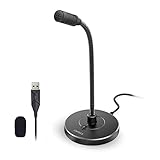
- 【Crystal Clear Audio Quality】Our Omnidirectional pattern condenser microphone accurately captures your voice, making it perfect for dictation, online classrooms, and more.
- 【Active Noise-Cancelling】Come in CMTECK CCS2.0 SMART CHIP with Omnidirectional Polar Pattern, which can effectively block the background noise. The pop filter prevents plosives from overloading the microphone, ensuring only your voice is heard.7
- 【Convenient Mute Button with LED Indicator】You can quickly mute/un-mute the microphone with the Mute Button and the built-in LED light lets you know the working status(Greenlight: Connected; Red light: Mute mode).
- 【Easy to use】 No drivers needed, just plug and record without external power supply, directly connect the microphone to a USB compatible device, well compatible with Windows(7, 8 and 10), Mac OS and PS4 (NOT compatible with Raspberry Pi/Linux/Android)
- 【Mini size with Adjustable Gooseneck】Adopted flexible and adjustable gooseneck metal pipe, easily adjust position 360 degrees to suit user comfort. The compact and stable base maximizes your desktop space.
What it does
Use the recording control, select the screen region, begin capture and stop when the clip is complete. Microsoft’s current support documentation should be your final reference for the exact controls and Windows-version requirements because labels and availability can change.
Free plan, platforms and limits
Snipping Tool is a Windows utility rather than a separate subscription service. The comparison describes it as a local recorder; it does not provide a hosted review page or storage quota. Verify the shortcut and recording availability on the specific Windows installation before relying on it for a presentation.
Best use
Use Snipping Tool for a quick demonstration, support ticket or short instructional clip when opening a full production application would slow you down. Move to OBS if you need scenes, camera composition or more deliberate audio control.
5. ShareX: who it is for
ShareX is aimed at Windows users who want capture, file-sharing and productivity functions in one utility. Its official site presents it as a screen-capture, file-sharing and productivity tool.
What it does
The broader capture workflow can include screen images, screen activity and sharing actions, making ShareX useful when the recording is part of a larger support or documentation process. Configure the capture mode you need, record the relevant area, then save or share the resulting file according to your workflow.
Free plan, platforms and limits
ShareX is presented as free software for Windows. The comparison source lists it among no-watermark options and reports no stated time cap, but the vendor page should be checked for the current recording implementation and any format or workflow restrictions. Unlike a hosted recorder, ShareX does not automatically mean that every clip has a permanent review page.
Shopping ad

- [Natural Audio Clarity] Operated with frequency response of 50Hz-16KHz, the podcasting XLR mic delivers balanced audio range, likely to resonate with your audience. Directional cardioid dynamic microphone corded will not exaggerate your voice, while rejects unwanted off-axis noise for vocal originality and intelligibility during your PS5 gaming streaming video recording. (Tips: Keep the top of end-addressing XLR dynamic microphone AM8 facing audio source, and suggested recording range is 2 to 6 in.)
- [XLR Connection Upgrade-Ability] To use XLR connection, connect the podcast microphone to an audio interface (or mixer) using a separate XLR cable (NOT Included) . Well-connected and smooth operation improves audio flexibility to make you explore various types of music recording singing. The streaming mic isolates the pristine and accurate sound from ambient noise with greater no interference and fidelity. (RGB and function key on mic are INACTIVE when using XLR connection.)
- [USB Connection with Handy Mute] Skip the hassle of setting something up and plug the cable to play the dynamic USB microphone directly, which suits for beginner creators or daily podcast. You can quickly control the gamer mic with tap-to-mute that is independent of computer/Macbook programs to keep privacy when live streaming. LED mute reminder helps you get rid of forgetting to cancel the mute. (RGB and function key are only available for USB connection, but NOT for XLR connection)
- [Soothing Controllable RGB] RGB ring on the desktop gaming microphone for PC, with 3 modes and more than 10 light colors collection, matches your PC gears accessories for gaming synergy even in dim room. You can control the RGB key button of the dynamic microphone USB directly for game color scheme gaming or live streaming. Configured memory function, the streaming microphone RGB no need to repeated selections after turnning off and brings itself alive when power on. (Only available for USB connection)
- [More Function Keys] Computer microphone with headphones jack upgrades your rhythm game experience and gets feedback whether the real-time voice your audience hear as expected. Get the desired level via monitoring volume control when gaming recording. Smooth mic gain knob on the PC microphone gaming has some resistance to the point, easily for audio attenuation or boost presence to less post-production audio. (Only available for USB connection)
Best use
Choose ShareX when screenshots, recordings, file handling and repeatable capture actions belong to the same Windows workflow. Choose Snipping Tool for the shortest path to a single clip, or OBS when you need a production-style scene system.
Recommended Free Tools
6. Loom: who it is for
Loom is the strongest fit here when the deliverable is a link that someone else can open, comment on or review, rather than a local file you will edit later. Its official pricing page lists a free Starter plan with 25 videos, screen recordings of up to five minutes and resolution up to 720p.
What it does
Loom centers the recording-and-sharing workflow: capture your screen, finish the clip and send the resulting hosted link. That removes the separate upload step required by local recorders, but it also means your free-plan limits matter before you start a long take.
Free plan, price and limits
Starter costs $0 and allows 25 videos. Each screen recording is limited to five minutes, with output up to 720p. Those limits make it practical for short explanations, async status updates and quick feedback, but unsuitable for a long lecture, uninterrupted gameplay session or extended software walkthrough unless you move to a different plan.
Best use
Use Loom when speed of distribution matters more than local-file control. If you need a watermark-free file for editing, archiving or a long single take, select a local recorder such as OBS or a built-in Mac/Windows tool instead.
7. Loom Starter: who it is for
Loom Starter is the no-cost hosted option to choose when you want to try link-based recording without committing to a subscription. It is listed separately here because its caps, rather than the general Loom workflow, determine whether a free user can complete a particular recording.
Shopping ad

- [USB Output] Enables simple setup. USB studio recording microphone kit provides a direct convenient plug-and-play connection to pc and laptop without any additional hardware or drivers for recording vocals, podcasts and Skype. Studio microphone for recording vocals is never been easier to get high-quality sound for your voice and computer-based audio recordings. (Incompatible with Xbox)
- [Excellent Sound Quality] With rugged construction for durable performance, the vocal recording microphone, USB condenser mic for PC,offers a wide frequency response and handles high SPLs with ease. Ideal for project/home-studio applications. The cardioid condenser capsule captures crystal-clear audio from the front and avoid ambient noise when communicating/creating/recording. Comes ready to go with a desktop mic boom arm stand and 8.2ft USB cable, you're guaranteed to get great-sounding results.
- [Durable Arm Set] The podcast microphone bundle with versatile and sturdy broadcast suspension boom scissor arm with 180° up and down rotation, 135° forward and backward extension for optimal adjustment, for capturing your voice in podcast or voiceover. The double pop filter attached on the music recording microphone provides two layers of dissipation, removes the rush of air, minimize the popping sounds or cancel noise that can compromise your recording, great for studio as well as home use.
- [Easy to Attach] The streaming microphone for PC includes adjustable boom studio scissor arm stand that features a heavy-duty combo mount consisting of a sturdy C-clamp and a detachable desktop mount. With 13" fixed horizontal arm and offers a 30" reach, the low-profile, table-hugging design of audio recording microphone allows on-air talent to perform without facial obstruction to record in podcasting or make dubbing sounds for videos, use voice chat in Discord or online conference on Zoom or Skype.
- [The Accessory Package Includes] The studio microphone music recording comes with practical accessories for you to use in most of recording. The scissor arm stand is made out of all steel construction, sturdy and durable, a studio-grade shock mount, a double pop filter, premium 8.2' USB-B to USB-A/C cable, a podcast PC gaming microphone, a user manual and friendly Technical Support.
What it does
The plan provides the same basic hosted outcome: record a screen clip and share a link. Before recording, estimate the final duration and whether 720p is sufficient for text-heavy software demonstrations.
Price and limits
The Starter price is $0, with 25 videos, a five-minute limit for screen recordings and up to 720p resolution. Plan terms are volatile; recheck the pricing page immediately before publishing or starting a time-sensitive project.
Best use
Starter works for concise bug reports, onboarding answers and short feature explanations. Split longer material into several clips only if that structure is acceptable; otherwise use a local recorder with no stated cap in the comparison.
How do you choose a screen recorder without a watermark?
Start with the output you need, then eliminate tools that conflict with your platform or duration requirements.
- Choose local file or hosted link. OBS, Screenshot, QuickTime Player, Snipping Tool and ShareX are local-first workflows. Loom is built around a hosted link, with free-plan storage and duration caps.
- Match the operating system. OBS covers Windows, macOS and Linux. Screenshot and QuickTime Player are Mac tools; Snipping Tool and ShareX are Windows tools. Loom is selected for its web-based sharing workflow.
- Check the longest uninterrupted take. Loom Starter stops at five minutes per screen recording. For longer sessions, prefer a local recorder and confirm the current application behavior.
- Decide how much production control you need. Use OBS for scenes, multiple sources and camera layouts. Use a built-in tool when one screen region and simple audio are enough.
- Plan audio and camera needs. A microphone or webcam is optional equipment, not a prerequisite. If voiceover clarity matters, a USB microphone can be added to a compatible setup.
- Confirm sharing and storage. A local file still needs a destination for colleagues or viewers. A hosted link is faster to distribute, but its plan can impose video-count, resolution and duration limits.
- Do a short preflight. Record a brief clip, verify that the intended screen region and microphone are selected, and check the saved file or share link before making the full recording.
What are the main trade-offs between free no-watermark recorders?
| Workflow | Strength | Trade-off |
|---|---|---|
| Built-in Mac capture | Fast and already available | Fewer production controls than a scene-based recorder |
| Built-in Windows capture | Quick shortcut and minimal setup | Verify current Windows version and feature availability |
| OBS Studio | Cross-platform, free, open source and configurable | More setup before the first recording |
| ShareX | Capture, sharing and productivity actions together | Windows-only workflow; verify current recording details |
| Loom Starter | Immediate hosted link | 25-video, five-minute and 720p limits |
How we picked
The ranking prioritizes a genuine watermark-free workflow, availability of a free option, platform coverage, local-file versus hosted-link behavior, duration and resolution limits, and the amount of setup required. Official product and support pages supply platform, release and plan details; the 2026 comparison supplies the cross-product watermark and stated-time-cap findings where vendor pages do not make those claims.
Frequently Asked Questions
Is there a free screen recorder with no watermark and no time limit?
The comparison identifies OBS Studio, macOS capture, Windows Snipping Tool and ShareX as no-watermark options without a stated time cap. Those are local or desktop workflows, so you trade automatic sharing for a saved file. Loom’s free Starter plan is different: it allows 25 videos and limits screen recordings to five minutes at up to 720p.
Should I record to a file or create a share link?
Choose a local file when you need editing, archiving, offline playback or a long uninterrupted take. Choose a hosted link when viewers need to watch immediately and comment without downloading; check the provider’s storage, duration and video-count limits first.
The Tool Desk
Outbyte Driver Updater FREEFix the driver behind crashes, sound loss and screen glitchesFind Drivers →Outbyte PC Repair FREEClear out junk files and repair common Windows errorsFree Scan →Does OBS Studio run on Linux?
Yes. The OBS Project lists Linux downloads alongside Windows 10/11 and macOS 13 or newer. Linux users should still confirm the current build and hardware compatibility on the official download page before configuring a production scene.
Do I need a USB microphone to record my screen?
No. A microphone is optional, and screen recording can be done without one. If you narrate tutorials, a USB microphone can provide clearer voiceover, but the recorder and operating-system requirements come first.
Quick Recap
Product prices and availability are accurate as of the date/time indicated and are subject to change. Any price and availability information displayed on Amazon at the time of purchase will apply.

