The Tool Desk
Outbyte PC Repair FREERepair Windows errors before they cause bigger problemsFix Now →Outbyte Driver Updater FREEScan for outdated or missing drivers - takes under a minuteDriver Scan →The Geeks Club is reader-supported. When you buy through links on our site, we may earn an affiliate commission. As an Amazon Associate I earn from qualifying purchases. Learn more
The best slideshow app depends on where your photos are and how much editing control you need. Canva is a strong fit for design-led slideshows; Adobe Express makes template-based creation straightforward; Clipchamp suits Windows and browser workflows; Google Photos is convenient for quick highlights from an existing library; and iMovie offers a more timeline-focused option for Apple-device users. The picks below also include Animoto for repeatable montages and Apple Photos as a convenient starting point when your media is already there.
Think of these as workflow matches rather than a single universal ranking. A family recap made from a phone library has different requirements from a branded client presentation, a recurring event montage, or a video that must play on a projector without an internet connection. The right choice comes down to your source media, device, desired control, soundtrack rights, export settings, and playback destination.
At a glance
| Name | Best for | Key spec | Platforms | Checked |
|---|---|---|---|---|
| Canva | Designed, branded slideshows | Templates, photos and video, soundtrack, download or share | Web-based workflow | Nov 2026 |
| Adobe Express | Guided template creation | Photos and clips, text, icons, music | Online | Nov 2026 |
| Microsoft Clipchamp | Windows and browser editing | Timeline editing; free exports reported up to 1080p | Windows, browser | Nov 2026 |
| Google Photos | Automatic personal highlights | Builds on a photo library already on your phone | Phone-library workflow | Nov 2026 |
| iMovie | Apple-device video editing | Movie-style timeline and Ken Burns-style motion | Apple devices | Nov 2026 |
| Animoto | Recurring business or event montages | Template-led repeatable projects | Web workflow | Nov 2026 |
| Apple Photos | Starting with photos already in an Apple library | Convenient within an Apple Photos/iMovie workflow | Apple devices | Nov 2026 |
Prices and free-plan rules can depend on the selected assets, account, region, and current offer. Check the app’s export settings and plan terms before building a project around a particular resolution or feature. A free editor may still restrict premium templates, stock media, soundtrack use, storage, or high-resolution output.
1. Canva: best for design-led slideshows
Canva is the most natural choice when the slideshow needs to look like a designed presentation as well as a sequence of images. Its workflow brings photos and video together with templates, soundtrack options, and tools to download or share the finished result.
Shopping ad

- The durable, light-weight design of the Turbo Attaché 3 USB 3.0 Flash Drive is the essential mobile storage solution
- Featuring read speeds of up to 100MB/s and transfer speeds up to 10x faster than standard USB 2.0 flash drives
- Convenient sliding collar, and cap-less design protects your content when not in use
- Essential for transferring large files such as movies, videos, photos, music & documents
- Compatible with most USB 3.0 PC and Mac laptop and desktop computers, backwards compatible with USB 2.0
Standout features: template-based layouts make it practical to add visual structure and title cards without starting from a blank canvas. Canva’s page lists “1M+ professionally-designed templates”; that is Canva’s own published count, not an independent audit. It also describes free creation and downloads without watermarks, subject to the assets used and applicable terms.
Platforms and cost: Canva offers an online workflow. The cited slideshow information supports free creation, but does not establish a universal paid price for every account or asset combination. Some media or design elements may have separate terms or require paid access.
Limits to consider: A template can speed up visual design, but it is not a substitute for precise timeline editing when every image, transition, and audio cue must land at an exact moment. Check whether each selected asset is available under your account and suitable for the intended use before exporting.
Quick wins for a faster PC:
Repair Windows errors before they cause bigger problemsFix Now →Fix the driver behind crashes, sound loss and screen glitchesFind Drivers →Best workflow: Start with a slideshow template, replace the sample images and clips, then edit title cards, colors, and soundtrack choices to match the audience. Keep text short enough to read while the slide is on screen. Download a test version before making final changes, especially if the presentation will be shown on a television, projector, or social platform with a fixed aspect ratio.
Who should skip it: Choose another tool first if you need detailed narration mixing, frame-accurate cuts, or a conventional multi-track timeline. Canva can be efficient for visual composition, but a design canvas and a video timeline solve different problems.
2. Adobe Express: best for a guided template workflow
Adobe Express is a good fit when you want an online, template-led process for combining pictures and short video clips, adding text, and finishing with music. It is designed to keep the assembly process approachable rather than requiring a traditional editing timeline.
Standout features: Adobe describes templates, text and icons, photo and video combinations, and options to download or share the result. Its product page also advertises royalty-free Adobe Stock soundtracks.
Recommended Free Tools
Platforms and cost: the slideshow tool is described as free and online. Current product details do not establish a single paid plan price for this specific workflow; any account or asset conditions should be checked in the current product terms.
Limits to consider: “royalty-free” does not mean every track is cleared for every audience, territory, or commercial use. Review the applicable music license for a public presentation, client project, or monetized upload. For exact pacing or layered narration, compare the available editing controls with a timeline editor before committing to a large project.
Best workflow: Pick a template that matches the intended tone, import the photos and clips, add only the essential captions, and preview the music against the image sequence. Because the workflow is online, confirm that the media has finished uploading before closing the project or moving to a different device. Download the finished file when you need a local copy rather than relying only on a share link.
Who should skip it: A user who wants to tune every cut to a beat, record several narration tracks, or build a complex layered soundtrack may be happier in Clipchamp or iMovie. Express is strongest when guided structure is more valuable than exhaustive controls.
Shopping ad
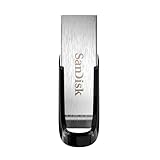
- High-speed USB 3.0 performance of up to 150MB/s(1) [(1) Write to drive up to 15x faster than standard USB 2.0 drives (4MB/s); varies by drive capacity. Up to 150MB/s read speed. USB 3.0 port required. Based on internal testing; performance may be lower depending on host device, usage conditions, and other factors; 1MB=1,000,000 bytes]
- Transfer a full-length movie in less than 30 seconds(2) [(2) Based on 1.2GB MPEG-4 video transfer with USB 3.0 host device. Results may vary based on host device, file attributes and other factors]
- Transfer to drive up to 15 times faster than standard USB 2.0 drives(1)
- Sleek, durable metal casing
- Easy-to-use password protection for your private files(3) [(3)Password protection uses 128-bit AES encryption and is supported by Windows 7, Windows 8, Windows 10, and Mac OS X v10.9 plus; Software download required for Mac, visit the SanDisk SecureAccess support page]
3. Microsoft Clipchamp: best for Windows and browser editing
Clipchamp is a practical pick if you want a timeline-based editor that works in a Windows or browser workflow. It is better suited than an automatic highlight maker to projects where you want to sequence clips and refine the edit.
Standout features: comparison coverage describes templates, stock media, effects, audio, and timeline editing. That combination supports both quick assembly and more deliberate sequencing. A timeline also makes it easier to adjust the duration of individual photos, place clips in a specific order, and align music with a transition.
Platforms and cost: Clipchamp is available for Windows and in a browser. A 2026 comparison reports watermark-free free exports up to 1080p and identifies 4K export as tied to premium access. These limits can change and may depend on the account; check the export settings and current offer before starting a project that needs a specific resolution.
Limits to consider: the key dividing line is export quality: if the final file must be 4K, confirm that your account includes the required access before spending time on the edit. Stock media or other premium features may also be subject to plan-specific restrictions.
Best workflow: Import the source images, place them on the timeline, set a consistent duration, and then vary only the photos that need more reading time. Add audio on a separate track and preview the whole sequence at the intended playback size. Export a short sample first to verify that text remains legible and that the chosen resolution is available to your account.
Who should skip it: If you want an automatic highlight assembled from an existing phone library with almost no arranging, Google Photos may be faster. Clipchamp is also less convenient when all your media is on Apple devices and you do not use Windows or a browser-based workflow.
4. Google Photos: best for quick personal highlight videos
Google Photos is the straightforward choice when the source pictures are already in your phone library and the goal is a quick personal highlight video rather than detailed editing. It reduces the need to move media into a separate project first.
Standout features: the advantage is convenience around an existing photo collection and automatic highlight creation. That makes it suited to a trip recap or family memory when speed matters more than exact timing and layout control.
Free tools Windows power users keep installed
One-click scans. No signup required.
Platforms and cost: this pick is described as a phone-library workflow. No specific current price, media-count ceiling, or output-resolution limit is established here, so do not assume a particular export capability without checking the app and account you plan to use.
Limits to consider: Google Photos is not the right first choice when the project needs precise sequencing, custom title cards, layered audio, or a carefully controlled presentation format. Those needs favor an editor with more direct timeline or layout control.
Best workflow: Organize or identify the relevant photos in the library first, then let the automatic highlight process create a draft. Review the selected images carefully: automatic tools are designed for speed, so remove duplicates, blurry frames, or private photos before sharing. If the result needs a specific opening title, closing message, or timed soundtrack, use the draft only as a starting point and finish it in a more controllable editor.
Shopping ad
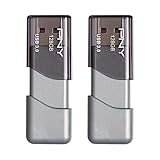
- The durable, light-weight design of the Turbo Attaché 3 USB 3.0 Flash Drive is the essential mobile storage solution
- Perfect for transferring large files such as movies, videos, photos, music & documents
- Transfer speeds up to 10 times faster than standard USB 2.0 flash drives
- Convenient sliding collar, and cap-less design protects your content when not in use
- Compatible with most PC and Mac laptop and desktop computers with USB 3.0 ports
Who should skip it: Avoid making it your main tool for a client deliverable, a formal ceremony, or any event where the exact order and duration have been approved in advance.
5. iMovie: best for a more movie-like Apple workflow
iMovie suits Apple-device users who want more of a movie-editing workflow than an automatically assembled highlight. It offers a timeline-oriented approach and Ken Burns-style motion for still images.
Standout features: comparison coverage identifies a movie-like timeline and Ken Burns-style movement, which can give still photos motion without turning the project into a static sequence. It is especially convenient when the source material is already on Apple devices.
Platforms and cost: iMovie is an Apple-device option. Check compatibility with the specific device and operating-system version before beginning; compatibility can vary as software changes. No price claim is necessary to choose it for the workflow.
Limits to consider: iMovie is a less direct fit for a Windows-first workflow or for someone who primarily wants a ready-made design template. If editing only needs to produce a quick personal highlight, an automatic library tool may take less effort.
Outdated Drivers Are Slowing You Down
One free scan finds every outdated or missing driver and matches the right update for your exact hardware.Free scan · exact hardware matchPC Slower Than It Used to Be?
A free scan shows the junk files, broken settings and background clutter dragging Windows down - then fixes them in one click.Free scan · Windows 10 & 11Best workflow: Select the photos from the Apple library, arrange them on the timeline, adjust the Ken Burns start and end points where the subject needs emphasis, and then add music or narration as appropriate. Watch the complete sequence rather than judging individual stills in isolation; motion that looks subtle on one image can feel distracting when repeated across an entire montage.
Who should skip it: Choose Canva or Adobe Express when the visual identity, template, and title-card design matter more than a movie-style edit. Choose Google Photos when you want the least manual assembly possible.
6. Animoto: best for repeatable business or event montages
Animoto is worth considering when you expect to make similar montages repeatedly, such as recurring event recaps or business videos. Its template-led approach is more relevant to repeatable projects than to a one-off edit requiring fine-grained control.
Standout features: comparison coverage highlights templates and repeatable project workflows. That can make it easier to preserve a consistent visual approach from one montage to the next. A reusable structure can reduce setup time when each new project uses the same type of introduction, image sequence, and closing card.
Platforms and cost: Animoto is described as a web workflow. Plan and export details vary by tier; check the current checkout options for the export capabilities and terms you need. No universal price applies across all tiers.
Limits to consider: confirm the relevant plan’s export and media terms before designing a recurring production process around it. If the project calls for precise timing, layered audio, or custom animation, compare its template workflow with a timeline editor.
Shopping ad

- 1-Pack 128GB USB Flash Drive: Store, back up, and transfer photos, videos, music, documents, movies, manuals, and software with ease. Large-capacity portable storage for school, office, business, travel, and everyday use
- Plug and Play: No software installation required. Simply connect the USB flash drive to a USB port for quick access to your files. Ideal for file sharing, data storage, backup, and transferring digital content between devices
- Wide Compatibility: Compatible with Windows 11 / 10 / 8.1 / 8 / 7 / XP/ Vista / 2000 / ME / NT, Linux and Mac OS, and most USB-enabled devices. This USB drive works with desktop computers, laptops, TVs, car audio systems, speakers, and more. Supports USB 2.0 and is backward compatible with USB 1.1
- Portable Swivel Design: Features a 360° rotating metal cover that helps protect the USB connector when not in use. Built-in keyring loop allows easy attachment to keychains, backpacks, briefcases, or lanyards. Durable ABS plastic housing with LED activity indicator
- Tested for Quality: Each thumb drive undergoes quality testing and pre-formatting before shipment. Designed for dependable everyday use and convenient file storage across compatible devices
Best workflow: Build one representative montage first, including the longest captions, the intended soundtrack, and the delivery format. Confirm that the plan can export that test as required before duplicating the project for a series of events. Keep a record of which template, music license, and media sources were used so recurring projects remain consistent and defensible.
7. Apple Photos: best when the library is already on an Apple device
Apple Photos is a convenient place to begin when your pictures are already in an Apple photo library and you are choosing between staying in that library-centered workflow or moving into iMovie for a more movie-like edit.
Do these 3 things before closing this tab:
1Repair Windows errors before they cause bigger problems2Fix the driver behind crashes, sound loss and screen glitches3Clear out junk files and repair common Windows errorsStandout features: the practical advantage is proximity to media already on Apple devices. In the Apple Photos/iMovie workflow, Photos is the library-oriented starting point, while iMovie is the choice when you want a timeline and Ken Burns-style motion.
Platforms and cost: this workflow is for Apple devices. Check the current compatibility of your device and operating system. No general price or export-resolution claim is needed for this library-based choice.
Limits to consider: Apple Photos is not a replacement for an editor when you need granular control over sequence, timing, title design, or sound. Move to iMovie or another editor when the project needs those controls.
Best workflow: Clean up the library selection first, create an album for the project, and use that album as the handoff point to iMovie or another editor. This avoids searching through the full photo collection while you are trying to arrange the final sequence.
What’s actually slowing this PC down?
Pick the symptom - the matching free tool is one click away.
How do you choose a slideshow maker?
Start with the source of your media and the destination for the finished file; then decide whether you need a designed layout, automatic assembly, or precise edit control.
- Choose around your device and media location. If your pictures are already in a phone library, Google Photos or an Apple Photos workflow can avoid unnecessary importing. If you are on Windows or want a browser editor, consider Clipchamp. Apple-device users can look to iMovie for a timeline-based edit.
- Decide how much control the project needs. For a branded title card or polished layout, Canva or Adobe Express may fit. For exact sequencing, narration, layered sound, or timing to music, prioritize a timeline editor such as Clipchamp or iMovie over automatic highlights.
- Estimate the project before choosing a plan. Count the likely photos and clips, note whether you need stock media, and decide whether the final file must be HD or 4K. This prevents discovering a premium-media or resolution restriction after the edit is complete.
- Check the export before making the whole project. Confirm resolution, watermark rules, download format, and any storage or premium-media restrictions. Free-plan terms can change and can depend on the account, region, or assets selected. Clipchamp’s reported free 1080p export is a useful starting point, not a guarantee for every future account or project.
- Match music rights to the audience. A track included in an app is not automatically cleared for every public or commercial use. Adobe advertises royalty-free Adobe Stock soundtracks, but users should read the applicable terms for their use. Keep a note of the exact track and license associated with a client or public project.
- Set the aspect ratio for the destination. A social post, television, projector, and event display may expect different shapes or file formats. Confirm the destination requirement before arranging text and subjects near the edges.
- Preview on the real screen. Export the actual file and test it on the television, projector, phone, or player that will show it. Check small text, cropped images, audio volume, transitions, and whether the device can open the file without an account or internet connection.
- For an event, carry a backup. Venue Wi-Fi can fail, so save a portable copy of the exported file. A 128GB USB flash drive is one optional way to carry it; test that exact file on the venue’s screen or player in advance. Keep a second copy in a different bag or location if the presentation is important.
Common slideshow pitfalls
Assuming free means unrestricted. A free workflow may still limit resolution, stock assets, storage, or soundtrack use. Read the export panel and plan terms at the moment you create the project.
Choosing an automatic tool for a timed presentation. Automatic highlights are convenient, but they may not preserve the order, duration, or captions needed for a ceremony or business presentation. Use a timeline when the sequence has been approved in advance.
Leaving music licensing until the end. Replacing a soundtrack after a client review can force you to retime the entire montage. Confirm whether personal, public, client, or monetized playback is covered before building around a track.
The Tool Desk
Outbyte PC Repair FREERepair Windows errors before they cause bigger problemsFix Now →Outbyte Driver Updater FREEFix the driver behind crashes, sound loss and screen glitchesFind Drivers →Testing only on your computer. A file that plays in a browser may fail on a venue player, television, or projector. Test the exported file, not merely the editor preview, on the equipment that will be used.
Shopping ad

- USB-C 2-in-1 storage OTG: The Lexar JumpDrive Dual Drive D40E features USB Type-A and Type-C connectors in a slim, portable form factor for easy device compatibility
- Transfer speeds up to 100MB/s: Based on internal testing, performance may vary depending upon the host device, interface, and usage conditions. 1MB=1,000,000 bytes
- Plug and Play: Widely compatible with USB Type-C smartphones, tablets, laptops, Macs, and traditional Type-A devices, no software installation required. The 360° swivel design allows for easy switching between connectors without the hassle of losing a cap
- Durable & Compact: The Lexar D40E USB memory stick features a metal enclosure, withstands temperatures from 0° to 50° C (32°F to 122°F), and is lightweight at 26g with dimensions of 70.4 x 16.9 x 11.7mm
- Security & Warranty: Securely protects files using an advanced security software solution with 256-bit AES encryption. Backed by a Lexar 3-year limited warranty
Overloading every slide. Templates help establish hierarchy, but too much text or too many transitions make a slideshow difficult to follow. Use titles for orientation and let the images carry the memory or message.
How we picked
The selection prioritizes distinct workflows supported by the available product descriptions: design and templates, guided online creation, timeline editing, automatic highlights from an existing library, Apple-device editing, and repeatable montage projects. The comparison also weighs device fit, editing control, export constraints, music licensing, and playback destination. The recommendations are workflow matches, not claims based on first-hand testing. Plan details and software support can change, so verify the relevant official page and export settings when you are ready to commit to a project.
Frequently Asked Questions
Frequently Asked Questions
How do I turn my pictures into a slideshow?
Choose an app that can access the pictures where they already live, then select a template or highlight workflow if speed matters. If the order, pacing, titles, or soundtrack must be exact, use an editor with a timeline instead of relying on automatic assembly.
Do these 3 things before closing this tab:
1Repair Windows errors before they cause bigger problems2Scan for outdated or missing drivers - takes under a minute3Clear out junk files and repair common Windows errorsWhich slideshow maker is easiest for beginners?
Canva and Adobe Express are the most guided choices in this list because templates provide a starting layout. Google Photos can be easier still when you only need an automatic personal highlight from an existing library.
Is Canva or Adobe Express better for a designed slideshow?
Both follow a template-led online workflow. Canva emphasizes designed layouts and a large template selection, while Adobe Express combines templates with text, icons, photos, clips, and advertised Adobe Stock soundtracks. Choose based on the assets, controls, and license terms shown in your account.
Can I use music from a slideshow app in a business video?
Not automatically. Check the license attached to the exact track and the terms for your intended use, including public playback, client work, or monetized distribution; a built-in soundtrack is not a blanket license.
Is Clipchamp free, and does it add a watermark?
A 2026 comparison reports watermark-free free exports up to 1080p, with 4K tied to premium access. Offers and account limits can change, so confirm the current export panel before editing a project that needs a particular resolution.
Should I use Google Photos or iMovie for a family slideshow?
Use Google Photos when speed and automatic highlights matter and the images are already in the phone library. Use iMovie when you want to control the order and timing, add a more movie-like timeline, or apply Ken Burns-style motion to stills.
What should I do if a slideshow will not play at an event?
Export a local copy in advance and test that file on the actual display or player, rather than depending on a live web connection. Keep a second portable copy so a connection or login problem does not stop playback. A 128GB USB flash drive is an optional backup for this purpose.
Should I make a slideshow in 4K?
Only if the viewing screen and delivery destination benefit from it and your chosen app and account support that export. For a small social post or phone viewing, confirm the platform’s format requirements first rather than assuming the largest available resolution is necessary.
How many photos should a slideshow include?
There is no universal limit established for these apps. Keep only the images that advance the story, and check the selected app’s current media-count, storage, and export behavior before building a very large project.
Can I make a slideshow without uploading my photos?
The options here use different workflows. Google Photos and Apple Photos work from existing libraries, while Canva, Adobe Express, Clipchamp, and Animoto use online or browser-based project workflows. Review where media is stored and any account or sharing requirements before importing private material.
The Bottom Line
Choose Canva for visual design, Adobe Express for guided templates, Clipchamp for Windows or browser timeline editing, Google Photos for automatic phone-library highlights, iMovie for a more controlled Apple edit, Animoto for repeatable montages, and Apple Photos as an Apple-library starting point. Before you commit, verify the current export resolution, watermark and premium-asset rules, music license, aspect ratio, and playback device.
Quick Recap
Product prices and availability are accurate as of the date/time indicated and are subject to change. Any price and availability information displayed on Amazon at the time of purchase will apply.

