Quick wins for a faster PC:
Scan for outdated or missing drivers - takes under a minuteDriver Scan →Repair Windows errors before they cause bigger problemsFix Now →Fix the driver behind crashes, sound loss and screen glitchesFind Drivers →The Geeks Club is reader-supported. When you buy through links on our site, we may earn an affiliate commission. As an Amazon Associate I earn from qualifying purchases. Learn more
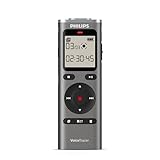
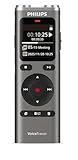
The best-documented Android-connected dedicated voice recorder in this comparison is the Philips VoiceTracer DVT6115: its specification lists a companion app for remote control and sharing, plus Android 10–14 support. For a compact standalone recorder, the Sony ICD-TX660 is a documented alternative, but Sony’s cited specifications establish USB connectivity—not Android app control or a direct phone-recording workflow.
“Works with Android” can mean several things: controlling a recorder from an app, sharing files, accessing them over USB, or recording directly into the phone. Those are different capabilities. The two recorders below are compared only on the Android workflows and features their manufacturers document.
At a glance
| Name | Best for | Key spec | Android evidence | Storage and battery | Checked |
|---|---|---|---|---|---|
| Philips VoiceTracer DVT6115 | Remote control and sharing through a companion app | Two omnidirectional stereo microphones and one directional microphone; MP3 and PCM/WAV; 3.5 mm stereo microphone socket; USB-C | Philips lists Android 10, 11, 12, 13 and 14 | No directly comparable runtime figure was established in the cited specification | November 2026 |
| Sony ICD-TX660 | A compact standalone recorder for notes, interviews and meetings | 16 GB built-in memory; LinearPCM and MP3; USB connectivity | Sony documents USB connectivity, but the cited specification does not establish Android app control | Up to 159 hours of MP3 recording at 192 kbps; 12 hours LPCM 44.1 kHz/16-bit; 17 hours in specified MP3 modes | November 2026 |
The table compares documented features, not a sound-quality ranking. No current prices are included because the cited manufacturer materials do not establish them. Availability, app listings and retail pricing can change by country and over time.
1. Philips VoiceTracer DVT6115: best documented Android app option
The DVT6115 is the clearest fit if you want a dedicated recorder with a documented Android companion-app connection. Philips describes a “Free remote control and sharing app,” and its product specification lists Android 10 through Android 14 as supported operating systems. Check the app’s current availability and requirements for your phone and region before buying, especially if your phone runs a newer Android version.
Shopping ad

- Three HI-FIDELITY microphones for best-in-class music recording
- 24 bit/96 kHz quality recording for capturing every beat
- Smartphone APP for remote audio control
- Automatically CONVERT your RECORDINGS to TEXT, up to three times faster than typing
- Automatic meeting minutes with MULTI-SPEAKER transcription for easy following up
The word “app” matters here. Philips documents remote control and sharing, not a promise that the DVT6115 becomes a microphone for every Android recording application. Remote control may let a phone operate recorder functions, while sharing concerns moving completed recordings. Those are useful workflows for interviews, lectures or field notes, but they should not be described as direct in-phone recording unless Philips confirms that specific behavior.
The recorder has two omnidirectional microphones for stereo recording and a separate directional microphone for distance recording, according to the Philips DVT6115 specification. That gives it options for different recording situations: stereo capture when the surrounding space matters, or a directional pickup when the intended source is farther away. Microphone pattern alone cannot guarantee clear speech; distance, room noise and how the recorder is pointed still matter.
For a round-table meeting, stereo microphones can preserve a sense of the surrounding conversation. For a single presenter, the directional microphone may be the more logical starting point, provided it is aimed toward the speaker. In either case, put the recorder as close as the situation allows. A directional pattern reduces sound from some angles; it does not eliminate echoes, HVAC noise or people speaking behind the device.
Do these 3 things before closing this tab:
1Repair Windows errors before they cause bigger problems2Scan for outdated or missing drivers - takes under a minute3Clear out junk files and repair common Windows errorsPhilips lists MP3 and PCM/WAV recording, a 3.5 mm stereo microphone socket and USB-C. MP3 is a compressed format suited to smaller files and convenient sharing. PCM/WAV preserves uncompressed audio and is often more practical when you expect to edit recordings, at the cost of larger files. The specification lists the formats but does not make one universally best; choose based on whether storage, sharing or editing matters most for your work.
Use MP3 when the finished file is mainly for listening, transcription or routine sharing and you want to limit storage use. Choose PCM/WAV when you expect to cut, process or archive the recording and want an uncompressed source. The Philips document does not make a blanket claim that one setting sounds best in every room, so treat format as a workflow decision rather than a quality guarantee.
The microphone socket gives you the option to connect an external microphone, but a 3.5 mm plug alone does not establish that every microphone will work. Confirm connector type and electrical requirements for a specific mic. A phone-oriented headset microphone, a stereo microphone and a powered microphone can have different wiring or power needs. Do not assume a passive adapter solves those differences. Likewise, USB-C is a physical connection detail; it does not by itself prove that an Android phone can browse or control the recorder.
Best fit: someone who wants remote control or sharing through an app and values multiple built-in microphone options. Limit to keep in mind: the cited specification lists support through Android 14, not later versions, and it does not establish direct recording into an Android phone. Verify app availability, permissions and compatibility for the exact handset before relying on it for an important assignment.
Shopping ad

- Philips DVT4115 digital voice recorder features three specialized stereo microphones designed to capture clear audio from distant speakers in meetings, lectures, interviews, and conferences.
- Smartphone app remote control allows convenient audio recording management from your mobile device, making it easy to start, stop, and control recordings from a distance.
- Stereo MP3 and PCM recording formats deliver clear playback quality while supporting easy file sharing, storage, and transcription workflows.
- Built-in 8 GB internal memory provides long recording capacity, with up to 88 days of audio recording for meetings, notes, lectures, and business use.
- Automatic speech-to-text conversion helps turn recordings into written text up to three times faster than typing, supporting faster documentation and review.
2. Sony ICD-TX660: best documented compact standalone alternative
The ICD-TX660 is a pocket-sized standalone option for voice notes, interviews, lectures and meetings. Sony lists 16 GB of built-in memory and recording in LinearPCM and MP3 formats in its ICD-TX660 specifications. Its cited documentation supports a comparison as a recorder with USB connectivity; it does not document an Android companion app or direct recording into a phone.
Sixteen gigabytes is built-in storage, so the recorder does not depend on a phone’s free space while you are recording. The useful capacity and number of sessions will vary with format and settings. Plan around the mode you actually intend to use rather than assuming that the maximum figure applies to LinearPCM recordings.
Sony lists a maximum recording time of 159 hours for MP3 at 192 kbps. It also lists recording battery life of 12 hours in LPCM 44.1 kHz, 16-bit mode and 17 hours for the specified MP3 modes. These are manufacturer figures for the stated modes, not a head-to-head runtime comparison with the Philips model. Actual available recording time depends on format and settings, and battery performance can change with operating conditions and age.
The 159-hour figure is a maximum for the named MP3 setting, not a promise that every MP3 mode will last that long. Conversely, the 12-hour LPCM and 17-hour MP3 battery figures describe recording under Sony’s specified modes; they are not a universal all-day guarantee for playback, transfers or other use. When planning a long session, charge the recorder, select the intended format in advance and leave headroom rather than targeting the published maximum.
Crashes, No Sound, or Screen Glitches?
Random freezes, missing sound and display glitches usually trace back to one bad driver. Find and replace yours safely.Free scan · under a minutePC Slower Than It Used to Be?
A free scan shows the junk files, broken settings and background clutter dragging Windows down - then fixes them in one click.Free scan · Windows 10 & 11Placement can matter more than a long feature list when you need intelligible speech. Sony’s ICD-TX660 Help Guide advises close placement for meetings and pointing the microphone toward a lecture source. That is useful guidance for either recorder: put the microphone near the speaker when possible, and avoid assuming that a more distant or noisier room can be fixed later by changing file format.
Best fit: someone who wants a self-contained recorder with built-in storage and documented LinearPCM/MP3 recording. Limit to keep in mind: the cited Sony documentation does not establish Android app control or a direct Android transfer workflow. USB connectivity should not be treated as proof of phone compatibility.
How do you choose a voice recorder for Android?
Start with the job you need the device to do. An Android app connection, a way to share files, and direct recording into the phone are separate requirements, so choose against the workflow—not just the phrase “Android compatible.”
Shopping ad
- High-quality 360° microphone for excellent sound quality
- Clear voice recording in WAV format
- Voice-activated recording for hands-free use
- Time-stamped files for easy organization and navigation
- 8 GB of internal memory for extended recordings. MicroSD card slot for expanded capacity
- Decide whether you need app control. If remote operation or app-based sharing is important, the DVT6115 is the option here with a manufacturer-documented app and explicit Android versions. Confirm that the app remains available in your region and supports your phone’s Android release.
- Separate recording from transferring. A recorder can capture audio independently of a phone and then make files available through some connection or sharing process. The Philips specification mentions app-based sharing; Sony’s cited specification confirms USB connectivity. Neither source establishes that either product records directly into an Android recording app.
- Define your recording situation. A one-person interview, a lecture and a meeting around a table place different demands on microphone placement. The DVT6115’s two omnidirectional stereo microphones and directional microphone offer different pickup approaches, while Sony’s guide emphasizes close placement and aiming at the lecture source.
- Match the microphone arrangement to the room. For a lecture or interview, prioritize placing the recorder near the speaker and orienting it toward the source. In a meeting where several people speak around a table, consider whether a stereo or broader pickup pattern suits the layout. No microphone pattern removes the need to manage distance and room noise.
- Choose a format for the next step. MP3 uses compression and can make files easier to store and share. PCM/WAV or LinearPCM is uncompressed and may suit editing workflows better, but it uses more storage. The Philips model lists MP3 and PCM/WAV; the Sony lists MP3 and LinearPCM.
- Check the exact quality mode. Sony’s published figures identify LPCM 44.1 kHz, 16-bit and MP3 at 192 kbps for specific runtime claims. Treat those numbers as mode-specific specifications, not as a ranking of all available settings or proof that one recorder sounds better.
- Check storage and battery figures in context. Sony lists 16 GB of memory and mode-specific recording-time and battery figures. Do not compare its stated runtimes with an unstated or differently measured figure from another product. For long sessions, check the format and settings you plan to use.
- Confirm accessories before ordering. Philips specifies a 3.5 mm stereo microphone socket, but that alone does not prove compatibility with a particular mic or phone adapter. Check the microphone’s connector and electrical requirements before relying on it for a recording.
- Plan the file path. Decide where recordings will go after the session: remain on the recorder, be shared through the Philips app, or be moved through a computer or another documented connection. The Sony source confirms USB, but not a particular Android phone’s file-browsing behavior.
- Verify current support. Philips’s cited specification lists Android 10, 11, 12, 13 and 14. It does not list later releases, and app availability can differ by region. Check the current store listing and manufacturer requirements immediately before purchase.
What does “Android-compatible” actually mean?
It can refer to several distinct connections, and a product claim should be read narrowly. Support for one does not automatically establish support for the others.
Recommended Free Tools
- Remote control: an Android app can operate some recorder functions. Philips describes remote control through its app and lists Android 10–14 in the specification.
- Sharing or transferring files: a device or app can help move recordings to another destination. Philips lists sharing in its app description. The exact current app behavior and regional availability should be checked before purchase.
- USB access: a product has USB connectivity. Sony’s specification establishes USB connectivity, but that alone does not confirm that a particular Android phone can browse the recorder’s files. Cable type, phone support and the connection mode may all matter.
- Direct recording into the phone: the recorder acts as an audio input to an Android recording app. The cited documents do not establish this workflow for either model, so do not assume that an app, USB port or microphone jack makes it possible.
If direct phone capture is your non-negotiable requirement, treat both products as unconfirmed until the manufacturer documents the exact phone-and-app workflow. A recorder that stores audio internally can still be useful with Android for later sharing, but that is a different setup from recording into the handset in real time.
Which recorder suits common situations?
Pocket voice notes
The Sony’s compact standalone design, 16 GB memory and documented MP3 option fit quick notes when you do not want to occupy phone storage or manage an app during the conversation. Its USB specification still does not prove that a particular Android handset can browse the files, so plan a transfer route you have verified.
Interviews
The Philips offers more explicitly documented microphone choices and app-based remote control or sharing. Place it near the interviewee, choose a format that matches whether you will edit or simply send the file, and test the app before the session. Do not infer that remote control means the phone is receiving the audio directly.
Lectures
Sony’s Help Guide recommends pointing the microphone toward the lecture source. Either recorder benefits from a clear path and the closest practical position. If the device must remain far from the speaker, expectations should be realistic: a directional microphone can help with orientation, but room reverberation and distance still affect intelligibility.
The Tool Desk
Outbyte Driver Updater FREEScan for outdated or missing drivers - takes under a minuteDriver Scan →Outbyte PC Repair FREEClear out junk files and repair common Windows errorsFree Scan →Meetings
Sony specifically advises close placement for meetings. For several participants, the DVT6115’s two omnidirectional microphones can provide stereo pickup, but the recorder should still be placed near the people whose voices matter. A recorder at the far edge of a large table may capture room sound more strongly than speech.
Music or ambient sound
The Philips specification documents stereo omnidirectional microphones and PCM/WAV, which may be relevant when the surrounding space is part of the recording. The available documents do not include controlled listening tests, frequency-response comparisons or an independent judgment about music quality, so do not treat the feature list as a guarantee.
Shopping ad
- Dual High-Sensitivity Microphones: Capture natural stereo sound with dual high-sensitivity microphones that deliver rich audio quality for all your recording needs
- Sembly AI Trial License: Includes 30-day trial featuring multispeaker speech recognition, transcription, and AI generated accurate meeting summaries with support for 50 languages
- AI Powered Meeting Insights: Sembly AI identifies key action points, decisions, and deadlines ensuring nothing is forgotten, with AI powered chat assistant to generate conclusive meeting insights
- Voice-Activation Recording: Hands-free recording capability with voice-activation feature that automatically starts and stops recording based on sound detection
- Time-Stamped Files: Easy organization and navigation with time-stamped files that help you quickly locate specific sections of your recordings
How do formats, storage and battery claims affect the decision?
MP3 is compressed, generally producing smaller files that are easier to store and share. PCM/WAV and LinearPCM are uncompressed approaches that preserve more data for editing but require more storage. Neither choice is automatically right for every job. For speech that will be quickly sent or transcribed, MP3 may be convenient; for material you expect to edit or archive, an uncompressed option may be preferable.
Sony’s 159-hour maximum is tied to MP3 at 192 kbps. Its 12-hour battery figure is tied to LPCM 44.1 kHz, 16-bit, while 17 hours applies to the specified MP3 modes. These pairings show why a quoted maximum should always include its format and settings. The Philips materials cited here list formats but do not provide a like-for-like runtime figure, so it would be misleading to declare either recorder the battery winner.
Before a long recording, check the remaining memory, charge level and selected mode. Keep an extra margin for starts, pauses and retakes. If you need to edit, confirm that the software you plan to use accepts the chosen file type. If you need to share quickly, confirm that the intended app or destination accepts the resulting format.
How should you set up an Android-connected recorder?
- Verify support first. For the Philips, check that your phone’s Android version is within the documented 10–14 range or that Philips has added support since the specification was published. Check the current regional app listing.
- Test the connection before the event. Pair or connect the recorder using the manufacturer’s documented method, then confirm that the function you need is actually available: remote control, sharing or file access. Do not wait until a lecture or interview to discover that your goal was direct phone recording, which the cited documents do not establish.
- Select the recording format. Use MP3 for a compact sharing workflow or PCM/WAV/LinearPCM when an uncompressed editing source is more important. On Sony, note the exact quality mode behind any runtime expectation.
- Position and aim the microphone. Follow Sony’s guidance for close meeting placement and pointing toward a lecture source. With Philips, choose between the documented omnidirectional stereo arrangement and directional microphone according to the room and source.
- Make a short test recording. Listen for voice level, handling noise and room noise. A test verifies placement and workflow; it does not turn a specification into a sound-quality guarantee.
- Leave transfer time. After recording, use the Philips sharing function if it is available for your device, or use a verified USB/file-transfer route. Sony’s USB specification alone does not guarantee that every Android phone will recognize or browse the recorder.
Common pitfalls to avoid
- Equating an app with direct recording. Philips documents remote control and sharing, but the cited specification does not say that audio is captured directly into an Android recorder app.
- Equating USB with Android file access. Sony documents USB connectivity. Phone, cable and operating-system behavior can still determine whether files are accessible.
- Assuming Android 14 support covers every newer phone. The Philips specification lists Android 10 through 14 only. Confirm newer-version support instead of extrapolating.
- Choosing a microphone by plug shape alone. Philips’s 3.5 mm stereo socket does not certify every microphone or adapter. Check connector wiring and electrical requirements.
- Using maximum recording time as a universal promise. Sony’s 159-hour figure is for MP3 at 192 kbps, while battery figures are tied to named modes.
- Expecting format to fix poor placement. A larger or uncompressed file cannot recover speech masked by distance, obstruction or room noise.
- Assuming a feature list proves sound quality. The cited materials do not include controlled comparative listening tests, so neither model should be called an unqualified sonic winner.
How do you get clearer recordings?
Put the recorder as close as practical to the person speaking and keep the microphone aimed appropriately. Sony’s Help Guide specifically advises close placement for meetings and pointing the microphone toward a lecture source. These are straightforward ways to improve the signal before recording; microphone count or a high-quality file format cannot compensate for poor placement.
For a lecture, position the recorder with a clear path toward the speaker rather than leaving it behind an obstruction. For a meeting, place it near the people whose voices matter instead of at the far edge of a large room. If you use an external microphone with the Philips, first confirm that the specific microphone is electrically and physically compatible with its 3.5 mm stereo socket.
Keep hands, clothing and cases away from the microphone openings, and avoid moving the recorder during the take. These are general placement precautions rather than manufacturer performance claims, but they follow directly from the need to preserve a clean voice signal. Make a short test, listen back, and reposition before the real session if voices are distant or masked by room noise.
What about price, availability and value?
The cited manufacturer materials do not establish current prices, retailer stock, discounts or affiliate terms, so this comparison does not name a cheapest model or assign a price-based winner. Check the current price in your country, the warranty and return policy, and whether the Philips app is offered in your region. A lower purchase price is not useful if the required Android workflow is unavailable on your phone.
Shopping ad

- 360° RECORDING for perfectly documented meetings
- 24 bit/96 kHz quality recording for capturing every detail
- SMARTPHONE app for remote audio control
- Automatically CONVERT your RECORDINGS to TEXT, up to three times faster than typing
- Automatic meeting minutes with MULTI-SPEAKER transcription for easy following up
Value depends on the feature you will actually use. Philips has the stronger documented Android connection because its specification names remote control and sharing and lists Android 10–14. Sony’s value is as a self-contained pocket recorder with 16 GB, LinearPCM/MP3 and published mode-specific runtime figures. Neither position should be expanded into a claim about overall sound quality without independent testing.
How we picked
This list prioritizes dedicated recorders with manufacturer documentation relevant to Android use, then distinguishes app control and sharing from USB connectivity and direct phone recording. It also compares documented microphones, formats, storage and operating guidance. The published specifications support feature comparisons, but they do not establish a controlled listening-test winner or current street prices; neither model is presented as an unqualified sound-quality champion.
Frequently Asked Questions
Can I record directly into an Android phone with the Philips DVT6115?
The cited Philips specification describes remote control and sharing through its app, but does not establish that the recorder feeds audio directly into an Android recording app. If direct phone capture is essential, confirm that workflow with Philips for your specific phone and app before purchasing.
Which Android versions does the Philips app support?
The cited Philips product specification lists Android 10, 11, 12, 13 and 14. It does not establish support for newer versions, and app availability can vary by region. Check the current listing and requirements before buying.
Does the Sony ICD-TX660 work with Android over USB?
Sony’s cited specification confirms USB connectivity, but that is not the same as confirming file browsing or transfer with a particular Android phone. Phone support can depend on the phone, cable and connection setup, so do not assume USB alone guarantees access.
Can I use an external microphone with the Philips DVT6115?
Philips lists a 3.5 mm stereo microphone socket. Check the connector and electrical requirements of the exact microphone before relying on it; the jack specification by itself does not confirm compatibility with every mic or adapter.
Which recorder is better for a lecture?
The best choice depends on whether you need app-based remote control and on how you will position the recorder. Sony’s guide specifically recommends pointing its microphone toward the lecture source; in either case, place the device as close to the speaker as the situation allows.
What’s actually slowing this PC down?
Pick the symptom - the matching free tool is one click away.
The Bottom Line
Bottom line: Choose the Philips VoiceTracer DVT6115 when documented Android remote control and sharing, multiple microphone options and an external-mic socket matter. Choose the Sony ICD-TX660 when you want a compact standalone recorder with 16 GB storage, LinearPCM/MP3 recording and published mode-specific runtime figures. In both cases, verify the exact Android workflow, app or USB behavior, microphone compatibility and current availability before purchase.
Quick Recap
Product prices and availability are accurate as of the date/time indicated and are subject to change. Any price and availability information displayed on Amazon at the time of purchase will apply.

