The Geeks Club is reader-supported. When you buy through links on our site, we may earn an affiliate commission. As an Amazon Associate I earn from qualifying purchases. Learn more
Free AI video generators are enough for learning, occasional internal clips and light editing; paying becomes worthwhile when a free limit blocks a business requirement such as watermark-free delivery, commercial rights, higher resolution, recurring volume, collaboration or localization. Compare the subscription with the cost of a usable finished video—not the advertised monthly fee—because credits, media minutes and repeated generations can make a low-priced plan expensive in practice.
Prices, allowances and rights change frequently. The figures below were checked in November 2026; confirm the live plan and terms before purchase. The tools are listed alphabetically, not ranked.
At a glance
| Name | Best for | Key spec | Free plan / price | Checked |
|---|---|---|---|---|
| Adobe Express | Simple branded edits and AI-assisted social content | AI-powered video and animation features | Free access; paid feature pricing varies by plan | November 2026 |
| Canva | Template-led social clips and brand assets | Up to 20 AI uses per month on Free; short silent clips | Free; paid access for advanced video and audio | November 2026 |
| Descript | Editing interviews, webinars and existing footage | Free: 60 media minutes/month; paid tiers add 1080p/4K exports and AI credits | Free; Hobbyist from $16/person/month annually or $24 monthly | November 2026 |
| HeyGen | Scripted presenter and avatar videos | Free allowance limited by minutes, video count or watermarking | Free limited tier; $29/month starting price listed by Shopify | November 2026 |
| Runway | Generating new visual footage | 125 one-time credits on Free | Free trial credits; $15/month starting price listed by Shopify | November 2026 |
| Synthesia | Scripted training and presenter-led videos | Free allowance limited by minutes, video count or watermarking | Free limited tier; $19/month starting price listed by Shopify | November 2026 |
Prices checked November 2026.
Shopify’s 2026 comparison supplies the listed starting prices for Runway, Synthesia and HeyGen. Adobe’s free offering and AI video capabilities are described in its Adobe Express newsroom release.
Recommended Free Tools
The table is a screening tool, not a promise of identical output. A media minute in an editor, an AI credit for a generated shot and an avatar-video minute represent different amounts of work. Match the tool to the production job before comparing prices.
Shopping ad

- [Convenient Setup] Plug and play recording USB microphone for PC, with 5.9-Foot USB cable included for computer PC laptop, is connected directly to USB-A port for recording music, computer singing or podcast. The office condenser microphone for computer is easy to use and install. (NOT compatible with Xbox and Phones)
- [Durable Metal Design] Solid sturdy metal construction design, the computer microphone for Zoom meetings with stable tripod stand is convenient when you are doing voice overs or livestreams on YouTube. Durable material extends the service life of the voice-over microphone.
- [Mic Volume Knob] Gaming condenser USB mic compatible for PS4 with additional volume knob itself has a louder or quieter adjustment and is more sensitive. Your voice would be heard well enough through the zoom microphone USB when gaming, skyping or voice recording. Also, you can adjust your volume to zero and protect your privacy.
- [Widely Use] USB-powered design, the condenser microphone for recording no need the 48v Phantom power supply, works well with Cortana, Discord, voice chat and voice recognition. The podcast microphone for Mac, with USB-B to USB-A/C cable, is compatible with desktop, laptop or PS4/PS5, which meets most of your daily recording needs.
- [Clear Output Voice] Cardioid condenser microphone for PC captures your voice properly, producing clear smooth and crisp sound. Great computer recording mic for gamers/streamers/youtubers focus on the main source and reduces background noise. The streaming microphone does the job well for broadcast ,OBS and teamspeak.
What do free AI video plans actually leave out?
Free access is usually constrained along five axes: allowance, resolution, watermark, queue priority and commercial-use permission. A plan can be free to start yet unsuitable for client work if it limits downloads, adds vendor branding, renders slowly, exports at 720p or withholds commercial rights. These restrictions often appear together, so check all five before building a production process.
- Allowance: Credits, seconds, media minutes or video counts reset monthly—or may be one-time trial credits. A 30-second finished clip can consume many generations. An editing plan’s media minutes generally measure uploaded or recorded material, while a generative plan may charge for every attempt and variation.
- Resolution and export: Social previews may tolerate 720p, while paid ads, websites and client delivery commonly require 1080p or 4K. Confirm whether the resolution applies to every export or only to a higher paid tier.
- Watermark: Branding on every frame can reduce trust and make an otherwise usable clip unacceptable to a client. Check a downloaded test file rather than relying on a preview.
- Queue priority: Free jobs can wait behind paid jobs, which matters when a campaign has a deadline. A nominally unlimited workflow can still be impractical if rendering delays interrupt approvals.
- Commercial rights: A downloadable file is not automatically licensed for advertising, resale or client work. Read the exact plan terms, including restrictions on stock elements, voices, avatars and generated characters.
A genuinely no-watermark free workflow is uncommon across generative services. Editing tools may allow clean exports on a free tier, while generation or avatar products commonly reserve unwatermarked output for paid plans. Treat silence in a license as a reason to verify, not as permission.
Allowance is not the same as finished videos
Suppose a brief needs six shots, a clean voice track and two revisions. The number of prompts can be several times the number of shots that appear in the final timeline. Keep separate counts for attempts, accepted outputs, editing minutes and final exports. This prevents a free plan that looks generous on paper from failing halfway through a campaign.
Quick wins for a faster PC:
Scan for outdated or missing drivers - takes under a minuteDriver Scan →Clear out junk files and repair common Windows errorsFree Scan →Fix the driver behind crashes, sound loss and screen glitchesFind Drivers →Which workflow are you paying for?
Choose by the work you already do. An editor-led workflow is valuable when the business has interviews, webinars, phone footage or screen recordings to cut down. Template tools are efficient for recurring social variations where brand layout matters more than novel imagery. Generative-footage tools create new shots but can require many iterations to achieve continuity. Avatar and presenter products turn a script into a consistent spokesperson or training module.
- Existing footage: Descript’s text-based editing, remote recording, captions, AI speech and video-generation features address repurposing and cleanup.
- Template production: Canva and Adobe Express are oriented toward branded layouts, animations and quick social content.
- New visual footage: Runway’s credit model is suited to testing generated shots, provided you budget for alternate takes.
- Scripted presenters: HeyGen and Synthesia are more appropriate for explainers, announcements, onboarding and training than for cutting a recorded interview.
Buying a generative plan to solve an editing problem, or an avatar plan to solve a template problem, can increase cost without improving the finished asset. Write the brief and required deliverable first, then shortlist tools that perform that job.
When does paying for an AI video generator make sense?
Upgrade when a free restriction blocks a defined business outcome or when the paid plan lowers the cost per finished asset. Do not upgrade merely because a higher tier advertises more features.
- Your publishing schedule exceeds the allowance. Compare included credits or media minutes with finished videos required each month. Count successful deliverables, not prompts or failed attempts.
- A watermark damages presentation. If clients, prospects or paid campaigns see vendor branding, the subscription may be justified even at modest volume.
- The required delivery format is unavailable. Move up when 720p, missing downloads or a lack of 4K prevents the channel or client from accepting the file.
- Commercial permission is restricted. Rights differ by vendor and tier. The current comparison reports commercial permission on free plans for Runway, Canva, Adobe Express and Descript, while some other services restrict it; verify the current license for your exact plan.
- More than one person edits or approves work. Shared projects, brand controls, permissions and support become more valuable than another experimental generation model.
- Localization is recurring work. Dubbing, translated captions, voice tools and larger AI-credit pools can replace several separate services.
- Turnaround time has a measurable value. If queue delays or repeated manual work force staff to miss a launch, compare the subscription with the labor and opportunity cost of waiting.
- Client handoff requires predictable controls. A paid tier may be justified when you need stable export settings, a repeatable brand kit or a documented production process across many projects.
How should a small business compare the real cost?
Headline prices are not directly comparable because vendors meter different units: seats, credits, seconds, media minutes or model-specific generations. Creative Bloq cautions that a low monthly price can produce surprisingly few usable clips when a project needs several attempts. Calculate your own cost per finished asset.
Do these 3 things before closing this tab:
1Repair Windows errors before they cause bigger problems2Scan for outdated or missing drivers - takes under a minute3Clear out junk files and repair common Windows errors- Choose one representative brief, such as a 30-second product clip, a talking-head update or a repurposed interview.
- Run the same brief through two or three tools that fit the workflow.
- Record time to the first acceptable draft, number of generations, successful outputs, editing minutes, caption corrections and stock or voice add-ons.
- Check resolution, watermark, download format, rights language and whether unused credits expire or roll over.
- Multiply the expected monthly volume by the plan cost, then divide by finished videos—not by attempts.
For example, a plan that costs $20 and produces four usable clips costs $5 per finished clip; a $10 plan that produces one usable clip costs more per deliverable. Include seats, annual-versus-monthly billing, overage, add-ons and renewal pricing in the calculation.
Shopping ad

- Studio-Quality Sound for Clear Podcast Recording – The K66 USB podcast microphone delivers studio-quality, broadcast-level audio using a high-performance condenser capsule and cardioid pickup pattern that focuses on your voice while reducing unwanted background noise. Designed as a reliable microphone for PC, it features a wide 40Hz–18kHz frequency response and a 46kHz sampling rate to reproduce rich lows, smooth mids, and clear highs for natural, detailed vocals. With –45dB ±3dB sensitivity, it captures balanced sound without distortion during expressive speaking. Ideal for podcasting, voice-over, online classes, meetings, and professional content creation.
- Intelligent Noise Reduction Mode for Cleaner Podcast Audio – This podcast microphone features an advanced Noise Reduction Mode designed for clearer, more focused voice recording in real-world environments. Press and hold the mute button to enable noise reduction (blue indicator). In this mode, the microphone helps reduce keyboard clicks, PC fan noise, air conditioner hum, and background chatter. Default Mode maintains a warm, natural vocal tone for quiet spaces. Designed as a reliable microphone for PC, it allows creators to identify the active mode instantly and adapt as needed, ensuring clear audio for podcasting, gaming, streaming, online classes, meetings, and recording.
- True Plug-and-Play USB Microphone with Wide Device Compatibility – Engineered for effortless plug-and-play use, the K66 USB microphone requires no drivers, apps, or software installation. Simply connect and start recording on Windows PC, Mac, laptops, PS4, PS5, and tablets. Included USB-C and Lightning adapters ensure seamless compatibility with iPhone, iPad, and modern USB-C phones and devices, making it easy to switch between desktop and mobile recording. Ideal for creators working across multiple platforms, this microphone delivers consistent, high-quality audio for YouTube, TikTok, Twitch, Zoom, Discord, OBS Studio, Streamlabs, podcasting, livestreaming, and professional voice recording.
- Real-Time Zero-Latency Monitoring with Adjustable Volume Control – This podcast microphone features real-time, zero-latency monitoring through a built-in 3.5mm headphone jack, allowing you to hear exactly what’s being recorded without delay. Designed as a reliable microphone for PC, it includes a dedicated monitoring volume control that lets you adjust headphone listening levels independently for accurate and comfortable audio monitoring. Real-time feedback helps identify distortion, background noise, or uneven volume before it affects your final recording, making this podcast microphone ideal for podcasting, streaming, online teaching, voice-over work, and professional content creation.
- Precision Audio Adjustment Knobs for Full Sound Control – This podcast microphone gives creators hands-on control with dedicated knobs for microphone volume, monitoring volume, and echo adjustment. Fine-tune mic gain to maintain clear, balanced vocal output, adjust headphone monitoring levels independently for comfortable listening, and add or reduce echo to enhance depth and presence. Designed as a reliable PC microphone, these intuitive physical controls allow fast, on-the-fly adjustments without software, helping identify distortion, background noise, or level inconsistencies instantly. Ideal for podcasting, streaming, ASMR, voice-overs, singing, and professional multi-platform recording.
A simple trial scorecard
Use the same script, source footage and target duration in each trial. Give each tool a row for time to first acceptable draft, total attempts, accepted shots, caption corrections, export time, resolution, watermark, rights language and total spend. Note whether a failed generation consumes credits and whether a revision requires rerendering an entire sequence. At the end, divide the complete monthly cost—including labor and add-ons—by the number of files you would actually send to a customer or publish.
Keep the test brief representative. A cinematic text-to-video experiment tells you little about an interview-repurposing workflow, and an avatar script does not test a product-demo edit. The goal is a decision based on your own deliverable, not a generic leaderboard.
1. Adobe Express: who is it for?
Adobe Express suits a small team that needs straightforward branded edits, animations and social assets rather than a specialized generative-film workflow. Adobe says anyone can start for free and highlights AI-powered video and animation capabilities in its newsroom release.
The free access is useful for learning the interface and producing occasional content. The current material does not specify a paid price or a numeric free allowance, so check the current plan page before budgeting. Advanced video and audio capabilities require paid access according to the current comparison.
Upgrade when your team needs the paid feature set, larger production volume or more consistent brand controls. Before subscribing, confirm export resolution, watermark behavior and commercial-use language for the exact Adobe Express plan. Test a download in the aspect ratios your channels require; a social preview is not proof that every export setting is available.
2. Canva: who is it for?
Canva fits businesses that already work from templates and need quick social clips, campaign variations and brand-led layouts. The current comparison reports Canva Free at up to 20 AI uses per month, with short silent clips and commercial use allowed.
Those AI uses are a testing allowance, not a promise of 20 finished videos. Advanced video and audio capabilities require paid access, and the practical output depends on clip length, editing needs and the number of revisions. A single campaign variation can consume multiple uses if the first result has the wrong framing or pacing.
Outdated Drivers Are Slowing You Down
One free scan finds every outdated or missing driver and matches the right update for your exact hardware.Free scan · exact hardware matchPC Slower Than It Used to Be?
A free scan shows the junk files, broken settings and background clutter dragging Windows down - then fixes them in one click.Free scan · Windows 10 & 11Upgrade when you need more AI uses, richer audio or video functions, or a repeatable team workflow. Verify the live plan because Canva’s limits and included features are time-sensitive. Confirm that every stock element and generated component in a client deliverable carries the rights you need.
Shopping ad
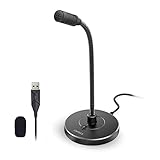
- 【Crystal Clear Audio Quality】Our Omnidirectional pattern condenser microphone accurately captures your voice, making it perfect for dictation, online classrooms, and more.
- 【Active Noise-Cancelling】Come in CMTECK CCS2.0 SMART CHIP with Omnidirectional Polar Pattern, which can effectively block the background noise. The pop filter prevents plosives from overloading the microphone, ensuring only your voice is heard.7
- 【Convenient Mute Button with LED Indicator】You can quickly mute/un-mute the microphone with the Mute Button and the built-in LED light lets you know the working status(Greenlight: Connected; Red light: Mute mode).
- 【Easy to use】 No drivers needed, just plug and record without external power supply, directly connect the microphone to a USB compatible device, well compatible with Windows(7, 8 and 10), Mac OS and PS4 (NOT compatible with Raspberry Pi/Linux/Android)
- 【Mini size with Adjustable Gooseneck】Adopted flexible and adjustable gooseneck metal pipe, easily adjust position 360 degrees to suit user comfort. The compact and stable base maximizes your desktop space.
3. Descript: who is it for?
Descript is designed for editing and repurposing existing footage, interviews, webinars and screen recordings. Its text-based editing, remote recording, captions, AI speech and video-generation tools make it a practical fit when the business already has source material.
Descript’s official pricing lists Free at $0 with 60 media minutes per month and limited AI features. Hobbyist costs $16 per person per month when billed annually or $24 monthly, and includes 10 media hours, 400 AI credits and 1080p watermark-free export. Creator is $24 per person per month annually or $35 monthly, with 30 media hours, 800 AI credits and 4K export. Business is $50 per person per month annually or $65 monthly, with 40 media hours, 1,500 AI credits, Brand Studio, dubbing in more than 30 languages and custom avatars.
Stay free for occasional editing and learning. Upgrade to Hobbyist when clean 1080p delivery and more than 60 minutes of monthly media are required; Creator suits teams needing 4K and a larger credit pool; Business is justified when shared brand controls, high volume, dubbing or custom avatars are part of routine production. Per-person billing means a two-editor team doubles the seat cost, so include every editor, reviewer and occasional contributor in the estimate.
Free tools Windows power users keep installed
One-click scans. No signup required.
Track source-media length as well as final-video length. A 10-minute interview cut to a one-minute highlight can still consume the relevant media allowance during import or editing. Save the transcript and project files so a correction does not require recording the interview again.
4. HeyGen: who is it for?
HeyGen is aimed at scripted presenter and avatar-led videos, such as product explainers, announcements and localized training. That workflow differs from an editor built around a company’s own footage.
The free allowance is limited by minutes, video count or watermarking, while Shopify lists a $29 monthly starting price. Confirm the exact free quota, avatar access, export resolution and commercial rights before publishing client or paid-media work. Avatar, voice and language availability can also vary by tier, so test the specific presenter and pronunciation you plan to use.
Upgrade when presenter consistency, higher output volume or clean exports matter more than experimenting with a few scripts. Budget for revisions: changing a script, pronunciation or scene can consume additional allowance. Have a human approve names, numbers, claims and translated lines before release.
5. Runway: who is it for?
Runway is suited to generating new visual footage rather than simply trimming existing recordings. Shopify lists a $15 monthly starting price and a free allowance of 125 one-time credits.
Shopping ad

- [Natural Audio Clarity] Operated with frequency response of 50Hz-16KHz, the podcasting XLR mic delivers balanced audio range, likely to resonate with your audience. Directional cardioid dynamic microphone corded will not exaggerate your voice, while rejects unwanted off-axis noise for vocal originality and intelligibility during your PS5 gaming streaming video recording. (Tips: Keep the top of end-addressing XLR dynamic microphone AM8 facing audio source, and suggested recording range is 2 to 6 in.)
- [XLR Connection Upgrade-Ability] To use XLR connection, connect the podcast microphone to an audio interface (or mixer) using a separate XLR cable (NOT Included) . Well-connected and smooth operation improves audio flexibility to make you explore various types of music recording singing. The streaming mic isolates the pristine and accurate sound from ambient noise with greater no interference and fidelity. (RGB and function key on mic are INACTIVE when using XLR connection.)
- [USB Connection with Handy Mute] Skip the hassle of setting something up and plug the cable to play the dynamic USB microphone directly, which suits for beginner creators or daily podcast. You can quickly control the gamer mic with tap-to-mute that is independent of computer/Macbook programs to keep privacy when live streaming. LED mute reminder helps you get rid of forgetting to cancel the mute. (RGB and function key are only available for USB connection, but NOT for XLR connection)
- [Soothing Controllable RGB] RGB ring on the desktop gaming microphone for PC, with 3 modes and more than 10 light colors collection, matches your PC gears accessories for gaming synergy even in dim room. You can control the RGB key button of the dynamic microphone USB directly for game color scheme gaming or live streaming. Configured memory function, the streaming microphone RGB no need to repeated selections after turnning off and brings itself alive when power on. (Only available for USB connection)
- [More Function Keys] Computer microphone with headphones jack upgrades your rhythm game experience and gets feedback whether the real-time voice your audience hear as expected. Get the desired level via monitoring volume control when gaming recording. Smooth mic gain knob on the PC microphone gaming has some resistance to the point, easily for audio attenuation or boost presence to less post-production audio. (Only available for USB connection)
One-time credits are useful for evaluating image-to-video or text-to-video quality, but they do not behave like a monthly production budget. Repeated generations, alternate camera moves and failed prompts can exhaust the trial quickly. Track credits per accepted shot, not per prompt. Keep notes on which model, duration and aspect ratio produced each result so you can repeat a successful setup.
Upgrade when the creative brief needs generated shots regularly and the value of faster iteration exceeds the subscription cost. Confirm current model access, queue priority, export resolution and commercial-use terms for the plan you select. If the final edit combines generated and stock footage, check the rights for both sources.
Independent reader supportYour contribution helps us test, update, and keep practical guides available for everyone.6. Synthesia: who is it for?
Synthesia fits scripted training, onboarding and presenter-led communications where a consistent digital presenter is more useful than cinematic generative footage. Shopify lists a $19 monthly starting price, with free access constrained by minutes, video count or watermarking.
Use the free tier to validate script structure and presenter fit. Before commercial or customer-facing use, check whether the free export carries a watermark, how many minutes are included and what rights apply to the generated video. Test a representative paragraph containing product names, acronyms and numbers rather than a generic sentence.
Upgrade when recurring training modules, frequent script updates or multilingual delivery justify predictable presenter production. Include review time for pronunciation, names, numbers and captions in your cost-per-video calculation. Version scripts so a policy change can be traced to every updated module.
What hidden costs can change the decision?
- Failed generations: Unusable shots, wrong pronunciations and continuity errors may still consume credits or minutes.
- Editing time: Someone must select takes, trim pauses, correct captions, check audio levels and format versions for each channel.
- Seats: A per-person price multiplies quickly when an editor, marketer and approver each need access.
- Add-ons: Stock media, premium voices, extra translations or overage credits can sit outside the headline plan.
- Billing commitment: Annual payment may reduce the monthly equivalent but locks in spend before you know your usable output.
- Renewal and expiry: Confirm renewal pricing, cancellation timing, unused-credit expiration and whether credits roll over.
Record these items during the pilot instead of estimating from a pricing page. A cheaper subscription can lose its advantage when it needs more manual cleanup or a second service for captions and voice.
What rights and privacy checks should a business make?
Commercial-use permission must be checked per vendor and plan; it is not implied by a free download. Save a copy of the terms in effect when each campaign is produced, especially if a client will own or redistribute the video.
What’s actually slowing this PC down?
Pick the symptom - the matching free tool is one click away.
- Confirm that advertising, client work, resale and social distribution are permitted.
- Check whether uploaded footage, scripts, voices or faces are retained and used for model improvement.
- Review team permissions and whether departing users can take project files with them.
- Verify caption accuracy and human-review requirements for regulated, safety or accessibility content.
- Clarify renewal, cancellation, unused-credit expiration and overage rules.
- Ask where projects are stored, who can access shared links and how deletion requests are handled.
Privacy and retention details are not uniform. Read each vendor’s current documentation rather than assuming that two tools with similar prices handle client footage the same way. Avoid uploading confidential customer information until the retention and access terms are acceptable to your business and client contract.
Shopping ad

- Custom three-capsule array: This professional USB mic produces clear, powerful, broadcast-quality sound for YouTube videos, Twitch game streaming, podcasting, Zoom meetings, music recording and more
- Blue VO!CE software: Elevate your streamings and recordings with clear broadcast vocal sound and entertain your audience with enhanced effects, advanced modulation and HD audio samples
- Four pickup patterns: Flexible cardioid, omni, bidirectional, and stereo pickup patterns allow you to record in ways that would normally require multiple mics, for vocals, instruments and podcasts
- Onboard audio controls: Headphone volume, pattern selection, instant mute, and mic gain put you in charge of every level of the audio recording and streaming process
- Positionable design: Pivot the mic in relation to the sound source to optimize your sound quality thanks to the adjustable desktop stand and track your voice in real time with no-latency monitoring
What common mistakes should a buyer avoid?
- Comparing a monthly credit allowance with a finished-video count as though they were the same unit.
- Testing only a perfect prompt instead of a real brief with revisions, captions and brand requirements.
- Assuming a free download grants advertising or resale rights.
- Ignoring watermarks, resolution or queue time until a client deadline arrives.
- Buying annual seats before measuring output with one representative project.
- Skipping human review of generated speech, faces, names, numbers and accessibility captions.
These mistakes turn a promising demonstration into an unreliable production process. A short, documented trial is usually cheaper than rebuilding a campaign after a rights or export problem.
What is a practical upgrade decision?
Write down the first business requirement a free plan fails. If the answer is “none,” remain free and reassess after several finished projects. If the answer is “watermark-free 1080p delivery,” “three videos every week,” “two editors,” or “monthly dubbing,” choose the least expensive tier that clears that specific requirement and measure cost per usable finished video for one billing cycle.
Free tiers are valuable discovery environments. Paid plans earn their cost when they remove a recurring bottleneck—rights, output, quality, collaboration or localization—and when the resulting finished assets cost less than the time and rework required on free access.
The Tool Desk
Outbyte PC Repair FREEClear out junk files and repair common Windows errorsFree Scan →Outbyte Driver Updater FREEScan for outdated or missing drivers - takes under a minuteDriver Scan →Frequently Asked Questions
Frequently Asked Questions
Can I use a free AI video generator output in a client project?
Only if the exact free plan grants commercial use and the client arrangement is allowed. Download availability alone is not a license; save the applicable terms and verify whether advertising, resale and client delivery are covered.
Is there a genuinely free AI video generator with no watermark?
Some editing or template workflows may export clean files on a free tier, but generative and avatar services commonly reserve watermark-free output for paid plans. Download a test file and verify the current plan terms before promising a clean client deliverable.
How many AI video credits do I need each month?
Estimate from accepted shots or finished videos, then multiply by the average generations required for each. Track failed prompts, alternate takes and revisions during a trial because a 30-second sequence can consume far more credits than its runtime suggests.
Should I choose an editor, template tool, generator or avatar platform?
Choose an editor when you already have footage, a template tool for repeatable branded social variations, a generator for new visual shots and an avatar platform for scripted presenter or training videos. Match the workflow to the brief before comparing prices.
What should I do if captions or AI voices make mistakes?
Build a human review step into the workflow, particularly for names, numbers, legal language and accessibility captions. Keep the original script and audio so errors can be corrected without regenerating the entire video.
The Bottom Line
Bottom line: Stay free while you are learning or producing occasional clips. Upgrade only when a recurring requirement—clean exports, rights, volume, resolution, collaboration or localization—fails, and choose the least expensive plan whose measured cost per finished asset beats the free-workaround cost.
Quick Recap
Product prices and availability are accurate as of the date/time indicated and are subject to change. Any price and availability information displayed on Amazon at the time of purchase will apply.

