The Geeks Club is reader-supported. When you buy through links on our site, we may earn an affiliate commission. As an Amazon Associate I earn from qualifying purchases. Learn more
Data recovery software for Windows PCs costs anywhere from $0 to about $899, depending on whether you need simple undelete, filesystem repair, file carving, RAID support, or a technician license. Free tools can recover deleted files without a license fee, while limited-free commercial apps may cap recovery at roughly 1–2 GB. Paid consumer licenses commonly appear around $89–$149.95 for lifetime examples, and specialist licenses can cost hundreds of dollars.
The cheapest option is not always the cheapest successful recovery. You may also need a separate destination drive, a USB 3.0 SATA/IDE adapter costing about $18.99–$21.99 in published examples, or professional help if the disk is physically failing. The products below are listed alphabetically, not ranked, and the prices are dated public examples checked in November 2026 rather than guaranteed checkout quotes.
At a glance
Prices and plan information below were checked in November 2026. Where a paid figure is described as a public example, the final checkout total may differ because of taxes, currency, renewal terms, regional availability, device limits, or promotions.
| Name | Best for | Key spec | Free plan / price | Platforms | Checked |
|---|---|---|---|---|---|
| PhotoRec | Severe filesystem damage and file carving | Filesystem-independent recovery; version 7.2 dated February 22, 2024 | Free GPL software; no paid tier listed | Windows-compatible; also works with disks, SSDs, optical media, and camera cards | November 2026 |
| R-Studio | Advanced recovery, RAID, BitLocker, Storage Spaces, and technician work | FAT/exFAT, NTFS, ReFS, HFS+, APFS, Ext2/3/4FS, XFS, UFS, RAID, and network recovery | $49.99 FAT/NTFS; $79.99 Standard; $899 Technician public examples | Windows recovery environment and local/network storage workflows | November 2026 |
| Recuva | Recently deleted files on a healthy Windows disk | Recovers from a Windows PC, Recycle Bin, camera card, or MP3 player | Free Windows download; no paid price stated here | Windows | November 2026 |
| TestDisk | Lost partitions and non-booting disks | Partition recovery and boot-sector repair workflows | Free GPL software; no paid tier listed | Windows-compatible | November 2026 |
| Windows File Recovery | Command-line recovery without a license fee | Regular and Extensive modes; separate source and destination drives required | Free Windows utility; no paid tier listed | Windows | November 2026 |
Prices checked November 2026.
R-Studio figures in the table are the dated public examples reported in TechRadar’s 2026 comparison. The free-tool descriptions are supported by the official Recuva download page, CGSecurity’s TestDisk documentation, and CGSecurity’s PhotoRec documentation.
Shopping ad
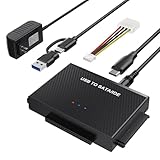
- Universal Hard Drive Reader: This SATA USB adapter supports 2.5"/3.5" SATA HDD/SSD, 2.5"/3.5" IDE with capacity of up to 6 TB. Play and plug, no drive required. Compatible with Windows 11/XP/Vista/7/8/10, Mac OS 10. X
- Works with 2 HDDs: This IDE to USB adapter is equipped with a SATA III connector and 2 IDE connectors (one 2.5" and one 3.5"), which can work with 2 HDDs (One IDE and One SATA ) simultaneously, but not work for 2 IED drives at the same time
- High Transfer Speed: This SATA reader is designed with USB 3.0 and Type C port and supports transfer speeds of up to 5Gbps, which not only enables fast file transfer, but also ensures data security. It is also backward compatible with USB 2.0/1.1. NOTE: the actual transfer speed depend on the setting of the connected devices
- 2 In 1 Dual Interface: Adopting USB 3.0 and Type C 2 in 1 dual interface design, our external hard drive reader is suitable for various types of computers or laptops, more convenience and economical, greatly meet your need. Support hot swap. Led indicator light shows power and activity status
- Package included: Hard drive adapter x1, 4 pin power cable x1, 12V 2A power adapter x1, USB + USB C cable, user manual x1. For 3.5" IDE drivers and old SATA HDD, you need to connect this 12V 2A power adapter and 4-pin power cable for a better connection
How much does data recovery software cost?
There are four practical price bands: free software, limited-free commercial software, paid consumer licenses, and specialist licenses. The correct band depends more on the failure than on the amount of data you want to recover.
$0: open-source and built-in-style recovery routes
Recuva, TestDisk, PhotoRec, and Windows File Recovery can all be used without a recovery-software license fee. They are not interchangeable: Recuva is aimed at straightforward undelete, TestDisk at partitions and boot problems, PhotoRec at recovering file contents when filesystem information is badly damaged, and Windows File Recovery at users comfortable with command-line modes.
Free does not mean risk-free. The source drive should not receive new files, and recovered files should be written to another disk. A free tool can also require more technical judgment, produce less convenient filenames, or fail to preserve the original folder structure.
Free tools Windows power users keep installed
One-click scans. No signup required.
Limited-free commercial software
Many consumer recovery applications let you scan and preview files before payment, then limit the amount that can actually be recovered. Published 2026 comparisons report examples of up to 2 GB for one product and up to 1 GB for another. Those caps can be useful for a few documents but are unlikely to cover a large photo library, video folder, or disk image.
A scan that displays a filename is not proof that the file will open correctly after recovery. Before paying, preview representative files from different folders and file types, check the total recoverable size, and confirm the live quota, file-size restrictions, supported Windows versions, and license scope.
Paid consumer licenses
Public comparison tables from 2026 show lifetime examples of approximately $89, $99.99, and $149.95, plus an annual example of $71.99. These figures do not describe identical products or identical rights. A lifetime license may cover one computer, one operating system, or only a particular major version, while a subscription may include current updates or support for a defined period.
For a single recovery incident, a short subscription can make economic sense if it includes the required scan and recovery features. A lifetime license can make more sense for repeated incidents, a household with several computers, or an administrator who expects to reuse the software—but only after checking the device limit, transfer rules, upgrade coverage, and renewal language.
Do these 3 things before closing this tab:
1Fix the driver behind crashes, sound loss and screen glitches2Repair Windows errors before they cause bigger problems3Scan for outdated or missing drivers - takes under a minuteSpecialist licensing
Specialist software is priced according to filesystem coverage, RAID reconstruction, encrypted-volume support, network recovery, and technician rights rather than simply by the number of gigabytes recovered. The published R-Studio examples range from $49.99 for a FAT/NTFS license to $79.99 for Standard and $899 for Technician.
The $899 tier is difficult to justify for one deleted document, but a technician handling repeated RAID, BitLocker, Storage Spaces, or network cases may evaluate it against the cost of outsourcing every incident. That is an economic and workflow decision, not a guarantee that a higher-priced license will recover every damaged file.
Shopping ad
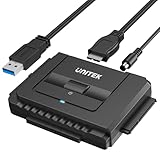
- 【Dual-Drive Simultaneous Use & Wide Compatibility】This hard drive adapter supports connecting one IDE drive and one SATA drive at the same time. It works with 2.5"/3.5" IDE HDDs, 2.5"/3.5" SATA HDDs and SSDs, as well as optical drives like CD-ROM, DVD-ROM, and DVD-RW. The dual-head IDE connector (40-pin and 44-pin) and a SATA III port give you maximum flexibility for data migration, backup, or drive recovery.
- 【High-Speed Transfer with USB 3.0 & SATA III】Experience data transfer rates up to 6Gbps through the SATA III interface, with USB 3.0 connectivity (backward compatible with USB 2.0/1.1). Please ensure your computer has a USB-A port, as this hard drive reader uses a USB-A connection only.
- 【Stable Power Supply for Reliable Operation】The included 12V/2A power adapter is essential for stable performance—please always connect it when using this IDE to USB adapter, especially when accessing two drives simultaneously. The 4-pin power cable is designed specifically for 3.5" IDE drives (not required for SATA drives).
- 【Plug-and-Play with User-Friendly Design】No driver installation required. Supports hot-swapping for quick drive changes, and features an On/Off switch to protect your hard drives from unnecessary wear. The LED indicator clearly shows power and activity status.
- 【What's Included & Support】You'll receive the USB 3.0 to IDE+SATA adapter, a USB 3.0 data cable, a 4-pin power cable, a 12V/2A power adapter, and our 24/7 dedicated email support.
Is free data recovery software enough for Windows?
Free software is often enough when a file was recently deleted from a healthy disk and the operating system still sees the volume normally. It becomes less convenient or less suitable when the partition disappeared, the filesystem is severely damaged, the drive is unstable, or preserving names and folders matters.
- Choose a simple free undelete route when the file was deleted recently, the disk is healthy, and the original drive still opens normally.
- Choose a partition-recovery tool when an entire partition disappeared or a disk became non-bootable after software trouble, a virus, or human error.
- Choose file carving when the filesystem is severely damaged or the media was reformatted and recovering the underlying file contents matters more than retaining names and folders.
- Choose a paid guided tool when previewing files, preserving metadata, or avoiding a technical command-line workflow is worth the license cost.
- Stop software experiments when the drive makes unusual noises, disconnects, reports capacity changes, or repeatedly freezes the computer. Physical failure requires controlled handling rather than more scans.
1. PhotoRec: who it is for
PhotoRec is for a technically comfortable reader whose filesystem is badly damaged, reformatted, or no longer reliable but whose underlying file contents may still be present. CGSecurity describes PhotoRec as filesystem-independent: it searches for underlying data on hard disks, SSDs, CDs, and camera memory instead of depending on the original filesystem structure.
What’s actually slowing this PC down?
Pick the symptom - the matching free tool is one click away.
PhotoRec is free GPL software. The documented version 7.2 is dated February 22, 2024, and no paid tier is listed. That makes the license cost $0, but the practical cost is time and technical complexity.
The main trade-off is the information it may not be able to preserve. File-carving recovery can produce generic filenames and lose original folder structure, so it is a poor fit when organization and metadata are more important than retrieving the raw contents. Recover to a different disk, and create an image first when the source media is unstable if the workflow and available storage allow it.
Who should move beyond it: use a guided paid application when you need easier previews and file selection, or evaluate a specialist license when the case involves RAID, BitLocker, Storage Spaces, network recovery, or repeated professional work.
2. R-Studio: who it is for
R-Studio is for advanced users, IT staff, and technicians who need broader filesystem and storage features than a simple undelete utility provides. Its documented scope includes FAT/exFAT, NTFS, NTFS5, ReFS/ReFS2+, HFS/HFS+, APFS, Ext2/3/4FS, XFS, UFS, local and network disks, BitLocker, Windows Storage Spaces, software RAID 4/5/6, custom RAID layouts, known-file-type searches, scan visualization, recovery lists, and recovery-chance estimates. The R-Studio manual documents those capabilities.
The dated public pricing examples reported in 2026 are $49.99 for FAT/NTFS, $79.99 for Standard, and $899 for Technician. These are not guaranteed checkout quotes. They represent different capability and audience levels, not merely different recovery quotas, and a free recovery allowance is not listed with these tiers.
The FAT/NTFS license may suit a narrowly defined Windows filesystem case. Standard is more appropriate when broader filesystem coverage or advanced recovery workflows are required. Technician is aimed at repeated professional work and should be considered only when the extra rights and features match the cases being handled.
Who should upgrade: a home user should not pay for the Technician tier simply because it is the largest license. Upgrade within this product family only when the filesystem, RAID, encryption, network, or technician requirements justify the broader tier.
Shopping ad

- 【Wide Compatibility】FIDECO SATA or IDE adapter is compatible with 2.5”/3.5” SATA/IDE hard drives. It can support the connection of 3 hard drives simultaneously: one 2.5” IDE, one 3.5” IDE, one 2.5”/3.5” SATA.
- 【Compatible System】FIDECO SATA or IDE adapter is widely compatible with Windows, Mac OS, and Linux. Just plug and play with no driver or software needed!
- 【Maximum 5Gbps Super Speed】FIDECO hard drive reader is engineered with USB 3.0 port and can offer data transfer speeds up to 5Gbps. It can be also backward compatible with USB 2.0/1.1. Data transfer has never been so much easier and faster.
- 【Easy Set-up】Insert your hard drive, connect the power adapter and USB cable, and then turn on the device by pressing the power switch. Note: For 3.5” IDE HDD, you need to connect the 4-pin power cable.
- 【Warm Note】For new HDD/SSD, please go to "Disk Management" to initialize it first, and then your HDD/SSD can be recognized. If you have any other question, please contact us via amazon email at any time. Our engineer can offer technical support and firmware update.
3. Recuva: who it is for
Recuva is for a recently deleted document, photo, or other file on a healthy Windows computer, Recycle Bin, digital-camera card, or MP3 player. Its official download page presents it as a free Windows recovery download.
The relevant tier for this use case is free, with no license cost. The referenced official page does not provide a paid price that can be used for comparison here. The important limitation is not a stated gigabyte quota; it is the type of problem the tool is intended to address.
A simple undelete utility is not a universal answer for a damaged volume, lost partition, or physically failing drive. If the disk is showing abnormal behavior, stop using it instead of repeatedly scanning it. If the partition itself vanished or the volume is severely damaged, a partition-recovery or file-carving workflow may fit the problem better.
Who should move beyond it: use a more advanced tool when the missing data is on a damaged volume, when the disk needs imaging or RAID reconstruction, or when a technical recovery workflow is acceptable in exchange for broader capabilities.
4. TestDisk: who it is for
TestDisk is for recovering lost partitions and helping make non-booting disks bootable when faulty software, a virus, or human error caused the symptom. It is not simply another version of a recently deleted-file undelete tool. CGSecurity’s documentation identifies it as GPL software primarily designed for partition recovery and related boot problems.
Quick wins for a faster PC:
Repair Windows errors before they cause bigger problemsFix Now →Fix the driver behind crashes, sound loss and screen glitchesFind Drivers →Clear out junk files and repair common Windows errorsFree Scan →TestDisk is free, and no paid tier is listed. The license cost is therefore $0, but the interface and decision-making are more technical than a guided consumer application. The safest workflow depends on identifying the correct disk and partition rather than choosing a familiar-looking filename from a scan.
Use a separate destination for any recovered files. If the disk is unstable, prioritize an image or controlled copy before extensive recovery attempts. A partition tool may restore access to a volume in some cases, but it should not be treated as a cure for damaged heads, motors, NAND, or controllers.
Who should move beyond it: choose a guided application when command-line-style technical work is too risky or inconvenient, or evaluate specialist software when the case includes RAID, encrypted volumes, network storage, or recurring client work.
5. Windows File Recovery: who it is for
Windows File Recovery is for readers who want a no-license-cost Windows recovery route and are comfortable working with command-line syntax. The documented workflow includes Regular and Extensive modes and requires separate source and destination drives.
Outdated Drivers Are Slowing You Down
One free scan finds every outdated or missing driver and matches the right update for your exact hardware.Free scan · exact hardware matchWindows Errors? Fix Them Before They Spread
Repair common Windows errors and clear accumulated junk for a smoother, more stable PC - no reinstall needed.Free scan · no reinstallShopping ad
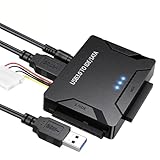
- Multi-drive hard drive reader – This universal hard drive reader supports 2.5"/3.5" SATA HDD/SSD and IDE drives, allowing up to three drives to be connected at the same time for data backup, file transfer, or recovery tasks.
- High-speed USB 3.0 performance – Equipped with USB 3.0, this SATA to USB and IDE to USB adapter delivers data transfer speeds up to 5Gbps with UASP support, while remaining backward compatible with USB 2.0 and 1.1 devices.
- IDE to SATA adapter for large drives – Compatible with SATA III and IDE drives up to 6TB, this adapter works with SATA SSD, HDD, and legacy IDE storage, making it suitable for storage expansion and data recovery use.
- Wide system and device compatibility – Works with Windows, Linux, and Mac OS (9.0–10.13.3), as well as PS4 and Xbox One. Supports HDDs, SSDs, and optical drives such as DVD-ROM, CD-RW, and DVD-RW, functioning as an external hard drive reader or ultra recovery converter (zilkee ultra recovery converter 2025 search use).
- Complete SATA to USB adapter with power supply – Includes USB 3.0 to IDE/SATA adapter, USB 3.0 cable, 4PIN power cord, and 12V/2A power adapter. Plug-and-play design allows quick setup without additional drivers.
The utility is free, with no paid tier listed. Its main cost is operational: the user must understand the source and destination choices, provide enough destination capacity, and avoid writing recovered output back to the source disk. It is not automatically safer or more capable for every failure simply because it comes from a command-line environment.
Regular and Extensive modes address different recovery situations, so the mode should be selected according to the condition of the volume rather than used as a promise of success. If the drive is physically unstable, repeated attempts can be counterproductive; controlled imaging or specialist handling may be more appropriate.
Who should move beyond it: use a graphical tool when previewing and selecting files is important, or use a specialist product when the case involves RAID, BitLocker, Storage Spaces, network recovery, or other advanced storage layouts.
What hidden costs should you add to the software price?
The recovery application is only one part of the budget. The most commonly missed costs are destination storage, physical connection hardware, imaging time, possible professional handling, taxes, currency conversion, renewals, and license restrictions.
A separate destination drive
Recovered files should normally be saved somewhere other than the source disk. The destination must have enough free capacity for the selected files, and a full disk image may require capacity comparable to the source device. Buying a license without planning that storage can leave the recovery process unable to finish.
A USB 3.0 SATA/IDE hard-drive adapter
If a laptop drive has been removed or a desktop disk must be connected to another computer, a USB 3.0 SATA/IDE adapter may be needed. Published 2026 examples list adapters at approximately $18.99–$21.99. The adapter only provides a physical connection; it does not recover data and does not replace a destination drive.
Physical failure and professional recovery
Software cannot repair damaged heads, motors, NAND, or controllers. More scans can worsen the situation or reduce the chance of a controlled recovery when the device is already unstable. Professional labs may charge diagnostic or recovery fees, but there is no single standardized current price that applies to every case.
For irreplaceable family photographs, legal records, or business-critical files, paying for controlled imaging and specialist handling can be more rational than buying several consumer licenses and repeatedly powering a failing drive. That decision should be made before experimentation, not after the disk has deteriorated further.
Recommended Free Tools
Is a lifetime license better than a subscription?
Neither model is automatically cheaper. A subscription is sensible for a short, one-off recovery when it includes the required current version and support. A lifetime license may be economical for repeated use, but only if its definition of lifetime covers the computers, operating systems, upgrades, and recovery cases you actually need.
Shopping ad

- Professional Technical Support: Dedicated to helping customers solve usage problems. Product instructions are detailed, covering the operation steps and unrecognized, read and other problems. Vorodcip professional team is ready to answer your questions.(Please check the product manual for details before use)
- Universal USB 3.0 Hard Drive Adapter: SATA IDE to usb 3.0 adapter support 2.5"/3.5" SATA HDD/SSD, 2.5"/3.5" IDE, SATA/IDE Internal Blu-ray drive. Hard drive converter is retrieve old files, backup, cloning and data recovery device tools.
- High-speed Transmission: The hard drive connector is equipped with a USB-C to USB adapter, supporting USB and USB-C port devices. The maximum transmission rates of SATA and IDE interfaces are 5gbps and 133Mbps respectively(based on actual usage).
- Plug & Play: Universal hard drive adapter does not require additional drivers. On/Off power switch for hard drives protection. It supports drvies with a capacity of maximum 20TB.
- Wide Compatibility: Compatible with 2.5"/3.5" HDD/SSD, 2.5"/3.5" IDE. Hard drive reader to usb adapters support Windows XP/7/8.1/8/10, Mac OS 10, Linux, Vista etc.
Before paying, check four items:
- Whether the price is a one-time payment or an auto-renewing subscription.
- Whether the license covers Windows only or multiple operating systems.
- Whether it is tied to one computer, transferable, or usable on several devices.
- Whether major-version upgrades, support, technician rights, and commercial use are included.
Also compare the amount of data you need to recover with the free allowance. A low headline price can be more expensive if it limits recovery to one device, renews automatically, or excludes the feature required for a damaged partition or encrypted volume.
Which recovery path fits the situation?
Use the following decision path before buying anything:
- Stop writing to the source. Do not install recovery software or save recovered files to the same drive if another computer or destination is available.
- Assess the disk’s behavior. A normal, stable drive with one deleted file is a different case from a disk that disconnects, freezes the system, changes capacity, or makes unusual noises.
- Choose the least complex suitable route. Start with a simple free undelete tool for a healthy Windows disk. Use partition recovery for a missing partition, file carving for severe filesystem damage, and advanced software for RAID, encryption, or network storage.
- Provide a separate destination. Add an external drive or other storage with enough capacity before beginning recovery.
- Scan and preview representative files. Check documents, photographs, videos, and other important formats rather than assuming that a visible filename means a usable file.
- Recover to the destination. Never treat the source drive as the output location.
- Stop and reassess when the drive is unstable. For physically failing media, seek controlled imaging or specialist handling instead of purchasing more software and running more scans.
What should you verify at checkout?
Prices and limits change more often than the basic recovery concepts. Confirm the currency, tax treatment, renewal interval, supported Windows versions, device count, free recovery quota, preview rules, refund eligibility, transfer rights, upgrade coverage, and whether the license is for personal or technician use.
The Tool Desk
Outbyte Driver Updater FREEScan for outdated or missing drivers - takes under a minuteDriver Scan →Outbyte PC Repair FREEClear out junk files and repair common Windows errorsFree Scan →Do not treat a lifetime label as proof of unlimited computers or unlimited future upgrades. Do not treat a free scan as free recovery, and do not treat an accessory price as the total cost of a recovery project. The final budget should include the license, destination storage, any adapter, and the consequences of choosing a tool that does not match the failure.
How we picked the options in this comparison
The shortlist covers the main cost and workflow categories relevant to Windows users: a simple free undelete tool, free partition recovery, free filesystem-independent file carving, a free command-line route, and a paid specialist platform. Selection is based on the documented recovery role, licensing model, filesystem or storage scope, and the practical trade-off between price and technical complexity—not on hands-on testing, a performance score, or a ranking.
What is the bottom line on Windows data recovery software cost?
Start at $0 when the disk is healthy and the problem is simple. Pay for consumer software when a free cap, technical interface, or missing convenience would prevent you from completing the recovery, and consider specialist licensing only when advanced storage features or repeated professional work justify it. Budget separately for destination storage and connection hardware, and stop using unstable media before software experimentation turns a recoverable case into a harder one.
Frequently Asked Questions
Can a free scan prove that my files are fully recoverable?
No. A scan may find a filename or partial preview while the file contents remain damaged. Open several representative files, including the formats that matter most, and check whether their sizes and contents are plausible before paying or starting a large recovery.
Can I transfer a lifetime recovery license to another computer?
Not necessarily. Transfer rights, device counts, and deactivation rules vary by license, so check those terms before purchase rather than assuming that “lifetime” means unlimited computers. A one-device license may be unsuitable for a household or technician who works across several PCs.
What should I do if my hard drive clicks or repeatedly disconnects?
Turn it off and avoid repeated scans or power cycles. Clicking, disappearing from Windows, freezing the computer, or reporting the wrong capacity can indicate physical trouble that software cannot repair; controlled imaging or specialist handling may protect the remaining data better.
How much storage do I need for recovered files?
You need enough free space on a different drive for everything you plan to save, and an image-based workflow can require space comparable to the source device. Check the recoverable total before starting so the destination does not fill partway through the operation.
Quick Recap
Product prices and availability are accurate as of the date/time indicated and are subject to change. Any price and availability information displayed on Amazon at the time of purchase will apply.

