Free tools Windows power users keep installed
One-click scans. No signup required.
The Geeks Club is reader-supported. When you buy through links on our site, we may earn an affiliate commission. As an Amazon Associate I earn from qualifying purchases. Learn more
Choosing an email marketing platform for creators comes down to matching the tool to the job: a newsletter-led media business needs different capabilities from a course funnel, digital-product store, or paid membership. Start with your primary workflow, subscriber count, expected growth, sending frequency, required integrations, automation depth, monetization model, and budget. For many creators, Kit fits funnel-heavy businesses, beehiiv fits publication-led newsletters, Mailchimp fits broad marketing stacks, and MailerLite fits straightforward all-in-one operations. A fifth candidate, Substack, is included as a comparison checkpoint because it appears in a 2025 creator-platform survey, but its current feature and pricing fit should be verified before you depend on it.
The five names below are listed alphabetically, not ranked. The right choice is the one that still handles your likely next stage without creating unacceptable migration, deliverability, data-ownership, or cost problems.
At a glance
| Product | Best for | Key spec | Checked |
|---|---|---|---|
| beehiiv | Newsletter-led media businesses | Publishing, audience growth, analytics, subscriptions, sponsorships, referrals, podcasts, and digital products | November 2026 |
| Kit | Creator funnels, launches, memberships, and digital products | Forms, landing pages, visual automations, commerce, paid newsletters, recommendations, and sponsorship tools | November 2026 |
| Mailchimp | Creators connecting email to a wider marketing stack | Email, automations, audience tools, reporting, lead generation, content tools, and more than 300 integrations | November 2026 |
| MailerLite | Accessible all-in-one newsletters, pages, automation, and lightweight commerce | Email, automation, landing pages, signup forms, digital products, e-commerce, paid newsletters, booking, and smart sending | November 2026 |
| Substack | A newsletter platform to investigate alongside the main shortlist | Included in Lulu’s 2025 survey of creator platforms; verify current product fit, plan gates, and pricing directly | November 2026 |
This table is a needs map, not a performance ranking. The available source material supplies detailed platform positioning for the first four products and identifies Substack in Lulu’s survey sample, but does not establish a comparative deliverability, conversion, or return-on-investment winner.
How do I choose an email marketing platform as a creator?
Choose by scoring the platforms against your actual business workflow, not by counting templates or selecting the lowest introductory price. A creator who sells a course needs purchase-triggered automations and integrations; a writer whose newsletter is the product may care more about publishing, paid subscriptions, referrals, sponsorships, and publication analytics.
Shopping ad

- Studio-Quality Sound for Clear Podcast Recording – The K66 USB podcast microphone delivers studio-quality, broadcast-level audio using a high-performance condenser capsule and cardioid pickup pattern that focuses on your voice while reducing unwanted background noise. Designed as a reliable microphone for PC, it features a wide 40Hz–18kHz frequency response and a 46kHz sampling rate to reproduce rich lows, smooth mids, and clear highs for natural, detailed vocals. With –45dB ±3dB sensitivity, it captures balanced sound without distortion during expressive speaking. Ideal for podcasting, voice-over, online classes, meetings, and professional content creation.
- Intelligent Noise Reduction Mode for Cleaner Podcast Audio – This podcast microphone features an advanced Noise Reduction Mode designed for clearer, more focused voice recording in real-world environments. Press and hold the mute button to enable noise reduction (blue indicator). In this mode, the microphone helps reduce keyboard clicks, PC fan noise, air conditioner hum, and background chatter. Default Mode maintains a warm, natural vocal tone for quiet spaces. Designed as a reliable microphone for PC, it allows creators to identify the active mode instantly and adapt as needed, ensuring clear audio for podcasting, gaming, streaming, online classes, meetings, and recording.
- True Plug-and-Play USB Microphone with Wide Device Compatibility – Engineered for effortless plug-and-play use, the K66 USB microphone requires no drivers, apps, or software installation. Simply connect and start recording on Windows PC, Mac, laptops, PS4, PS5, and tablets. Included USB-C and Lightning adapters ensure seamless compatibility with iPhone, iPad, and modern USB-C phones and devices, making it easy to switch between desktop and mobile recording. Ideal for creators working across multiple platforms, this microphone delivers consistent, high-quality audio for YouTube, TikTok, Twitch, Zoom, Discord, OBS Studio, Streamlabs, podcasting, livestreaming, and professional voice recording.
- Real-Time Zero-Latency Monitoring with Adjustable Volume Control – This podcast microphone features real-time, zero-latency monitoring through a built-in 3.5mm headphone jack, allowing you to hear exactly what’s being recorded without delay. Designed as a reliable microphone for PC, it includes a dedicated monitoring volume control that lets you adjust headphone listening levels independently for accurate and comfortable audio monitoring. Real-time feedback helps identify distortion, background noise, or uneven volume before it affects your final recording, making this podcast microphone ideal for podcasting, streaming, online teaching, voice-over work, and professional content creation.
- Precision Audio Adjustment Knobs for Full Sound Control – This podcast microphone gives creators hands-on control with dedicated knobs for microphone volume, monitoring volume, and echo adjustment. Fine-tune mic gain to maintain clear, balanced vocal output, adjust headphone monitoring levels independently for comfortable listening, and add or reduce echo to enhance depth and presence. Designed as a reliable PC microphone, these intuitive physical controls allow fast, on-the-fly adjustments without software, helping identify distortion, background noise, or level inconsistencies instantly. Ideal for podcasting, streaming, ASMR, voice-overs, singing, and professional multi-platform recording.
- Write the primary job in one sentence. Examples include “publish a weekly newsletter,” “deliver a lead magnet and welcome sequence,” “launch a course,” “recover an abandoned cart,” “sell a membership,” or “build a media property.” Add secondary jobs such as a public web archive, referrals, sponsorships, events, or CRM synchronization.
- Record your current operating size. Note subscribers, expected monthly additions, sends per month, segments, and active automations. Model today’s list, a realistic next stage, and a stretch stage rather than buying only for the current number.
- Check how billing is calculated. A platform may count subscribed, unsubscribed, or inactive contacts differently. Record send caps, overage treatment, seat charges, automation gates, annual-versus-monthly billing, and commerce fees.
- Shortlist only platforms that can perform the primary job. A long feature list is not useful if the service cannot trigger the sequence, purchase event, integration, or membership workflow you need.
- Score the finalists using weighted criteria. Give each criterion a 1–5 score and write an evidence note explaining the score. Weight the criteria according to how you make money.
- Run a controlled proof of concept before migrating. Use dummy or consented sample contacts, create the core workflow, export the data, and verify unsubscribe and suppression behavior. Never send unsolicited email.
- Plan the migration before committing. Preserve subscribers, consent evidence, fields, tags, suppressions, important engagement data, forms, landing pages, templates, automations, and domain authentication.
This process prevents a common mistake: choosing a service because it is comfortable at 500 subscribers, then discovering that the paid newsletter, purchase automation, or integration needed at 5,000 subscribers is locked behind a different tier or unavailable entirely.
What should I define before comparing creator email platforms?
Separate the audience-building problem from the publishing, sales, and operations problems. Your primary job determines which features deserve the highest weight.
Newsletter publishing
Check the editor, templates, scheduling, RSS support, web archive, custom domain, and whether one issue can be published to the web. If the newsletter itself is the product, also examine publication analytics, paid subscriptions, sponsorship workflows, referrals, and cross-promotion.
The Tool Desk
Outbyte Driver Updater FREEFix the driver behind crashes, sound loss and screen glitchesFind Drivers →Outbyte PC Repair FREEClear out junk files and repair common Windows errorsFree Scan →Lead magnets and welcome sequences
Check embedded forms, pop-ups, landing pages, custom domains, lead-magnet delivery, source tracking, and visual automation. A creator growing through a guide, checklist, or email course needs a clean path from signup to welcome sequence to the appropriate segment.
Courses, digital products, and memberships
Look for purchase events, behavioral triggers, abandoned-cart workflows, checkout, digital-product delivery, membership connections, transaction fees, payment processing, receipts, and tax-related integrations. A platform that publishes attractive newsletters may still be a poor fit if it cannot reliably tell the email system that a customer bought, canceled, or completed a course.
Media and audience growth
Compare recommendations, referrals, paid subscriptions, sponsorships, advertising, audience-growth reporting, and source attribution. Growth features matter most when the newsletter is intended to become a media property rather than merely support another business.
Client work and broader marketing
Service creators often need integrations with stores, events, calendars, CRM systems, analytics, webinars, and middleware. In that case, integration depth and customer journeys may be more important than newsletter-specific monetization.
Quick wins for a faster PC:
Repair Windows errors before they cause bigger problemsFix Now →Fix the driver behind crashes, sound loss and screen glitchesFind Drivers →Which criteria matter most when scoring a platform?
Use a 1–5 score for each criterion, then write why the score is justified. A written evidence note makes the decision easier to audit when your audience, revenue model, or plan price changes.
| Criterion | Questions to ask |
|---|---|
| Portability and ownership | Can you export subscribers, consent records, custom fields, tags, suppressions, and engagement history? Can you export web archives and landing-page content? |
| Publishing | Does the editor support your format, schedule, RSS, web archive, custom domain, templates, and web publication needs? |
| Forms and landing pages | Can you embed forms, use pop-ups, deliver lead magnets, connect a custom domain, test variants, and attribute signups? |
| Automation | Can you build welcome sequences, branches, behavioral triggers, purchase events, abandoned-cart messages, launches, and post-purchase paths? |
| Segmentation | Are dynamic segments, custom fields, event data, suppression logic, and recipient audits easy to create and maintain? |
| Growth | Are referrals, recommendations, paid subscriptions, sponsorships, advertising, and cross-promotion available for your model? |
| Monetization | Can the service handle digital products, memberships, checkout, transaction fees, payment processing, tax or receipt integrations, and storefront connections? |
| Analytics | Can you see delivery, clicks, source growth, conversions, revenue, and cohorts? Treat open rates as incomplete because privacy protections affect them. |
| Deliverability and compliance | Can you configure SPF, DKIM, and DMARC? How are consent, unsubscribe requests, suppressions, bounces, complaints, and acceptable-use rules handled? |
| Integrations | Does it connect to your store, course or membership system, CRM, analytics, webinar service, calendar, or middleware? |
| Total cost | What happens at today’s list size, the next stage, and the stretch stage? Include contacts, sends, seats, overages, automation gates, annual discounts, and commerce charges. |
| Support and effort | How much documentation, migration help, support, onboarding, template support, and ongoing maintenance will the workflow require? |
What do the available prices tell creators?
Plan mechanics matter as much as the headline price. The dated pricing information available for MailerLite shows a free plan with 12,000 monthly emails and core features; its Comfort plan starts at $12 per month with unlimited monthly emails, while Power starts at $25 and adds automation and product features. These figures were checked in November 2026 and should be treated as a dated snapshot rather than a permanent price list.
| Plan | Price | Included limit or positioning |
|---|---|---|
| Free | $0 | 12,000 monthly emails and core features |
| Comfort | Starts at $12 per month | Unlimited monthly emails |
| Power | Starts at $25 per month | Additional automation and product features |
For the other shortlist entries, pricing, free-tier limits, and plan gates should be checked against the current product page for your country, list size, billing cycle, and required features. Do not treat a free account as evidence that the workflow you need will remain free after adding automation, commerce, additional contacts, or more users.
Shopping ad

- Custom three-capsule array: This professional USB mic produces clear, powerful, broadcast-quality sound for YouTube videos, Twitch game streaming, podcasting, Zoom meetings, music recording and more
- Blue VO!CE software: Elevate your streamings and recordings with clear broadcast vocal sound and entertain your audience with enhanced effects, advanced modulation and HD audio samples
- Four pickup patterns: Flexible cardioid, omni, bidirectional, and stereo pickup patterns allow you to record in ways that would normally require multiple mics, for vocals, instruments and podcasts
- Onboard audio controls: Headphone volume, pattern selection, instant mute, and mic gain put you in charge of every level of the audio recording and streaming process
- Positionable design: Pivot the mic in relation to the sound source to optimize your sound quality thanks to the adjustable desktop stand and track your voice in real time with no-latency monitoring
MailerLite’s creator material also says that creators use email marketing because it lets them “own your audience.” That ownership is broader than the ability to send messages: it includes exporting the audience, preserving consent evidence, retaining useful fields and suppressions, and having a practical way to move if the product or price stops fitting. The same vendor material reports an average of three sales per 1,000 recipients from its own research. That is vendor-reported research, not an independent benchmark or a forecast for your business.
Recommended Free Tools
Which email marketing platform fits each kind of creator?
1. beehiiv: for newsletter-led media businesses
beehiiv positions itself around helping newsletters publish, grow, and earn. Its platform information highlights templates, a custom editor, analytics, podcasts, digital products, paid subscriptions, sponsorships, and referrals.
Consider it when the newsletter is the media property and your business model depends on audience growth, publication analytics, paid subscriptions, sponsorships, referrals, or adjacent digital products. It deserves a high score on publishing and growth criteria when those activities are central to the business.
Before choosing it, map the exact monetization path: how a reader becomes a paid subscriber, how sponsorship or referral attribution is recorded, where payment and customer data live, and which features are available on the plan you would use at your next audience stage. Confirm current free access, trial terms, paid plan prices, country availability, and monetization gates directly before purchase.
Who should upgrade: a creator should move beyond a free or entry-level arrangement when publication growth, monetization, analytics, or automation requirements exceed the included limits. The decision should be based on the revenue workflow and audience stage, not simply on the number of templates.
2. Kit: for creator funnels, launches, and memberships
Kit brings together forms, landing pages, email marketing, deliverability tools, visual automations, commerce, paid recommendations, paid newsletters, sponsorships, and creator-oriented use cases including courses, podcasts, and YouTube businesses.
Consider it when the core job is a lead magnet, welcome sequence, product launch, membership funnel, paid newsletter, or creator commerce. Its visual automation emphasis is particularly relevant when the workflow branches according to signup source, behavior, purchase status, or product interest.
Score the exact limits before selecting a plan. Important questions include the number of subscribers, automation complexity, forms and landing pages required, commerce events, paid recommendations, and the amount of content that must be migrated. Confirm the current free plan or trial, subscriber limits, paid tiers, and commerce terms on the product page because those gates determine whether the funnel remains practical as it grows.
Who should upgrade: creators should consider a paid tier when the free allowance no longer supports the required audience size, automation depth, landing-page workflow, or commerce operation. A course creator should also upgrade when purchase-triggered and post-purchase paths become business-critical rather than optional.
Do these 3 things before closing this tab:
1Fix the driver behind crashes, sound loss and screen glitches2Repair Windows errors before they cause bigger problems3Scan for outdated or missing drivers - takes under a minute3. Mailchimp: for creators with broad integrations
Mailchimp lists email, automations, audience tools, reporting, lead generation, content tools, and more than 300 integrations.
Shopping ad

- [Natural Audio Clarity] Operated with frequency response of 50Hz-16KHz, the podcasting XLR mic delivers balanced audio range, likely to resonate with your audience. Directional cardioid dynamic microphone corded will not exaggerate your voice, while rejects unwanted off-axis noise for vocal originality and intelligibility during your PS5 gaming streaming video recording. (Tips: Keep the top of end-addressing XLR dynamic microphone AM8 facing audio source, and suggested recording range is 2 to 6 in.)
- [XLR Connection Upgrade-Ability] To use XLR connection, connect the podcast microphone to an audio interface (or mixer) using a separate XLR cable (NOT Included) . Well-connected and smooth operation improves audio flexibility to make you explore various types of music recording singing. The streaming mic isolates the pristine and accurate sound from ambient noise with greater no interference and fidelity. (RGB and function key on mic are INACTIVE when using XLR connection.)
- [USB Connection with Handy Mute] Skip the hassle of setting something up and plug the cable to play the dynamic USB microphone directly, which suits for beginner creators or daily podcast. You can quickly control the gamer mic with tap-to-mute that is independent of computer/Macbook programs to keep privacy when live streaming. LED mute reminder helps you get rid of forgetting to cancel the mute. (RGB and function key are only available for USB connection, but NOT for XLR connection)
- [Soothing Controllable RGB] RGB ring on the desktop gaming microphone for PC, with 3 modes and more than 10 light colors collection, matches your PC gears accessories for gaming synergy even in dim room. You can control the RGB key button of the dynamic microphone USB directly for game color scheme gaming or live streaming. Configured memory function, the streaming microphone RGB no need to repeated selections after turnning off and brings itself alive when power on. (Only available for USB connection)
- [More Function Keys] Computer microphone with headphones jack upgrades your rhythm game experience and gets feedback whether the real-time voice your audience hear as expected. Get the desired level via monitoring volume control when gaming recording. Smooth mic gain knob on the PC microphone gaming has some resistance to the point, easily for audio attenuation or boost presence to less post-production audio. (Only available for USB connection)
Consider it when email must connect to a store, events, client work, lead-generation system, or wider marketing stack. It is a logical candidate for a service creator managing multiple customer journeys or a business where email is one part of a larger set of marketing operations.
Pay particular attention to contact pricing and contact definitions. Determine whether unsubscribed or inactive records count toward billing, how customer journeys are gated, how many seats are needed, and whether the integrations you depend on pass the events and fields your automations require. A broad integration catalog does not automatically mean that every connection supports the specific trigger, data field, or two-way synchronization you need.
Who should upgrade: creators should move to a paid tier when automation, audience size, reporting, seats, or integration requirements exceed the free allowance. The upgrade makes the most sense when the platform is replacing several disconnected handoffs and the resulting operational simplicity has measurable value.
Windows Errors? Fix Them Before They Spread
Repair common Windows errors and clear accumulated junk for a smoother, more stable PC - no reinstall needed.Free scan · no reinstallOutdated Drivers Are Slowing You Down
One free scan finds every outdated or missing driver and matches the right update for your exact hardware.Free scan · exact hardware match4. MailerLite: for approachable all-in-one creator operations
MailerLite combines email, automation, landing pages, signup forms, digital products, e-commerce, paid newsletters, booking, email verification, and smart sending.
Consider it when you want newsletters, pages, signup collection, automation, websites, and lightweight monetization in one accessible workflow. It can suit a creator whose needs are straightforward enough to keep in one system but broad enough to include a lead magnet, a web page, a paid newsletter, or a simple product.
The pricing snapshot checked in November 2026 lists a free plan with 12,000 monthly emails and core features. Comfort starts at $12 monthly with unlimited monthly emails, and Power starts at $25 with additional automation and product features. Verify subscriber limits, taxes, payment terms, feature gates, and current prices before committing, particularly if you plan to sell products or paid access.
Who should upgrade: a creator should consider Comfort when unlimited monthly email volume matters, and Power when additional automation or product features are required. The threshold is not just list size: a small list with a paid product or branching funnel may need a higher tier sooner than a larger list sending a simple newsletter.
5. Substack: a comparison checkpoint for newsletter publishers
Substack appears among the platforms listed in Lulu’s 2025 Books & Business Insights report. That makes it relevant to a creator-platform comparison, but the report’s appearance list does not establish its current feature set, free limits, paid plan prices, deliverability, or suitability for a particular business model.
Use it as a checkpoint if your primary job is a publication-led newsletter, then verify the current product details directly before treating it as a finalist. In particular, document how it handles exports, consent records, paid access, web publication, subscriber data, integrations, fees, analytics, and migration.
Who should proceed: creators should proceed only after the current service terms match the workflow and ownership requirements defined above. Do not select a platform solely because it appears frequently in a survey; survey usage is not market share, proof of causation, or evidence that it will suit your audience and revenue model.
Shopping ad
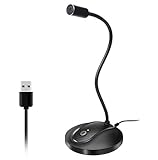
- 360 Degree Position Adjustable Gooseneck Design --Plug and play USB microphone Pick up the sound from 360-degree with high sensitivity, in the best possible location for sound to your PC gaming, dragon voice dictation, and talk to Cortana
- Mute Button & LED Indicator --One-click to mute/unmute your microphone for pc, Build-in LED indicator tells you the working status at any time
- Intelligent Noise-Canceling Tech --Premium omnidirectional condenser microphone with noise-canceling technology can pick up your clear voice and reduce background noise and echo
- USB Plug&Play(1.8/6ft USB Cable) -- No driver required. Just need to plug & play for the microphone to start recording, well compatible with Windows(7, 8, 10 and 11) and macOS. (NOT compatible with Xbox/Raspberry Pi/Android)
- Solid Construction--Adopting premium metal pipe and heavy-duty ABS stand to make sure that you will be satisfied with our computer mic quality
How should the shortlist change for different creator business models?
Use the business model to weight the score rather than letting every criterion count equally.
Paid-newsletter publisher
Weight publication, growth, monetization, analytics, referrals, sponsorships, and paid subscriptions most heavily. Confirm how subscribers move between free and paid states, how canceled subscribers are suppressed or re-segmented, and where revenue and conversion reporting are visible.
Course or digital-product creator
Weight forms, landing pages, automation, purchase events, abandoned-cart recovery, post-purchase sequences, checkout, and course or storefront integrations. Test the complete path from signup to purchase to fulfillment to cancellation rather than inspecting each feature in isolation.
Service creator or consultant
Weight CRM synchronization, event and calendar integrations, segmentation, lead routing, scheduling, and customer journeys. Make sure the platform can distinguish prospects, active clients, former clients, and people who have opted out of particular messages.
Podcaster, YouTuber, or livestream creator
Weight lead capture, audience portability, newsletters, digital products, sponsorship workflows, and publishing flexibility. Consider whether the email system remains useful if the external distribution channel changes or becomes less reliable.
What’s actually slowing this PC down?
Pick the symptom - the matching free tool is one click away.
How can I run a proof of concept before choosing?
A small, repeatable proof of concept exposes workflow friction that feature pages cannot show. Use the same exercise for every finalist and do not send to anyone who has not consented.
- Prepare the sample. Use dummy contacts or a small group of consented contacts with different tags, fields, and subscription states.
- Create one signup form. Embed it or place it on a landing page, deliver a lead magnet if needed, and record the source of the signup.
- Build one welcome automation. Include a delay, a branch, and a segment change if those are part of your real workflow.
- Create a test newsletter. Check the editor, links, personalization, scheduling, web version, mobile rendering, and tracking controls.
- Connect the critical integration. Test the actual store, course, membership, CRM, calendar, webinar, or middleware event that will drive your automation.
- Test suppression behavior. Unsubscribe a sample contact, confirm that future messages are blocked, and verify how the record appears in exports.
- Export the data. Check whether fields, tags, consent evidence, suppressions, and engagement information remain usable outside the platform.
- Record effort and gates. Note completion time, confusing steps, available analytics, missing controls, and every point where a paid plan is required.
The result is not a performance benchmark. It is a workflow and portability check that helps you identify maintenance burden before your business depends on the platform.
How do I migrate without damaging my list?
Migration should happen as a controlled rebuild, not as a blind CSV upload. The goal is to preserve permission, audience meaning, suppression status, and the customer journeys that matter.
- Export the source data. Save subscribers, consent evidence, custom fields, tags, suppressions, and important engagement data. Keep a dated copy of the export.
- Audit consent. Separate contacts with clear permission from records whose permission or source is unclear. Do not use migration as a reason to send to an unverified list.
- Recreate the information architecture. Map tags, fields, segments, products, membership states, and suppression rules before importing.
- Rebuild public assets. Recreate forms, landing pages, lead magnets, templates, web archives, and custom-domain settings.
- Rebuild automations in stages. Start with the welcome sequence and the most important purchase or membership journeys. Test each trigger and branch with sample contacts.
- Authenticate the sending domain. Configure SPF, DKIM, and DMARC, then verify that the records are recognized by the new service.
- Check every reader-facing control. Test links, tracking, unsubscribe, suppression, personalization, rendering, receipts, and any checkout or product handoff.
- Monitor after launch. Watch bounces, complaints, conversions, revenue, engagement, and list growth. Treat a sudden change as a reason to investigate consent, authentication, content, segmentation, or sending behavior.
MailerLite’s creator material specifically describes exporting subscribers from another service, importing CSV data, and rebuilding emails, landing pages, and automations. Other services may use different procedures, so document the migration path for the platform you select.
What should creators know about deliverability?
No email platform can guarantee inbox placement. Deliverability is a shared result of authentication, consent, sender reputation, content, list hygiene, complaints, bounces, and sending behavior.
Shopping ad

- The Original Mini Microphone: Mini Mic Pro is the wireless microphone for iPhone & Android used by creators. Trusted by thousands, it delivers studio-quality sound in a design small enough to clip onto your shirt or slip into your pocket.
- Seamless Connection: Designed to work right out of the box with your iPhone, Android, tablet, or laptop. With both USB-C and Lightning adapters included, Mini Mic Pro connects instantly—no apps, no bluetooth, no friction. Just pure, plug-and-play performance.
- Pro sound, anywhere: From voiceovers to viral interviews, Mini Mic Pro captures crystal-clear audio and cuts through background noise and even outdoors, thanks to included wind protection like high-density foam and a dead cat cover.
- Lightweight & Durable: Crafted from premium materials and weighing under an ounce, it’s ultra-portable, rugged enough for daily use, and always ready to record—no matter where the day takes you.
- Rechargeable Battery: A wireless lavalier microphone designed for real creators. Record for up to 8 hours per charge. While using the lav mic, you can charge your device simultaneously!
Before launch, authenticate your sending domain with SPF, DKIM, and DMARC where supported. Capture consent clearly, honor unsubscribe requests, maintain suppressions, remove or manage hard bounces, and avoid importing contacts whose permission cannot be established. Review acceptable-use rules before building a list around a business model that could be restricted.
Use clicks, conversions, revenue, source growth, and cohorts alongside delivery data. Opens are incomplete because privacy protections can generate activity that does not represent a reliable reader action. A platform with more elaborate reporting cannot correct weak consent or poor list practices.
What does the creator-platform data actually show?
Lulu’s 2025 Books & Business Insights report says more than 65% of surveyed creators have fewer than 1,000 email subscribers. It also reports that 42% of creators with 1,000 or more subscribers earned over $10,000 annually from book sales. These are scoped survey findings, not market-share figures and not proof that one email platform caused the reported income.
The report lists MailerLite, Mailchimp, and Substack among the most-used platforms in its sample and reports platform percentages by income group. Use those figures as context for how creators in that survey reported their tools, not as a reason to copy another creator’s stack.
The practical lesson is that a small list can still be commercially important. A creator with fewer than 1,000 subscribers may need purchase events, memberships, consent records, and a reliable welcome sequence even when a free plan is sufficient for send volume.
How these options were selected
The shortlist covers distinct creator workflows represented in the available platform information: newsletter-led media, creator funnels and commerce, broad integrations, approachable all-in-one operations, and a publication platform that appears in a creator survey. The decision framework emphasizes portability, publishing, forms, automation, segmentation, growth, monetization, analytics, deliverability, integrations, total cost, support, and setup effort.
There is no independent evidence here establishing a highest creator conversion rate, strongest deliverability, or superior return on investment for any one platform. Re-score the shortlist whenever your list grows, your revenue model changes, an integration becomes business-critical, or plan terms change.
The Tool Desk
Outbyte PC Repair FREERepair Windows errors before they cause bigger problemsFix Now →Outbyte Driver Updater FREEScan for outdated or missing drivers - takes under a minuteDriver Scan →Frequently Asked Questions
Frequently Asked Questions
Can I keep my newsletter on one platform and sell products through another?
Yes, but map the handoffs before launch: identify which system records the purchase, which system sends receipts, how a buyer enters or leaves promotional sequences, and where unsubscribe and suppression status is authoritative. Without those rules, customers can receive duplicate messages or irrelevant sales emails.
Should I delete inactive subscribers to reduce my email bill?
Do not delete them blindly. First export consent and engagement data, create a documented re-engagement or suppression policy, and distinguish a contact who never opens from one who occasionally clicks or buys; deletion can make later auditing and recovery harder.
What should I preserve when exporting a creator email list?
Preserve the consent source and date, subscription status, custom fields, tags, suppression records, purchase or membership state, and useful engagement history. A file containing only email addresses is not a complete record of audience ownership or permission.
How can I tell whether an email platform is becoming too difficult for my business?
Look for recurring manual work: exporting and re-importing data between systems, rebuilding segments by hand, reconciling purchases, correcting duplicate messages, or avoiding useful automations because setup is fragile. Those are signs to rescore effort, integrations, portability, and total cost before the workflow becomes business-critical.
Do these 3 things before closing this tab:
1Clear out junk files and repair common Windows errors2Scan for outdated or missing drivers - takes under a minute3Repair Windows errors before they cause bigger problemsQuick Recap
Product prices and availability are accurate as of the date/time indicated and are subject to change. Any price and availability information displayed on Amazon at the time of purchase will apply.

