The Geeks Club is reader-supported. When you buy through links on our site, we may earn an affiliate commission. As an Amazon Associate I earn from qualifying purchases. Learn more
Choose mobile device management (MDM) by matching ownership, operating system, identity, privacy and support requirements—not by counting features. Corporate iPhones need automated enrollment and supervision; BYOD phones need a work profile or app-only controls; shared tablets need kiosk management. A short, scripted pilot with at least two finalists should prove enrollment, policy enforcement, selective wipe, recovery, reporting and employee privacy before you sign.
The products below are listed alphabetically, not ranked. Public pricing, free tiers and trial limits are not stated consistently in the available vendor material, so request a quote for your user/device count and have every add-on, minimum, implementation fee and exit term written into the proposal.
At a glance
| Name | Best for | Key spec to validate | Platforms | Checked |
|---|---|---|---|---|
| BlackBerry UEM | Regulated or security-sensitive fleets | Containerization, PKI, conditional access, compliance automation and auditability | iOS/iPadOS, Android and specialized or rugged devices | November 2026 |
| Cisco Meraki Systems Manager | Teams already invested in Meraki networking | Unified policy, inventory, APIs and network-security integration | Mixed mobile and endpoint fleets; verify current OS matrix | November 2026 |
| Google endpoint management | Android-centered organizations using Google identity | Android Enterprise work profile, fully managed, dedicated and zero-touch modes | Android Enterprise and associated Google-managed endpoints | November 2026 |
| Jamf | Apple-first organizations | Automated Device Enrollment, supervision, declarative management and managed Apple IDs | iPhone, iPad and Mac | November 2026 |
| Kandji | Apple fleets needing focused administration | Apple enrollment, configuration, compliance and lifecycle automation | iPhone, iPad and Mac; verify supported OS versions | November 2026 |
| Microsoft Intune | Microsoft 365 and Entra ID environments | Conditional Access, compliance, app deployment, RBAC and remote actions | iOS/iPadOS, Android, Windows and macOS relationships | November 2026 |
| Omnissa Workspace ONE | Large, mixed-device enterprises | Cross-platform lifecycle, identity, automation and reporting | iOS/iPadOS, Android, Windows and macOS; verify edition | November 2026 |
| SOTI | Frontline, rugged and shared-device operations | Dedicated-device controls, rugged-device support and operational workflows | Android and specialized mobile fleets; verify exact models | November 2026 |
What should you decide before comparing MDM vendors?
Start with a device-and-people inventory. Record each user group, ownership model, operating-system version, location, carrier, connectivity, corporate data, risk level and required control. Mark every requirement must-have, scored or informational; otherwise a persuasive demo can outweigh a control you actually need.
| Cohort | Required enrollment and controls | Privacy boundary |
|---|---|---|
| Corporate iPhone or iPad | Apple Automated Device Enrollment, supervision, managed Apple ID, app licensing, passcode and encryption policy, Lost Mode and Activation Lock handling | Full management is normally acceptable because the organization owns the device |
| BYOD iPhone | App-level protection or an equivalent separation, selective wipe, minimum OS and clear managed-app list | No inspection or deletion of personal content outside the managed boundary |
| BYOD Android | Android Enterprise work profile, managed Google Play, selective wipe and a documented minimum OS | Explain exactly what administrators can see; exclude personal apps, photos and location unless separately justified |
| Corporate Android | Fully managed mode, zero-touch enrollment, factory-reset protection, OEMConfig where required and kiosk options | Full management, with a stated process for transfers and offboarding |
| Shared tablet or kiosk | Dedicated-device mode, locked app set, peripheral controls, automatic sign-in/out and remote reset | Keep user sessions separate and erase local data between users |
| Remote laptop companion | Endpoint-management integration, certificate and VPN delivery, compliance-signal sharing and help-desk recovery tools | Coordinate mobile and computer policies without duplicating agents or collecting unnecessary telemetry |
Use Android Enterprise terminology for work profile, fully managed, dedicated and zero-touch cohorts. Use Apple Platform Deployment terminology for Automated Device Enrollment, supervision, managed Apple IDs and declarative management.
Shopping ad

- Item Package Quantity - 1
- Product Type - LANDLINE PHONE
- Memory - 0. GB
- Accessories may not be original, but will be compatible and fully functional. Product may come in generic box.
How do you score security, enrollment and total cost?
A weighted scorecard makes trade-offs visible. The following starting weights are editorial decision aids, not market statistics; change them for regulated industries, frontline work or an Apple-only fleet.
| Axis | Weight | Evidence to require |
|---|---|---|
| Security and compliance controls | 20% | Encryption and passcode rules, minimum OS, root/jailbreak detection, application controls, threat signals, remote actions and audit history |
| Enrollment and lifecycle automation | 15% | Apple Automated Device Enrollment, Android zero-touch, invitations, re-enrollment, ownership transfer and offboarding |
| Identity and access integration | 15% | SSO, MFA, conditional access, directory groups, certificates, RBAC and HR/ITSM automation |
| Platform and ownership coverage | 15% | iOS/iPadOS, Android Enterprise modes, macOS/Windows relationships, BYOD privacy and kiosk use |
| Operations and support | 10% | Inventory, dashboards, alerts, delegated help desk, documentation, SLA and regional support |
| App and content delivery | 8% | Private apps, managed stores, configuration, update rings and content controls |
| Reporting, APIs and ecosystem | 7% | Exports, webhooks, REST or Graph APIs, SIEM/ITSM integrations and data residency |
| User experience and accessibility | 5% | Enrollment time, self-service, privacy notices, offline behavior and battery or data impact |
| Commercial and exit risk | 5% | Per-user or per-device metric, minimums, term, renewal, implementation, migration, data export and termination assistance |
The security baseline in NIST SP 800-124 Rev. 2 (published May 2023) and CISA mobile-device guidance points buyers toward centralized management, secure configuration, authentication, updates, application control, incident response and remote administration.
Which MDM products should remote-workforce teams shortlist?
Each section describes the situation the product is suited to. Pricing and trial terms must be confirmed for the exact edition, region, seat count and device mix; no public figure is stated here where the supplied vendor material does not provide one.
Free tools Windows power users keep installed
One-click scans. No signup required.
1. BlackBerry UEM: who is it for?
BlackBerry UEM suits organizations that place unusual weight on regulated security, containerization, policy evidence and specialized or rugged devices. Evaluation criteria associated with the platform include FIPS-validated encryption, PKI, conditional access, role-based administration, automated compliance actions, high availability and support. Ask the vendor to map each requirement to a named module rather than assuming it is included.
Free plan or trial: not specified; request a time-limited proof of concept and document device and administrator limits. Paid plans and prices: obtain a quote for the required UEM edition, connectors, support level and device count. Upgrade when audit evidence, certificate infrastructure, rugged hardware or strict separation of corporate data outweighs the simplicity of a lighter tool.
2. Cisco Meraki Systems Manager: who is it for?
Cisco Meraki Systems Manager is a candidate for teams that already operate Meraki networking or security equipment and want mobile policy, inventory and network context considered together. Treat it as a mixed/specialized-fleet finalist, then verify the current iOS/iPadOS, Android, macOS and Windows support matrix, API coverage, delegated administration and reporting depth for your edition.
Free plan or trial: not specified; ask whether a temporary organization, licensing credit or guided evaluation is available and what happens to enrolled devices when it ends. Paid plans and prices: request the current Systems Manager license metric, term, minimum quantity and any network-management dependencies. Upgrade when existing Cisco operations can reduce duplicate consoles and help-desk effort, provided the pilot meets BYOD privacy and recovery requirements.
Shopping ad

- Runs Android 9.0
- 7 inch (1024 x 600) capacitive adjustable touch screen
- Supports Yealink Bluetooth Handset BTH58
- 720p30 HD video (with CAM50)
- Optimal HD audio, Yealink Noise Proof Technology
3. Google endpoint management: who is it for?
Google endpoint management fits an Android-centered workforce, especially when identity and collaboration already run through Google services. Require demonstrations of Android Enterprise work profile, fully managed, dedicated-device and zero-touch modes, managed Google Play, factory-reset protection and the exact privacy disclosures shown to employees.
Free plan or trial: availability and limits depend on the associated Google edition; confirm them in writing for your tenant. Paid plans and prices: obtain the applicable Google Workspace or endpoint-management quote, including identity, advanced security and support dependencies. Upgrade when Android enrollment automation and managed application delivery are more important than broad multi-OS depth.
4. Jamf: who is it for?
Jamf is suited to Apple-heavy organizations that need deep control of iPhone, iPad and Mac lifecycles. Validate Automated Device Enrollment, supervision, declarative management, managed Apple IDs, application licensing, Activation Lock workflows, current OS support, certificate delivery and integration with your identity and compliance systems.
Free plan or trial: not specified; ask for an evaluation tenant and the maximum number of devices, administrators and days. Paid plans and prices: request a quote by platform and device count, including identity, security, support and migration components. Upgrade when Apple-specific workflows, macOS relationships and administrator productivity justify a dedicated Apple management platform.
Do these 3 things before closing this tab:
1Scan for outdated or missing drivers - takes under a minute2Repair Windows errors before they cause bigger problems3Fix the driver behind crashes, sound loss and screen glitches5. Kandji: who is it for?
Kandji belongs on an Apple-focused shortlist when a team wants a concentrated administration experience for iPhone, iPad and Mac. Test Automated Device Enrollment, supervision, configuration profiles, compliance remediation, software deployment, update timing, local recovery and the employee-facing privacy notice against the same acceptance criteria used for other finalists.
Free plan or trial: not specified; confirm evaluation duration, device cap and whether support is included. Paid plans and prices: request the current per-device or per-user quote and identify security, identity, support and onboarding add-ons. Upgrade when Apple fleet consistency and lifecycle automation reduce manual work without requiring broad Android or rugged-device capabilities.
6. Microsoft Intune: who is it for?
Intune is a logical first pilot for a Microsoft-heavy environment because its documented scope includes role-based administration, compliance, application deployment and remote actions, with integration points across Entra ID, Conditional Access, Defender and Microsoft 365. Read the Intune endpoint-management overview, then test rather than assume that a bundled license covers every Android and Apple scenario.
Shopping ad

- Audio Quality: Eliminate distracting background noise at the source with Poly Acoustic Fence technology. Hear every nuance with premium sound quality featuring Poly HD Voice.
- Easy-to-Use: Poly CCX 400 combines an attractive ergonomic design with an intuitive user touchscreen interface.
- Convenience: Robust provisioning and management of telephony deployment and support make setup a snap.
- Ideal For: Entry-level phone best suited for common areas.
- Compatibility: USB-A, RJ9 and EHS ports allow you to connect a compatible Poly headset to suit any working style, in addition to the traditional handset.
Use Android work profile and corporate-owned modes, Apple enrollment and supervision, certificate and VPN delivery, conditional-access response and help-desk delegation as acceptance tests. Microsoft documents third-party compliance partners, so decide whether a specialist Apple or security product must exchange compliance signals with Intune.
Quick wins for a faster PC:
Repair Windows errors before they cause bigger problemsFix Now →Fix the driver behind crashes, sound loss and screen glitchesFind Drivers →Free plan or trial: availability depends on the Microsoft 365 or Enterprise Mobility + Security licensing assigned to the tenant; confirm the exact included rights and trial duration. Paid plans and prices: price the required Intune or bundle SKU, add-ons, minimums, implementation and support rather than assuming an existing Microsoft subscription is sufficient. Upgrade when directory integration, conditional access and Microsoft 365 application controls materially simplify access governance.
7. Omnissa Workspace ONE: who is it for?
Omnissa Workspace ONE is a candidate for large, mixed-device enterprises that need one lifecycle and automation framework across mobile and computer endpoints. Confirm the edition’s iOS/iPadOS, Android, Windows and macOS capabilities, identity integrations, API limits, reporting exports, regional hosting and support SLA. Test ownership transfer and offboarding; broad platform coverage is not useful if recovery requires vendor intervention.
Free plan or trial: not specified; request a scripted evaluation with representative users and shared devices. Paid plans and prices: obtain a quote that separates core management, identity, analytics, support and professional services. Upgrade when a heterogeneous fleet and existing enterprise automation justify a larger implementation and governance effort.
8. SOTI: who is it for?
SOTI is suited to frontline, rugged, logistics and shared-device programs where kiosk behavior, peripherals, remote troubleshooting and operational uptime matter as much as ordinary smartphone policy. Verify exact rugged models, Android Enterprise modes, dedicated-device controls, zero-touch or equivalent staging, barcode or peripheral support, offline behavior and remote-reset recovery.
Crashes, No Sound, or Screen Glitches?
Random freezes, missing sound and display glitches usually trace back to one bad driver. Find and replace yours safely.Free scan · under a minutePC Slower Than It Used to Be?
A free scan shows the junk files, broken settings and background clutter dragging Windows down - then fixes them in one click.Free scan · Windows 10 & 11Free plan or trial: not specified; ask for a device-model-specific pilot and clarify what happens to licenses after evaluation. Paid plans and prices: request a quote covering the management edition, rugged-device connectors, support tier, implementation and training. Upgrade when field operations need specialized workflows that general-purpose mobile management cannot provide economically.
How should you run an MDM proof of concept?
A pilot should produce dated evidence, not a polished demo. Include at least one representative device from every ownership and operating-system cohort.
Shopping ad

- Fanvil V67 Flagship Smart Android Video IP Phone
- The 7-Inch touch color screen with high resolution (1024x600) can be adjusted according o the needs of environments an angles of the scene, bringing the ultimate visual experience.
- Inspired by the interior of high-end cars, the keypad features RGB LED lights that can be personalized. V67 makes us work pleasanly and greatly improves our work efficiency.
- V67 supports wideband audio codec Opu and G.722, and it is coupled with the Noise Reduction technologies and Full-duplex AEC, which brings an immersive listening experience.
- V67 supports 10-party audio conferences or 3-party video conferencing. Built-in 2.4G/5G Wi-Fi and Bluetooth 4.2, it brings a wireless office experience.
- Import a test cohort; map directory groups, roles and administrator permissions.
- Enroll one corporate iPhone or iPad, one BYOD iPhone, one corporate Android, one BYOD Android and, where relevant, one shared or kiosk device.
- Deliver passcode, encryption, minimum-OS, application allow/block, certificate, Wi-Fi and VPN policies.
- Publish a private app and managed configuration; measure install time, failure handling and rollback.
- Trigger noncompliance and verify conditional-access or remediation behavior.
- Simulate loss: lock the device, invoke Lost Mode where supported, perform selective wipe, then full wipe.
- Reset a device; test zero-touch or automated re-enrollment and reset-protection behavior.
- Test low bandwidth, offline periods, roaming, battery impact, data use and delayed check-ins.
- Export inventory, compliance history and audit logs into ticketing or SIEM workflows.
- Ask employees to read the privacy notice and enroll; record time, confusion and support tickets.
- Price the exact SKU, user/device quantity, contract term, implementation, training, support and exit assistance.
- Score pass/fail evidence and retain dated screenshots, logs and exception decisions.
NIST notes that remote provisioning requires the user to perform the process and can be done incorrectly. Assisted enrollment, recovery instructions and support staffing therefore belong in the acceptance criteria, not in a post-launch wish list.
Independent reader supportYour contribution helps us test, update, and keep practical guides available for everyone.How do you manage BYOD without invading privacy?
Separate work data technically and explain the boundary before enrollment. On Android, use a work profile; on iPhone, use managed applications or another supported app-level separation model. The policy should state what administrators can see, what they can remove, whether location is collected, how personal data is protected and what happens when employment ends.
Demonstrate selective wipe with a personal device containing sample photos, messages and applications. The pass condition is removal of managed accounts, certificates and corporate data while personal content remains. Also test a forgotten passcode, a lost phone, a factory reset and a worker who refuses enrollment; every branch needs an owner and a documented recovery path.
How can you enroll phones when employees never visit the office?
Use zero-touch or automated enrollment for organization-owned Android and Apple devices purchased through an authorized channel, then send an assisted, step-by-step invitation for the employee. Keep spare recovery codes, a second support channel and a rollback procedure. A remote worker should be able to complete enrollment on ordinary home broadband without a technician holding the device.
Before rollout, publish a short guide with screenshots, privacy answers, minimum OS requirements, expected duration, support hours and what to do if the device is offline. Stage cohorts by risk and geography, monitor failure rates and pause the next cohort when a recurring enrollment error appears.
What costs are easy to miss?
Compare operations and economics together. A low license price can be outweighed by implementation labor, migration, directory or certificate connectors, premium support, training, API limits, data-residency requirements, device minimums, annual renewal increases and professional-services work for kiosk or rugged deployments.
What’s actually slowing this PC down?
Pick the symptom - the matching free tool is one click away.
Ask every vendor which features require add-on licenses, how licenses are counted when one user has several devices, what happens to a BYOD device after selective wipe, how long audit logs remain available, where tenant data is stored, what API rate limits apply and how inventory and compliance history are exported at contract end. Request a written data-processing agreement and escalation path.
Shopping ad
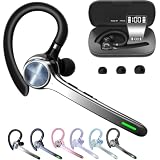
- Smart Digital Display: Easy-to-read digital display shows the remaining power of the charging case for the refill in time.
- High Capacity and Long-Lasting: Equipped with the 500mAh charging case to juice up the bluetooth headset for almost 72 hours of music/talking time. The single headset offer 18-23 hours of talking time.
- Design Ideas Of Mute: Add the individual mute button on the bluetooth earpiece to meet your demand for muting more simply on the cell phone call. (ONLY ALLOW TO MUTE DURING CALL ON PHONE)
- Ear Painless: Maximizing compactness of wireless headset based on ergonomics. Small and light even unobtrusive but still stable, and provide a more comfortable wearing experience.
- Ultra-Powerful Bluetooth Tech: Wireless earpiece features the updated 5.3 Bluetooth technology to quickly and stably connect devices in the 10m range.
How should you govern an MDM after rollout?
Publish an enrollment and privacy guide, use staged cohorts, assign exception owners and maintain a communications calendar. Define who may issue a wipe, which approvals are required, how evidence is retained and how a departing worker’s personal data is protected. Review policies when operating systems, threat conditions or employment rules change.
Keep a dated decision record containing score weights, pilot evidence, rejected options, selected SKU, assumptions and unresolved risks. MDM does not replace laptop and desktop health, patching or endpoint-detection planning; maintain a companion endpoint-management plan for computers and coordinate its compliance signals with mobile controls.
Frequently Asked Questions
Frequently Asked Questions
Can an MDM administrator read employees’ personal text messages on a BYOD phone?
A properly designed BYOD deployment should separate work data and limit administrator visibility, but the exact boundary depends on the platform mode and policies. Ask the vendor to show the employee privacy screen and prove selective wipe on a device containing personal test data.
Recommended Free Tools
What happens to a managed phone when an employee leaves?
Corporate devices can be locked, wiped and returned to inventory. For BYOD, the normal goal is to remove managed accounts, certificates and applications while leaving personal content intact; document approvals and evidence for both paths.
Do remote employees need a company-owned phone for zero-touch enrollment?
Zero-touch and automated enrollment are intended for organization-owned devices purchased through supported channels. BYOD users generally receive an invitation and complete a work-profile or app-level enrollment themselves, with assisted support available.
How many devices should a proof of concept include?
Use at least one device from every ownership and operating-system cohort, including a shared or kiosk device when applicable. Add users with different roles, connectivity conditions and accessibility needs so the pilot exposes support and privacy failures.
What should be in an MDM contract’s exit clause?
Specify export formats for inventory, compliance history, audit logs, certificates and configuration data, plus retention periods, deletion confirmation, transition assistance, API access during the notice period and fees for migration support.
Quick Recap
Product prices and availability are accurate as of the date/time indicated and are subject to change. Any price and availability information displayed on Amazon at the time of purchase will apply.

