Quick wins for a faster PC:
Scan for outdated or missing drivers - takes under a minuteDriver Scan →Clear out junk files and repair common Windows errorsFree Scan →Fix the driver behind crashes, sound loss and screen glitchesFind Drivers →Compare AI music prompts by changing one musical instruction at a time, then judging each version against the same brief. Keep the lyric, intended vocal or instrumental format, and other prompt wording fixed; vary one element such as the vocal direction, instrumentation, or production description. Suno supports song generation and editing workflows, while Udio supports text-prompt song creation and lyric tools, so both can be used for structured prompt iteration. Their supplied feature details do not establish specific genre support or a dedicated prompt version history; check each vendor’s site for those specifics.
Set Up A Fair Prompt Comparison
Write a short brief before generating anything. State the musical outcome you want in plain language, and separate the parts you intend to hold constant from the one part you want to compare. For example:

- Fixed brief: A complete song with the same lyrics and overall mood.
- Variable: The vocal direction, such as intimate versus forceful.
- Evaluation: Whether the vocal direction is clear, fits the brief, and remains compatible with the arrangement.
This is a comparison method, not a claim that either service provides a specific genre, vocal technique, tempo control, or prompt-history feature. Treat such details as hypotheses in your wording, and verify supported controls with the vendor.
Compare Suno And Udio For Prompt Iteration
| Platform | Supplied capabilities relevant to iteration | Practical implication |
|---|---|---|
| Suno | Generates songs with vocals, lyrics, instrumentation, and production. Supports editing, remixing, extensions, section replacement, and stem export. Available on web, iOS, and Android; Suno Studio is on Premier. | Useful when the comparison involves a complete song and you want to refine or replace a section. The supplied facts do not confirm a dedicated prompt-version comparison view. |
| Udio | Generates vocal or instrumental songs from text prompts and lyrics. Supports lyric editing, voice-reference blending, style shaping, audio extension or transformation, and Sessions timeline editing. | Useful for prompt-led song and lyric iteration. Audio, video, and stem downloads are disabled during its transition period, so do not plan an export-based comparison without checking current vendor information. |
Run A Controlled Prompt Comparison
- Save the baseline. Copy the exact prompt and lyrics into a note, label it A, and record the service and date. Keep a separate copy for every later version.
- Choose one question. Make it narrow: for example, whether a softer vocal description fits the song better, or whether a more prominent percussion description makes the intended arrangement clearer.
- Write version B. Duplicate A and change only the wording tied to that question. Do not also rewrite the lyrics, mood, instrumentation, or other details.
- Generate in the same service. Submit A and B through the same product and keep the rest of the setup as consistent as its available controls allow. The supplied facts do not establish that Suno and Udio use interchangeable prompt behavior, so compare prompt variants within each platform before comparing platforms.
- Record what happened. Note the prompt text, output label, and a short observation for each version. If the product does not expose a stable way to revisit or label outputs, maintain your own notes rather than assuming it has version tracking.
- Judge against the brief. Listen for the specific quality you set out to compare, then check whether the result still satisfies the fixed parts of the brief. Mark the result as a better fit, worse fit, or unclear; do not credit a change in wording if several prompt elements changed together.
- Keep or revert. If B is a better fit, use it as the next baseline and change one new variable. If results are unclear, repeat the comparison with the same wording before drawing a conclusion.
Use Prompt Variants That Isolate One Musical Choice
Vocal Direction
Hold lyrics and arrangement language constant. Compare a neutral vocal description with one specific alternative, such as “restrained vocal delivery” versus “more emphatic vocal delivery.” These are example prompt instructions, not verified controls or guaranteed techniques on either platform. Listen for whether the requested character comes through and whether it distracts from the lyric.
Shopping ad
Arrangement Emphasis
Keep the vocal and lyric instructions fixed while changing one arrangement emphasis. For example, compare “prominent percussion” with “subtle percussion.” Suno’s supplied description includes instrumentation generation; Udio’s describes style shaping. Neither entry guarantees that these exact phrases map to a particular instrument level, so record what the output actually does.
Production Description
Change only one broad production phrase, such as “sparse production” versus “dense production,” while preserving the rest of the prompt. Evaluate whether the result is clearer or more cluttered relative to your intended use. Do not assume either tool exposes a technical mixing parameter from this text instruction.
Shopping ad

- Cover: Music art cover design combined with music elements.The beautiful design inspires your creativity.
- Double-coil binding: 100 page manuscript paper; 10 staves per page.The best choice for learning music.
- Premium eye protection paper ensures high quality and long life.Thick paper so ink won't bleed through.
- Dimensions: 7.48inch x 10.23inch.(26cm x 19cm)The best choice for Music composition notebook.
- 100% brand new and high quality, used for music composition.Ideal for piano and a variety of other instruments.
Keep Results Comparable Across Services
Once you have chosen a promising wording within each service, you can compare how each handles the same brief. Paste the same prompt and lyrics where supported, record each platform’s output separately, and judge both against the same written criteria. Differences may come from the products’ distinct workflows as well as the prompt; the supplied facts do not establish identical models, controls, or output behavior.
- Keep a prompt log with exact text and a clear version label.
- Compare the same musical question each time, rather than judging one output for vocals and another for production.
- Use your notes as the source of truth for the comparison; do not assume either product has a prompt diff or version history.
- Check vendor documentation for any specific genre, instrument, language, or technical control you need, because those details are not established here.
Check Rights And Voice Consent Before Sharing
Use voice references only when you have permission to use the voice, and review each platform’s current terms before publishing or using generated material commercially. Suno’s supplied facts say its Free Plan does not include commercial rights. Udio’s supplied facts do not establish commercial-use permissions; check its terms. Udio’s supplied facts also say audio, video, and stem downloads are disabled during the transition period, so verify current availability before planning a downloadable deliverable.
Do these 3 things before closing this tab:
1Fix the driver behind crashes, sound loss and screen glitches2Clear out junk files and repair common Windows errors3Scan for outdated or missing drivers - takes under a minuteQuick Recap
Shopping ad
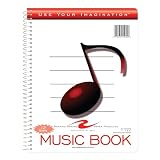
- Music notebook
- 32 sheets of extra-heavy 100# white tag
- 12 stave printing, both sides
- Heavyweight paper resists breakage from erasures
- Snag-proof wire
Shopping ad

- 【Hard cover】 High quality waterproof cover with note design and hard kraft paper back cover
- 【Double-coil binding】 Beautiful and solid, smooth page turning, can be on piano and music stands
- 【Manuscript paper size】7.5" x 10.23" inch / 19*26 cm, beige eye protection paper
- 160 pages staff paper notebook, 10 staves per page, enough space between staves for lyrics
- This music notebook is the best choice for kids, student, songwriter and music lovers to handwritten music notation
Product prices and availability are accurate as of the date/time indicated and are subject to change. Any price and availability information displayed on Amazon at the time of purchase will apply.




