To create a reggae song with AI, prompt for the feel and arrangement you want, generate a vocal or instrumental draft, then revise the parts that miss the groove. Start with a relaxed one-drop drum feel, a rounded bass line and crisp offbeat guitar or keyboard chops. The tools below support song or instrumental generation and editing, but their listed features do not confirm a dedicated reggae mode; check each product’s current options and whether it can produce the reggae style you describe.
Choose A Starting Point
| Tool | Useful Starting Point | What To Check |
|---|---|---|
| Suno | Generate a complete song with vocals, lyrics, instrumentation and production; edit or extend a draft. | Whether your plan supports the edits and exports you need. Stem separation is not included with the Free Plan. |
| Eleven Music | Generate a vocal song or instrumental, then edit sections or use inpainting. | Whether its current genre controls produce the reggae arrangement you want; commercial rights vary by plan. |
| Soundverse AI Beat Maker | Build an instrumental with drums, bass, melodies and arrangement, then work with stems or MIDI. | Whether it offers the export and editing options you need on your plan; its listed features do not establish a reggae preset. |
Write A Reggae Brief Before Generating
Give the model a musical arrangement, not just the word “reggae.” Describe the rhythm section, the offbeat accompaniment, the vocal delivery and the mood. This makes the target more concrete, although a text prompt cannot guarantee that the generated result will follow the style precisely.


Use this as a starting prompt, then adjust it to fit your song:
“Create an original, relaxed reggae song about [subject]. Use a steady one-drop drum feel, a warm, prominent bass line and short, crisp offbeat guitar or keyboard chops. Keep the verses spacious, bring the vocal forward, and make the chorus easy to sing. Use [male, female or instrumental] vocals, an unhurried feel, and a clean arrangement with room between parts. Do not imitate a specific artist or use an existing melody.”
Quick wins for a faster PC:
Clear out junk files and repair common Windows errorsFree Scan →Fix the driver behind crashes, sound loss and screen glitchesFind Drivers →For an instrumental, replace the vocal direction with a lead instrument or melody description. If the result sounds too busy, ask for fewer fills and more space. If the offbeat chops are missing, state that they should repeat clearly through the verses and chorus.
Generate And Refine The Song
- Choose a tool and enter the brief. Use Suno or Eleven Music for a complete vocal song, or Soundverse AI Beat Maker for an instrumental foundation. Check the product’s current controls for reggae or related style choices; none of the listed product details confirms a dedicated reggae setting.
- Listen for the defining parts. Check whether the drums feel steady and relaxed, the bass is present, and guitar or keyboard accents land on the offbeats. Treat these as listening goals, not guaranteed AI features. If one is absent, revise the prompt to name that part and generate another version.
- Fix one problem at a time. If the arrangement is too dense, ask for more space. If the groove feels rushed, describe it as relaxed and steady. If the chorus does not stand out, ask for a clearer contrast between the verse and chorus. Suno supports editing, remixing, extensions and section replacement; Eleven Music supports section editing and inpainting. The listed Soundverse features establish instrumental generation, stems and MIDI editing, but do not specify comparable lyric or section editing.
- Choose a usable ending. Listen through the last section and check whether the song resolves cleanly. If it cuts off or adds an unwanted section, revise or extend it where the tool supports that action. Do not assume that each product offers the same editing controls.
- Export for your next stage. Soundverse lists WAV mixes, separated stems and MIDI exports. Suno lists stem export, with stem separation excluded from its Free Plan. Eleven Music lists stems and MP3/WAV exports. Confirm the export formats and plan limits in the product before building a production workflow around them.
Check Rights Before Sharing Or Releasing
Use only lyrics, recordings, samples and voice references you have permission to use, and do not clone or imitate a real person’s voice without consent. Review the current platform terms for your plan and intended release: Suno’s Free Plan does not include commercial rights; Eleven Music’s commercial rights vary by plan and exclude film, TV and studio games; Soundverse lists commercial licenses for Creator & Pro. These details do not establish that every generated song is cleared for every use.
Quick Recap
Shopping ad

- Reggae-Inspired Design: Features a bold and vibrant Rasta stripe pattern in striking red, yellow, and green, adding an energetic, soulful vibe to your performance. This design brings a sense of rhythm and cultural expression, infusing your stage presence with a lively and dynamic aesthetic
- Heavy-Duty Metal Load-Bearing Buckle: Tested to support over 120kg (265lbs), exceeding industry durability standards
- Durable & Guitar-Friendly: Custom-made top-grain leather ends offer superior strength and long-lasting performance. The double-layer construction and reinforced stitching provide extra support, while the non-buckle, stitched leather ends protect your instrument from damage
- Patented Quick-Fetch Pick Holder: Always have a pick within reach! Comes with three free picks for your convenience
- Secure Cable Management Loop: Prevents accidental disconnection by keeping your cable in place, ensuring uninterrupted performance
Shopping ad
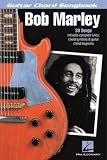
- Lyrics/Chord Symbols/Guitar Chord Diagrams
- Pages: 112
- Instrumentation: Guitar
Shopping ad

- Used Book in Good Condition
Shopping ad
Product prices and availability are accurate as of the date/time indicated and are subject to change. Any price and availability information displayed on Amazon at the time of purchase will apply.




