Make an original, upbeat instrumental with a clear dance pulse, a simple repeating hook, and room for kids to move. Start with Soundverse AI Beat Maker for a full arrangement you can refine with stems or MIDI, or use Mubert to steer a generation with text, mood, genre, and BPM. Treat “kids’ dance music” as a creative brief: the listed product details do not establish a dedicated children’s genre or child-specific controls, so check each vendor’s site for support before relying on those specifics.
What Makes A Kids’ Dance Track Work?
Give the music a pulse children can follow and a hook they can recognize quickly. For a first draft, aim for a steady beat, a bright melodic idea, and a compact arrangement with clear changes between sections. These are production choices for your brief, not guaranteed features of either generator.
| # | Preview | Product | Price | |
|---|---|---|---|---|
| 1 |
|
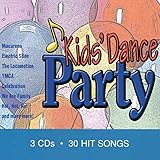
Kids Dance Party | $13.49 | Buy on Amazon |
| 2 |

|
KIDZ BOP Party Playlist! | $12.22 | Buy on Amazon |
| 3 |
|
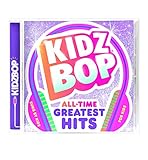
KIDZ BOP All-Time Greatest Hits | $10.39 | Buy on Amazon |
| 4 |

|
KIDZ BOP Greatest Hits | $12.99 | Buy on Amazon |
| 5 |

|
Bluey Dance Mode - CD Digipak | $10.91 | Buy on Amazon |
- Keep the groove easy to move to: choose a BPM you can clap or step along with, then keep it consistent through the main section.
- Make the hook simple: use a short original melody or a small set of notes that can repeat without crowding the beat.
- Leave space: avoid asking for a dense wall of sound; a clear kick, bass, and melody make movement cues easier to hear.
- Set the occasion: say whether this is for a classroom movement break, a party, or a dance routine. That context helps define the energy and mood you want.
How To Make The Track
- Choose an instrumental workflow. For music to dance to without lyric or voice concerns, begin with an instrumental. Soundverse AI Beat Maker is described as generating complete instrumentals with drums, basslines, melodies, and arrangements. Mubert generates tracks from text, mood, genre, and BPM.
- Write a specific prompt. Name the audience, occasion, mood, tempo, and the musical parts you want. For example: “Original instrumental dance music for a children’s classroom movement break; cheerful and playful, steady medium-fast BPM, clear four-on-the-floor kick, warm bass, bright short synth hook, handclap accents, simple repeating arrangement, no vocals, no ominous sounds.” This is a brief to try, not a promise that a product supports every detail or will return a child-specific result.
- Generate a second version with one change. Keep the brief the same and adjust one element, such as a slower BPM or a softer percussion feel. Comparing versions makes it easier to decide whether the tempo or sound palette suits the activity.
- Listen for movement and age fit. Check whether the pulse is easy to follow, whether the hook is clear, and whether any sudden changes, sounds, or intensity feel unsuitable for your audience. If the result is too busy, simplify the next prompt rather than adding more instruments.
- Refine or export for editing. Soundverse lists separated stem and MIDI exports for further editing. Mubert lists editing tools on Pro and Business plans; check the vendor’s site for current plan details and export options before building your workflow around them.
- Test it in the actual activity. Play the draft at the intended volume and try the steps, claps, or movement cues that will accompany it. Shorten or rearrange the track if the activity needs a clearer start or finish; confirm that the chosen product supports the editing you need.
Which Generator Fits This Workflow?
| Tool | What Its Listed Features Support | What To Check |
|---|---|---|
| Soundverse AI Beat Maker | Complete instrumentals with drums, basslines, melodies, and arrangements; WAV mixes, separated stems, and MIDI export. Web, iOS, and Android access are listed. | A dedicated kids’ genre or child-specific prompt control is not established. Its free tier starts with 1,000 tokens upon signup; check the vendor’s site for current limits and terms. |
| Mubert | Track generation from text, mood, genre, and BPM. Pro and Business add editing tools and commercial usage. | A dedicated kids’ genre is not established. The Creator plan is non-commercial, and commercial use starts with Pro; check the vendor’s site for current terms and plan details. |
Handle Rights And Consent Before Sharing
Use an original brief and melody rather than asking for a copy of a named song, character theme, or performer. If you include recorded vocals or other material from a person, get their consent and check the platform’s terms for that material and your intended use. Soundverse lists commercial licenses for Creator & Pro; Mubert lists commercial usage on Pro and Business, while Creator is non-commercial. Check the relevant vendor terms before distributing or monetizing a track.
In the United States, the Copyright Office says material generated entirely by AI is not copyrightable, prompts alone do not make someone the author, and only human-authored parts of a mixed work may be protected. Applicants registering a work with more than a minimal amount of AI-generated material must disclose it and describe the human contribution. Read the Copyright Office’s AI report information.
Quick Recap
Shopping ad
Shopping ad
- Greatest Hits compiles the biggest pop anthems and KIDZ BOP hits
Shopping ad
- KIDZ BOP is the #1 children's music brand! KIDZ BOP's family-friendly new album, KIDZ BOP All-Time Greatest Hits, compiles the biggest hits of this millennium, hits sung by kids for kids
Shopping ad
- KIDZ BOP is the #1 children's music brand! KIDZ BOP's family-friendly new album, KIDZ BOP Party Playlist!, is the perfect soundtrack for your next celebration
Shopping ad
Product prices and availability are accurate as of the date/time indicated and are subject to change. Any price and availability information displayed on Amazon at the time of purchase will apply.




