Recommended Free Tools
You can make a Michael Jackson AI voice cover only if you have authorization to impersonate his voice and the required rights for the song and recording. The listed cover tools describe voice conversion and cover generation, but their supplied information does not establish that any offers an authorized Michael Jackson voice model. Do not treat a model labelled with his name as permission. Spotify says vocal impersonation is allowed on its service only when the impersonated artist has authorized it; check the terms of every service you use and the rules of any platform where you share the result.
What You Need Before You Start
- Voice authorization: Get documented permission for the voice impersonation from an authorized source. The available information does not identify who can grant that permission for Michael Jackson, or describe a licensing process.
- Song and recording rights: Confirm the permissions needed for the composition, lyrics, and any recording or sample you use. The available information does not establish those rights or provide legal advice.
- A permitted voice model: Use a model only if its source and terms permit your intended use. None of the tools below is documented here as supplying an authorized Michael Jackson model.
- A clear use case: Decide whether you are making a private draft or sharing or releasing a track. Check each tool’s current terms for your use before uploading audio or downloading results.
Choose A Workflow That Fits Your Authorized Inputs
| Tool | Supported workflow | Important limit |
|---|---|---|
| HitPaw AI Song Cover | Desktop cover creation from audio, video, or YouTube links, with voice and pitch controls. | Commercial use may require separate authorization or licensing; free usage and downloads are limited. |
| FineShare Singify | Web cover generation with solo, duet, and chorus modes, plus pitch and key controls. | Commercial use is restricted under the service terms; uploads are limited to 20 minutes and 30 MB. |
| RVC WebUI | Self-hosted conversion and model training with pitch controls and batch processing. | Requires local installation, compatible hardware, and technical setup; model knowledge may be needed. |
These are workflow descriptions, not confirmations that a tool has an authorized Michael Jackson voice, accepts a particular rights-cleared source, or grants release rights. Check the vendor’s current site and terms for those specifics.
| # | Preview | Product | Price | |
|---|---|---|---|---|
| 1 |

|
Michael Jackson: The Ultimate Collection | $54.55 | Buy on Amazon |
| 2 |

|
The Essential Michael Jackson | $14.57 | Buy on Amazon |
| 3 |

|
Bad | $9.99 | Buy on Amazon |
| 4 |

|
Thriller | $9.99 | Buy on Amazon |
| 5 |
|
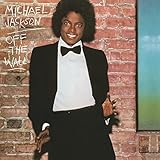
Off The Wall | $9.98 | Buy on Amazon |
Make A Consent-Aware Cover
- Secure permission first. Obtain and save the authorization that covers voice impersonation and your intended use. If you cannot establish authorization, stop before generating an identifiable Michael Jackson voice.
- Clear the musical material. Establish that you may use the song, lyrics, and any source recording or sample. A cover generator’s availability does not itself establish those permissions.
- Choose the source path. If you have a rights-cleared recording, HitPaw AI Song Cover accepts audio, video, and YouTube links for cover creation. FineShare Singify is a web-based alternative with pitch and key controls. If you are building a local workflow and have the required technical setup and an authorized model, RVC WebUI supports conversion and model training. Verify upload rules and input requirements with the vendor before using a source.
- Prepare a performance brief. These tools’ supplied descriptions do not establish text prompting for a Michael Jackson performance. For a human singer or another permitted production stage, use a concrete brief such as: “Keep the melody and lyric timing; use a light, rhythmic lead vocal with crisp consonants, short breathy pickups, controlled high notes, and restrained ad-libs. Leave space for the instrumental accents.” Treat this as direction for the performance, not a claim about a tool’s prompt feature.
- Convert only with the authorized model. Follow the selected tool’s documented workflow and do not upload someone else’s voice or train a model on recordings unless your permission covers that use. FineShare Singify lists custom voice training; RVC WebUI lists training, but neither fact establishes consent for any particular model.
- Review the result before sharing. Check the vocal timing, pitch, intelligibility, and mix against your brief. Add clear AI disclosure where the destination requires it, and check that destination’s current rules before publishing.
Check Platform And Service Terms Before Release
Spotify announced that vocal impersonation on its service is allowed only when the impersonated artist has authorized it. It also announced support for DDEX AI disclosures in credits. Spotify later introduced an “AI Persona” badge for artist identities that may be AI-generated. These announcements do not establish permission to use a particular voice, song, or recording, and they do not grant release rights. Review Spotify’s current requirements and each generator’s terms before distribution.
For a Michael Jackson voice cover, proceed only when authorization and the necessary song and recording permissions are established. The tools listed here offer relevant cover or voice-conversion workflows, but the supplied product information does not verify an authorized Michael Jackson model or a rights pathway for release.
Free tools Windows power users keep installed
One-click scans. No signup required.
Quick Recap
Shopping ad
- Shrink-wrapped
Shopping ad
- Experience the iconic album with digitally remastered audio for enhanced clarity and sound quality.
- Features the classic hit singles "Billie Jean," "Beat It," and the title track "Thriller.
- This release presents Michael Jackson's record-breaking masterpiece with improved audio fidelity.
- Includes timeless tracks that defined pop music and shattered numerous sales records worldwide.
- The album packaging contains the original, celebrated artwork by Michael Jackson.
Shopping ad
Shopping ad
- Shrink-wrapped
Shopping ad
- Shrink-wrapped
Product prices and availability are accurate as of the date/time indicated and are subject to change. Any price and availability information displayed on Amazon at the time of purchase will apply.




