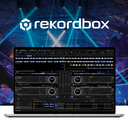
rekordbox
rekordbox.com
- Free plan
- Windows
- macOS
- iPhone and iPad
- Android
What rekordbox is
rekordbox supports DJs through music analysis, library setup, gig preparation, and performance. Cloud Library Sync uploads tracks and playlists to Dropbox for access on multiple devices, while Cloud Analysis is described as shortening track analysis time by up to 35%. The software can split tracks into vocals, drums, bass, and instrumental parts for separate playback. Its iOS and Android apps provide track management and performance features, including DJing on a phone or tablet; compatible controllers connect by USB cable or Bluetooth. rekordbox is also available for macOS and Windows. The Free plan includes basic music-management and DJ features, 1,000 cloud tracks with owner registration or Hardware Unlock, and one synced device. Paid plans vary in computer and synced-device limits; Creative includes 1TB and Professional includes 5TB of Dropbox storage. The maker lists integrations including Beatport, TuneMyMusic, DJ.Studio, PTDJA, pointblank, and FaderPro. Support is available 24/7 through an inquiry form, with no telephone inquiries accepted. The maker has reported a PRO DJ LINK vulnerability involving connected Windows or Mac computers and USB/SD cards, and recommends updating rekordbox and using secure, password-protected Wi-Fi.
Who it suits
rekordbox suits people starting music management or trying DJing, as well as individuals or teams managing music. Its mobile apps and compatible-controller connections may suit DJs who want to perform from a smartphone or tablet.
Good to know, and what to watch
- Free plan includes basic music-management and DJ features
- Cloud Library Sync shares tracks and playlists across devices
- Separates tracks into vocals, drums, bass, and instrumental parts
- Mobile apps support performance and track management
- Free plan limits synced devices to one
- Creative and Professional Dropbox storage uses Dropbox plans
- Support does not accept telephone inquiries
- Maker recommends updating rekordbox and using secure, password-protected Wi-Fi
Plans
Every plan and priceFree
Core
Creative
Professional
Free plan
Getting started
- Open the rekordbox website
- Choose the Free plan or a paid plan
- Install rekordbox on Windows or macOS, or install its Android or iOS app
- Sign up or use owner registration or Hardware Unlock for the Free plan's cloud-track allowance
- Connect a compatible DJ controller to the mobile app by USB cable or Bluetooth
- Use Cloud Library Sync with Dropbox if your plan includes the option
Limits to check
The Free plan includes one synced device and up to 1,000 cloud tracks with owner registration or Hardware Unlock. Core, Creative, and Professional allow installation on up to three, four, and eight computers respectively; their synced-device limits are three, four, and eight, while Dropbox storage is 1TB on Creative and 5TB on Professional.
The Club's review
rekordbox is a DJ platform for organizing music, analyzing tracks, preparing sets and performing on computers or mobile devices. It suits DJs who move between setups, use compatible controllers, or need a library shared through Dropbox. The free tier is a credible starting point, while serious cloud use brings recurring costs and plan-specific device limits.
Overview
rekordbox covers the workflow from music preparation to performance rather than focusing only on mixing. Cloud Library Sync uploads tracks and playlists to Dropbox for access on multiple devices, making it practical to prepare on a computer and perform elsewhere. The trade-off is that cloud storage, synced-device counts and computer installations vary sharply by plan.
The mobile apps extend track management and performance to iOS and Android phones and tablets. Compatible controllers can connect by USB or Bluetooth, so mobile DJing does not have to rely entirely on touch controls. AlphaTheta, the maker headquartered in Yokohama, also provides 24/7 support through an inquiry form, with no telephone support.
Key features
Cloud Analysis is described as shortening track-analysis time by up to 35%. That can reduce preparation time for a large collection, although the value is greatest for DJs who regularly analyze substantial numbers of tracks. Stem separation divides tracks into vocals, drums, bass and instrumental parts for separate playback, giving performers additional control over arrangements.
Four-deck support, DVS and video mixing make rekordbox suitable for more than straightforward two-channel playback. Its partner directory includes Beatport, TuneMyMusic, DJ.Studio, PTDJA, pointblank and FaderPro, which may matter to DJs already using those services.
Security needs attention. AlphaTheta reported a PRO DJ LINK vulnerability that could expose data on connected Windows or Mac computers and USB or SD cards to someone with unauthorized network access. Updating rekordbox and using a secure, password-protected Wi-Fi network are recommended safeguards.
Pricing
The Free plan costs nothing and includes basic music management and DJ features. It allows 1,000 cloud tracks with owner registration or Hardware Unlock and one synced device. This is the sensible entry point for people learning music management or trying DJing, but the track and device caps make it unsuitable for a growing, multi-device library.
Core costs $12 a month, billed at $12 USD/month, or $120 USD/year. It permits installation on three computers per license and up to three synced devices with the Cloud Option. It expands access without the Dropbox allowance bundled into higher tiers, so it fits DJs who need more devices but do not need the largest included storage.
Creative costs $18 a month, billed at $18 USD/month, or $180 USD/year. It covers four computers, four synced devices and a Cloud Option with 1TB of Dropbox storage. That combination suits active solo DJs whose library exceeds the free cap and who want a defined cloud allocation.
Professional costs $36 a month, billed at $36 USD/month, or $360 USD/year. It supports eight computers, eight synced devices and includes 5TB of Dropbox storage. The capacity is aimed at individuals or teams managing substantial collections; for a casual user, the price is difficult to justify.
Platforms
rekordbox runs on Windows and macOS, with Android and iOS apps for mobile management and performance. The maker lists Cloud Library Sync and CloudDirectPlay with Dropbox storage options of 1TB and 5TB through the paid plans. A compatible controller can connect to the mobile apps over USB or Bluetooth.
Who it's for
Beginners should start with Free to learn the workflow without a subscription, provided one device and 1,000 cloud tracks are enough. DJs performing across computers or mobile devices will find Core or Creative more appropriate, depending on whether they need Dropbox storage. Professional is the choice for individuals or teams with many computers, devices and a large cloud library.
It is less suitable for someone seeking a permanently free, unrestricted professional setup, or for users unwilling to manage security updates and protected networks around PRO DJ LINK.
Pros and cons
Pros
- Broad workflow: library management, analysis, preparation and performance are covered in one platform.
- Useful cloud workflow: tracks and playlists can follow you between devices through Dropbox.
- Performance depth: four decks, DVS, video mixing and stem separation support advanced sets.
- Mobile flexibility: Android and iOS apps support DJing on a phone or tablet, with USB and Bluetooth controller connections.
Cons
- Paid expansion is costly: meaningful cloud capacity and higher device limits require monthly or annual subscriptions.
- Free limits are tight: one synced device and 1,000 cloud tracks constrain larger libraries.
- Security upkeep matters: the reported PRO DJ LINK vulnerability requires updating and secure Wi-Fi practices.
- No phone support: customer assistance is through an inquiry form rather than telephone.
Alternatives
djay is a better fit for someone wanting a free download with core mixing features across Android, iOS, macOS and Windows, with an optional PRO subscription for advanced features.
DJUCED suits Hercules-controller owners who want a free four-deck application with MIDI control, streaming, recording, Ableton Link and Rekordbox XML import on macOS or Windows.
DaVinci Resolve is the alternative for video-focused work across Linux, macOS and Windows, with a free version and a paid Studio edition priced at $295 once.
VirtualDJ is worth considering for free nonprofessional use without professional equipment, with paid tiers beginning at $4 a month for entry-level controllers.
L-ISA Studio is a specialist option for immersive headphone mixing and binaural work.
Mixxx is the clearest choice for a completely free, full-version DJ application with no official paid or pro edition, on Linux, macOS and Windows.
Serato DJ Pro offers a subscription-based alternative on macOS and Windows, with plans starting at $11.99 a month.
KLANG:app is a free controller for supported KLANG immersive processors rather than a general-purpose DJ platform.
Browse more options in Audio Mixing Software and DJ Software.
Verdict
Choose rekordbox if you want one ecosystem for library preparation, track analysis, mobile and desktop performance, and Dropbox-backed access across devices. Its strongest advantage is the breadth of that workflow, reinforced by stems, four decks, DVS and video mixing. Look elsewhere if you need a fully free professional setup, simpler pricing, or a platform without the security and network-maintenance considerations attached to PRO DJ LINK.
The verdict
rekordbox covers library preparation, track analysis, and performance across desktop and mobile platforms. Compare the plan limits and review the maker’s security recommendation if using PRO DJ LINK.
Questions people ask
Is rekordbox free?
Yes. The Free plan costs nothing and includes basic music-management and DJ features.
What do the paid plans cost?
Core is $12 a month, Creative is $18 a month, and Professional is $36 a month. Annual prices listed are $120 USD, $180 USD, and $360 USD respectively.
Which platforms support rekordbox?
rekordbox is available for Windows, macOS, Android, and iOS.
Does rekordbox support cloud libraries?
Yes. Cloud Library Sync uses Dropbox to store tracks and playlists across devices. Creative lists 1TB and Professional lists 5TB of Dropbox storage.
Can rekordbox separate stems?
Yes. It can split tracks into vocals, drums, bass, and instrumental parts for separate playback.
How is customer support provided?
The maker says support is available 24/7 through an inquiry form and that telephone inquiries are not accepted.
What the maker publishes
- CloudDirectPlay
- CloudDirectPlay can perform from cloud libraries on CDJ-3000X, CDJ-3000, XDJ-AZ, OMNIS-DUO and OPUS-QUAD hardware. source
- Cloud provider
- Cloud Library Sync and CloudDirectPlay use Dropbox storage, with 1TB and 5TB options shown in the plans. source
- Cloud storage
- Professional includes 5TB Dropbox storage, while Cloud Option provides 1TB Dropbox storage. source
- Company facts
- LinkedIn lists AlphaTheta Corporation as privately held, founded in 2015, headquartered in Yokohama, with 201–500 employees. source
- Desktop requirements
- Current desktop builds support Windows 10/11 and macOS Ventura 13 through Tahoe 26, require at least 8GB RAM and 2GB free disk space. source
- Developer extensibility
- The public developer guidance documents importing playlists and metadata through a supported XML format; no public REST API or SDK is described there. source
- Documentation
- Official downloads link to instruction, cloud sync, CloudDirectPlay, lighting, editing, video, DVS, MIDI, USB export and PRO DJ LINK guides. source
- Hardware
- A compatible DJ controller can connect to the mobile app by USB cable or Bluetooth. source
- Headquarters
- Yokohama, Kanagawa, Japan source
- Integrations
- The maker's partner directory lists Beatport, TuneMyMusic, DJ.Studio, PTDJA, pointblank, and FaderPro. source
- Intended users
- The Free plan is presented for people starting music management and trying DJing, while Professional is described for individuals or teams managing music. source
- Library management
- Cloud Library Sync lets users upload tracks and playlists to Dropbox and access them from multiple devices. source
- Library management
- The software supports playlists, playlist folders, collection filtering, column view, playlist search and track compatibility checking. source
- Licence
- The EULA grants a limited, personal, non-exclusive, non-transferable licence and prohibits copying, reverse engineering and redistribution. source
- Limit: hardware dependence
- Violet Recording considers rekordbox less compelling for rival hardware or users who dislike subscriptions. source
- Limit: interface complexity
- Independent reviewers repeatedly describe the interface as cluttered, hectic or filled with tiny controls. source
- Limit: mobile reliability
- Google Play reviewers report beat-sync errors, random volume changes, crashes and controller connection failures after updates. source
- Limit: performance speed
- DeeJay Plaza reports slow startup, sluggish response and comparatively slow analysis of large libraries. source
- Limit: streaming restrictions
- The official FAQ says streaming tracks cannot be recorded, exported to USB or loaded to connected devices through PRO DJ LINK. source
- Limit: subscription model
- Violet Recording says subscription pricing frustrates DJs who preferred a one-time purchase. source
- Maker ownership
- AlphaTheta Corporation states that rekordbox is one of its brands and that AlphaTheta belongs to the Noritsu Koki group. source
- Mobile apps
- The iOS and Android apps provide performance and track management features and can be used to DJ on a smartphone or tablet. source
- Mobile requirements
- The mobile app lists iOS/iPadOS 17, 18 and 26, and Android 13 through 16 as compatible versions. source
- Performance
- Performance mode supports DJ equipment control, mouse or keyboard operation, tempo, cueing, loops, effects and deck playback. source
Checked against the maker's pages on 15 Oct 2026.