An AI beat is “copyright-free” only in a limited sense: that phrase can mean either that copyright does not protect the AI-generated music, or that a license lets you use the beat without paying ongoing royalties. Those are different things. In the United States, music generated entirely by AI is not copyrightable under the U.S. Copyright Office’s stated position; a prompt alone does not make you its author. Human-authored parts of a mixed work may be protected, and registration applications must disclose more than a minimal amount of AI-generated material and describe the human contribution. U.S. Copyright Office AI report.
What “Copyright-Free” Means For An AI Beat
For a producer, rapper, video editor, or game creator, the useful question is usually whether the beat can be used in a particular release, monetized, edited, or distributed under the service’s terms. “Royalty-free” generally describes a license that avoids ongoing royalties for permitted uses; it does not by itself establish that the music has no copyright, that nobody else can use a similar output, or that every use is allowed.


Keep two questions separate: what copyright may protect, and what the service contract permits. A paid plan may grant commercial-use rights even when copyright protection for wholly AI-generated material is uncertain or unavailable. Conversely, a beat described as royalty-free may still have limits in its plan terms. Check the current terms for the exact output and intended release.
Beat-Making Services With Relevant Rights Information
These services have stated beat, instrumental, or loop relevance and some rights information. The statements below are not interchangeable guarantees: review the linked service and plan terms before release.
Recommended Free Tools
Shopping ad
| Service | Beat-Relevant Fit | Stated Rights Information |
|---|---|---|
| Soundverse AI Beat Maker | Generates complete instrumentals; its page names trap, drill, boom-bap, EDM, and lo-fi, with tempo, key, and mood control. | The page says beats are royalty-ready and a commercial license is available. The supplied details do not establish which plan grants it; check the current terms. |
| BeatJam | Names trap, drill, boom bap, lo-fi, house, and phonk among its styles. | Free tracks are for personal projects with BeatJam credit; paid plans include commercial rights and no attribution, according to its page. |
| Beat Shaper | Creates editable MIDI loops from prompts and focuses on electronic styles including techno, house, drum & bass, hip-hop, and trance. | Its page says Starter is personal and non-commercial; Creator and Producer include commercial use. It also says the system uses a custom licensed dataset. |
| SimpleLofi | Focused on lo-fi beats. | It claims its beats are copyright-free and safe for monetization across platforms. The supplied information does not detail the license terms; check the service’s current terms for your use. |
| Suno | Can generate a song or an instrumental; its supplied product details describe a broad music workspace rather than a beat-specific genre focus. | The supplied details say the Free Plan does not include commercial rights and paid subscriber creations have commercial-use rights. Check the terms attached to your plan and track. |
| Loudly | Generates tracks in hip-hop, trap, lo-fi, and other styles; it is a broad music toolkit, not a beat-only service. | Its page describes original, royalty-free, commercially licensed music, while supplied plan details say licensing rights depend on plan terms. Check the plan terms for the track. |
Build A Beat You Can Explain And Use
- Choose the musical job. Specify whether you need a vocal-ready rap beat, a lo-fi background loop, or an electronic groove. The supported style lists above establish some genre fit, but they do not establish every subgenre, tempo, structure, or production control for every service.
- Write a production prompt in musical terms. For example: “Dusty boom-bap instrumental, restrained drums, warm bass, sparse keys, leave room for a rap verse.” Or: “Lo-fi study beat, soft drums, mellow chords, steady background groove.” These are prompt examples, not guaranteed outputs or verified service controls. Soundverse’s page specifically describes prompting with a vibe and offers tempo, key, and mood controls; for other services, check whether the controls you need are available.
- Make a human contribution you can identify. If you add or substantially arrange your own parts, keep the project files and notes showing what you wrote, played, edited, or arranged. A prompt alone does not make the user the author under the Copyright Office’s stated position; human-authored contributions are the part that may qualify for protection.
- Confirm the exact license before publishing. Save the plan name, applicable terms, and a copy or record of the license information for the generated track. Verify that your intended use—such as a monetized video, client project, game, or commercial release—is covered.
- Check the finished beat for borrowed identity or material. Do not assume that an output is clear for release just because it is AI-generated or called royalty-free. If it imitates an identifiable performer, uses a voice, cover, or sample, check consent and the service’s terms for that material.
What A License Does Not Settle
A provider’s claim about licensed training material can inform how it describes its process, but it does not itself establish the copyright status of a particular output. Likewise, a commercial-use license answers a service-permission question; it does not turn wholly AI-generated material into human-authored, copyrightable music under the Copyright Office’s position.
Distribution rules also matter. Spotify says vocal impersonation is allowed only when the impersonated artist authorizes it, and it supports AI disclosures in credits. YouTube requires disclosure for realistic altered or synthetic content that could be mistaken for a real person’s performance; its inauthentic-content policy targets mass-produced, repetitive, or template-based uploads rather than AI use as such. Check the current platform rules when uploading. Spotify policy announcement; YouTube policy clarification.
Quick Recap
Shopping ad

- Wide Staff Manuscript Paper
- Perfect for Students
- 32 8–1/2'' x 8–1/2''
- Six Staves per Page
- 32 Pages
Shopping ad
Shopping ad
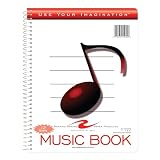
- Music notebook
- 32 sheets of extra-heavy 100# white tag
- 12 stave printing, both sides
- Heavyweight paper resists breakage from erasures
- Snag-proof wire
Product prices and availability are accurate as of the date/time indicated and are subject to change. Any price and availability information displayed on Amazon at the time of purchase will apply.




