The Tool Desk
Outbyte Driver Updater FREEFix the driver behind crashes, sound loss and screen glitchesFind Drivers →Outbyte PC Repair FREERepair Windows errors before they cause bigger problemsFix Now →For a game-audio prototype, start with a short instrumental cue that can sit under gameplay without competing with sound effects or dialogue. Use Soundverse AI Beat Maker to generate an arranged instrumental, then export its mix, stems, or MIDI for further editing. Treat the result as a draft: the supplied product details do not establish loop-point controls, game-engine integration, or support for any particular game genre, so check those specifics before building a pipeline around them.
What A Gameplay Prototype Cue Needs
A prototype cue should communicate a mood while leaving room for player actions. For exploration, combat, a menu, or a pause screen, choose a distinct musical identity and ask for an instrumental texture that does not depend on lyrics. Keep the prompt focused on instrumentation, energy, and arrangement; those are useful creative directions, not guaranteed genre or loop features.
| # | Preview | Product | Price | |
|---|---|---|---|---|
| 1 |

|
The Greatest Video Game Music | $21.16 | Buy on Amazon |
| 2 |

|
Sable (Original Video Game Soundtrack) | $16.24 | Buy on Amazon |
| 3 |

|
Amelia Bedelia CD Audio Collection (I Can Read Books: Level 2) | $13.97 | Buy on Amazon |
| 4 |
|
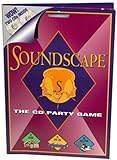
Soundscape - CD Party Game | $39.99 | Buy on Amazon |
| 5 |

|
The Greatest Video Game Music | $22.99 | Buy on Amazon |
Decide how the cue will be used before generating it. A continuous background bed, a short transition, and a combat stinger have different timing needs. The listed tools do not establish that any product creates seamless loops or cues to an exact duration. Plan to inspect and edit timing in a separate audio workflow if the prototype requires precise boundaries.
Choose A Generation And Editing Route
These options have supported capabilities relevant to assembling or refining prototype music. A DAW is an editing environment, not an AI music generator; combine it with a generator only if that matches your workflow.
Shopping ad
| Tool | Relevant supported capability | Prototype use |
|---|---|---|
| Soundverse AI Beat Maker | Generates complete instrumentals; exports WAV mixes, separated stems, and MIDI; web, iOS, and Android access | Generate an arranged cue and take parts into a further editing workflow |
| Eleven Music | Generates instrumental tracks; supports section editing, stems, and MP3/WAV exports | Generate and revise a cue section, then export audio or stems |
| Ableton Live | DAW with multitrack audio, MIDI, warping, video sync, and third-party plug-ins | Arrange and edit generated material against prototype footage |
| FL Studio | DAW with pattern-based production, Playlist arrangement, recording, mixing, and video sync | Build and revise a cue from patterns or imported audio |
| Cakewalk Next | Free DAW with unlimited tracks, audio recording, MIDI editing, sampling, and time stretching | Arrange and edit audio or MIDI on Windows or macOS |
Soundverse lists a Free Tier with 1,000 tokens upon signup. Eleven Music lists a Free plan limited to personal use and browse-only Marketplace access; its paid plans start at $6 per month, but the supplied details say commercial rights vary by plan and exclude film, TV, and studio games. That exclusion makes Eleven Music a poor fit for a commercial game prototype unless the vendor confirms the intended use is covered. For any tool, check current terms for your project and the intended distribution.
Generate A First Gameplay Cue
- Write down the gameplay context. Record the scene, the intended mood, whether the player is exploring or under pressure, and what must remain audible above the music.
- Choose an instrumental direction. Name a small set of instruments or sound sources and describe their roles, such as a low pulse for motion and sparse high notes for tension. Avoid naming a specific game soundtrack as a reference.
- Prompt for arrangement, not unsupported controls. In Soundverse, try: “Instrumental background cue for a quiet sci-fi exploration prototype; restrained electronic pulse, soft low synth, sparse glassy high notes, gradual energy, no vocals, leave space for footsteps and interface sounds.” This is a prompt example, not a claim that the product guarantees those characteristics.
- Generate a contrasting variation. Change one musical dimension at a time, such as making the pulse busier or the texture darker. Compare how each version supports the same gameplay moment.
- Export for iteration. Soundverse supports WAV mixes, separated stems, and MIDI export. Choose the format that suits the next edit; the listing does not establish a game-engine-ready package or direct engine export.
- Check the cue against play. Listen while the relevant gameplay, effects, and dialogue are active. Adjust levels and arrangement in an editor if the music masks important information.
Refine Timing And Structure In A DAW
For a timeline-based pass, import the generated material into Ableton Live, FL Studio, or Cakewalk Next. Ableton Live supports warping and video sync; FL Studio supports video sync; Cakewalk Next supports time stretching. These capabilities can help you align and edit audio, but the listed facts do not establish seamless looping or automatic adaptive-music authoring.
Shopping ad
- Set the cue beside a representative gameplay capture. Use video sync where available, or align the audio and capture manually in the DAW.
- Mark the useful section. Find an opening and ending that fit the prototype moment. If you need a seamless loop, audition the boundary and edit it yourself; no listed generator promises a loop-ready result.
- Test the arrangement in context. Check whether low-frequency elements compete with effects and whether busy passages obscure dialogue or interface feedback.
- Keep alternate intensity versions organized. Make separate edits for distinct gameplay states only if the prototype needs them. The supplied tool facts do not establish automatic state-based transitions.
Check Rights And Delivery Before Sharing
Rights depend on each product’s plan and terms. Soundverse lists commercial licenses for its Creator & Pro plans, while its Free Tier is described as 1,000 signup tokens; confirm the applicable license and permitted use with the vendor. Eleven Music’s supplied details say commercial rights vary by plan and exclude studio games. If a cue includes a voice, cover, or reference audio, get consent for material you provide and check the platform’s terms for generated output and source material.
Before placing a cue in a build, verify the export format, sample-rate requirements, loop behavior, and engine import steps for your actual target. Those technical details are not established in the product information here. Keep the source project and exported files together so you can revise the cue as gameplay changes.
Free tools Windows power users keep installed
One-click scans. No signup required.
Quick Recap
Shopping ad
Shopping ad
- Think you've got a keen ear for everyday sounds? Guess the sounds from CDs packed with noise tracks.
- No waiting your turn - everyone plays every round!
- A fun party game, unlimited players! A great game to take on car trips and on vacation too!
- Includes 2 CDs with over 200 sounds, game pad and instruction sheet.
- For 1 of more players. Ages 8 to Adult.
Shopping ad
Product prices and availability are accurate as of the date/time indicated and are subject to change. Any price and availability information displayed on Amazon at the time of purchase will apply.




