The Tool Desk
Outbyte PC Repair FREERepair Windows errors before they cause bigger problemsFix Now →Outbyte Driver Updater FREEFix the driver behind crashes, sound loss and screen glitchesFind Drivers →To create basso profondo vocals with AI, start with a melody that sits low and comfortably for the intended voice, then generate or synthesize the vocal and refine its pitch, timing, pronunciation, and timbre. The listed tools support singing generation or vocal editing, but none specifically confirms a basso profondo voice or guarantees that its output reaches that vocal type’s lowest register. Treat the result as a draft: listen for a convincing low register and check the chosen voice’s range before building the arrangement around it.
Choose A Workflow That Fits Your Starting Point
- Starting from lyrics or MIDI: LyricToMelody AI generates melodies and sung drafts from lyrics or MIDI. Its custom singing-voice training uses uploaded or recorded vocals, and it exports MIDI, audio, and separate stems. It is a web application. The listed information does not establish basso profondo presets or a guaranteed low range.
- Starting from a score or MIDI and wanting detailed edits: Synthesizer V Studio 2 Pro provides synthesized-vocal editing for pitch, timing, pronunciation, timbre, and expression, with MIDI support. It runs on Windows and macOS. Its listed information does not confirm a basso profondo voice or a particular voice’s usable range.
- Starting with lyrics or MIDI and wanting a singing-production toolkit: ACE Studio generates singing from MIDI and lyrics, supports custom singing-voice cloning and vocal-to-MIDI conversion, and offers separate-track rendering. Check its voice-specific licensing terms: paid-plan licensing has exceptions tied to voice and feature.
For any of these, check the vendor’s current voice list, range information, plan details, and terms before choosing a voice or committing to a release. The available product information does not establish that any one of them can produce this exact subgenre on demand.
Build The Vocal In Five Steps
- Write for the low voice. Choose a short phrase with vowels that remain clear when sustained, and avoid packing many syllables into the lowest notes. A useful test line is: “Deep bells call through the winter hall.” This is a lyric example, not a claim about a tool’s output.
- Make a melody before generating the full part. Use a few notes in a comfortable low area, then add modest movement into the middle of the singer’s range. Keep the melody’s lowest note within the selected voice’s documented range; if the vendor does not publish that range, audition the note rather than assuming it will render well. Avoid treating a low MIDI note as proof that the resulting vocal will sound like a basso profondo.
- Generate a short draft from lyrics or MIDI. In LyricToMelody AI or ACE Studio, enter the phrase or provide the MIDI and generate a brief passage. Try a descriptive direction such as: “Solo basso profondo character, dark and resonant, measured legato phrasing, clear consonants, sustained final vowel, restrained vibrato.” This is a creative brief to try, not a verified prompt format or guaranteed control. If the tool ignores the voice description, choose a suitable listed voice or move to a workflow with explicit voice controls.
- Correct the notes and words. In Synthesizer V Studio 2 Pro, edit pitch and timing around the MIDI, then adjust pronunciation, timbre, and expression to suit the phrase. In the other tools, use only the controls they provide and check the rendered audio; the listed facts do not establish a specific low-register control in either product. Listen especially for notes that sound strained, thin, unstable, or unclear, and raise or rewrite those notes rather than forcing the phrase lower.
- Render and review in context. Export the vocal or separate stems where the tool supports them, then listen beside the accompaniment at the intended playback level. Confirm that the words remain intelligible, sustained notes feel steady, and the low part has room in the arrangement. If a note disappears into the mix, first try changing the melody or accompaniment; do not assume that increasing low frequencies will restore a missing vocal fundamental.
Use A Recorded Singer As The Source
If you already have a singer performing the part, keep that performance as the musical source and use a voice-conversion workflow only when you have a suitable, authorized target voice. LyricToMelody AI supports training a custom singing voice from uploaded or recorded vocals. ACE Studio lists singing-voice cloning, while the details of which voices and features are covered by a plan’s license vary. Neither listing establishes that conversion will preserve a basso profondo’s low notes accurately; compare the converted output with the original and correct any unstable or unnatural passages.
Check Consent And Release Terms
Use a recording or cloned voice only with the singer’s permission, and check each platform’s current terms for voice use and release rights. LyricToMelody AI states that commercial rights are included on paid plans; its free plan is not listed as including them. ACE Studio’s paid-plan licensing has voice- and feature-specific exceptions, so confirm the applicable terms for the voice and feature you use before release.
Quick Recap
Shopping ad
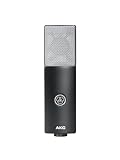
- Large-diaphragm Condenser Cardioid Microphone
Shopping ad

- A condenser microphone designed and priced for home recording
- Features an 18mm aluminum diaphragm with a cardioid pickup pattern that sounds great on anything from vocals to acoustic instruments
- Internal circuitry is optimized to reduce noise and distortion while retaining rich, full sound quality
- With a maximum sound pressure rating of 136dB SPL, you can safely use the TM-80 with guitar amps, drums and other loud instruments
- Included with the TM-80 are a tabletop stand, six-foot XLR cable, and a elastic shockmount to reduce rumble and noise during recording
Shopping ad

- Affordable professional-quality condenser microphone
- Perfect for both large and home-based studios
- Rugged, reliable construction
- Cardioid polar pattern
- Includes shock mount and XLR cable
Shopping ad

- The price/performance standard in side address studio condenser microphone technology
- Ideal for project/home studio applications
- High SPL handling and wide dynamic range provide unmatched versatility
- Custom engineered low mass diaphragm provides extended frequency response and superior transient response
- Cardioid polar pattern reduces pickup of sounds from the sides and rear, improving isolation of desired sound source.
Shopping ad

- COMPLETE VOCAL SETUP: shock mount, pop filter and XLR cable included, add an interface and record
- THE SOUND OF HIT RECORDS: the legendary NT1 large-diaphragm condenser voicing trusted in studios for two decades
- WHISPER-QUIET: among the lowest self-noise microphones ever made, nothing between you and the take
- BUILT FOR VOCALS AND STREAMS: tight cardioid pattern focuses on the voice, rejects the room
- IN THE BOX: NT1 Signature (Black), SM6 shock mount with pop filter, XLR cable and dust cover
Keep The Low Part Convincing
- Favor a melody that stays comfortably low over one that repeatedly presses at the bottom of the voice’s range.
- Keep long notes on vowels that remain understandable, and make consonants clear at phrase starts and ends.
- Audition the vocal alone and with the arrangement; a low note that seems audible in isolation may be hard to follow in context.
- Save the MIDI or editable project alongside the render when available, so you can revise the notes if the selected voice handles the low passage poorly.
Product prices and availability are accurate as of the date/time indicated and are subject to change. Any price and availability information displayed on Amazon at the time of purchase will apply.




