Free tools Windows power users keep installed
One-click scans. No signup required.
The Geeks Club is reader-supported. When you buy through links on our site, we may earn an affiliate commission. As an Amazon Associate I earn from qualifying purchases. Learn more
There is no independently proven single “best” AI thumbnail creator in 2026. The right choice depends on how you work: Canva and Adobe Express generate images from prompts and then hand you an editor; vidIQ can start with a description, video file, or YouTube URL; and Pikzels combines thumbnail creation with title packaging, analysis, and iteration. Vendor pages make performance-oriented claims, but no controlled independent comparison establishes which service produces the highest click-through rate. Use the ranked guide below to match your input, editing needs, brand workflow, and rights requirements.
At a glance
| Name | Best for | Key spec | Checked |
|---|---|---|---|
| Canva AI Thumbnail Maker | Prompt generation followed by hands-on design refinement | Generate, refine with prompts, then continue in Canva’s editor | Nov 2026 |
| Adobe Express AI Thumbnail Generator | Prompted images plus templates, brand assets, and editing | Firefly-powered generation; Adobe says four results appear | Nov 2026 |
| vidIQ AI Thumbnail Maker | Creators starting from existing footage or a YouTube link | Accepts a description, video, or YouTube URL; 1280 × 720 PNG export | Nov 2026 |
| Pikzels | YouTube packaging and repeated thumbnail/title iteration | Generation, recreation, analysis, title generation, and model-dependent credits | Nov 2026 |
What should you expect from an AI thumbnail creator?
These services automate part of thumbnail production, but they do not remove the need for editorial judgment. A useful workflow still involves choosing a clear subject, checking small-screen readability, correcting faces or text, and exporting to YouTube’s required format. The biggest differences are the starting input and what happens after the first image appears.
General shopping ads
- Prompt-first tools: You describe the scene, mood, subject, and text treatment. Canva and Adobe Express then let you refine or edit the result.
- Footage-first tools: vidIQ says you can upload a video or paste a YouTube URL, which is useful when the thumbnail should reflect an existing episode.
- Packaging platforms: Pikzels presents thumbnails and titles as a connected workflow, with recreation, analysis, and iteration rather than a single image generation step.
- Editor depth: Templates, brand kits, layers, typography, and manual adjustments determine how much cleanup you can do after generation.
AI-generated lettering, faces, hands, logos, and product details can still require correction. Treat the first output as a draft, not a finished promise of higher click-through performance.
What’s actually slowing this PC down?
Pick the symptom - the matching free tool is one click away.
1. Canva AI Thumbnail Maker: best all-in-one prompt-to-editor workflow
Who it is for: Creators who want to generate a concept with text prompts and then keep refining it inside a familiar design editor.
Shopping ad
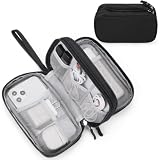
- Dimensions: 7.5" x 4.3" x 2.2". Compact size and lightweight make it easy to carry and put into your backpack, handbags or laptop bag without taking much space. Suitable for family use and daily organization. Note: Small mesh pockets are ideal for charging cords no longer than 3ft; longer cables (over 3ft) fit better in the larger compartments
- Quality Material: This electronic organizer travel case made of high quality durable waterproof oxford and soft sponge inside to secure your gadgets in place and deliver a quick access whenever you want. Water-resistant fabric protects your gear from unexpected splashes, keeping all your electronic essentials safe and secure
- Double Layers Design: This tech pouch features a double-layer interior design with 8 compartments, including multiple see-through mesh pockets and ample space to store your cords, cables, USB drives, cellphone, charger, mouse, flash drive and more, keeping all accessories neatly organized and tangle-free
- Practical and Convenient: Comes with a comfortable hand strap for easy carrying; You may carry it in your hand when heading out. Durable and smooth zipper closure keeps your favorite device securely, convenient for you to have quick access to the items inside the case
- Portable and Lightweight: The small size and lightweight design durable cable organizer pouch is a perfect choice when going on holiday, business trip, travel, office. Enjoy hassle-free travel without wasting time on tangled accessories. Great gift for yourself also a nice share with families and friends. (No include cords, electronic accessories)
What it does: Canva describes a workflow in which you enter a prompt, generate a thumbnail, refine it with additional prompts, and then edit or save the result in Canva. That combination is useful when the AI image is only the starting point and you need to add readable headline text, logos, overlays, or other layout changes.
Standout features
- Prompt refinement: You can continue describing changes instead of restarting from scratch.
- Editor handoff: The generated image moves into Canva’s broader editing environment for manual design work.
- Commercial-use language: Canva says generated images may be used for personal or commercial projects when you follow its AI Product Terms and Terms of Use.
- Non-exclusive output: Canva warns that generated content may not be unique to you and that you are responsible for deciding whether it is suitable and properly permitted.
Suggested workflow
- Describe the video’s subject, emotion, setting, and intended audience in one prompt.
- Generate several concepts and select the one with the clearest focal point at a small size.
- Use a follow-up prompt to change composition, color, expression, or background.
- Open the result in Canva’s editor and add the final title, channel marks, and contrast adjustments.
- Check that any recognizable person, logo, or source image is permitted before publishing.
Access and plan note: Canva’s thumbnail page does not establish a fixed 2026 price in the supplied material. Account access, AI allowances, and plan terms can change, so check the linked service page before committing to a production workflow.
Limits: Canva’s commercial-use statement is not a guarantee that every generated element is cleared, exclusive, or safe for every use. The tool also does not provide independent evidence that its thumbnails outperform alternatives.
Do these 3 things before closing this tab:
1Clear out junk files and repair common Windows errors2Scan for outdated or missing drivers - takes under a minute3Repair Windows errors before they cause bigger problemsSee Canva’s AI Thumbnail Maker.
2. Adobe Express AI Thumbnail Generator: best for templates and brand consistency
Who it is for: Channels that want prompt-generated imagery but rely on templates, brand assets, and repeatable layouts for a consistent look.
What it does: Adobe describes a Firefly-powered AI thumbnail generator and a separate YouTube thumbnail editor. Its generator produces four results, after which you can continue editing. The YouTube editor page emphasizes templates and brand-kit support, making this a two-part workflow: create a visual concept, then fit it into a reusable channel design.
Standout features
- Four generated options: Adobe says the prompt experience displays four results, giving you a small set of directions to compare before editing.
- Firefly-powered generation: The image-creation step is tied to Adobe’s Firefly system.
- Template workflow: The dedicated YouTube editor provides ready-made layouts for title placement and composition.
- Brand-kit support: Brand assets can be carried into repeated thumbnail work so colors, logos, and typography stay consistent.
Suggested workflow
- Write a prompt that names the main subject, visual style, lighting, and space needed for your headline.
- Review the four generated results and choose the one whose subject remains obvious when reduced.
- Continue into Adobe Express editing rather than relying on generated text inside the image.
- Apply a YouTube thumbnail template, then add your channel’s brand assets and final headline.
- Export a clean version and inspect it at the size viewers will see in feeds and search.
Access and plan note: Account, credit, and plan requirements can change. Adobe’s current generator and editor pages are the appropriate places to confirm what access is available to you at publication time.
Limits: Four variations are a starting set, not a quality guarantee. You still need to correct typography, check faces and objects for artifacts, and make sure any imported brand or third-party material is authorized.
Shopping ad

- 【UPGRADED LAPTOP CLEANING KIT 】 The macbook cleaning kit computer screen cleaner comes with a number of accessories including a retractable large brush, polishing cleaning cloth X 2, keycap puller, metal pen tip, flocking sponge, thin soft brush, soft plastic lens cleaning pen, 5 replacing cloth, large cleaning microfiber cloth. You deserve the comprehensive computer cleaning kit keyboard vacuum at a low cost
- 【PROFESSIONAL KEYBOARD CLEANING KIT】 The laptop screen cleaner keyboard cleaner can pull out the keycaps of gaming keyboards and mechanical keyboards. A retractable keyboard brush works on laptops and keyboards, while the mini high-density brush is great for deep cleaning between keys for cleaning between flatter keys on a laptop, the metal pin tip gently removes any stains. This electronic cleaning kit macbook cleaner totally meets professional cleaning needs
- 【OFFICE DESK ACCESSORIES】This keyboard cleaner kit is easy to use and can clean your keyboard and electronic screen with just one swipe. Wiping with the 2mm thicken widen polishing cleaning cloth designed at a right angle for better fitting screen corners of computers with our recyclable cleaning spray, The laptop cleaner kit for macbook effectively absorbs stubborn stains, leaves no discoloration, no streaks, and no fiber shedding on the screens
- 【MULTIFUNCTIONAL TOOLS 】Mini soft brush and soft plastic lens cleaning pen are specially designed for DSLR camera screen, lens, and other delicate surfaces. 5 more cleaning cloths of it supplied for replacement. The flocking sponge is an excellent tool for cleaning earbuds charging cases, And the earbud cleaning kit is ideal. This electronics for college students is equivalent to 10 other electronic cleaning kit
- 【PORTABLE DESIGN & CLEANER TOOL】 The office supplies is compact in design, easy to carry, and you can easily take it anywhere. It's convenient to keep one in a drawer, one in your car, or in your bag and dorm. It is easy to use and can clean your keyboard and electronic screen with just one swipe. Is the college essentials cleaning tool for your friends, family, colleagues and students
See Adobe Express’s AI generator and YouTube thumbnail editor.
3. vidIQ AI Thumbnail Maker: best when you want to start from a video or YouTube URL
Who it is for: YouTube creators who already have footage or a published link and want the thumbnail workflow to begin with that material instead of a blank canvas.
What it does: vidIQ says its AI Thumbnail Maker accepts a description, a video file, or a YouTube URL. It also describes prompt-led edits and HD downloads, with a documented 1280 × 720 PNG export. Starting from existing footage can reduce the gap between what happens in the video and what the thumbnail promises.
Standout features
- Multiple starting inputs: Choose a written description, upload a video, or provide a YouTube link.
- YouTube-centered flow: The product is presented specifically around thumbnail creation for YouTube videos.
- Prompt-led revisions: You can ask for changes after the initial concept rather than rebuilding every element manually.
- Documented export: vidIQ lists a 1280 × 720 PNG output, a standard size for YouTube thumbnails.
- Free-use statement: vidIQ’s FAQ says, “Yes. The AI thumbnail maker is free to use.” The same page describes account sign-up and HD downloads.
Suggested workflow
- Choose the input that best represents the episode: a description for a planned video, a file for an unpublished edit, or a URL for an existing upload.
- Describe the audience promise and the single moment viewers should understand immediately.
- Review the generated concept for accuracy against the actual footage.
- Use prompt edits to remove irrelevant objects, change emphasis, or improve contrast.
- Download the 1280 × 720 PNG and check the final design in YouTube’s upload interface.
Access and plan note: The product page states that the AI thumbnail maker is free to use. Sign-up and download requirements can change, so confirm the current account flow on vidIQ’s page.
Recommended Free Tools
Limits: “Click-optimized” language and references to performance data on the product page are vidIQ’s own claims, not an independent benchmark. The tool can suggest a visual direction, but it cannot verify that the chosen image accurately represents every important moment in your video.
See vidIQ’s AI Thumbnail Maker.
4. Pikzels: best for a specialist thumbnail-and-title iteration loop
Who it is for: Creators who want thumbnail creation connected to title ideas, recreation of an existing design, analysis, and repeated iteration.
What it does: Pikzels describes a prompt-to-thumbnail workflow that includes thumbnail and title generation, recreation, analysis, and iteration. This makes it less of a one-off image generator and more of a packaging workspace for developing several concepts around the same video.
Shopping ad

- Compatible Space: This electronics organizer bag features 2 zippered mesh pockets fits phones, standard power banks, 4 elastic loop pouches for small items, 2 elastic loop pouches for wireless headphones and small chargers. Elastic loops for phone charging cable. And specific slots for SD cards. Please check the size to ensure it meets your needs
- Lightweight Travel Accessories: The size of the electronic organizer travel case is 10.6" L x 7.5" W x 1.2" H, Compact but substantial size fits your intended bag or space. Suitable for traveling use and daily organization
- Keep Everything Organized: This compact travel organizer features dedicated compartments for your phone charger, cables, and tech accessories, keeping them tangle-free and ready to go. You can find travel accessories quickly, no chasing cords in your pack anymore
- Durable Travel Essentials: Features double zippers for easy access, elastic loops with non-slip grips for daily protection. Organizer for office use and traveling, (Not including cords, electronic accessories). It can serve as a travel checklist. Before you leave a place, just open the case and check if everything is there, preventing you from leaving things behind
- Versatile Use: Its practicality and convenience make it a travel essential bag. It is suitable for a weekend trip, business trip, and travel. This organizer pouch is suitable for office, business, daily use and can be given as a gift for friends, family, or men, for birthdays, Valentine's Day, Christmas Day, Father's Day
Standout features
- Thumbnail generation: Create a concept from a prompt.
- Recreation: Rebuild or reinterpret an existing thumbnail as part of a new package.
- Analysis: Review a design within the service’s packaging workflow.
- Title generation: Work on the headline alongside the image rather than treating copy as an afterthought.
- Iteration: Continue refining concepts as the package develops.
Credit and workflow considerations
Pikzels says actions consume credits and that thumbnail cost varies by model. That means the practical cost of experimenting depends on which operations and models you choose, not simply on the number of finished thumbnails. Review the current credit rules before planning a high-volume batch.
- Start with the video idea and the audience promise.
- Generate a thumbnail and title combination instead of judging the image in isolation.
- Use recreation when you need to adapt an existing visual direction.
- Run the available analysis step, then revise the weakest element: subject clarity, contrast, emotion, or wording.
- Track which version is attached to which upload so later performance data is not confused with the generator’s claims.
Access and plan note: Credit use varies by action and model, while current plan prices and availability can change. Use Pikzels’ current product page for the applicable credit schedule.
Limits: Pikzels’ performance-oriented language is vendor-authored. The documented workflow does not independently prove that its recommendations or generated packages will increase click-through rate.
See Pikzels’ prompt-to-thumbnail features.
How do I choose the right AI thumbnail creator?
Choose based on the material you already have and how much control you need after generation. A prompt-only start is not automatically better than a footage-first workflow; it simply suits a different production stage.
| If your priority is… | Start with… | Why |
|---|---|---|
| Generate an idea and refine it in one design workspace | Canva | Its documented flow combines prompting, prompt refinement, and editor work. |
| Reusable templates and channel branding | Adobe Express | Adobe documents a Firefly generator plus a YouTube editor with templates and brand-kit support. |
| Using an existing video or YouTube URL | vidIQ | Its page lists descriptions, video files, and YouTube URLs as starting inputs. |
| Thumbnail and title packaging with repeated revisions | Pikzels | Its feature description includes generation, recreation, analysis, title generation, and iteration. |
Questions to settle before you subscribe or scale up
- What is your source material? If you have footage, a URL-aware workflow may save setup time. If you are still developing the concept, prompt-first tools give you a blank-canvas start.
- How much manual editing is acceptable? Generated images rarely provide final headline typography. Pick an editor with the controls your channel uses every week.
- Do several videos need to look related? Templates and brand assets matter more than novelty when publishing a series.
- Will you iterate frequently? Credit-based services require you to understand which actions consume credits before generating many variants.
- What rights do you need? Read the service terms, especially when an image includes recognizable people, logos, characters, or third-party source material.
How can you make an AI-generated thumbnail that is ready for YouTube?
Use AI for ideation and composition, then apply a deliberate human review before upload. The following sequence works across all four services.
- Write the promise first. Reduce the video to one outcome, surprise, conflict, or question. Put that idea into the prompt and reserve visual space for a short headline.
- Generate multiple directions. Compare subject placement, facial expression, background simplicity, and contrast rather than choosing the most elaborate image.
- Correct the draft. Replace malformed letters, distorted hands, inaccurate objects, and irrelevant background details. Add text in the editor when the generator’s lettering is unreliable.
- Check mobile readability. Shrink the image until the subject and headline remain obvious. If the message disappears, remove detail before adding more effects.
- Match the actual video. Do not show a reaction, product, result, or location that the episode does not deliver. Misleading packaging can damage audience trust even when the image looks polished.
- Export and archive. Keep the final PNG, the prompt or source link, and the version attached to the upload so you can identify what changed later.
Are AI thumbnail performance claims reliable?
Not by themselves. vidIQ and Pikzels use performance-oriented language on their product pages, but the reviewed evidence contains no comparable independent test showing that one service produces higher click-through rates than the others. Treat those statements as vendor claims, not guaranteed outcomes.
A thumbnail’s results also depend on the video topic, audience, title, traffic source, channel history, and the accuracy of the promise. If you compare versions, change one major variable at a time and record the result in your own YouTube analytics rather than attributing every difference to the generator.
Shopping ad
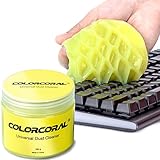
- Universal fit: ColorCoral cleaning gel, simple and convenient cleaning kits for PC/laptop keyboard and other rugged surface, such as the car vent, camera, printer, telephone, calculator, Instrument, speaker, air conditioner, TV and other appliances
- Safe cleaning gel: The keyboard cleaner gel is made from natural gel, no sticky to hands, smells sweet with lemon fragrance, no stimulation to skin
- Easy dust cleaning: Make sure your hands are dry and clean, knead the cleaning gel into a ball, press the cleaning gel slowly into the keyboard, car vent and rugged surface till the cleaning gel could touch the bottom and then pull out, the dust would be carried away with the cleaning gel
- Reusable: The keyboard cleaning gel could be used repeatedly till the color turn to dark or it become sticky, then you have to replace the cleaning gel with a new one. After cleaning, please stock the cleaning gel in cool place. (Note: Don’t wash the gel in water.)
- In the package: 1 can of universal cleaning gel, we provide the cleaning gel with brand new, if you find the package broken, the cleaning gel dirty, or any other quality issues, please email us through message, we provide you new one soon
What rights and safety checks matter before publishing?
Canva explicitly says its generated images can be used for personal or commercial projects when you follow its AI Product Terms and Terms of Use. It also cautions that outputs may not be exclusive and that users must assess suitability and permissions. Similar checks are sensible for every service: review the applicable terms, avoid unlicensed logos or characters, and obtain permission for identifiable people or source images.
Keep a record of any assets you added manually. AI generation does not transfer ownership of a third party’s trademark, photograph, likeness, or copyrighted design, and a commercial-use statement is not a blanket clearance for every element in a composite thumbnail.
How we picked these rankings
The ranking prioritizes documented workflow differences that affect a creator’s real production decisions: accepted inputs, prompt-led editing, templates and brand controls, manual editing after generation, export information, account or credit constraints, and rights language. The order is not a claim that one service delivers better click-through performance; no controlled independent comparison in the supplied evidence establishes that result.
Frequently Asked Questions
Can I make a YouTube thumbnail from an existing video?
Yes. vidIQ says its AI Thumbnail Maker accepts a video file or a YouTube URL as well as a written description. That makes it the clearest fit in this group when your starting point is footage rather than an abstract prompt.
Do AI thumbnail tools create the final headline text correctly?
They can suggest a visual layout, but you should expect to add or correct headline text in an editor. Canva and Adobe Express specifically document continued editing after generation, which is useful for reliable typography and channel branding.
Is a free AI thumbnail maker enough for a small channel?
It can be, if you only need occasional concepts and are comfortable doing the final cleanup yourself. vidIQ’s product FAQ says its AI thumbnail maker is free to use; other services’ access, credits, and plan terms should be checked on their current pages.
How many thumbnail variations should I create?
Create enough alternatives to compare clear ideas, not dozens of near-duplicates. A practical set changes one major variable—subject, expression, background, or headline—so you can understand what your audience responds to.
Shopping ad

- Award-Winning Compact Design & EDC-Ready Gift Choice: Weighing only 0.09 lb and sized like a credit card, this compact laser measure is designed for everyday carry. It slips easily into a pocket, tool pouch, or bag, and can attach to a keychain for quick access wherever you go. Its minimalist design, premium tactile finish, and practical one-button measuring make it a useful EDC gadget for DIYers, real estate agents, homeowners, and tech enthusiasts. A thoughtful gift for men on any occasion
- One-Button Easy Measuring, Simple to Use: Designed with simple one-button operation, this compact laser tape measure makes quick measuring easy without complicated controls. Just press to measure room dimensions, furniture spacing, window height, wall décor placement, and everyday distances around the home. Ideal for users who want a smart, pocket-size measuring tool that fits naturally into an everyday carry (EDC) setup and feels intuitive, modern, and easy to use
- Fast & Accurate Indoor Measurements with Class 2 Laser: Measure distances from 0.16 ft to 98 ft with up to ±1/16 in / ±2 mm accuracy. With quick measurement response in about 0.2 seconds, HOTO helps you check spaces efficiently for home renovation, furniture layout, moving, decorating, craft projects, and DIY planning. Built with a Class 2 laser for everyday indoor measuring; use as directed and avoid direct eye exposure
- Low-Power OLED Display & USB-C Rechargeable Convenience: The low-power OLED display provides clear indoor readings while helping reduce battery drain. With USB-C rechargeable design, auto shut-off, and up to 1000 measurements per charge, this digital laser measure is built for repeated daily use without frequent battery replacement. Compact enough to keep in a drawer, toolbox, bag, or pocket
- Useful for Home, Work & Everyday Projects: From home renovation and furniture measuring to room planning, real estate checks, interior design, and light construction projects, this pocket-size laser distance measure is made for practical everyday use. Compact enough to keep in a drawer, toolbox, bag, or pocket, it is a stylish measuring tool that feels just as giftable as it is useful
Can I use AI-generated thumbnails commercially?
Canva says commercial use is allowed subject to its AI Product Terms and Terms of Use, while warning that output may not be exclusive and may require your own permissions review. For any service, read the current terms and check every added logo, person, photograph, or character before publishing.
Frequently Asked Questions
Can I make a YouTube thumbnail from an existing video?
Yes. vidIQ says its AI Thumbnail Maker accepts a video file or a YouTube URL as well as a written description. That makes it the clearest fit in this group when your starting point is footage rather than an abstract prompt.
Do AI thumbnail tools create the final headline text correctly?
They can suggest a visual layout, but you should expect to add or correct headline text in an editor. Canva and Adobe Express specifically document continued editing after generation, which is useful for reliable typography and channel branding.
Outdated Drivers Are Slowing You Down
One free scan finds every outdated or missing driver and matches the right update for your exact hardware.Free scan · exact hardware matchWindows Errors? Fix Them Before They Spread
Repair common Windows errors and clear accumulated junk for a smoother, more stable PC - no reinstall needed.Free scan · no reinstallIs a free AI thumbnail maker enough for a small channel?
It can be, if you only need occasional concepts and are comfortable doing the final cleanup yourself. vidIQ’s product FAQ says its AI thumbnail maker is free to use; other services’ access, credits, and plan terms should be checked on their current pages.
How many thumbnail variations should I create?
Create enough alternatives to compare clear ideas, not dozens of near-duplicates. A practical set changes one major variable—subject, expression, background, or headline—so you can understand what your audience responds to.
Can I use AI-generated thumbnails commercially?
Canva says commercial use is allowed subject to its AI Product Terms and Terms of Use, while warning that output may not be exclusive and may require your own permissions review. For any service, read the current terms and check every added logo, person, photograph, or character before publishing.
More shopping ads
Product prices and availability are accurate as of the date/time indicated and are subject to change. Any price and availability information displayed on Amazon at the time of purchase will apply.
Quick wins for a faster PC:
Clear out junk files and repair common Windows errorsFree Scan →Fix the driver behind crashes, sound loss and screen glitchesFind Drivers →
