The Tool Desk
Outbyte Driver Updater FREEFix the driver behind crashes, sound loss and screen glitchesFind Drivers →Outbyte PC Repair FREERepair Windows errors before they cause bigger problemsFix Now →The Geeks Club is reader-supported. When you buy through links on our site, we may earn an affiliate commission. As an Amazon Associate I earn from qualifying purchases. Learn more
DaVinci Resolve 21 is the strongest free-first choice for most desktop YouTube creators in 2026. It combines editing, color correction, visual effects, motion graphics, audio mixing and delivery in one application, and Blackmagic Design offers it for Mac, Windows and Linux. Premiere Pro is the better fit for creators already using Adobe tools or needing a professional subscription workflow; Final Cut Pro suits Apple-only setups; CapCut prioritizes quick social and Shorts edits; and iMovie handles straightforward Apple-device projects. The right choice depends on your device, footage, channel format and willingness to pay—not on a universal ranking.
This guide compares the principal apps identified for YouTube workflows, explains their limits and shows how to choose without buying features your channel does not need.
At a glance
| Name | Best for | Key spec | Free plan / price | Checked |
|---|---|---|---|---|
| DaVinci Resolve 21 | Free-first desktop editing | Cut, Edit, Color, Fusion, Fairlight and delivery workspaces | Free version; paid Studio edition also available | Nov 2026 |
| Adobe Premiere Pro | Adobe-centered and professional workflows | Subscription-based professional editor | Verify current local subscription pricing | Nov 2026 |
| Final Cut Pro | Creators committed to Apple | Apple-only editing workflow | Verify current purchase options | Nov 2026 |
| CapCut | Shorts and fast social edits | Speed-focused editing with templates and captions | Free and paid limits vary; verify current plan | Nov 2026 |
| iMovie | Basic Apple-device projects | Simple cuts, titles and exports | Availability and included features depend on Apple device | Nov 2026 |
| YouTube Create | Mobile-first YouTube creators | Phone/tablet-oriented workflow | Check the official regional app listing | Nov 2026 |
| Other mobile editors | Creators who edit primarily on a phone or tablet | Convenience over complex desktop post-production | Availability, pricing and limits vary by app and region | Nov 2026 |
1. DaVinci Resolve 21: best free-first desktop editor
DaVinci Resolve 21 is the most complete choice when you want one application for the entire post-production chain. Its documented workspaces cover media management, Cut, Edit, Color, Fusion visual effects and motion graphics, Fairlight audio and final delivery. That breadth lets a single project move from rough cut to graded, mixed and exported video without changing applications.
What’s actually slowing this PC down?
Pick the symptom - the matching free tool is one click away.
Blackmagic Design lists versions for Mac, Windows and Linux. The vendor says: “The free version works with virtually all 8-bit video formats at up to 60fps in resolutions as high as Ultra HD 3840 x 2160.” Treat that as a product specification, not a guarantee for every codec, camera file or computer. Check your source footage, frame rate, resolution and hardware before committing. See Blackmagic Design’s current Resolve specifications.
Shopping ad

- Small and Portable with Built-In Battery
- Built-In Search Dial
- Keyboard Shortcuts Match Edit Functions
- Bluetooth or USB Connectivity
- Bundle Includes DaVinci Resolve 17 Studio (Activation Card)
The free edition is unusually capable for a zero-cost desktop workflow. Its trade-off is complexity: a creator who only trims clips, adds music and publishes may find the Color, Fusion and Fairlight pages more than necessary. Resolve also rewards a reasonably powerful computer and organized media storage, especially with high-resolution footage and effects.
Optional control hardware
Blackmagic’s DaVinci Resolve Speed Editor is an optional editing control panel with a large search dial and dedicated keys. It is not required to edit or upload a YouTube video; consider it only if you spend substantial time navigating long timelines.
2. Adobe Premiere Pro: best for Adobe-centered professional workflows
Premiere Pro is the logical choice for creators already invested in Adobe’s ecosystem or who need a professional subscription workflow. It is designed for substantial editing projects rather than only quick vertical clips, making it appropriate when a channel involves layered timelines, recurring series, detailed audio work or collaboration with other Adobe users.
Quick wins for a faster PC:
Repair Windows errors before they cause bigger problemsFix Now →Fix the driver behind crashes, sound loss and screen glitchesFind Drivers →The available comparison identifies Premiere Pro as a professional option but does not establish a current subscription price or a complete feature-limit list. Pricing, trial terms, supported operating-system versions and included services can change by country and plan, so check Adobe’s current product and pricing pages before subscribing.
Its main limitation for a new creator is cost and commitment: a recurring subscription may not make sense for occasional uploads or a channel that only needs basic cuts. If you do not use other Adobe applications, compare the total workflow value—not just the editor’s feature list—against a capable free desktop alternative.
3. Final Cut Pro: best for Apple-only setups
Final Cut Pro fits creators who are committed to Apple hardware and want a dedicated Mac editing workflow. The comparison characterizes it as Apple-only, so it is not a practical choice for a Windows or Linux workstation. Confirm the current supported macOS versions and whether Apple’s present purchase options match your computer before paying.
For an Apple-based channel, the attraction is a focused desktop editor rather than a cross-platform tool. It can make sense for long-form videos, repeatable channel templates and projects that outgrow a basic mobile editor. The evidence available here does not establish a current price, trial arrangement or detailed format limits; check Apple’s live listing for those terms.
The decisive limitation is platform lock-in. Moving a project to a non-Apple computer may require a different application and a carefully managed export or interchange workflow.
4. CapCut: best for fast Shorts and social edits
CapCut is aimed at speed, making it a strong candidate when your channel is dominated by Shorts or other social-first videos. The comparison highlights fast editing, templates and caption-oriented workflows rather than the deep desktop post-production scope of Resolve or Premiere Pro.
That convenience is useful for creators who need to turn phone footage into a publishable vertical clip quickly. It is less compelling when a project needs extensive color work, complex compositing, detailed audio mixing or a long-form timeline that must remain easy to manage over months.
AI tools, caption features, export rules, regional availability and the boundary between free and paid plans can change. Check the current CapCut listing for your country before promising a particular feature or relying on a free export path.
Shopping ad

- The DaVinci Resolve Editor Keyboard is a full-size editing keyboard based on the traditional QWERTY layout, featuring premium full-metal design; Metal shaved search dial with clutch and key for editing, trim, and time code input It can also be placed flat on a cutout shaped desk!
- Integrated search dial built right into the keyboard
- Designed for professional editors who need to work faster and turn around work quickly
- Provides an alternative way to edit that is much faster than a mouse because you can use both hands at the same time
5. iMovie: best for basic editing on Apple devices
iMovie is the straightforward option for Apple users who need simple cuts, titles, music and exports without learning a large professional application. It is appropriate for tutorials, family channels, uncomplicated commentary and first uploads where the creative work matters more than advanced grading or effects.
The comparison describes iMovie as fairly basic. That is its advantage for beginners and its ceiling for ambitious channels: complex post-production, advanced motion graphics, detailed audio repair and elaborate multi-layer projects may require another editor later.
Because Apple distributes iMovie across different device types and operating-system generations, confirm that your Mac, iPhone or iPad supports the current release and that its included export options match your intended YouTube resolution.
6. YouTube Create: best for a mobile-first YouTube workflow
YouTube Create is the natural category to investigate when filming, editing and publishing happen primarily on a phone or tablet. A mobile-first workflow reduces transfers between camera, computer and editor, which can matter more than advanced desktop controls for creators who publish frequently from the field.
Recommended Free Tools
Mobile availability and country support are not universal. Check the official app listing for your region before planning a channel around it. Also confirm the current device requirements, export controls and whether the tools you need for captions, music, trimming and vertical video are included in your version.
Its practical limit is the mobile form factor: long timelines, large source files, precise audio mixing and complex effects are generally easier to organize on a desktop application.
7. Other mobile editors: choose convenience when your channel is phone-based
Other mobile editors can be sensible when the priority is recording on a phone, making a quick cut and publishing without a computer. The comparison identifies mobile-first tools as a distinct group, but availability and feature sets vary by app and country, so evaluate the specific listing before installing.
Use this category for lightweight workflows: trim pauses, arrange clips, add on-screen text, set a music bed and export a vertical or horizontal file. For a channel built around interviews, gaming sessions, documentaries or heavily layered explainers, a desktop editor usually offers better timeline control and media management.
Free tools Windows power users keep installed
One-click scans. No signup required.
Check storage use, export resolution, watermark rules, caption limits and account requirements in the app’s current terms. Those details often determine whether a supposedly free mobile workflow remains practical after your first few uploads.
How do I choose the right YouTube editing app?
Start with the device and the kind of videos you publish, then check the footage limits and payment model before learning an editor.
- Choose your platform. Resolve supports Mac, Windows and Linux. Final Cut Pro is Apple-only. Mobile-first tools require a compatible phone or tablet and may be region-limited.
- Define the edit. Basic cuts and titles fit iMovie or a mobile editor. Shorts favor fast caption and template workflows. Long-form videos, color grading, visual effects and audio mixing point toward Resolve, Premiere Pro or Final Cut Pro.
- Check source footage. Resolve’s free-tier vendor specification covers virtually all 8-bit formats up to 60fps and 3840×2160 Ultra HD. Verify your camera’s codec, bit depth, frame rate and resolution rather than assuming compatibility.
- Compare payment models. Resolve has a free version. Premiere Pro, Final Cut Pro and CapCut require current local pricing checks because plans and limits can change. A free app may still impose export, storage or feature restrictions.
- Plan for growth. If you expect more layers, recurring series or collaboration, starting with a scalable desktop editor can avoid rebuilding your workflow. If you publish occasional simple clips, professional complexity may only slow you down.
- Confirm delivery needs. YouTube accepts both horizontal and vertical formats, but your editor must export the resolution, frame rate, audio and aspect ratio your channel uses. Do a short test export with representative footage before migrating a major project.
Which app is best for Shorts?
CapCut is the clearest fit among these recommendations when speed, templates and captions matter more than deep desktop control. YouTube Create or another mobile editor can be more convenient if your entire workflow stays on a phone. Verify current feature and free-tier limits, since those change independently of the app’s basic editing model.
Shopping ad
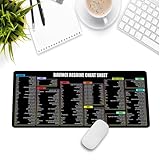
- Extra Large & Comfortable: Measuring 31.5 x 11.8 inches with a 3mm thickness, this XL mouse pad offers ample space for your mouse, keyboard, and more - ensuring comfort and reducing noise.
- Smooth & Precise Control: Enjoy effortless mouse movement with the ultra-smooth surface, perfect for both gaming and office work.
- Non-Slip Rubber Base: The anti-slip rubber base keeps the pad securely in place during intense gaming or work sessions.
- Durable & Stylish Design: Invisible stitching prevents edge wear while maintaining a sleek look, extending the pad’s lifespan.
- Waterproof & Easy to Clean: The water-resistant coating allows for quick cleaning—spills and stains wipe away easily.
Which editor should a beginner use?
For a beginner on a computer, the free version of DaVinci Resolve offers the most room to grow, while iMovie is easier for simple Apple-device projects. Choose iMovie when you want the shortest learning curve; choose Resolve when you expect to add color, effects or more complex audio later.
Do these 3 things before closing this tab:
1Repair Windows errors before they cause bigger problems2Scan for outdated or missing drivers - takes under a minute3Clear out junk files and repair common Windows errorsHow we picked
The list prioritizes products identified for YouTube editing, then separates them by workflow: free-first desktop capability, professional subscription production, Apple-only editing, fast social work and mobile-first creation. Platform fit, documented scope, free or paid access and likely limits for different channel types determine the order. No performance scores or hands-on testing are implied.
Frequently Asked Questions
Can I edit 4K YouTube videos for free?
DaVinci Resolve’s vendor specification says its free version supports virtually all 8-bit formats up to 3840×2160 at up to 60fps. Your camera codec, computer and storage still determine whether the workflow is practical.
Do I need a separate app for color, effects and audio?
Not necessarily. Resolve includes dedicated Color, Fusion and Fairlight workspaces alongside Cut and Edit, so those tasks can stay in one project.
Is a mobile editor enough for a gaming channel?
It can handle short clips and quick highlights, but long recordings, multiple audio tracks and extensive overlays are easier to organize on a desktop timeline. Choose mobile only if its storage and export limits fit your recording habits.
Should I buy a Resolve Speed Editor to start?
No. The Speed Editor is an optional control panel, not a requirement for editing or uploading. Consider it only after you know that a physical search dial and dedicated keys would improve a frequent Resolve workflow.
Why did an app’s free features change?
Cloud services, AI tools, captions, templates and mobile availability are often updated separately from the core editor. Recheck the current product page or app listing before basing a channel workflow on a specific free feature.
Frequently Asked Questions
Can I edit 4K YouTube videos for free?
DaVinci Resolve’s vendor specification says its free version supports virtually all 8-bit formats up to 3840×2160 at up to 60fps. Your camera codec, computer and storage still determine whether the workflow is practical.
Do I need a separate app for color, effects and audio?
Not necessarily. Resolve includes dedicated Color, Fusion and Fairlight workspaces alongside Cut and Edit, so those tasks can stay in one project.
Is a mobile editor enough for a gaming channel?
It can handle short clips and quick highlights, but long recordings, multiple audio tracks and extensive overlays are easier to organize on a desktop timeline. Choose mobile only if its storage and export limits fit your recording habits.
Should I buy a Resolve Speed Editor to start?
No. The Speed Editor is an optional control panel, not a requirement for editing or uploading. Consider it only after you know that a physical search dial and dedicated keys would improve a frequent Resolve workflow.
Why did an app’s free features change?
Cloud services, AI tools, captions, templates and mobile availability are often updated separately from the core editor. Recheck the current product page or app listing before basing a channel workflow on a specific free feature.
Quick Recap
Product prices and availability are accurate as of the date/time indicated and are subject to change. Any price and availability information displayed on Amazon at the time of purchase will apply.

