Free tools Windows power users keep installed
One-click scans. No signup required.
The Geeks Club is reader-supported. When you buy through links on our site, we may earn an affiliate commission. As an Amazon Associate I earn from qualifying purchases. Learn more
For most people converting a music folder or library, fre:ac is the best place to start: its project page documents FLAC and MP3 support, batch conversion, and options for preserving folder and filename structure. Choose FFmpeg for command-line and scripted workflows, or Audacity if you want to edit audio as part of exporting it. These picks match different workflows; they are not performance or sound-quality rankings based on comparative testing.
One important caveat: MP3 is lossy, so an MP3 made from a FLAC file is a smaller, less complete copy—not a replacement archive. Keep the FLAC originals if you may want to convert or edit the music again.
At a glance
| Name | Best for | Key spec | Platforms | Checked |
|---|---|---|---|---|
| fre:ac | Batch conversion and music-library organization | Converts whole libraries and can retain folder and filename structure | Windows, macOS, Linux, FreeBSD, Haiku | Nov 2026 |
| FFmpeg | Scripts and command-line conversion | Reads varied media inputs and transcodes to many output formats | — | Nov 2026 |
| Audacity | Editing audio before exporting, including multiple files | Export controls include format, sample rate, and metadata | — | Nov 2026 |
What should you know before converting FLAC to MP3?
FLAC is lossless; MP3 is lossy. That distinction determines whether a converted file can serve as an archive: it cannot preserve all the source information that the FLAC contains.
Recommended Free Tools
The IETF’s RFC 9639 defines FLAC as a lossless audio format. Its technical format limits include 1 to 8 channels, sample rates from 1 to 1,048,575 Hz, and bit depths from 4 to 32 bits. Those are format limits, not recommended settings for an MP3 conversion. A FLAC file’s sample rate and bit depth also do not, by themselves, establish what MP3 settings you should choose.
Shopping ad

- USB-C 2-in-1 storage OTG: The Lexar JumpDrive Dual Drive D40E features USB Type-A and Type-C connectors in a slim, portable form factor for easy device compatibility
- Transfer speeds up to 100MB/s: Based on internal testing, performance may vary depending upon the host device, interface, and usage conditions. 1MB=1,000,000 bytes
- Plug and Play: Widely compatible with USB Type-C smartphones, tablets, laptops, Macs, and traditional Type-A devices, no software installation required. The 360° swivel design allows for easy switching between connectors without the hassle of losing a cap
- Durable & Compact: The Lexar D40E USB memory stick features a metal enclosure, withstands temperatures from 0° to 50° C (32°F to 122°F), and is lightweight at 26g with dimensions of 70.4 x 16.9 x 11.7mm
- Security & Warranty: Securely protects files using an advanced security software solution with 256-bit AES encryption. Backed by a Lexar 3-year limited warranty
For a practical library workflow, treat MP3 as a separate listening or sharing copy. Retain the original FLAC, convert the copy, and check that the output is in the expected folder and has usable tags before relying on it. Re-encoding an MP3 later cannot recover detail removed during the first lossy conversion.
Which FLAC to MP3 converter should you choose?
Choose based on the work around the conversion, not an assumed speed or sound-quality advantage. A graphical batch tool suits a folder-based music library; a command-line transcoder suits repeatable scripts; an audio editor makes sense when editing and export belong in the same workflow.
1. fre:ac: best for batch conversion and library folders
fre:ac is the strongest fit here for converting a music collection through a graphical workflow. Its project page lists both FLAC and MP3 as supported formats, documents conversion of whole libraries, and says it can preserve folder and filename structure. It also documents tag handling, which matters when you want artist, album, and track information to travel with the converted files.
The Tool Desk
Outbyte PC Repair FREEClear out junk files and repair common Windows errorsFree Scan →Outbyte Driver Updater FREEScan for outdated or missing drivers - takes under a minuteDriver Scan →Standout features: library-scale conversion, folder and filename retention, and metadata-oriented handling. The project also says the application can be installed on a USB stick or external drive, a useful option if you want to carry the program between computers; removable storage is not required to convert files.
Platforms: Windows, macOS, Linux, FreeBSD, and Haiku, according to the project page.
Shopping ad
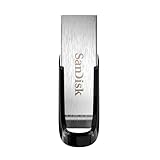
- High-speed USB 3.0 performance of up to 150MB/s(1) [(1) Write to drive up to 15x faster than standard USB 2.0 drives (4MB/s); varies by drive capacity. Up to 150MB/s read speed. USB 3.0 port required. Based on internal testing; performance may be lower depending on host device, usage conditions, and other factors; 1MB=1,000,000 bytes]
- Transfer a full-length movie in less than 30 seconds(2) [(2) Based on 1.2GB MPEG-4 video transfer with USB 3.0 host device. Results may vary based on host device, file attributes and other factors]
- Transfer to drive up to 15 times faster than standard USB 2.0 drives(1)
- Sleek, durable metal casing
- Easy-to-use password protection for your private files(3) [(3)Password protection uses 128-bit AES encryption and is supported by Windows 7, Windows 8, Windows 10, and Mac OS X v10.9 plus; Software download required for Mac, visit the SanDisk SecureAccess support page]
Price and limits: The cited project information does not establish a current price or trial, so no price claim is made here. Its project page lists version 1.1.7 as released in March 2023; that dated listing should not be treated as confirmation of the current release. Check the project’s download page for the release available to your operating system before installing. As with any lossy conversion, fre:ac cannot make the MP3 a lossless substitute for the source FLAC.
2. FFmpeg: best for scripts and repeatable jobs
FFmpeg is the best match for users who prefer a command line, need to repeat a conversion workflow, or want to incorporate transcoding into a script. Its official documentation describes it as a universal media converter that reads varied inputs and transcodes to many output formats.
Standout features: command-line operation and flexibility for repeatable workflows. That makes it a different kind of choice from a graphical library manager: it is suited to users comfortable specifying an operation in a terminal or building a repeatable process around one.
Platforms: The cited documentation establishes FFmpeg’s transcoding role, but does not provide a platform list for this comparison.
Price and limits: No price or trial information is established by the cited documentation. Encoder options and quality settings depend on the installed build and the command used; consult the current official documentation for the applicable encoder and options instead of copying an unverified command. A command-line workflow also requires the user to manage input paths, output paths, and any metadata or folder-organization needs.
Shopping ad

- What You Get - 2 pack 64GB genuine USB 2.0 flash drives, 12-month warranty and lifetime friendly customer service
- Great for All Ages and Purposes – the thumb drives are suitable for storing digital data for school, business or daily usage. Apply to data storage of music, photos, movies and other files
- Easy to Use - Plug and play USB memory stick, no need to install any software. Support Windows 7 / 8 / 10 / Vista / XP / Unix / 2000 / ME / NT Linux and Mac OS, compatible with USB 2.0 and 1.1 ports
- Convenient Design - 360°metal swivel cap with matt surface and ring designed zip drive can protect USB connector, avoid to leave your fingerprint and easily attach to your key chain to avoid from losing and for easy carrying
- Brand Yourself - Brand the flash drive with your company's name and provide company's overview, policies, etc. to the newly joined employees or your customers
3. Audacity: best when editing is part of the export
Audacity is a good fit when conversion is only one part of the task—for example, when you want to edit audio and then export one or more files. Its manual documents export controls for format and sample rate, multiple-file export, and metadata editing.
What’s actually slowing this PC down?
Pick the symptom - the matching free tool is one click away.
Standout features: export settings, batch-style multiple-file export, and metadata controls in an audio-editing workflow. This is useful when the files need changes before they become MP3s, rather than simply being moved from one format to another.
Platforms: The cited manual page does not establish a platform list for this comparison.
Price and limits: No price or trial information is established by the cited manual. The referenced page is the development manual, so interface details may change. Audacity’s editing-oriented workflow may be more than is needed for a straightforward library conversion; for that, a batch-focused tool may be a more direct fit.
How should you choose a converter?
Start with your input volume, the amount of organization you need, and whether you plan to edit the audio. Then decide whether you want a graphical interface or command-line control.
Shopping ad

- GOOD VALUE PACKAGE - 1 Pack 32GB Memory Stick USB 2.0 Flash Drives with great cost performance and high quality.
- BIG CAPACITY - The available capacity: 29.10GB-29.8GB, You can save the data of movies, music, photos, designs, programs, manuals, handouts in a high speed.Good performance in digital data storing, transferring and sharing with families, friends, workmates, clients and machines.
- EASY TO USE & PLUG AND WORK - Support windows 7 / 8 / 10 / Vista / XP / 2000 / ME / NT Linux and Mac OS, Compatible with USB2.0 and below.
- TWISTTURN DESIGN & EASY CARRY - The metal clip rotates 360° round the ABS plastic body which with rubber oil skin feeling finish. The capless design can avoid lossing of cap, and providing efficient protection to the USB port.
- WARRANTY & SUPPORT - SIMMAX logo is laser printed on the USB connector surface, our products are of good quality and we promise that any problem about the product within one year since you buy.
- Converting a folder or library? Start with fre:ac, whose project page documents whole-library conversion and preservation of folder and filename structure.
- Need repeatable scripted conversions? Consider FFmpeg if you are comfortable working at a command line and checking its current encoder options.
- Need to edit before creating MP3 files? Audacity’s documented format, sample-rate, multiple-file, and metadata export controls may fit that workflow.
- Need portable application storage? fre:ac’s project page says it can be installed on a USB stick or external drive. That is an option, not a requirement.
- Keeping a music archive? Preserve the FLAC files and store MP3s as additional copies. Lossy output should not become your only copy if future conversion or editing matters.
Do not select a converter based on unsupported claims that it is faster or sounds better. The cited materials establish workflow features, not a controlled speed comparison or listening test.
How do you convert FLAC files without losing your originals?
Use a copy-based workflow: keep the source library intact, choose a destination for MP3 files, and inspect the output before replacing or deleting anything. The exact controls differ by application, but the safe sequence is the same.
- Keep the FLAC source. Convert from a working copy or leave the original folder untouched. FLAC-to-MP3 conversion is lossy, so the output cannot restore all source information.
- Choose the tool for the task. Use fre:ac for a graphical library conversion, FFmpeg for a command-line process, or Audacity when editing accompanies export.
- Set a separate destination. Put the MP3 output in a new folder or otherwise separate it from the FLAC originals. With library conversion, check whether the chosen workflow retains the folder structure you want.
- Review the export controls. In Audacity, the manual documents format and sample-rate choices, multiple-file export, and metadata editing. For FFmpeg, consult current official documentation for the installed build’s encoder and quality options. Do not assume a setting from one tool maps directly to another.
- Convert a small selection first if organization matters. Check filenames, folders, and tags in the resulting files before starting a large library job. fre:ac’s project page documents support for retaining structure and handling tags, but the result still depends on the workflow and selected options.
- Check the output before cleanup. Confirm that the intended files exist, play as expected in your chosen player, and carry the metadata you need. Do not delete the source FLACs as a way to save space unless you have decided you no longer need lossless originals.
Why keep FLAC after making MP3 copies?
Because the conversion is not reversible. RFC 9639 defines FLAC as lossless, while lossy compression reduces storage by irreversibly removing or altering information. An MP3 can be useful as a separate copy, but converting that MP3 again will not reconstruct the original FLAC data.
Keeping the lossless source also leaves you free to create a different listening copy later, without starting from an already compressed MP3. If storage is the reason for converting, consider retaining the FLAC archive separately and using MP3 only where its smaller-file workflow is useful.
How we picked these converters
The picks are based on documented fit for distinct workflows: fre:ac for batch library conversion and organization, FFmpeg for command-line transcoding, and Audacity for editing-oriented and multiple-file export. The ranking reflects those documented use cases, not a speed benchmark or listening comparison. No converter was tested for this article, and no claim is made that one produces better-sounding MP3s than another.
Shopping ad

- 【16GB Flash Drive】USB flash drives with 16GB capacity, meet your needs of daily use on work, school, home and travelling for photos, music, videos, files storage and transfer. IMEASON thumb drives can be used to store different files, easy to data backup.
- 【Metal Swivel Cap Design】USB thumb drive is metal swivel cover provides extra protection for the usb thumbdrive connector, no usb drive cap to lose; keychain design makes it easier to carry without worrying lose it.
- 【Wide Compatibility】USB drive supports Windows 7/8/10/11 / Vista / XP / Unix / 2000 / ME / NT Linux and Mac OS, also Supports USB 2.0 and 1.1 ports. USB Stick support TV, desktop, notebook computer, car, audio and other device. The USB Memory Stick is your great data storage and transfer companion with traveling and working.
- 【Easy to use】usb memory stick is plug and play without any software installation. Just simply plug the Flashdrive into the port of your USB-compatible devices such as computer, laptop to start data storage or transmission.
- 【What You Get】16 GB USB Flash Drive Thumb Drive, The default format of the usb storage flash drive is FAT32.
Frequently Asked Questions
Can I convert MP3 back to FLAC and get the original quality back?
No. A FLAC file made from an MP3 can use a lossless container, but it cannot restore information already removed during lossy MP3 encoding. Keep the original FLAC if you need the original lossless source.
Can I use a USB drive to run fre:ac?
The fre:ac project says the application can be installed on a USB stick or external drive. That can help with portability, but a USB drive is optional and is not a conversion prerequisite.
Does a higher FLAC sample rate automatically make a better MP3?
No. FLAC’s sample rate is a property of the source, while the MP3 export has its own encoding choices. The format limits in RFC 9639 are not a guide to the best MP3 settings; choose export options for the target player or use case.
Is an online FLAC to MP3 converter a good choice for private music?
A local desktop or command-line workflow avoids uploading the library to a conversion site. Before using any online service, review its privacy, retention, file-size, and free-use terms; those terms vary by provider.
Quick Recap
Product prices and availability are accurate as of the date/time indicated and are subject to change. Any price and availability information displayed on Amazon at the time of purchase will apply.

