The Geeks Club is reader-supported. When you buy through links on our site, we may earn an affiliate commission. As an Amazon Associate I earn from qualifying purchases. Learn more
VLC for Android is the best first app to try when a .mov file will not open on your phone. Its Google Play listing explicitly names MOV, includes codecs without separate downloads, and supports local files, network streams, subtitles, multiple tracks and USB storage. Just (Video) Player is the better simpler alternative, with explicit MOV container support and clearly listed video, audio and subtitle formats.
Remember that MOV is a container, not a guarantee of compatibility. The video and audio codecs inside the file, plus your Android device’s decoder, determine whether playback works. Try the original file in VLC or Just Player before converting it or paying for another app.
At a glance
| Name | Best for | Key spec | Free plan / price | Platforms | Checked |
|---|---|---|---|---|---|
| VLC for Android | Broad local and network playback | MOV, MP4, MKV and other formats; codecs included | Free; no ads or in-app purchases | Android | Nov 2026 |
| Just (Video) Player | A simpler local player | MOV container; H.264, HEVC, AV1 and other codecs | Free; no ads or tracking stated | Android, including Android TV features | Nov 2026 |
| Video Player All Format (XPlayer) | Another explicit MOV option | MOV, claimed 4K support, hardware acceleration and casting | Free with ads; in-app purchases | Android | Nov 2026 |
| MX Player | Advanced zoom and subtitle controls | Hardware acceleration, multi-core decoding, gesture controls | Free with ads; in-app purchases | Android | Nov 2026 |
Prices and store disclosures were checked in November 2026. Availability, advertising and data-safety details can vary by country and can change after an app update.
Which Android app can play MOV files?
Start with VLC for Android if you want the broadest documented format and storage support. Its listing explicitly includes MOV and says all codecs are included, while also covering network shares, subtitles, multiple audio tracks and USB storage. Choose Just (Video) Player when you want a more focused local player with an explicit list of containers, codecs and playback controls.
Shopping ad

- USB-C 2-in-1 storage OTG: The Lexar JumpDrive Dual Drive D40E features USB Type-A and Type-C connectors in a slim, portable form factor for easy device compatibility
- Transfer speeds up to 100MB/s: Based on internal testing, performance may vary depending upon the host device, interface, and usage conditions. 1MB=1,000,000 bytes
- Plug and Play: Widely compatible with USB Type-C smartphones, tablets, laptops, Macs, and traditional Type-A devices, no software installation required. The 360° swivel design allows for easy switching between connectors without the hassle of losing a cap
- Durable & Compact: The Lexar D40E USB memory stick features a metal enclosure, withstands temperatures from 0° to 50° C (32°F to 122°F), and is lightweight at 26g with dimensions of 70.4 x 16.9 x 11.7mm
- Security & Warranty: Securely protects files using an advanced security software solution with 256-bit AES encryption. Backed by a Lexar 3-year limited warranty
XPlayer is a reasonable third option because its listing names MOV and advertises hardware acceleration, 4K playback, Chromecast support, subtitles and a private folder. MX Player has excellent-sounding control features, but the current listing details reviewed here do not explicitly name MOV, so treat it as a player to try with your particular file rather than a confirmed MOV recommendation.
1. VLC for Android: best first try for broad playback
VLC is the safest starting point for a MOV that refuses to open because its Google Play description directly names the format and describes a broad playback workflow. The listing states: “All formats are supported, including MKV, MP4, AVI, MOV, Ogg, FLAC, TS, M2TS, Wv and AAC.” That is the developer’s description, not a promise that every encoded MOV will work on every handset.
What it does
- Opens videos stored on the phone and plays network streams and shared files.
- Includes codecs without a separate codec download, according to the listing.
- Handles subtitles and multiple audio and subtitle tracks.
- Provides folder browsing, playback gestures and USB-storage access.
That combination makes VLC especially useful for camera clips, downloaded files and MOVs kept on a computer or network share. USB access can also help when a large file is on an Android-compatible USB-C OTG drive, provided the handset supports OTG and grants the app access.
Recommended Free Tools
Free access, ads and privacy disclosures
The listing describes VLC as free, open source, without ads or in-app purchases. Its Google Play data-safety panel shows no data shared with third parties and no data collected in the retrieved listing. These are developer statements and store disclosures, not an independent privacy audit.
The listing was updated October 14, 2026. Store availability and disclosures may differ by region, so check the Play Store page on the device where you plan to install it.
Best use case and limitation
Pick VLC when you need one app for local files, network playback, subtitles and removable storage. Its breadth also means more menus than a minimalist player. If a specific MOV still fails, test the same file in Just Player before assuming the extension is the problem.
Shopping ad
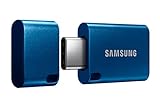
- USB-C STORAGE ON THE GO: This sleek drive is supported by Samsung NAND flash and is incredibly compact to fit in the palm of your hand; Count on reliable performance and fast transfer speeds while staying compact
- PERFORMANCE WITH SPEED: No need to choose between performance and reliability; Experience a fast, powerful flash drive that transfers 4GB files in just 11 seconds with up to 400MB/s USB 3.2 Gen 1 read speeds and is backward compatible with USB 3.0/2.0
- MODERN MEETS ICONIC: The ultra-sleek USB-C drive looks as good as it performs; Featuring a reversible plug, the Type-C inserts into your devices seamlessly every time; Transfer large files with style and ease
- ALWAYS CONNECTED: USB-C is compatible across devices, including laptops, tablets, phones and cameras, with enough space for 63,730 photos or maximum 12 hours of 4K video; With up to 256GB of storage space, this pocket-sized thumb drive comes in handy wherever you go
- TOUGH & TRUSTED: Files stay secure, no matter the terrain; Samsung's flash memory technology makes the Type-C a trustworthy drive to store your valuable data; It's waterproof, shock-proof, magnet-proof, temperature-proof, and X-ray-proof body, plus it's backed by a 5-year limited warranty
2. Just (Video) Player: best simpler local-player alternative
Just (Video) Player is a strong choice when you want explicit MOV support without a large feature set. Its listing identifies MOV as a supported container and separately lists video codecs such as H.264, HEVC and AV1, along with audio, streaming and subtitle formats. That separation is useful because a MOV file can be valid while containing a track the phone cannot decode.
Standout features
- Track selection for alternate audio and subtitle streams.
- Speed controls and gesture-based playback controls.
- Picture-in-picture for compatible Android versions.
- An Android TV feature for matching the display’s frame rate.
The app’s description says, “No ads, tracking or excessive permissions.” The Google Play data-safety panel in the retrieved listing declares no data collected and no data shared with third parties. Attribute those statements to the developer and Google Play; they are not independently verified findings.
Just Player is most attractive for local playback where you already know where the file is stored and do not need VLC’s network-share and USB-browsing emphasis. It is also a useful second test when VLC reports an error, because the two apps may rely on different device and software decoding paths.
The listing was updated August 18, 2026. As with any Play Store app, check the current listing for your country before installation.
3. Video Player All Format (XPlayer): another explicit MOV option
Video Player All Format, commonly shown as XPlayer, explicitly names MOV in its listing. It also claims broad format support, 4K playback, hardware acceleration, Chromecast casting, subtitle support and a private folder.
Who should choose it?
XPlayer fits readers who want a familiar all-in-one interface with casting and a private area for selected files. Hardware acceleration can reduce work for the phone’s processor when the device and codec support it, but the listing’s broad “all format” positioning is a publisher claim rather than a guarantee for every MOV encoding.
Shopping ad
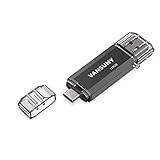
- 【Important】: Default format of the usb flash drive 128gb is exFAT as this is the format recognized by the smartphones and tablets. These 128gb thumb drives are only compatible with C-Port enabled mobile phones & computers only. While formatting the usb flash drive dual type c usb 3.0 OTG keep a check on the drive format
- 【Easy to Use】: Directly plug the 2-in-1 USB flash drive and play, no need to install any software. The jump drive is easy to be recognized by computer, laptop, notebook, PC, car audio, speaker, smart TV, vidoe projector etc
- 【Fast Speed】: High-speed USB 3.0 flash drive for fast data transfer, backwards compatible with USB 2.0 easy to complete the storage and transport functions. USB 3.0 and Class A chip help you transfer a 4G movie from the thumb drive to your smartphone in about 40 seconds, and reverse transfer in 2 mins to save memory for your smartphone with Type C port.Save your time
- 【Good Compatibility】: Dual connectors USB type C + USB 3.0. Support windows 7 / 8 / 10 / XP / 2000 / ME / NT Linux and Mac OS, compatible withUSB 3.0 & USB 2.0 backwards USB1.1. Support videos formats: AVI, M4V, MKV, MOV, M P4, MPG, RM, RMVB, TS, WMV, FLV, 3GP; AUDIOS: FLAC, APE, AAC, AIF, M4A, MP3, WAV
- 【OTG Function】:Support nearly all mobile phones which support OTG function,and very easy to operate
Cost and trade-offs
The Play listing identifies advertising and in-app purchases. It does not establish a single universal price because offers can vary by region, account and promotion. If you prefer an ad-free player, VLC or Just Player have stronger no-ad statements in their listings.
The listing was updated September 8, 2026. Before relying on XPlayer for an important clip, open that exact file and check audio, subtitles and seeking rather than assuming the MOV extension guarantees success.
4. MX Player: consider it for controls, but verify MOV first
MX Player is worth considering for its documented control set, but it should not be treated as a confirmed MOV player from the current listing details alone. The retrieved description does not explicitly name MOV as a supported container.
The Tool Desk
Outbyte Driver Updater FREEFix the driver behind crashes, sound loss and screen glitchesFind Drivers →Outbyte PC Repair FREERepair Windows errors before they cause bigger problemsFix Now →Documented strengths
- Hardware acceleration and multi-core decoding.
- Zoom and pan gestures for reframing a video on a phone screen.
- Subtitle gestures for adjusting subtitle position and size during playback.
- A privacy folder and a kids lock.
Those controls can matter more than format breadth if your file already opens and you mainly need comfortable viewing. For a MOV that fails to open, however, test VLC or Just Player first, then try MX Player with the same file.
Ads, purchases and data disclosures
The listing identifies ads and in-app purchases. It also says the app may collect data types including location and personal information. Google Play data-safety information is supplied by the developer and can change; review the current panel before installing if data collection is a deciding factor.
The listing was updated October 7, 2026. Regional availability and the exact purchase options may differ.
Shopping ad
- USB-C STORAGE ON THE GO: This sleek drive is supported by Samsung NAND flash and is incredibly compact to fit in the palm of your hand; Count on reliable performance and fast transfer speeds while staying compact
- PERFORMANCE WITH SPEED: No need to choose between performance and reliability; Experience a fast, powerful flash drive that transfers 4GB files in just 11 seconds with up to 400MB/s USB 3.2 Gen 1 read speeds and is backward compatible with USB 3.0/2.0
- MODERN MEETS ICONIC: The ultra-sleek USB-C drive looks as good as it performs; Featuring a reversible plug, the Type-C inserts into your devices seamlessly every time; Transfer large files with style and ease
- ALWAYS CONNECTED**: USB-C is compatible across devices, including laptops, tablets, phones and cameras, with enough space for 63,730 photos or maximum 12 hours of 4K video; With up to 256GB of storage space, this pocket-sized thumb drive comes in handy wherever you go
- TOUGH & TRUSTED***: Files stay secure, no matter the terrain; Samsung's flash memory technology makes the Type-C a trustworthy drive to store your valuable data; It's waterproof, shock-proof, magnet-proof, temperature-proof, and X-ray-proof body, plus it's backed by a 5-year limited warranty
Why does one MOV file play while another fails?
MOV describes the container that holds the tracks; it does not identify the codecs inside them. Two files ending in .mov can use different video codecs, audio codecs, frame rates, bit depths or subtitle streams. An Android phone may decode one combination in hardware while failing on another, or it may show video without sound when only the audio track is unsupported.
Just Player’s listing makes this distinction especially clear by separating containers, video codecs and audio formats. H.264, HEVC and AV1 are listed video codecs, but support still depends on the Android version, chipset and app playback path on the specific device. None of the app listings establishes universal compatibility for every Android phone.
How do I troubleshoot a MOV that will not play on Android?
- Keep the original file. Make a copy before attempting any conversion or repair. This preserves the camera or editing master if a later step changes quality.
- Try VLC first. Open the file from the folder browser or Android’s share/open-with menu. If the file is on removable storage, grant access when Android asks.
- Try Just Player next. A second playback engine can reveal whether the issue is app-specific rather than a damaged file.
- Check the symptom. Note whether the file fails to open, plays without sound, shows a black picture, loses subtitles or stutters during seeking. Different symptoms point to different tracks or decoder limits.
- Test on another Android device if available. If the same file works elsewhere, the first phone’s codec or hardware support is the likely constraint.
- Convert only when necessary. If the file is important and no player can decode its tracks, convert a copy to a widely supported combination such as the format recommended by your editing or sharing workflow. Keep the untouched MOV as the archive.
Do not assume that a larger player, a “4K” label or the word “all format” solves every compatibility problem. The file’s actual tracks and the phone’s decoder remain decisive.
Independent reader supportYour contribution helps us test, update, and keep practical guides available for everyone.How should you choose a MOV player for Android?
Use the following decision points rather than choosing by download claims alone.
Choose by the file location
- Phone storage: VLC and Just Player both suit a straightforward local-file workflow.
- Network shares or streams: VLC’s listing explicitly describes network playback and shared files.
- USB storage: VLC documents USB-storage access; your phone must support the required OTG connection and file permissions.
Choose by controls
- Track and subtitle handling: VLC and Just Player document multiple-track or track-selection features.
- Gestures and zoom: MX Player documents zoom, pan and subtitle gestures.
- Casting: XPlayer’s listing identifies Chromecast support.
- Android TV frame-rate matching: Just Player documents this feature.
Choose by monetization and disclosures
VLC’s listing says it has no ads or in-app purchases, while Just Player says it has no ads, tracking or excessive permissions. XPlayer and MX Player identify ads and in-app purchases. Google Play’s data-safety panels are developer-provided and may change, so recheck them in your region.
Outdated Drivers Are Slowing You Down
One free scan finds every outdated or missing driver and matches the right update for your exact hardware.Free scan · exact hardware matchPC Slower Than It Used to Be?
A free scan shows the junk files, broken settings and background clutter dragging Windows down - then fixes them in one click.Free scan · Windows 10 & 11Choose by evidence of MOV support
VLC, Just Player and XPlayer explicitly name MOV in their listings. The retrieved MX Player listing does not, so it belongs in the “try and verify” category rather than the confirmed-MOV group.
Shopping ad

- 2 in 1: USB C + USB 3.0, 32GB usb c flash drive has dual ports, usb 3.0 port is applied to all devices which have usb 3.0 interface and usb c port is widely used in all Android smartphones with OTG function
- High Speed USB 3.0: Read speed up to 100 MB/s, Write speed up to 30 MB/s, the speed of USB 3.0 interface is faster than USB 2.0, save time to wait, increases work productivity. Note: Speed will be limited if you use the USB key in the USB 2.0 interface
- Large Compatibility: The USB 3.0 Connector is compatible with USB 3.0 & USB 2.0 backward USB 1.1 devices, such as Laptop, Desktop, Car Audio, Tablet, TV, Speakers, Projector. USB-C port is compatible with all Android Smartphones
- Expand Storage: Good performance in storing, transferring and sharing digital data with families, friends, colleagues, customers. It can expand the capacity of smartphone, you can watch movies or share pictures when you go on vacation with your family
- Note: Make sure your smartphone is equipped with OTG function and need to open OTG function in Settings when you plug memory stick, then you can transfer easily data bewteen different devices
How we picked these apps
The shortlist prioritizes explicit MOV support, a practical local-file workflow, documented codec or track handling, subtitles and controls, storage or network options, and clear advertising or purchase disclosures. Where a listing makes a broad compatibility claim, it is presented as the publisher’s claim rather than a guarantee. No comparative playback rate, battery result or universal compatibility score is assigned because the published app details do not provide one.
Frequently Asked Questions
Does a .mov file work with VLC on Android?
Many do, and VLC’s Google Play listing explicitly includes MOV and says codecs are included without separate downloads. Playback can still fail when the file contains a codec or audio track that the phone cannot decode.
Can I play a MOV from a USB-C flash drive?
VLC’s listing describes USB-storage access, so an Android-compatible USB-C OTG drive can be useful for large files. OTG support, file-system compatibility and permission prompts vary by handset.
What’s actually slowing this PC down?
Pick the symptom - the matching free tool is one click away.
Why is there picture but no sound in my MOV?
The video and audio tracks may use different codecs. Try the file in a second player, confirm the selected audio track, and check the same file on another device before converting a copy.
Are free Android MOV players safe from ads and tracking?
VLC’s listing says no ads or in-app purchases, and Just Player says no ads or tracking. These are developer claims and Google Play disclosures, not independent audits; XPlayer and MX Player list ads and in-app purchases.
Frequently Asked Questions
Does a .mov file work with VLC on Android?
Many do, and VLC’s Google Play listing explicitly includes MOV and says codecs are included without separate downloads. Playback can still fail when the file contains a codec or audio track that the phone cannot decode.
Can I play a MOV from a USB-C flash drive?
VLC’s listing describes USB-storage access, so an Android-compatible USB-C OTG drive can be useful for large files. OTG support, file-system compatibility and permission prompts vary by handset.
Free tools Windows power users keep installed
One-click scans. No signup required.
Why is there picture but no sound in my MOV?
The video and audio tracks may use different codecs. Try the file in a second player, confirm the selected audio track, and check the same file on another device before converting a copy.
Are free Android MOV players safe from ads and tracking?
VLC’s listing says no ads or in-app purchases, and Just Player says no ads or tracking. These are developer claims and Google Play disclosures, not independent audits; XPlayer and MX Player list ads and in-app purchases.
Quick Recap
Product prices and availability are accurate as of the date/time indicated and are subject to change. Any price and availability information displayed on Amazon at the time of purchase will apply.

