The Tool Desk
Outbyte Driver Updater FREEFix the driver behind crashes, sound loss and screen glitchesFind Drivers →Outbyte PC Repair FREERepair Windows errors before they cause bigger problemsFix Now →The Geeks Club is reader-supported. When you buy through links on our site, we may earn an affiliate commission. As an Amazon Associate I earn from qualifying purchases. Learn more
Employee scheduling software for healthcare teams typically costs anywhere from free to several hundred dollars per month for a small clinic, while hospital and physician-group platforms usually require a custom quote. The clearest public price anchors checked in November 2026 are $2.50 to $5 per user per month from When I Work, $5 to $9 per user per month from Deputy, $19 to $39 per month for up to five people from ClockOut, and $0 to $39.99 per team from Zchedule. A 40-person clinic should treat roughly $37 to $260 per month as a planning range for scheduling alone, not as a guaranteed invoice: the final cost depends on whether the vendor bills by user, active person, team, provider, location, or site, plus add-ons and implementation.
Free plans work when one person publishes a simple schedule for a very small, single-location team. Paying becomes sensible when you need recurring rotations, open-shift coverage, position minimums, GPS or kiosk timekeeping, payroll exports, manager permissions, credential tracking, labor forecasting, or multi-site controls. The products below are listed alphabetically, not ranked.
At a glance
Prices and limits in this table were checked in November 2026. A quote-based entry means the vendor’s commercial model is built around a scoped sales conversation rather than a public self-serve rate.
| Name | Best for | Key spec | Free plan / price | Checked |
|---|---|---|---|---|
| ClockOut | Small clinics that need healthcare-oriented scheduling and timekeeping | Flat monthly fee for up to five active people, then per-person charges | Free up to two active people; Starter $19/month and Pro $39/month for up to five | November 2026 |
| Deputy | Teams that need scheduling automation, labor controls, and timekeeping | Per-user tiers with a $30 minimum per invoice | Free trial; Lite $5, Core $6.50, Pro $9 per user/month | November 2026 |
| OnShift | Healthcare organizations seeking a quote-based staffing platform | Custom commercial scope rather than a public self-serve rate | Quote-based; no public self-serve price in the cited material | November 2026 |
| QGenda | Physician groups and hospitals with provider, call, credentialing, and integration requirements | Predictable provider-based subscription by module | Quote-based; no public self-serve price in the cited material | November 2026 |
| symplr Workforce | Healthcare organizations evaluating an enterprise workforce product | Quote-only commercial model | Quote-based; no public self-serve price in the cited material | November 2026 |
| UKG Shiftboard | Multi-site or enterprise operations needing site-level services and workforce controls | Enterprise services priced per site; Timesheets access tied to employee quantity | Quote-based; no public self-serve price in the cited material | November 2026 |
| When I Work | Single-location clinics wanting a transparent, low starting rate | Per-user pricing changes with single- versus multi-location operation | 14-day full-access trial; $2.50/user/month single location or $5/user/month multi-location | November 2026 |
| Zchedule | Micro-teams and low-cost pilots | Flat price per team with a five-person free cap | Free up to five; Starter $19.99/team and Pro $39.99/team | November 2026 |
Prices checked November 2026.
How much does employee scheduling software cost for a healthcare team?
For a small clinic, public pricing ranges from $0 for a very limited team to about $9 per user per month on a higher self-serve tier. Flat-fee products can cost $19 to $39.99 per month at small-team limits, while healthcare and hospital platforms commonly use provider-, site-, or quote-based pricing.
Shopping ad

- VESA 75x75mm 100x100mm Standard, Compatible with Samsung Galaxy TAB A9+ 11" A11+ (NOT for TAB A9 8.7")
- Mad in USA; Material : Aluminum, Dimension : 200mm (Height) x 30mm (Depth) x 290mm (Width) , Weight : 1.5 lb
- Used as Time Clock, POS, Kiosk, Store Display, Trade Show display
- Total Screen Access For Full Touch Function, Install In Seconds! One Push Button Lock, Anti-theft security design
- Wall Mount Ready! Supports VESA mounting kit with 75mm/100mm standard for both Landscape and Portrait Display Modes
The billing unit matters more than the headline rate. A $5 per-user plan may count every clinician, scheduler, manager, and administrator. A team plan may include only a defined number of active people. A provider plan may count physicians rather than every employee, and a site plan may multiply when a second facility is added. Those models are not interchangeable.
For planning purposes, a 40-person clinic can use these public anchors:
| Pricing model | Illustrative calculation | What the number does not include |
|---|---|---|
| When I Work single location | 40 users × $2.50 = $100/month | Possible SMS or carrier charges, taxes, and any needs outside the published feature scope |
| When I Work multi-location | 40 users × $5 = $200/month | Additional site complexity and implementation requirements |
| Deputy Lite, Core, or Pro | 40 users × $5, $6.50, or $9 = $200, $260, or $360/month before other charges | The $30 minimum invoice, add-ons, and the effect of full-month seat billing |
| ClockOut | Published examples show $94 Starter or $189 Pro for 30 staff | The rate beyond the five-person base and any implementation or support terms |
| Zchedule Pro | $39.99 per team with unlimited people under the published plan limit | Whether the feature set is sufficient for clinical coverage, credentialing, or hospital governance |
The 2026 healthcare staffing comparison linked to published healthcare pricing benchmarks places a 40-person clinic at roughly $37 to $260 per month for scheduling alone, depending on the tool and tier. That is a useful budgeting anchor, but direct calculations can exceed it when a higher tier, multi-location billing, or add-ons apply.
Recommended Free Tools
Subscription cost is only one part of the decision. A healthcare team may also pay for implementation, data migration, training, integrations, SMS messages, time-clock hardware, premium support, extra seats, or annual renewal terms. Ask for a first-year total and a recurring-year total rather than comparing monthly subscription figures in isolation.
Is there free nurse scheduling software?
Yes, free scheduling options exist, but they are usually suitable only for a small team with straightforward coverage rules. The most concrete free limits in this comparison are two active people on ClockOut, including the owner, and five people on Zchedule. When I Work and Deputy use trials rather than the same kind of permanent free plan in the public price references.
ClockOut’s free plan includes scheduling, GPS-stamped clock-in and clock-out, pay estimates, and CSV export for up to two active employees including the owner, with no credit card. Zchedule’s free team supports up to five people and includes a weekly board, shift presets, availability, notifications, an iPhone app, and estimated labor cost. Its free team has no time limit and does not require a card.
Free software is a reasonable starting point when:
- One manager creates and publishes the schedule.
- The team works at one location.
- There are no certification, skills, union, fatigue, or provider-call rules to enforce.
- Payroll can accept a CSV file or a manual report.
- The group is small enough that a manager can correct coverage gaps without automated forecasting.
A free plan becomes a poor fit when a department needs recurring rotations, multiple managers, open-shift bidding, minimum staffing by position, credential expiry alerts, an audit trail, location restrictions, or integration with payroll, HR, or clinical systems. A trial can still be valuable before paying: use it to publish a real week, handle an absence, approve a swap, export hours, and check whether staff can find schedule changes on their phones.
Quick wins for a faster PC:
Scan for outdated or missing drivers - takes under a minuteDriver Scan →Repair Windows errors before they cause bigger problemsFix Now →What does scheduling software cost for a 40-person clinic?
A 40-person clinic should begin with a seat-count model, then add the cost of the features that protect coverage and payroll accuracy. Using the public rates above, the subscription alone can be about $100 to $360 per month for transparent per-user plans, while flat-fee products may show lower or different totals because they use team limits and feature gates.
Do not assume 40 employees means 40 billable seats. Ask whether the vendor counts:
- Part-time clinicians and occasional float staff.
- Schedulers, supervisors, owners, and administrators.
- Archived users and people added near the end of a billing period.
- Employees who need timekeeping access but do not create schedules.
- People assigned to more than one location.
Deputy is a useful warning about billing timing. Its published pricing information includes a $30 minimum per invoice, and its pricing FAQ says a newly added user can trigger a full monthly charge even when added near month-end. Archived or unarchived users can also affect a full-month invoice. A clinic should model its busiest active-seat month, not just its average headcount.
ClockOut illustrates a different structure. Its healthcare page lists a flat $19 monthly Starter plan and $39 monthly Pro plan for up to five active people, then adds per-person charges. The published examples are $34 and $69 at 10 staff, $64 and $129 at 20 staff, and $94 and $189 at 30 staff for Starter and Pro respectively. Starter includes recurring schedules, positions, rotation tally, staffing plans, open shifts, swaps, paid time off, geofencing, and a kiosk. Pro adds multiple locations, scoped managers, skills and certifications, a compliance pack, and payroll-formatted exports.
What’s actually slowing this PC down?
Pick the symptom - the matching free tool is one click away.
At 40 people, the question is less whether the cheapest board can display shifts and more whether the plan can express the clinic’s staffing rules. A low subscription can become expensive in staff time if the manager still has to track credential expiry, calculate coverage, reconcile time punches, and move data manually into payroll.
Shopping ad

- VESA 75x75mm Standard, Compatible with Lenovo TAB
- Material : Aluminum, Dimension : 186mm (Height) x 27.5mm (Depth) x 261mm (Width), Weight : 1.5 lb
- Use as Time Clock, POS, Kiosk, Store Display, Trade Show display
- Total Screen Access For Full Touch Function, Install In Seconds! One Push Button Lock, Anti-theft security design
- Wall Mount Ready! Supports VESA mounting kit with 75mm standard for both Landscape and Portrait Display Modes
When is paid scheduling software worth it?
Paid scheduling software is worth the cost when it prevents a recurring manual task or a coverage-sensitive mistake that costs more than the subscription. The strongest upgrade triggers are operational complexity, not headcount alone.
Pay when recurring rotations are difficult to maintain
Recurring schedules, rotation tallies, availability rules, and open shifts reduce the need to rebuild the calendar each week. This matters for clinics with regular weekends, evening coverage, on-call rotations, or repeated service-line assignments.
Pay when coverage must be managed by position or skill
A generic calendar can show that someone is working without showing whether the person meets the required role or certification. ClockOut Pro includes skills and certifications in its published feature set. A quote-based provider platform such as QGenda is designed around more specialized provider scheduling, on-call management, credentialing, analytics, and integrations, so its price should be evaluated against those workflow requirements rather than against a basic team calendar.
Free tools Windows power users keep installed
One-click scans. No signup required.
Pay when multiple managers or locations need controlled access
Two-site clinics often need each manager to see the correct location without exposing or editing every schedule. ClockOut Pro includes multiple locations and scoped managers, while the When I Work public pricing page distinguishes single-location from multi-location pricing. The additional rate can be justified when location separation is a real administrative requirement.
Pay when timekeeping and payroll reconciliation consume hours
GPS punches, kiosk access, timesheets, pay estimates, attendance records, and payroll-formatted exports can reduce duplicate entry. Confirm exactly which export format payroll accepts and whether the timekeeping feature is included in the tier or sold as an add-on.
Pay when labor planning affects staffing decisions
Deputy Core is described as adding auto-scheduling, demand forecasting, labor optimization, wage budgets, and biometric time-clock capability. Those features may justify its higher per-user rate for a team that actively manages labor cost and demand. They may not justify the extra cost for a small office that only needs a weekly board.
What are the main employee scheduling software pricing models?
The five pricing models below explain why healthcare quotes are hard to compare directly.
- Per user: the invoice rises with the number of people who have access. This is easy to estimate until managers, administrators, part-time staff, and seat timing rules enter the calculation.
- Per active person: only active workers may count, but the definition of active can differ. ClockOut’s free and paid limits explicitly use active people.
- Per team: one flat fee covers a stated team size or an unlimited team. Zchedule uses this approach, with a five-person free tier, a Starter cap of 30, and an unlimited Pro plan.
- Per provider: physician-oriented systems may charge by provider and module. QGenda’s overview describes a predictable provider-per-month subscription for selected modules.
- Per site: enterprise services may be priced around a hospital, facility, or operational site. UKG Shiftboard’s service description identifies Enterprise, Enterprise Pro, and Communications as subscription services provided on a per-site basis.
Before comparing two quotes, rewrite each one into the same format: recurring subscription, billable population, locations, included modules, implementation, integrations, hardware, support, and expected first-year total.
How should a healthcare team compare a quote?
Use a requirements matrix instead of comparing only the monthly number. A good quote should make clear what happens when staff, locations, rules, and integrations change.
- Define the workforce: list full-time, part-time, float, agency, provider, scheduler, supervisor, and administrator accounts separately.
- Define the coverage rules: document positions, minimum staffing, skills, certifications, call rotations, availability, overtime, rest, union, or fatigue rules that must be enforced.
- Define the locations: identify every clinic, department, cost center, and shared employee who works at more than one site.
- Define the workflow: map schedule creation, employee availability, open shifts, swaps, time-off requests, approvals, clock-in, payroll export, and reporting.
- Define integrations: ask whether payroll, HRIS, EHR, time clocks, identity systems, and reporting tools connect directly, through an add-on, or through a paid implementation project.
- Request billing examples: ask for invoices showing a normal month, a month with 10 new hires, a month with archived users, and a month after opening another location.
- Separate current from historical evidence: treat old procurement documents as context, not as a current retail quote. The UKG Dimensions procurement document reviewed here dates from 2023 and lists InTouch DX clocks at £60 to £80 per clock per month; hardware availability and pricing should be reconfirmed directly.
Also ask about taxes, annual prepayment, renewal increases, minimum invoices, overage seats, SMS or carrier charges, migration, training, support response times, and data export when the contract ends. These terms can affect the first-year cost more than a small difference in the advertised per-user rate.
1. ClockOut: who it is for
ClockOut suits a small clinic that wants a healthcare-oriented schedule, timekeeping, and payroll workflow without starting with an enterprise quote. Its published healthcare page uses a flat monthly base for up to five active people and then adds a per-person charge.
The free plan covers up to two active employees, including the owner. It includes scheduling, GPS-stamped clock-in and clock-out, pay estimates, and CSV export, with no credit card. Starter costs $19 per month for up to five active people. Pro costs $39 per month for up to five active people.
Shopping ad
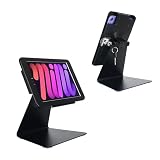
- Only for iPad Mini 7th Generation A17 Pro 2024 8.3 inch (A2993/A2995/A2996) & iPad Mini 6th Generation 2021 8.3 inch (A2567/A2568/A2569), Therefore, the iPad mini 7.9-inch cannot be used
- 2.this stand can flip the iPad to the opposite side,&The 360 degree rotating screen makes it easily adjust viewing angle or rotate for horizontal or vertical views.,but the base does not move.allows access to ports, cameras, buttons, and headphone jacks,compatible with headphone jack credit card readers(but Add extension interface (in box)),
- 3. Strong and stylish aluminum kiosk, predrilled holes in base for secure desktop or installation. lock & Key keeps tablets secured inside the fixed frame, the locking protects tablet from theft.
- 4.Great for office, retail, hotel, school, church, commercial, restaurant, kitchen, Display, exhibiting at conferences, events, trade shows ,workshop or personal use.
- 5.tablet holder is easy to install on any desktop and comes with Screw fixing hardware included. Heavy-duty aluminum bracket and metal base ensure durability and wobble-free mounting of your device. Protective pad on the bracket cushion your device.
The published examples show Starter and Pro totals of $34 and $69 at 10 staff, $64 and $129 at 20 staff, and $94 and $189 at 30 staff. Starter adds recurring schedules, positions, rotation tally, staffing plans, open shifts, swaps, paid time off, geofencing, and kiosk access. Pro adds multiple locations, scoped managers, skills and certifications, a compliance pack, and payroll-formatted exports.
Upgrade when the clinic needs more than the two-person free limit, recurring rotations, shared timekeeping, or CSV payroll output. Pro is the relevant tier when multiple locations, manager boundaries, skills, or certifications matter more than the lowest monthly price. The published examples stop at 30 staff, so a 40-person clinic should obtain the actual per-person extension rather than extrapolate it.
2. Deputy: who it is for
Deputy suits teams that want scheduling combined with labor planning and timekeeping controls. Its published comparison pricing is $5 per user per month for Lite, $6.50 for Core, and $9 for Pro, with a $30 minimum per invoice and a free trial.
Crashes, No Sound, or Screen Glitches?
Random freezes, missing sound and display glitches usually trace back to one bad driver. Find and replace yours safely.Free scan · under a minutePC Slower Than It Used to Be?
A free scan shows the junk files, broken settings and background clutter dragging Windows down - then fixes them in one click.Free scan · Windows 10 & 11Core is described as adding auto-scheduling, demand forecasting, labor optimization, wage budgets, and biometric time-clock capability. An HR add-on is reported at $2 per user per month. The cited pricing information does not establish a permanent free plan, so a clinic should treat the trial as a validation period rather than as a long-term free operating tier.
For a 40-user team, the headline subscription arithmetic is $200 per month on Lite, $260 on Core, or $360 on Pro before the minimum-invoice rule, add-ons, taxes, or other charges. Actual billing can differ because the pricing FAQ says a user added near month-end may be billed for the full month, and archived or unarchived users can also trigger full-month treatment.
Upgrade from Lite when forecasting, wage budgets, automated scheduling, biometric clocking, or HR workflows are operational requirements. A clinic with a stable schedule and no labor-planning need may not benefit from paying for every advanced control. Model active seats by billing month before accepting a quote.
3. OnShift: who it is for
OnShift suits healthcare organizations that are evaluating a specialized, quote-based workforce and staffing platform rather than a self-serve scheduling app. Its commercial model belongs in the enterprise-quote category, so the purchase conversation should begin with departments, roles, staffing rules, and implementation scope.
The public comparison identifies OnShift as quote-only rather than publishing a per-user or per-team rate. The commercial material does not present a self-serve free plan or a transparent trial limit, so a buyer should ask whether a demonstration environment or scoped pilot is available and whether it is included in the proposed contract.
For a hospital or larger care operation, request a written breakdown of scheduling, staffing, timekeeping, reporting, integrations, support, implementation, and renewal terms. Ask whether the quote changes by facility, employee group, module, or service level. Do not compare a quote for a broad workforce platform directly with a $2.50 per-user schedule board unless the included workflows are equivalent.
OnShift is more appropriate when the organization wants a healthcare-specific procurement process and can assign time to configuration and implementation. A very small clinic with one manager and a simple weekly rota should first check whether a transparent self-serve product covers its needs at a lower administrative cost.
4. QGenda: who it is for
QGenda suits physician groups and hospitals with provider scheduling, call management, credentialing, analytics, and system-integration needs. Its overview describes a predictable subscription priced per provider per month for selected modules, but the actual amount depends on the modules and scope.
The commercial model is quote-based, with no public self-serve price or permanent free tier presented in the cited material. A buyer should request a quote that separates provider scheduling, on-call management, credentialing, analytics, and integrations instead of accepting one blended figure.
Shopping ad

- 【Lockable Desktop Tablet Stand】Anti-Theft ipad stand features superior tablet security lock, ideal for Check-in, POS, Trade show,online order or any public setting like cafe,library,restaurantetc to improve work efficiency.A keyed locking system keeps your iPad safe and allows for quick removal.
- 【Perfect Display Solution】360° Swivel and 270° Tablet FLIP on this ipad table stand anti theft model means you can switch the angle of the tablet between yourself and others to browse the information.
- 【Hassle-Free Installation】You can choose to fix the bottom plate on the table top with screws, or place the whole stand on the table according to your needs.As for the locking bracket, you can simply turn the key and open both ends of the bracket to place your tablet, then adjust two ends, and then turn the key to lock.
- 【Safety nd Anti-theft】when the bottom plate is fixed behind the table. Once the tablet is put in and locked, it cannot be opened without a key. The whole bracket is made of all-aluminum alloy, which is thick and sturdy. Complete anti-theft function is realized, so you don't have to worry about losing your tablet.
- 【Universal Compatibility】This tablet holder fit for all 9"-14" screen tablets, such as compatible with iPad Pro 13/ 12.9/ 11/ 10.5/ 9.7, iPad 7th 8th Generation 10.2", iPad Air 2 3 4 10.9" 2020; Galaxy Tab A 10.1/ 10.5/ 9.7/ 8.0, Galaxy Tab S series, Galaxy Tab E 9.6, Tab S4; Surface Pro X/ 8/7/ 6/ 4/ 3/ Surface Go 3/2/1; Nexus tablets, e-Readers etc more tablets with or without a case or sleeve.❗ Note: the iPad holder not fits iPad Mini.
QGenda is relevant when the scheduling problem is not simply assigning employees to shifts. Physician call rotations, provider availability, credential status, and EHR or HRIS connectivity can make the operational value of a provider-oriented platform different from that of a general employee scheduler.
Before signing, ask how provider counts are defined, whether advanced modules are priced per provider, whether inactive or locum providers count, how many interfaces are included, and what implementation work is required. The overview is a secondary description and recommends independent verification, so the proposal and current commercial terms should control the decision.
5. symplr Workforce: who it is for
symplr Workforce suits healthcare organizations evaluating an enterprise workforce product through a formal quote process. The 2026 healthcare comparison identifies it as quote-only, which means the organization should expect pricing to depend on scope rather than a published monthly rate.
Do these 3 things before closing this tab:
1Scan for outdated or missing drivers - takes under a minute2Clear out junk files and repair common Windows errors3Fix the driver behind crashes, sound loss and screen glitchesNo public self-serve price, free plan, or transparent trial limit is included in the cited commercial comparison. Ask for a proposal that identifies the billable population, facilities, departments, scheduling modules, implementation services, integrations, support level, and renewal terms.
This model is easier to justify when a health system needs centralized governance across multiple departments or wants procurement to evaluate workforce requirements as part of a larger operational program. It is harder to justify for a tiny single-location team that only needs a shared calendar, availability collection, and a basic export.
Use the quote-comparison method rather than a headline-price comparison: document the number of sites, employee groups, scheduling rules, interfaces, historical data to migrate, and reports that must be retained. Then ask the vendor to price a normal year and an expansion year separately.
Independent reader supportYour contribution helps us test, update, and keep practical guides available for everyone.6. UKG Shiftboard: who it is for
UKG Shiftboard suits multi-site or enterprise operations that need a site-based service structure and workforce controls. Its service description identifies Enterprise, Enterprise Pro, and Communications as subscription services provided on a per-site basis, while Timesheets access is limited by the employee quantity in the order.
The public enterprise description does not provide a self-serve free plan or a transparent retail monthly rate. Treat this as a quote-based product and ask for separate pricing by site, employee quantity, service, implementation, integration, and support.
A separate UKG Dimensions procurement document describes a per-employee-per-month SaaS model covering time and attendance, accruals, advanced scheduling, and analytics. It also lists InTouch DX clocks at £60 to £80 per clock per month. That document dates from 2023 and is historical procurement evidence, not a current US retail quote, but it demonstrates why hardware and timekeeping can sit outside the core subscription.
UKG Shiftboard is more appropriate when a health system needs enterprise procurement, facility-level scope, and a structured implementation. A department that only needs a rota should ask whether the enterprise service is broader than necessary and should compare the total project cost, not just the subscription line.
7. When I Work: who it is for
When I Work suits a single-location clinic that wants a transparent starting price for scheduling, time and attendance, and team messaging. Its pricing page says pricing starts at $2.50 per user per month for single-location teams and $5 per user per month for multi-location businesses.
What’s actually slowing this PC down?
Pick the symptom - the matching free tool is one click away.
The service offers a 14-day full-access trial with no credit card. The page says every plan includes employee scheduling, time and attendance, and team messaging. Customers can switch plans, add or reduce seats, or cancel at any time.
Shopping ad

- Universal fit for 10"-14" displays: Designed to securely hold most 10"-14" tablets, including iPad and Samsung models, with a maximum thickness of 0.39" (10 mm). The back panel also features a standard VESA 75x75 mm mounting pattern, making it highly versatile for various commercial setups.
- Commercial-grade anti-theft security: Keep your devices safe in high-traffic environments like retail stores and hotels. This stand features a keyless design with specialized anti-theft screws to lock the tablet, plus a bolt-down base with pre-drilled holes to securely mount the entire unit to your countertop.
- Fully adjustable viewing angles: Enhance customer interaction and cashier comfort with our highly flexible stand. Easily adjust the height from 10.43" to 15.94" (265 to 405 mm), rotate the screen 360° for portrait or landscape use, and smoothly tilt it 180° (-90° to +90°) for effortless screen sharing.
- Heavy-duty steel construction: Built for long-lasting durability, the solid steel stand weighs 5.38 lbs (2.44 kg) and features a thick Ø7.87" (200 mm) base for maximum stability. Protective silicone pads on the brackets ensure your tablet stays firmly gripped without any scratches.
- Clean cable management system: Maintain a professional, clutter-free POS station. Our smart internal routing design allows you to feed the charging cord through the top opening of the column and pull it out through the bottom hole of the base, keeping wires completely hidden from your customers.
At the published single-location rate, 40 users would produce a simple $100 monthly calculation; at the multi-location rate, the same headcount would produce $200 before taxes or other charges. The public page also warns that SMS or carrier charges can apply in some workflows, so a clinic that relies on text notifications should ask for a message-cost estimate.
Upgrade or move to a different class of product when the clinic needs provider credentialing, rules-based call management, complex multi-site permissions, or hospital-grade staffing governance that the public plan description does not establish. It is a useful low-cost benchmark for ordinary scheduling, but a low price does not by itself prove that a product replaces specialized clinical staffing software.
8. Zchedule: who it is for
Zchedule suits a micro-team or a low-cost pilot that needs a flat team price. Its November 2026 pricing page lists Free at $0, Starter at $19.99 per team, and Pro at $39.99 per team.
Windows Errors? Fix Them Before They Spread
Repair common Windows errors and clear accumulated junk for a smoother, more stable PC - no reinstall needed.Free scan · no reinstallCrashes, No Sound, or Screen Glitches?
Random freezes, missing sound and display glitches usually trace back to one bad driver. Find and replace yours safely.Free scan · under a minuteThe Free plan supports up to five people and includes the weekly board, shift presets, availability, notifications, an iPhone app, and estimated labor cost. Every new team starts on Free with no time limit and no card. Starter supports up to 30 people and adds shift swaps, coverage requests, GPS clock-in, an iPad kiosk, timesheets, attendance, and payroll CSV export. Pro is unlimited and adds a schedule generator and advanced labor analysis.
Zchedule’s flat pricing makes it easy to budget for a small group, but the five-person free cap and limited manager scope make it a poor proxy for a hospital department. The unlimited Pro label should not be confused with unlimited healthcare complexity: a clinic still needs to confirm whether its staffing rules, certification process, permissions, integrations, and audit requirements are covered.
Upgrade from Free when the team exceeds five people or needs swaps, coverage requests, GPS clock-in, kiosk access, timesheets, attendance, or payroll export. Starter is the relevant paid tier for a team within the 30-person limit; a larger operation should evaluate whether a flat team plan still provides the governance it needs.
How we picked the comparison points
The comparison uses products with a published healthcare or workforce-scheduling fit and a price model that can be explained to a US buyer. The selection includes transparent self-serve prices, free limits, trials, per-user rates, per-team rates, per-provider descriptions, and per-site enterprise models so the main billing differences are visible.
Recommended Free Tools
Features were included only where the cited product pages or supplied published sources support them: scheduling, timekeeping, swaps, coverage, labor planning, skills, certifications, credentialing, analytics, integrations, and enterprise scope. Quote-only products are included because their pricing model is itself an important answer for hospital and physician-group buyers.
What should a healthcare buyer ask before signing?
Use this checklist during a demo or procurement call:
- What exactly is the billing unit: user, active person, provider, team, location, or site?
- Do owners, schedulers, managers, administrators, float staff, and archived users count?
- Are newly added seats billed for a full month?
- What happens when a second clinic, department, or facility is added?
- Which tier includes recurring rotations, open shifts, swaps, PTO, GPS, kiosk, and payroll export?
- Can the system enforce skills, certifications, credential expiry, position minimums, call rotations, or rest rules?
- Are payroll, HRIS, EHR, time-clock, and identity integrations included or separately priced?
- Are SMS, carrier, biometric, kiosk, or clock-hardware charges separate?
- What are the implementation, migration, training, support, and renewal costs?
- Can the vendor provide an invoice example for both normal and peak staffing months?
- What data can the organization export if it changes systems?
Frequently Asked Questions
Can healthcare scheduling software replace a payroll system?
Usually, scheduling software supplies time records, attendance data, pay estimates, or a payroll-formatted export rather than replacing payroll processing itself. Confirm the exact export format, approval workflow, and whether the payroll connection is native, an add-on, or a paid integration.
Are managers and schedulers charged as employees?
They may be, depending on the billing model and the permissions they need. Ask the vendor to show how an owner, scheduler, manager, part-time worker, float worker, and archived account would appear on an invoice before comparing per-user prices.
The Tool Desk
Outbyte PC Repair FREERepair Windows errors before they cause bigger problemsFix Now →Outbyte Driver Updater FREEScan for outdated or missing drivers - takes under a minuteDriver Scan →Does a scheduling subscription include a tablet kiosk?
Not necessarily. Some published plans include kiosk access, while enterprise timekeeping may use separately priced clocks or hardware; confirm supported devices, setup, replacement responsibility, and whether the kiosk feature requires a higher tier.
Should a hospital use one scheduling platform for every department?
Not automatically. A hospital may centralize identity, reporting, and procurement while allowing different departments to use different scheduling modules or workflows; start by mapping shared rules and department-specific requirements before committing to one system-wide scope.
Quick Recap
Product prices and availability are accurate as of the date/time indicated and are subject to change. Any price and availability information displayed on Amazon at the time of purchase will apply.

