Recommended Free Tools
The Geeks Club is reader-supported. When you buy through links on our site, we may earn an affiliate commission. As an Amazon Associate I earn from qualifying purchases. Learn more
Employee scheduling software for retail stores usually costs $30 to $100 per month for one location with about 20 hourly workers, before payroll and other add-ons. A qualifying 10-person store may pay $0 on a free plan, while a multi-location retailer can see the bill grow by location, employee, manager seat, or feature. Paying makes sense when the store needs more than a basic rota—such as a second location, GPS or photo clock-ins, payroll, automated scheduling, labor forecasting, or stronger controls for swaps and open shifts.
That $30-to-$100 range is a planning estimate reported for 2026, not a guaranteed invoice. The comparison becomes meaningful only after you normalize store count, employee count, billing term, time-clock access, payroll, and add-ons. The figures below are US-oriented monthly examples checked in November 2026; taxes, promotions, contracts, regional pricing, and plan changes can alter the final amount.
At a glance
The products below are listed alphabetically, not ranked. The table separates the published price or quote model from the assumptions behind it so a retail manager does not compare a per-location fee with a per-user fee as though they were equivalent.
PC Slower Than It Used to Be?
A free scan shows the junk files, broken settings and background clutter dragging Windows down - then fixes them in one click.Free scan · Windows 10 & 11Outdated Drivers Are Slowing You Down
One free scan finds every outdated or missing driver and matches the right update for your exact hardware.Free scan · exact hardware match| Name | Best for | Key spec | Free plan / price | Checked |
|---|---|---|---|---|
| Connecteam | Stores wanting a block-priced employee-management platform | First published tier covers up to 30 users | Starting at $35 per month; free or trial limits not specified | November 2026 |
| Deputy | Teams with frequent swaps, confirmations, and time-clock needs | Per-seat pricing; break scheduling and micro-scheduling | Starting at $5.50 per seat per month; free trial; exact trial limits vary | November 2026 |
| Findmyshift | Retailers comparing schedule-focused options | Included in 2026 retail scheduling comparisons | Current paid price and free-plan limits require a live quote or checkout check | November 2026 |
| Homebase | One small shop that needs scheduling and basic time capture | Free plan supports one location and up to 10 employees | Free; Essentials listed at $30 per location per month; payroll at $49 plus $6 per employee paid | November 2026 |
| Sling | Small stores comparing a low flat monthly tier | Premium example uses a flat monthly price | Premium example: $20 per month; free-plan or trial limits require confirmation | November 2026 |
| When I Work | Stores managing open shifts, swaps, and time-clock workflows | Per-seat pricing; user-count assumptions matter | Starting at $2.50 per seat per month; a $25 monthly tier is also cited | November 2026 |
| Workforce.com | Retail chains needing forecasting and workforce controls | Chain-oriented product with labor forecasting | Quote-based; no public fixed starting price or free-plan limit stated | November 2026 |
Prices checked November 2026.
How much does employee scheduling software cost for a retail store?
For a single retail location with approximately 20 hourly employees, budget roughly $30 to $100 per month for scheduling software before payroll and other add-ons. The lower end is represented by a per-location plan such as Homebase Essentials, while the higher end can appear when a vendor charges per user and the store has enough employees or manager seats to increase the monthly total.
Shopping ad

- VISUAL WORK SCHEDULE BOARD: Our whiteboard work calendar is like hanging a map on wall, everyone involved can see their time schedule, job, shift and task, enhance communication and increase productivity
- BIG SIZE: This work schedule whiteboard measures 24x36 inch, you have plenty of space to write down the details of task information in the box. A nice weekly log to keep tracking individual job
- DRY ERASE SURFACE: The surface of this large weekly schedule planner is laminated by erasable Nano film, easier to wipe off than magnetic whiteboard even years later, you can update information daily
- LIGHTWEIGHT WORK SCHEDULE BOARD: This work schedule planner is made of thick paper, much lighter than traditional whiteboard, easy to mount on the wall with adhesive tapes
- COST-EFFICIENT: This weekly schedule board comes rolled-up in sturdy tube, with mounting tapes, dry-erase eraser. The corners is reinforced by copper grommets, tear-resistant and durable, a nice employee schedule calendar for business with multiple departments
A small shop with 10 employees may qualify for a $0 plan. That does not mean every store with 10 people will pay nothing: the free option may be limited to one location, and features such as payroll, GPS verification, automated scheduling, hiring, onboarding, or additional locations may require payment. A second shop can also change a per-location bill even if the total headcount stays constant.
The most useful budgeting question is not simply, “What is the monthly subscription?” It is, “What will this exact store pay for its locations, schedulable users, time clock, payroll workflow, integrations, and billing term?” The 2026 comparison from HR Pricing supplies the $30-to-$100 planning range, while the product examples below show why two stores with the same headcount can receive different invoices.
Do scheduling apps charge per employee or per location?
They can charge by location, seat, user block, or quote. The billing unit is often more important than the headline monthly price because managers and administrators may count as users, while a flat tier may cover a block of employees whether the store uses all of them or not.
| Pricing model | How it affects a retail store | What to confirm |
|---|---|---|
| Per location | Easy to budget for one shop, but a second store can add another location fee. | Whether employees are unlimited on the paid plan and whether each location needs its own subscription. |
| Per user or seat | The bill grows with employees and may include managers, administrators, or other account users. | Which roles count, whether inactive users are billed, and whether seasonal workers can be removed without losing records. |
| Flat or block pricing | A block can be economical near its limit, but less attractive for a very small team or after expansion. | The number of included users, overage rules, and whether the block applies to one location or the whole account. |
| Quote-based | More suitable when a chain needs forecasting, integrations, or multi-site controls, but the public price is not enough for a budget. | Implementation, support, integrations, minimum commitments, and whether each store or user changes the quote. |
Annual billing can reduce the nominal monthly rate, but it may also reduce flexibility around refunds, downgrades, or cancellation. A seasonal retailer should compare the total commitment, not just the monthly equivalent.
What is the cheapest staff scheduling app?
The lowest headline cost in this comparison is a qualifying $0 free plan, but only for a store that fits the location and employee limits. Among published paid examples, Sling Premium is listed at $20 per month, When I Work has a representative starting figure of $2.50 per seat per month, and Homebase Essentials is listed at $30 per location per month. Those numbers cannot be declared universally cheapest without applying the same employee count, manager seats, time-clock requirements, and billing term to each product.
For 20 workers, a flat $20 plan and a $2.50-per-seat plan are not automatically comparable. The seat-based calculation may change if managers or administrators count as users, while the flat plan may have different limits or omit payroll and advanced controls. The right low-cost option is the one that covers the store’s required workflow without forcing the manager back into spreadsheets, manual time corrections, or a separate payroll process.
Which employee scheduling software suits each retail need?
Each option below is presented for a different operating situation. The figures are published 2026 examples or quote models, checked in November 2026; they are not a guarantee of a current checkout total.
1. Connecteam: who it is for
Connecteam suits a retailer looking for a broader employee-management app with a block-style starting tier rather than a very small per-seat calculation. Its published starting figure is $35 per month, and the first 30-user tier is the key assumption behind that price.
Free plan or trial: The published pricing information used for this comparison does not establish a free-plan employee limit or trial limit, so a buyer should confirm whether a current promotion or trial applies before treating the $35 figure as an all-in starting cost.
Paid plans and billing: The $35 starting figure is a monthly planning number tied to the first 30-user block. A block can make sense for a store approaching that ceiling, but a very small shop may pay for unused capacity. A retailer expanding past the included user count should ask how the next block changes the invoice.
Connecteam’s pricing page cautions: “Actual pricing and availability may vary because of promotions, taxes, contract terms, add-ons, seat definitions, plan changes, regional pricing, or custom quotes.” That warning is especially relevant when a store needs payroll, integrations, or more than a basic schedule. Upgrade when the value comes from consolidating employee-management functions or when a block tier is cheaper and simpler than several separate per-seat charges.
Do these 3 things before closing this tab:
1Fix the driver behind crashes, sound loss and screen glitches2Clear out junk files and repair common Windows errors3Scan for outdated or missing drivers - takes under a minute2. Deputy: who it is for
Deputy suits a retail team that needs more structured shift operations, including break scheduling, shift confirmations, micro-scheduling, open shifts, and manager-approved swaps. The retail comparison also identifies demand forecasting and real-time labor-spend visibility as reasons a larger or more operationally complex store may pay for a fuller setup.
Free trial: The official pricing page advertises a free trial. The exact duration, user allowance, and feature limits should be confirmed on the current signup screen rather than assumed from the existence of a trial.
Paid plans and billing: A representative starting figure is $5.50 per seat per month. A 2026 comparison gives a $55 per month Lite example, while a 20-person example can reach approximately $100 per month depending on the counted users and plan assumptions. Because managers and administrators may count as users, a store should price employee seats and management seats together.
The official product page lists break scheduling, shift confirmations, and micro-scheduling and advertises the trial, but a feature mentioned across a product family is not proof that it is included in the cheapest tier. Upgrade when approval controls, labor visibility, or frequent coverage changes matter more than the lowest possible subscription.
Free tools Windows power users keep installed
One-click scans. No signup required.
3. Findmyshift: who it is for
Findmyshift is a schedule-focused option to include when a retailer is comparing several ways to publish rotas and coordinate staff. It appears in the 2026 retail scheduling comparison alongside the other products in this shortlist, making it relevant for a store that wants to investigate a dedicated scheduling workflow rather than a broader workforce suite.
Free plan or trial: The current free-plan employee and location limits are not established by the published figures used here. Confirm whether a free tier or trial is available and whether it permits real employee notifications, shift changes, and historical records before using it as a permanent store process.
Shopping ad
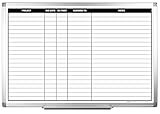
- MAGNETIC DRY-ERASE SURFACE — Designs are directly printed onto a durable vinyl layer that is resistant to stains and ghosting, ensuring long-lasting visibility and a smooth writing surface. The surface is also magnetic, giving you freedom to accessorize your whiteboard however you like or attach any number of documents
- EASY INSTALLATION — Includes mounting brackets and hardware for secure and hassle-free wall mounting. For a quick tutorial on how to properly install your whiteboard, please watch our video located in this product page
- SPACIOUS WRITING AREA – Large enough to capture a wide range of information without running out of space, encouraging collaboration and communication between departments. Writing area measures 2" less than the board's total dimensions
- DURABLE ALUMINUM FRAME – 1" aluminum border paired with a 2.5" deep aluminum tray for convenient accessory storage
- QUALITY ASSURANCE— Please inspect your whiteboard upon arrival to ensure it meets your expectations. If you encounter any issues, contact us through Amazon’s Buyer-Seller Messaging system for support.
Paid plans and billing: A fixed paid starting price is not included in the cited comparison figures, so the store should obtain the current price for its location count and employee count instead of inserting a guessed number into the budget. That makes the product a comparison candidate, not a reliable low-cost assumption.
Upgrade when the schedule itself is the primary need and the paid workflow handles the store’s availability, time-off, notification, swap, and audit requirements. If payroll, GPS clock-in, forecasting, or multi-location controls are also required, compare the complete stack rather than the schedule subscription alone.
Quick wins for a faster PC:
Repair Windows errors before they cause bigger problemsFix Now →Fix the driver behind crashes, sound loss and screen glitchesFind Drivers →Clear out junk files and repair common Windows errorsFree Scan →4. Homebase: who it is for
Homebase suits a small single-location shop that wants scheduling, time capture, timesheets, and team communication in one starting workflow. Its free plan does not expire, does not require a credit card to start, and covers one location and up to 10 employees, according to the Homebase free-plan page.
Free plan: The documented free tier includes drag-and-drop scheduling, a time clock that can work through a tablet, web, or POS, automatically generated payroll-ready timesheets, overtime and break tracking, read-receipt messaging, and a mobile app. The important limits are one location and 10 employees. Payroll itself is not included as a free feature.
Paid plans and billing: Homebase Essentials is listed at $30 per location per month. The paid plans are described as supporting multiple locations and unlimited employees, while additional capabilities can include GPS and photo clock-in verification, AI-powered scheduling, hiring and onboarding, and full-service payroll. The exact plan containing each feature should be confirmed before purchase.
Payroll cost: A published Homebase payroll figure is $49 plus $6 per employee paid. Treat that as a separate payroll line rather than folding it into the scheduling subscription. A store should upgrade when it passes the 10-employee or one-location limit, needs mobile verification, wants hiring and onboarding, or needs payroll instead of only payroll-ready timesheets.
What’s actually slowing this PC down?
Pick the symptom - the matching free tool is one click away.
5. Sling: who it is for
Sling suits a small retailer comparing a low flat monthly scheduling tier. The 2026 pricing comparison gives a $20 per month Premium example, which can be attractive when a store wants a predictable monthly figure rather than a pure per-seat calculation.
Free plan or trial: The cited price example does not establish the employee, location, feature, or trial limits of a current free offering. Confirm those limits directly before assuming the $20 plan is the first paid step or that the free option covers time-clock and communication needs.
Paid plans and billing: The $20 Premium figure is a monthly example. Compare its included locations, employee ceiling, clock-in method, shift-swap controls, and payroll workflow with the store’s actual needs. A lower base fee is not useful if the required time clock, payroll connection, or additional location produces a separate charge.
The retail comparison places Sling among options for small stores. Upgrade when the free or entry workflow no longer handles the store’s number of locations, notifications, time capture, or shift coverage process; otherwise, keep the calculation focused on the features the shop will actually use.
6. When I Work: who it is for
When I Work suits retail teams where open shifts, frequent swaps, employee availability, and time-clock workflows are central to daily operations. The retail comparison identifies it as a choice for frequent swaps, open shifts, and time clocks.
Free plan or trial: A free-plan or trial limit is not established in the published price figures used here. Confirm the current signup offer and whether the trial includes time-clock access, employee notifications, and manager approvals.
Paid plans and billing: The representative starting price is $2.50 per seat per month. A separate 2026 comparison gives a $25 monthly tier example. Because the product uses seat-based assumptions, count employees, managers, and administrators exactly as the vendor defines them before comparing it with a per-location plan.
Upgrade when the store needs a more controlled process for claiming open shifts, approving swaps, confirming assignments, or recording time. A manager should also ask whether the time clock is included in the selected tier or priced as a separate capability.
7. Workforce.com: who it is for
Workforce.com suits a retail chain that needs more than a rota, especially when labor forecasting and multi-site workforce controls are part of the buying requirement. The retail comparison places Workforce.com among chain-oriented products alongside forecasting-focused options.
Free plan or trial: No public free-plan employee or location limit is stated in the pricing information used for this comparison. A chain should ask whether an evaluation environment is available and whether the evaluation includes its required locations, integrations, and forecasting workflow.
Paid plans and billing: Workforce.com is treated as a quote-based product in the comparison rather than a service with a dependable public starting price. The quote should identify location count, employee and manager seats, forecasting, payroll or payroll integration, support, implementation, and any required contract term.
Shopping ad

- LAMINATED CALENDAR FOR WORK SCHEDULE COMBO: Scheduling your day and week, to integrate task, activity, appointment and other events all in one place, to keep you organized and on track. This work schedule calendar for employees is efficient, visual and practical planning tool for all purposes
- WEEKLY PLANNER WITH TIME SLOTS: Keep track of weekly daily activity, scheduling meetings or clients by 30 minute increment. This jumbo dry erase weekly planner for wall is suitable for homeschool, work, medication tracking, home office, salon or other planning needs
- GIANT SIZE MONTHLY AND WEEKLY CALENDARS: The package consists of a 24x36 inch monthly calendar and a 36x45 inch week dry erase calendar, weekly calendar for planning your week in detail with hourly timeblock, monthly calendar for month reminders. Large enough writing space to encourage collaboration and communication
- WET OR DRY ERASE IS ACCEPTABLE: Laminated by special erasable film to create a smooth writing surface that can be wiped easily and clean, even after long time. The weekly whiteboard planner with 4 grommets in corners is made of thick construction paper that will last for years
- EASY TO WALL MOUNT: It comes rolled in solid paper tube, safe and crease-free. Quick and easy to mount on the wall with acrylic stickers. This hourly, daily, weekly, monthly wall planner combo helps put all the rest of life in an orderly fashion
Upgrade to a quote-based chain platform when forecasting and labor controls can influence staffing decisions across stores. A single small shop should first determine whether it actually needs those controls; a quote-based system is not automatically economical simply because it includes more functions.
The Tool Desk
Outbyte PC Repair FREERepair Windows errors before they cause bigger problemsFix Now →Outbyte Driver Updater FREEFix the driver behind crashes, sound loss and screen glitchesFind Drivers →Is free scheduling software enough for a small shop?
Free scheduling software can be enough when one store has no more than 10 employees and needs a shared schedule, basic time capture, timesheets, and messaging. It stops being enough when the store exceeds the location or employee limit, needs payroll, or requires controls that the free tier does not include.
Homebase provides the clearest documented example: one location, up to 10 employees, scheduling, time clock, timesheets, and messaging at no subscription cost. That can cover the basic operating loop for a small shop. The paid trigger is usually a hard limit or a control requirement, not a desire for a more attractive calendar.
Use this break-even test:
- Stay free if the shop fits the location and employee cap and the manager can operate with the included clock-in and timesheet workflow.
- Model a paid plan when the shop needs a second location, more employees, GPS or photo verification, automated scheduling, hiring and onboarding, payroll, or forecasting.
- Compare the operational result rather than only the subscription: manager hours saved, fewer payroll corrections, better coverage for missed shifts, and reduced compliance exposure.
The sources provide feature and price differences but do not provide a neutral savings or payback figure. The store should calculate those benefits from its own payroll corrections, manager time, missed coverage, and current scheduling process.
What will I pay once payroll and time tracking are added?
Time tracking may be included in a scheduling plan, while payroll is often a separate paid service, add-on, export, or partner connection. A store should price those pieces separately instead of assuming that a time clock automatically includes payroll.
Homebase’s free page documents tablet, web, or POS clock-in, timesheets, overtime and break tracking, and payroll-ready records. Its published payroll figure is $49 plus $6 per employee paid, which illustrates how a low-cost scheduling start can become a larger recurring cost once payroll is added.
Before selecting a plan, ask these questions:
- Is the clock tablet-only, web-based, POS-based, mobile, or mobile with GPS and photo verification?
- Are time-clock, overtime, break, and timesheet features included in the quoted tier?
- Does payroll export to the store’s existing payroll provider, or does the vendor sell native payroll?
- Are payroll charges based on employees paid, employees scheduled, locations, or a separate monthly fee?
- Are POS, HR, accounting, or payroll integrations included, paid separately, or available only on a higher tier?
- Can the selected plan handle multiple departments and locations without duplicating schedules or subscriptions?
How should a retail store compare the total cost?
Build the estimate in the same order that the invoice will be built. This prevents a $20 flat plan, a $30 location plan, and a $2.50 seat plan from being compared without their different assumptions.
- Count locations. Enter every store that needs its own schedule, time clock, or manager access.
- Count paid users. Include employees, managers, administrators, and other roles if the vendor counts them as seats.
- Choose the billing term. Record monthly and annual totals, cancellation terms, refund rules, and downgrade restrictions.
- Separate time capture. Note whether the time clock is included, tablet-based, POS-based, mobile, GPS-enabled, or a separate add-on.
- Add payroll. Price payroll export, native payroll, payroll-partner fees, and per-employee payroll charges separately.
- Add integrations. Include the POS, HR, accounting, and payroll connections the store actually uses.
- Test the coverage workflow on paper. Confirm whether employees can claim open shifts, whether swaps need manager approval, whether unavailable or overlapping assignments are blocked, and whether schedules can be copied across departments or locations.
- Calculate the store’s baseline. Compare the subscription and add-ons with current manager time, payroll corrections, missed-shift coverage, and compliance risk. Do not use a generic payback claim in place of store-specific arithmetic.
Use the vendor checkout page or sales quote immediately before signing. Promotions, taxes, contract terms, add-ons, seat definitions, regional pricing, plan changes, and custom quotes can all change the amount that appears on the invoice.
How we picked the products in this comparison
The shortlist covers different retail buying situations rather than ranking vendors. It includes a free single-location option, per-location pricing, per-seat pricing, flat or block pricing, a schedule-focused comparison option, and a quote-based chain platform. Selection also considered whether the published material addressed retail scheduling needs such as availability, time off, notifications, open shifts, swaps, time clocks, payroll readiness, multiple locations, or labor forecasting.
Do these 3 things before closing this tab:
1Repair Windows errors before they cause bigger problems2Scan for outdated or missing drivers - takes under a minute3Clear out junk files and repair common Windows errorsPrices and plan details are shown only where a published 2026 figure or product-page detail supports them. A missing public price is shown as a quote or a confirmation item instead of being replaced with an estimate.
What should a retail manager do next?
Start with the smallest workflow that meets the store’s actual requirements. A single shop with up to 10 employees can evaluate a qualifying free plan first. A store with multiple locations, more than 10 workers, GPS verification, payroll, automated scheduling, or forecasting should compare paid plans using the same employee and location assumptions.
For a practical first quote, prepare one line for the scheduling subscription, one for every additional location or seat block, one for time-clock access, one for payroll, and one for integrations. Then compare the total with the manager’s current administrative burden rather than choosing solely from the lowest advertised monthly number.
Frequently Asked Questions
Can a retail store use an employee scheduling whiteboard instead of software?
Yes. An employee scheduling whiteboard can serve as a familiar manual fallback or a transition aid for a very small shop. It does not replace payroll processing, labor forecasting, digital time records, or the audit and approval controls that may justify software.
Crashes, No Sound, or Screen Glitches?
Random freezes, missing sound and display glitches usually trace back to one bad driver. Find and replace yours safely.Free scan · under a minutePC Slower Than It Used to Be?
A free scan shows the junk files, broken settings and background clutter dragging Windows down - then fixes them in one click.Free scan · Windows 10 & 11Does a tablet time clock mean payroll is included?
No. A tablet, web, or POS clock can capture punches and produce timesheets, but payroll may still be a separate paid service. Check whether the quoted plan provides payroll export, native payroll, or only payroll-ready time records.
Is annual billing a good idea for seasonal retail?
Only if the lower monthly equivalent outweighs the loss of flexibility. Seasonal stores should check cancellation, refund, downgrade, and minimum-commitment rules because an annual contract can be less convenient when staffing changes sharply after the busy season.
What should I ask before buying software for several stores?
Ask whether each location needs a separate fee, whether schedules can be copied across stores or departments, and whether managers count as paid users. Also request a quote that separates forecasting, payroll, integrations, support, and implementation from the basic scheduling charge.
Quick Recap
Product prices and availability are accurate as of the date/time indicated and are subject to change. Any price and availability information displayed on Amazon at the time of purchase will apply.
What’s actually slowing this PC down?
Pick the symptom - the matching free tool is one click away.

