
What’s actually slowing this PC down?
Pick the symptom - the matching free tool is one click away.
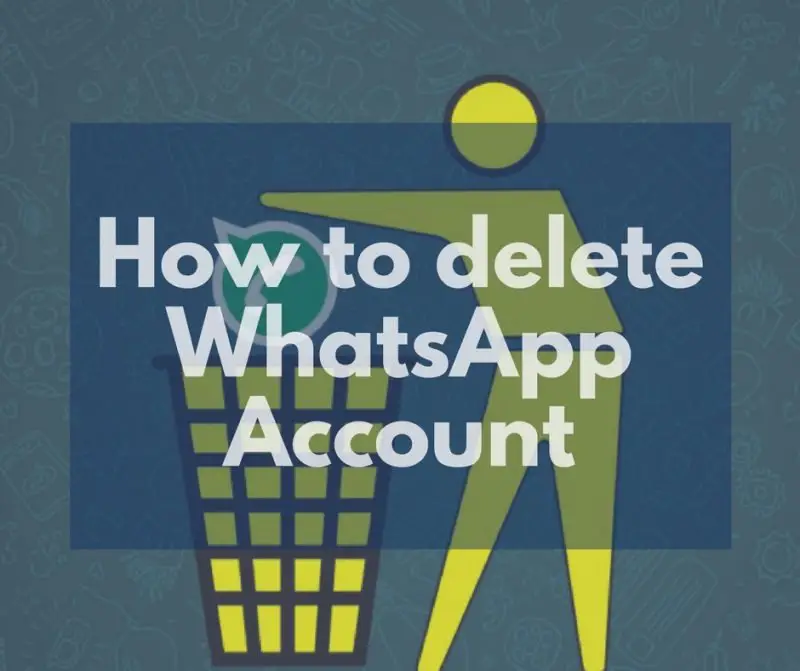
WhatsApp has become one of the most popular social media networks in the world. With over 1.5 Billion active monthly users, WhatsApp witnesses over 60 Billion messages per day on their platform. However, it doesn’t work well for everyone. WhatsApp is becoming a major disturbance for a good percent of mobile users. It is called information overload. Some people even find it difficult to handle the message flood and boring Good Morning – Good night texts, and status images. If you are one of them, we recommend you to delete your WhatsApp account. But WhatsApp has no support system to delete your account. So you will have to do it yourself. Don’t worry; we got you covered.
Note: Deleting your account will:
- Delete your account from WhatsApp.
- Erase your message history.
- Delete you from all of your WhatsApp groups.
- Delete your Google Drive backup.
Steps to delete your WhatsApp account permanently.
Follow the steps carefully. We will guide you to delete the WhatsApp account associated with your phone number. With this guide, you can destroy your WhatsApp data as well. So that, nobody gets access to them.
- Make sure you are connected to the Internet. You can delete Whatsapp account without sim, but only when you are connected to WiFi. However, it needs to be installed and configured on the phone prior to deleting.
- Launch WhatsApp app on your Android smartphone. We hope you know how to do that!
- You can find the menu options button on the top right corner (three vertical dots). Tap on it. It will reveal the menu options for WhatsApp.

- Tap on; ‘Settings’, then it will open the WhatsApp general settings window. There you can find plenty of options for your convenience. Tap on the section named as ‘Account’.
- It will now open your account settings. Tap on the last option – ‘Delete my account’. It will now open the confirmation window. WhatsApp will warn you about the risks of deleting your account. Read them carefully before proceeding.

- If you have made your decision, it is time to do that. Now select your country from the drop-down box. then enter your phone number in the box provided. Then tap on the final button ‘DELETE MY ACCOUNT’.

Done! This is how you delete your WhatsApp account. WhatsApp won’t bother you anymore with unwanted messages and boring good morning wishes.
How to restart your WhatsApp account after deleting
Even if you delete your Whatsapp account, you can reactivate it.
Shopping ad

- Capacity Display Variance: 1TB external ssd often appears as around 931GB on Windows. MacOS can show full 1 TB capacity. This is binary calculation difference and doesn’t affect SSD hard drive actual physical storage
- 1050 MB/s Speed: Instantly access to your files with blazing-fast 10Gbps external SSD read up to 1050MB/s and write up to 1000MB/s. LED Light indicates USB SSD instant activity
- Data Security: Solid state drives S.M.A.R.T. health diagnostics and adaptive TRIM optimizing data block management ensures consistent write speeds and extends the longevity of the portable SSD
- USB-C & USB-A Cable: Both cables featuring rapid USB 3.2 Gen2, this USB SSD effortlessly bridges devices, enabling seamless cross-platform file transfers and backup between computers, smartphones, tablets and iPhone
- Always Fast: No slowdowns for large file transfers. With SLC caching (25% of current available capacity allocated as high-speed cache), this external SSD delivers steady 10Gbps for transfers within the cache capacity
- Download and install WhatsApp app from the Google Play Store.
- Open the app on your device and verify your phone number with the app. It uses OTP (One-Time Passcode) to verify the phone number.
- After verifying the number, follow the on-screen steps to start your account right away.
Remember, you are no longer associated with any groups. It is completely a new account and uses it accordingly.
Quick Recap
Shopping ad

- The 2-in-1 flash drive with a reversible USB Type-C and a traditional Type-A connector.
- Seamlessly move content between your USB Type-C smartphone, tablets, and Mac and USB Type-A computers. (Mobile device requires USB Type-C port and On-The-Go (OTG) support. See SanDisk website for list of compatible devices.)
- Free up space on your USB Type-C smartphone so you can take more photos (Mobile device requires USB Type-C port and On-The-Go (OTG) support. See SanDisk website for list of compatible devices.)
- Automatically back up photos with SanDisk Memory Zone app (Download and installation of SanDisk Memory Zone app required.)
- High-performance USB 3.2 Gen 1 drive with up to 400MB/s ultra-fast read speeds (1 MB/s = 1 million bytes per second. Based on internal testing; performance may vary depending upon host device, usage conditions, drive capacity, and other factors. USB Type-C port with USB 3.2 Gen 1 support required.)
Shopping ad

- 【MFi Certified Flash Drive, Wide Compatibility】This 256GB USB flash drive for iPhone is officially MFi certified, ensuring full support for all iOS devices (iOS 12.1 and above). NOTE: For iPhone users, please download the required app from the App Store before use, while Android only needs to open your OTG function.
- 【Large Storage Capacity, Backup Easily】With 256GB/512GB of additional storage, this iPhone flash drive perfectly addresses memory shortages on your phone or iPad. You can share your special moment with your friends and family on your social media with just one-click. Note: The displayed capacity may differ from 256GB/512GB due to different calculation methods between storage manufacturers (1GB=1000MB) and computers (1GB=1024MB).
- 【Multi Port Design, Plug and Play】Equipped with USB/Lightning/Micro USB/Type-C (with independent adapter), this usb storage flash drive supports a variety of devices for effortless plug and play operation. Quickly transfer data between different devices, significantly enhancing convenience. Please note: Type-C adapter is shipped randomly in black or silver.
- 【High Speed Transfer, Save Your Time】With read speeds up to 40MB/s and write speeds up to 25MB/s, this thumb drive is more efficient than traditional USB drive. Allowing you to quickly transfer files, photos, and videos, which help you save time and focus on the things you like. Note: Actual speeds may vary based on device and processor performance.
- 【Stylish, Portable, and Secure】With a compact and stylish design, this flash drive for iPhone is available in blue, pink, black and gold, making it easy to carry around. The built-in encryption option allows you to set a password via the APP to secure your personal files, photos and videos, ensuring you have peace of mind when storing and accessing your precious memories while traveling or for daily use.
Shopping ad

- 【High Capacity & Effortless Backup】This Compatibility iPhone USB storage flash drive easily handles today’s larger 4K videos, high-resolution photos, and contacts. Easy backup frees up space instantly, so you’ll never miss capturing important moments. Perfect for iPhone, iPad, Android and PC users. (Note: For iPhone/iPad No App Required; For Android only Needs OTG Enabled, No Extra App.)
- 【Universal Compatibility with Dual Interfaces】Featuring USB, USB-L, Micro USB and USB-C independent ports, this iPhone photo storage stick connects seamlessly with iPhone/iPad, Android OTG phones, laptops and tablets. No iCloud fees, no internet required—just plug in and transfer files freely between your phone, computer and other devices.
- 【Blazing Fast Transfers Anywhere】Featuring upgraded high-speed chips, this portable phone external storage drive enables instant mass file transfers—up to 30 MB/s read speed and 15 MB/s write speed—no WiFi or data cables required. Save time sharing photos, moving large video projects, whether you’re traveling, working, or creating content on the go.
- 【Easy Backup, Enjoy Anytime Anyplace】Plug-and-play & simple to operate—quickly back up videos, photos, contacts and documents without tedious copying or pasting. No third-party apps required; just plug the drive into your iPhone, iPad or Android device and operate via the "Files" app. You can also share files directly from the iPhone photo stick to social media, instantly sharing wonderful moments with friends and family.
- 【How to Transfer in iPhone iPad】Requires iOS 13 and Higher: Simply insert the flash drive into your iPhone iPad, then go to the "Files" app, Click back to “Browse” and find the flash drive named “Untitled”, Move photos videos and files to your iPad or iPhone as needed.
Product prices and availability are accurate as of the date/time indicated and are subject to change. Any price and availability information displayed on Amazon at the time of purchase will apply.
Independent reader supportYour contribution helps us test, update, and keep practical guides available for everyone.