

Has Gmail and Gtalk been blocked in your office or college? Well there is no need to despair. You can still chat on Google Talk Without Gtalk or Gmail. Here is...
Archive - 2011
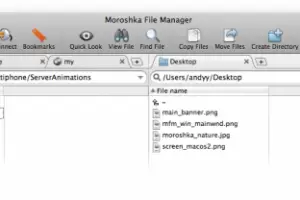
Moroshka File Manager is the ultimate tool for Mac OS X to simplify the file management tasks. The program has the ability to share a document from your server...

Blogging has a very good and huge scope for all people of the world. The growth of a blog is measured in terms on its popularity as well as comments. While...

Its already 12th October and iOS 5 along with iCloud will be soon publicly release. Last day Apple brought all new stable release of iTunes 10.5 which gets the...
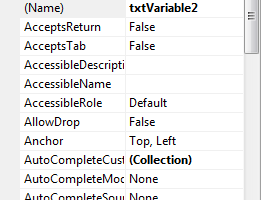
In tutorial 5, we told you to try out one exercise. In that tutorial, we put values of variables in code by ourselves, which made our code static. It means...
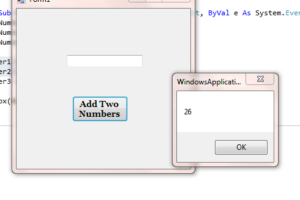
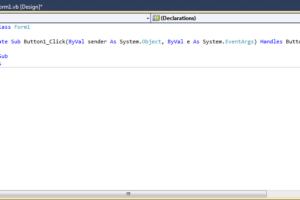
In last tutorial, we have created a form with a button that says “Add Two Numbers” and a textbox. Double click on button to open coding windows and...

He came. He saw. He conquered. He left. Steve Job’s life can be aptly described in these 8 words. And when he left, he gave many a question to think...

06/10/2011 will be remembered as the day when the tech world woke up to sad morning. A very sad one indeed. This morning saw many in tears over the shock they...
Steve Jobs, co-founder of computer and software giant Apple Computers Inc., and until recently its CEO, has died at the age of 56, according to Apple. After a...

One might have noticed that Mac OS X turns off its screen automatically, if left unused for 5-10 minutes or more. However, some applications which are still...
In tutorial 3, we saw how to work with Text Property of Labels and forms. If you find font or size of labels is too small to read, you can alter it from the...
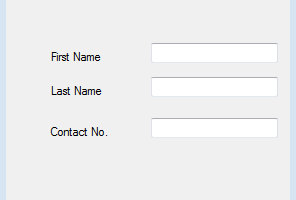
In last tutorial, we learned how to add Textboxes and other stuff to our form. Now we are about to learn something about properties box present on right corner...